

dots vs Muse: OpenAI's agent or Meta's?
OpenAI's dots works on your job from inside ChatGPT Pro; Meta's Muse handles everyday errands and is free to start. How they differ on price, reach, safety and privacy.
At a glance
Pick Muse if you want a personal agent for life admin, such as shopping, bills and family plans, and don’t want to pay to try one. Pick dots if you already pay for ChatGPT Pro, or your work runs through Slack, Microsoft Teams and tools you’ve connected to ChatGPT: a dot is built for work and comes with Pro at no extra cost.
Both launched in September 2026, both work on their own cloud computer and keep going when your phone is off, and both message you with things to review. The big differences are price, where you can reach them and who they’re for.
Who each one is for
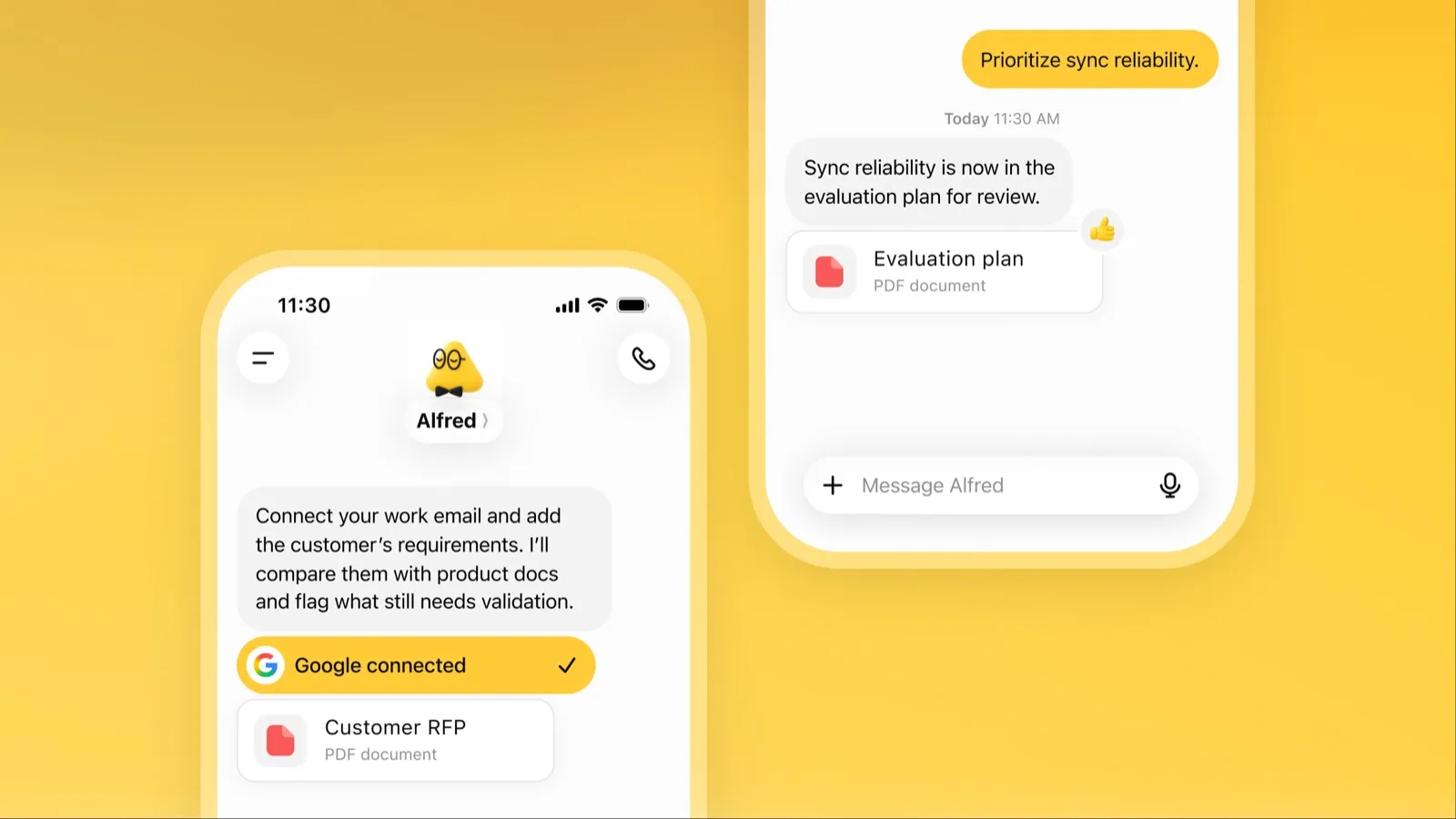
A dot is OpenAI’s always-on agent inside ChatGPT. It starts from your ChatGPT memory, connects to over 4,000 apps through ChatGPT plugins, and hands work to Codex and ChatGPT Work to research, analyse data, prepare documents and build software (OpenAI). When idle, it researches your connected apps read-only and comes back with work to review.
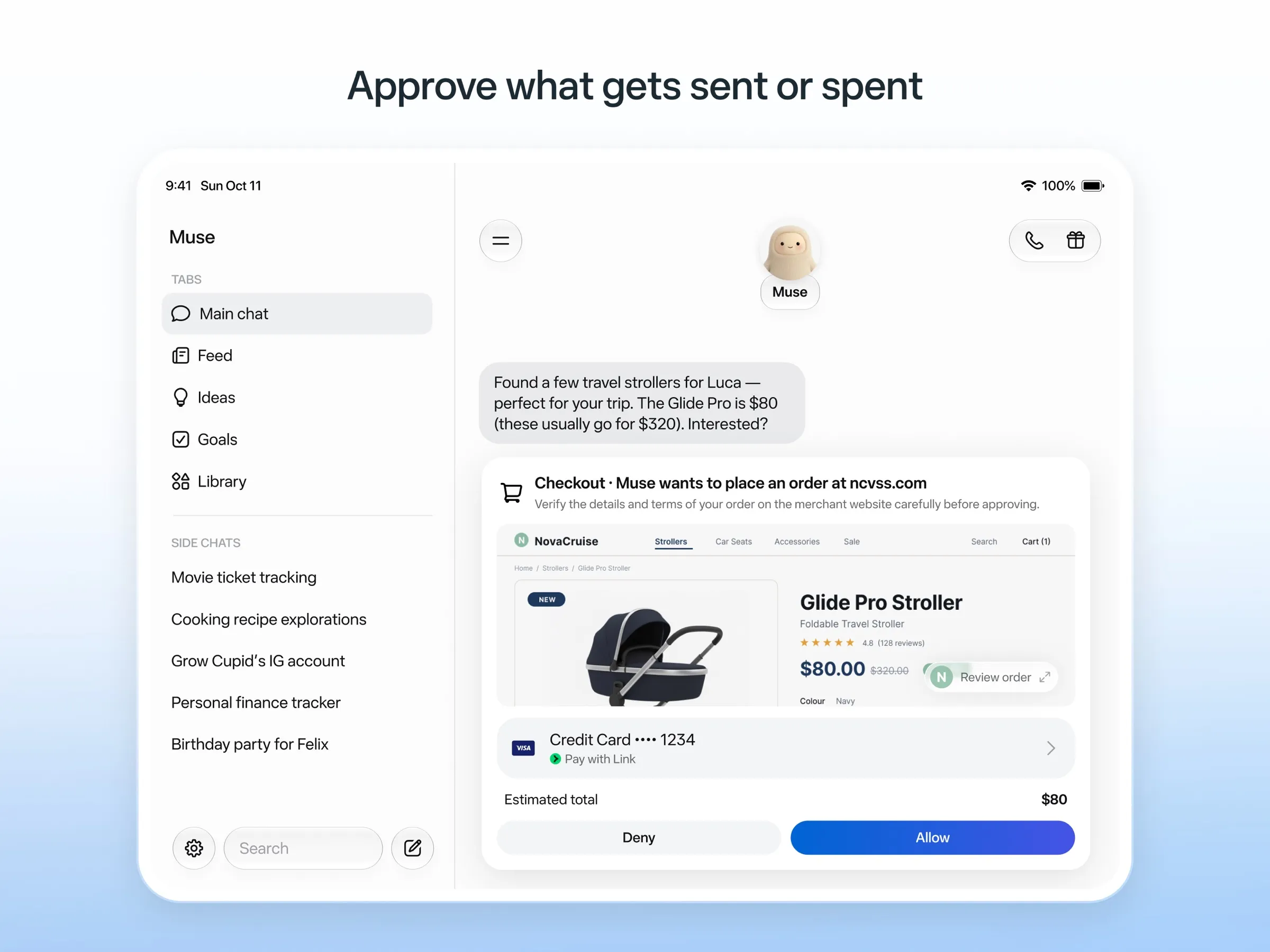
Muse is Meta’s consumer agent. Meta’s examples are selling a car, lowering a bill, booking travel and turning a recipe into a grocery list (Meta). It connects to email, calendar and Instagram and uses a browser for sites without an integration.
Where you reach them
You can message or call a dot in ChatGPT on web, desktop and mobile, or message it in Slack and Microsoft Teams, with one memory across all of them (channels). Texting it over iMessage or Android RCS is a beta for US Pro users only.
Muse lives in its own app on iPhone, Android and Mac and on the web; chatting with it in WhatsApp is in limited testing (WhatsApp). Muse isn’t the Meta AI chatbot; they’re separate apps.
That’s the main difference on our checklist: a dot counts as living in your chat apps because it’s generally available in Slack, while Muse’s WhatsApp channel is still in testing.
Price and availability
| dots | Muse | |
|---|---|---|
| Free | No | Yes, up to an unpublished limit; card required |
| Cheapest way in | ChatGPT Pro, $100 a month | Power, $20 a month, for more usage |
| Countries | Pro excludes the EEA, the UK and Switzerland | US, Canada, Japan, Singapore, Mexico |
| Model | GPT-6 Astra | Muse Spark; Muse Wonder on paid plans |
For a ChatGPT Pro subscriber, a dot costs nothing extra, and chatting with it doesn’t count toward ChatGPT limits (pricing). For anyone else, Muse is far cheaper to try.
Safety
Muse’s design is more detailed: a separate Sentinel agent approves anything it sends to the internet, it asks before sending email or buying, keeps an audit trail, and pays with one-time card numbers. Early users and press still reported it overstepping permissions (The Guardian).
dots use Custom Rules and Auto-review to gate sensitive actions, and some steps always stay with you. You can open a dot’s computer and take over. Stopping a task doesn’t undo actions it already completed (docs).
Privacy
Both train on your content by default with an opt-out. OpenAI lists “Content is used to train our models” for Pro (pricing), though Business, Enterprise and Edu content isn’t used by default, per DataCamp. Meta uses your Muse interactions to train its models unless you opt out, and says Muse conversations aren’t shared with its ad systems.
The verdict
- Already on ChatGPT Pro, or your team works in Slack or Teams: dots.
- You want help with errands and don’t want to pay yet: Muse.
- You’re in Europe: Muse isn’t available, and dots on Pro excludes the EEA, the UK and Switzerland; only a Business Premium workspace in a supported region gets one. See the best AI assistants.
More background: what dots is, what Muse is and Muse alternatives.
Pricing
dots
ChatGPT Pro 100
$100/mo
- First dot included at no extra cost
- Chatting with your dot does not count toward ChatGPT usage limits
- Not available in the EEA, the UK or Switzerland
ChatGPT Pro 200
$200/mo
- Everything in Pro 100 with more included usage
ChatGPT Pro 500
$500/mo
- Highest included usage of the Pro plans
Business Premium
Custom
- Dot included in supported ChatGPT regions, subject to workspace eligibility
- Price not listed alongside dots
Muse
Free
Free
- Runs on Muse Spark
- Free up to a usage limit that refreshes
- Meta does not publish the size of the free allowance
- Payment card required to sign up
Power
$20/mo
- 500M Muse tokens per week
- Muse Wonder model
Maximum
$100/mo
- 3B Muse tokens per week
- Muse Wonder model
dots
Strengths
- Runs on its own cloud computer and browser and keeps working when your devices are off
- Connects to over 4,000 apps through ChatGPT plugins and can hand work to Codex and ChatGPT Work
- Reachable in ChatGPT, Slack and Microsoft Teams, and you can call it, with one memory across channels
- Researches your connected apps on its own and brings you finished work or decisions to review
- Custom Rules and Auto-review gate sensitive actions, and some steps always stay with you
Weaknesses
- No free, Go or Plus access: it needs ChatGPT Pro from $100 a month or Business Premium
- Pro access excludes the EEA, the UK and Switzerland
- One dot per user for now; teams of dots are only planned
- Texting over iMessage or RCS is a US-only beta, and your dot cannot call you yet
- Stopping a task does not undo actions it already took, and tasks it starts in Codex or ChatGPT Work count toward those limits
Muse
Strengths
- Free tier, and no technical setup: you message it like a person in the app or on the web
- Runs on its own cloud computer and keeps working after you close the app
- Asks before sending email or buying, and shows an audit trail of what it did and plans to do
- Purchases go through a one-time card number with Link's purchase protections, so the agent never sees your real card
- Connects to email, calendar and Instagram, and can use a browser for sites without an API
Weaknesses
- Only in the US, Canada, Japan, Singapore and Mexico so far, and Meta says Muse is still in limited testing
- Requires a payment card even for the free tier, and the stronger Muse Wonder model is for paid plans only
- Your interactions train Meta's AI models unless you opt out
- Free usage limit is not published, so it is hard to know when you will hit it
- Early users and press reported it overstepping permissions, such as reading messages it was not meant to
- Requires a Meta account and asks for broad access to email, calendars and payments
Features
| dots | Muse | |
|---|---|---|
| Web search | Yes | Yes |
| Image generation | Yes | Yes |
| Voice mode | Yes | Yes |
| File uploads | Yes | Yes |
| Memory | Yes | Yes |
| Takes actions for you | Yes | Yes |
| App integrations | Yes | Yes |
| Works on its own | Yes | Yes |
| Messages you first | Yes | Yes |
| Runs several bots | No | Unknown |
Sources
dots
- ChatGPT: Dots feature pageChecked Nov 8, 2026
- ChatGPT docs: Meet dotsChecked Nov 8, 2026
- ChatGPT docs: Dot channels (Slack, Teams, calls, texting beta)Checked Nov 8, 2026
- ChatGPT pricing: Dots on Pro only; training opt-outChecked Nov 8, 2026
- TechCrunch: OpenAI launches dots, its bubbly agentic avatarChecked Nov 8, 2026
- DataCamp: OpenAI Dots, always-on agents in ChatGPT, explainedChecked Nov 8, 2026
- eesel: OpenAI Dots pricing by Pro tier and limitsChecked Nov 8, 2026
- ChatGPT docs: Dot computers and apps (cloud browser for research)Checked Nov 8, 2026
- OpenAI Help Center: Images in ChatGPT (image generation on all tiers)Checked Nov 8, 2026
Muse
- Meta: Introducing Muse, the world's first personal AI agent built for everyoneChecked Nov 8, 2026
- Muse homepageChecked Nov 8, 2026
- Meta Help Center: About Muse subscriptionsChecked Nov 8, 2026
- Meta Help Center: Meta AI, Muse and Vibes are separate appsChecked Nov 8, 2026
- TechCrunch: Meta debuts its Muse AI agent. Will consumers trust it?Checked Nov 8, 2026
- 9to5Mac: Muse personal agent gets apps for iPhone and MacChecked Nov 8, 2026
- The Guardian TechScape: early Muse users report the agent overstepping permissionsChecked Nov 8, 2026
- iPhone in Canada: Meta's Muse AI agent is now available in CanadaChecked Nov 8, 2026
- Superpower Daily: Meta launches Muse in Japan (Oct 23, 2026)Checked Nov 8, 2026
- Meta: Muse is now available in Singapore (Oct 27, 2026)Checked Nov 8, 2026
- Mexico News Daily: Meta launches its Muse AI agent in Mexico (Nov 6, 2026)Checked Nov 8, 2026
- Meta Q3 2026 earnings call transcript: Muse Wonder in the paid tier, free tier on Muse SparkChecked Nov 8, 2026
- How to manage reminders and scheduled tasks with MuseChecked Nov 8, 2026
- WhatsApp Help Center: About chatting with your Muse agent through WhatsAppChecked Nov 8, 2026
- TechCrunch: Meta's Muse hits MacChecked Nov 8, 2026
- Meta AI: Muse features and FAQ (browses the web, generates images)Checked Nov 8, 2026
- Meta Help Center: How your Muse agent browses the webChecked Nov 8, 2026
- Meta Help Center: How to use Muse with artifacts (uploads, image generation)Checked Nov 8, 2026
- Meta Help Center: How to get started with MuseChecked Nov 8, 2026