
dots review: OpenAI's always-on agent, and who should pay $100 for it
dots is OpenAI's always-on agent inside ChatGPT. What it does day to day, the Pro and region limits, privacy, and how it compares to Claude Duet and Grok Bot.
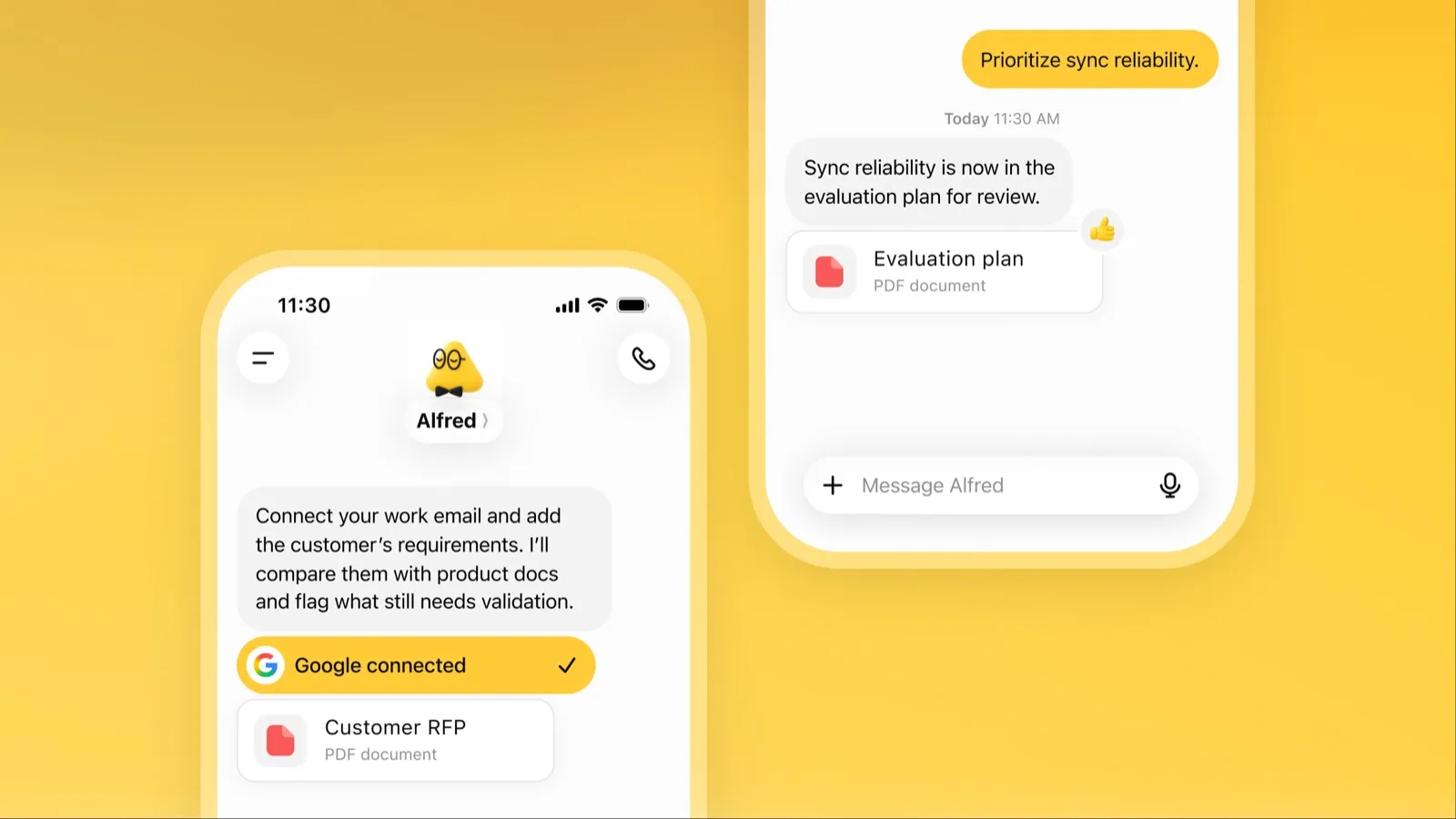
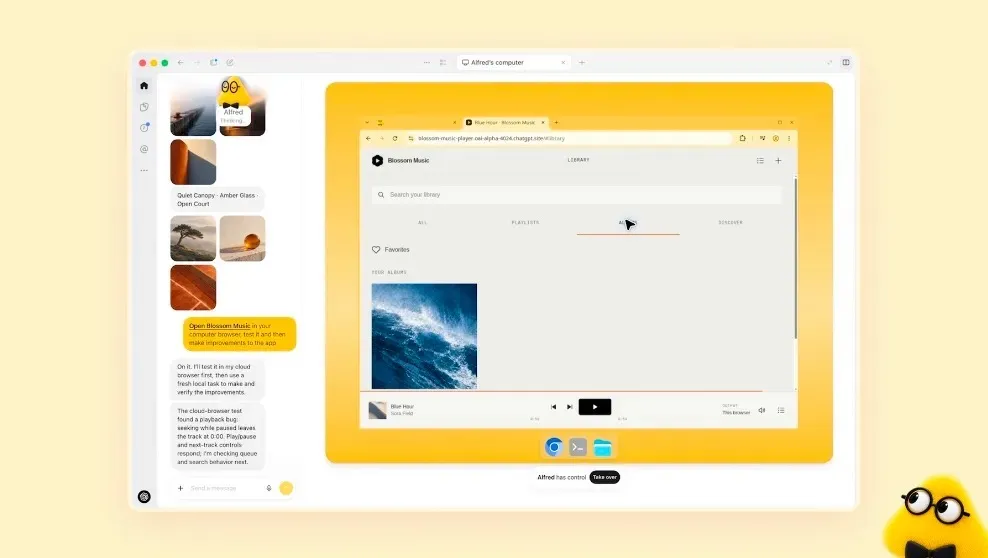
Visit dotsA dot is OpenAI’s always-on agent inside ChatGPT. It runs on its own cloud computer with a browser, keeps working when your laptop is closed, and comes back to you when it has finished something or needs a decision. You can message it in ChatGPT, Slack or Microsoft Teams, or call it, and it keeps one memory across all of them (OpenAI docs).
It is one of the most capable assistants on this list, and one of the hardest to get. You need ChatGPT Pro from $100 a month or Business Premium, Pro access excludes the EEA, the UK and Switzerland, and you get one dot. For a short explainer, read What is dots?.
Who dots is for
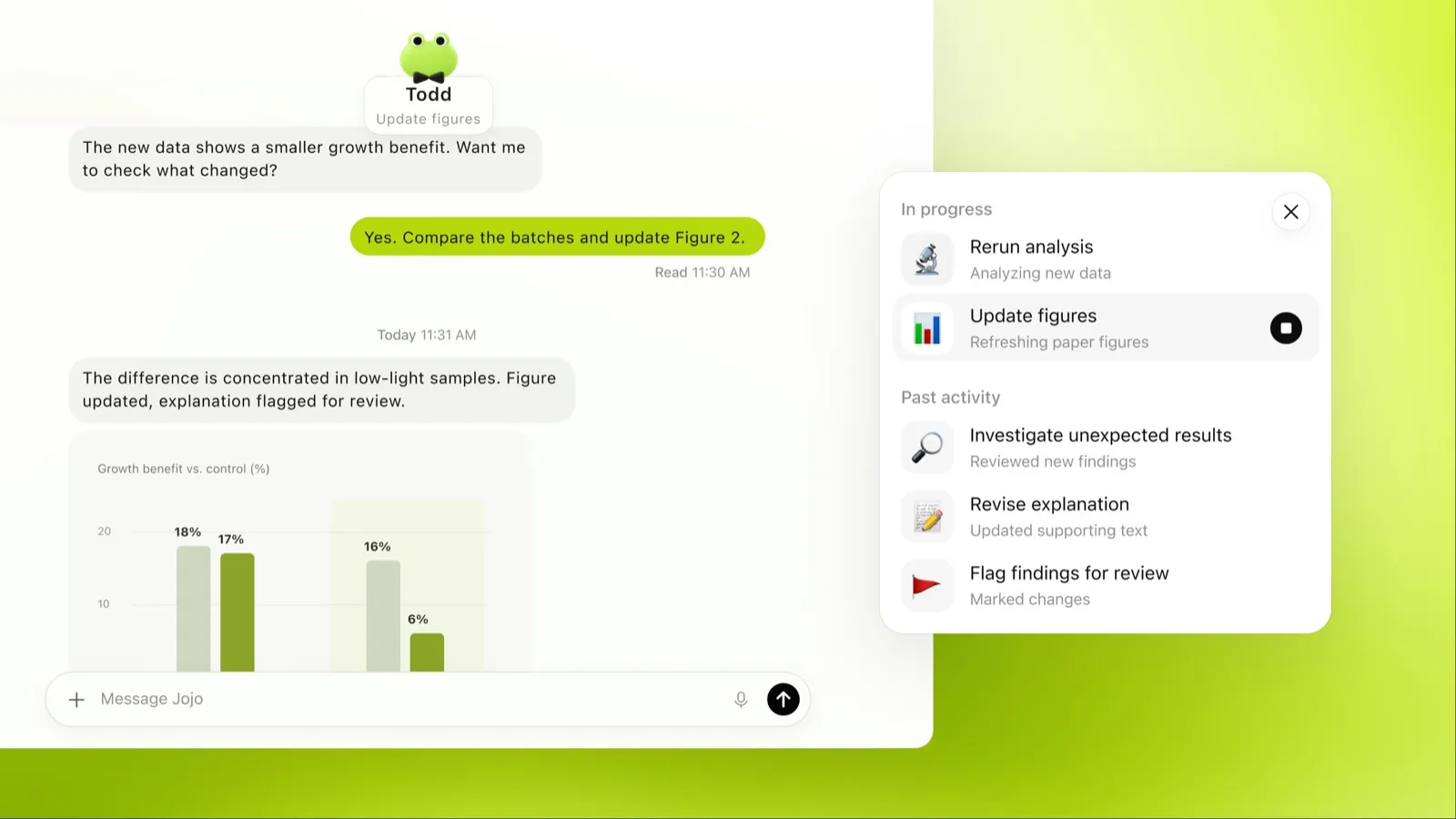
dots makes the most sense if you already pay for, or were about to pay for, ChatGPT Pro. The dot comes included, and chatting with it doesn’t count toward your ChatGPT usage limits (OpenAI docs). OpenAI’s own launch examples lean toward knowledge work: a developer whose dot watches customer feedback and ships fixes, and a scientist whose dot reruns analyses as new data arrives (TechCrunch).
It fits best if you:
- live in Slack or Microsoft Teams and want an agent you can mention there;
- already use Codex, since a dot can hand coding work to it;
- want an assistant that follows a project for weeks rather than answering one question.
It fits poorly if you are in Europe or the UK on a personal plan, if you want a free tier to try first, or if you want several specialized agents rather than one generalist.
What it actually does day to day
The core loop is: you hand the dot a goal, it works on it in the background, and it pauses and wakes itself up to continue without you setting a schedule for each follow-up. OpenAI’s offsite example shows the tone: the dot updates the headcount as people confirm, but asks before it requests revised pricing from the venue (OpenAI docs).
A few things stand out once you read the docs closely:
- It works when you’re idle. Between tasks it researches your connected apps and comes back with work to review or decisions to make. That research is read-only.
- It keeps notes on you. Saved notes on your preferences, decisions and ongoing work carry across conversations and channels.
- Slack monitoring is explicit. Adding your dot to a Slack channel doesn’t make it watch the channel. You tell it which channels to watch, what to look for and when to alert you, and it confirms that as a recurring task (channels docs).
- It can use your own computer too. You can connect one personal computer at a time, which must be online with the ChatGPT app open. That’s how it uses local skills, and it helps with sites that block cloud browsers.
- Calls go one way. You can call your dot and type during the call, but your dot can’t call you yet; OpenAI says that’s planned (channels docs).
TechCrunch’s take at launch was that “much of this functionality was already possible through Codex and similar agentic harnesses,” and that dots mostly packages it with autonomy and a friendly avatar (TechCrunch). That’s fair for developers. For everyone else, the packaging is the point: no setup beyond connecting apps.
Limits to know before you subscribe
- Price. No free, Go or Plus access. Pro starts at $100 a month; the $200 and $500 tiers add usage, not extra dots.
- Regions. Pro access is for users 18 and older outside the EEA, the UK and Switzerland. Business Premium follows supported ChatGPT regions, subject to workspace eligibility (OpenAI docs).
- Workplace rollout. On Enterprise, Edu and Healthcare workspaces, admins can turn dots on during the preview, and from November 18, 2026, access is on by default unless the workspace opts out (OpenAI docs). If you run IT for a ChatGPT workspace, that date matters.
- One dot. Each user gets one primary dot. OpenAI says it envisions “teams of Dots” and specialist dots with their own credentials and tools, but that’s a plan, not a feature (TechCrunch).
- Texting is a beta. iMessage and RCS texting is rolling out to US Pro users only, one-to-one, and approval requests arrive as a link to review in ChatGPT (channels docs).
- Usage spills over. Tasks your dot starts in Codex or ChatGPT Work count toward those products’ limits.
- Stopping isn’t undoing. Pause stops only the main task; delegated and scheduled tasks need stopping separately, and nothing already done is reversed.
Privacy
Before a dot touches your accounts or shares information, an automatic review decides whether it proceeds, asks for your approval, or hands the step back to you. Custom rules let you add your own boundaries, but neither they nor your instructions override built-in safety requirements (OpenAI docs). Website passwords go into a private form outside the conversation, the cloud browser’s sessions are separate from your own browser, and using a saved login asks for your confirmation.
Training is the part to check. OpenAI’s pricing page lists “Content is used to train our models” for Pro, with an opt-out (ChatGPT pricing). DataCamp’s summary of OpenAI’s help docs says proactive research and a dot’s notes to itself aren’t trained on directly, and that Business, Enterprise and Edu content isn’t used for training by default (DataCamp). If you’re on Pro and connect a work inbox, turn the opt-out on first.
How dots compares
vs Claude Duet. The closest rival. Both run on a cloud computer, both brief you on their own, both inherit your existing chat memory and connectors. Duet costs less to get into (it works on Claude Pro at $20) but is a US-only waitlist, can’t be reached in Slack, and is one model in one thread. dots is broader and costs more.
vs Perplexity Teammates. Teammates is the answer to “one dot isn’t enough”: you can create several, each with its own computer, model and role, and they hand work to each other. It’s a web-only research preview on Perplexity Max at $200.
vs Grok Bot. Grok Bot already lets you run several named Bots on a cloud computer and starts at $30 a month in The X Subscription. If you want multiple agents today without paying Pro prices, it’s the cheaper route.
vs Lindy. Lindy is the work assistant for small teams that want inbox, calendar and meeting prep handled, with a free plan, iMessage and Slack, and a stated policy of never training on your data.
vs Rakazo, OpenClaw and Hermes Agent. All three are open source and let you choose the model, including local ones, so your data can stay on your machine. You give up dots’ polish for control. (Disclosure: Rakazo is made by the company behind this site, and is ranked on the same terms.)
vs Muse and Poke. Both are consumer assistants with free plans, aimed at errands and texting rather than work projects.
Verdict
If you already pay for ChatGPT Pro and work in Slack or Teams, turn your dot on: it’s included, it doesn’t eat your chat limits, and it is the most complete always-on agent from a major lab. Opt out of training if your plan defaults to it, and be specific about what it should watch.
If you’d be subscribing to Pro just for dots, compare first. Claude Duet is cheaper if you can get off its waitlist, Grok Bot gives you several agents for less, and the best AI assistants ranking covers the rest. If you’re in the EEA, the UK or Switzerland on a personal plan, it isn’t an option yet.
Pricing
ChatGPT Pro 100
$100/mo
- First dot included at no extra cost
- Chatting with your dot does not count toward ChatGPT usage limits
- Not available in the EEA, the UK or Switzerland
ChatGPT Pro 200
$200/mo
- Everything in Pro 100 with more included usage
ChatGPT Pro 500
$500/mo
- Highest included usage of the Pro plans
Business Premium
Custom
- Dot included in supported ChatGPT regions, subject to workspace eligibility
- Price not listed alongside dots
Features
| Web search | Yes |
|---|---|
| Image generation | Yes |
| Voice mode | Yes |
| File uploads | Yes |
| Memory | Yes |
| Takes actions for you | Yes |
| App integrations | Yes |
| Works on its own | Yes |
| Messages you first | Yes |
| Runs several bots | No |
Strengths
- Runs on its own cloud computer and browser and keeps working when your devices are off
- Connects to over 4,000 apps through ChatGPT plugins and can hand work to Codex and ChatGPT Work
- Reachable in ChatGPT, Slack and Microsoft Teams, and you can call it, with one memory across channels
- Researches your connected apps on its own and brings you finished work or decisions to review
- Custom Rules and Auto-review gate sensitive actions, and some steps always stay with you
Weaknesses
- No free, Go or Plus access: it needs ChatGPT Pro from $100 a month or Business Premium
- Pro access excludes the EEA, the UK and Switzerland
- One dot per user for now; teams of dots are only planned
- Texting over iMessage or RCS is a US-only beta, and your dot cannot call you yet
- Stopping a task does not undo actions it already took, and tasks it starts in Codex or ChatGPT Work count toward those limits
Best for
- ChatGPT Pro subscribers who want an agent working in the background
- Teams that live in Slack or Microsoft Teams
- Developers who already use Codex
Sources
- ChatGPT: Dots feature pageChecked Nov 8, 2026
- ChatGPT docs: Meet dotsChecked Nov 8, 2026
- ChatGPT docs: Dot channels (Slack, Teams, calls, texting beta)Checked Nov 8, 2026
- ChatGPT pricing: Dots on Pro only; training opt-outChecked Nov 8, 2026
- TechCrunch: OpenAI launches dots, its bubbly agentic avatarChecked Nov 8, 2026
- DataCamp: OpenAI Dots, always-on agents in ChatGPT, explainedChecked Nov 8, 2026
- eesel: OpenAI Dots pricing by Pro tier and limitsChecked Nov 8, 2026
- ChatGPT docs: Dot computers and apps (cloud browser for research)Checked Nov 8, 2026
- OpenAI Help Center: Images in ChatGPT (image generation on all tiers)Checked Nov 8, 2026