
Lindy review: an AI assistant for work, and how its credits really add up
Lindy runs your inbox, calendar and meetings over iMessage, Slack and email. Who it suits, how per-seat credits work, privacy, and how it compares to Poke and dots.
Visit LindyLindy is an AI assistant for work. Each person gets what Lindy calls a personal executive assistant that triages email, drafts replies in your voice, schedules meetings, records calls and preps you for them, and the team shares a Lindy it can mention in Slack (Lindy docs). You reach it over iMessage or SMS, Slack, email, a phone line, a Chrome extension for Gmail, or the web.
It does the job it promises, and it’s one of the few assistants here that’s built around a team rather than one person. The catch is cost: paid seats start at $49.99 per user a month, usage is billed in credits that are hard to predict, and anyone who mentions Lindy in Slack needs a seat.
Who Lindy is for
Lindy is for small teams and busy professionals whose work runs through email, calendars, meetings and Slack: founders, agencies, sales and operations people. Its CEO, Flo Crivello, calls it an AI employee rather than an agent; he introduced the Slack teammate in August 2026 with “Today, we kill the AI agent and introduce the AI employee” (The Cognitive Revolution).
It fits best if you:
- spend the first hour of the day on email and scheduling;
- want meeting notes, follow-up drafts and prep briefs without opening another app;
- work in a team on Slack, where several people can hand the same assistant work.
It fits poorly if you want an assistant for personal errands, if you’re one person on a tight budget, or if your team uses Microsoft Teams (listed as coming soon in the docs).
What it does for you day to day
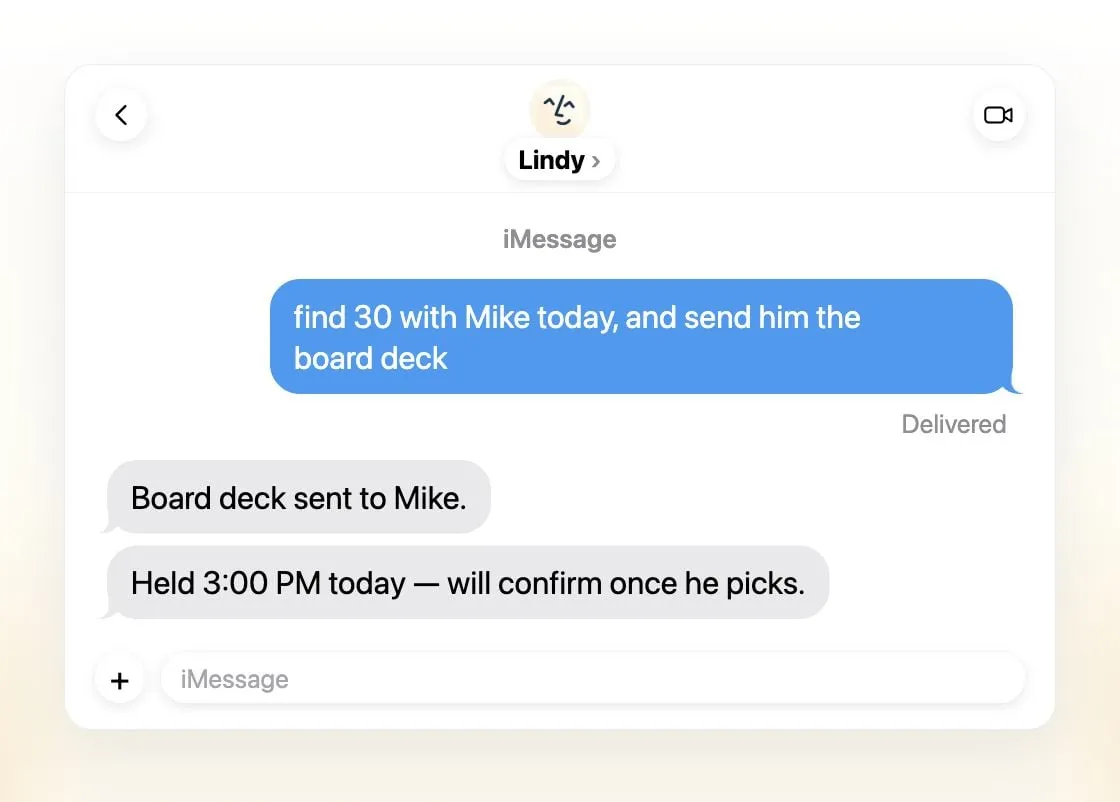
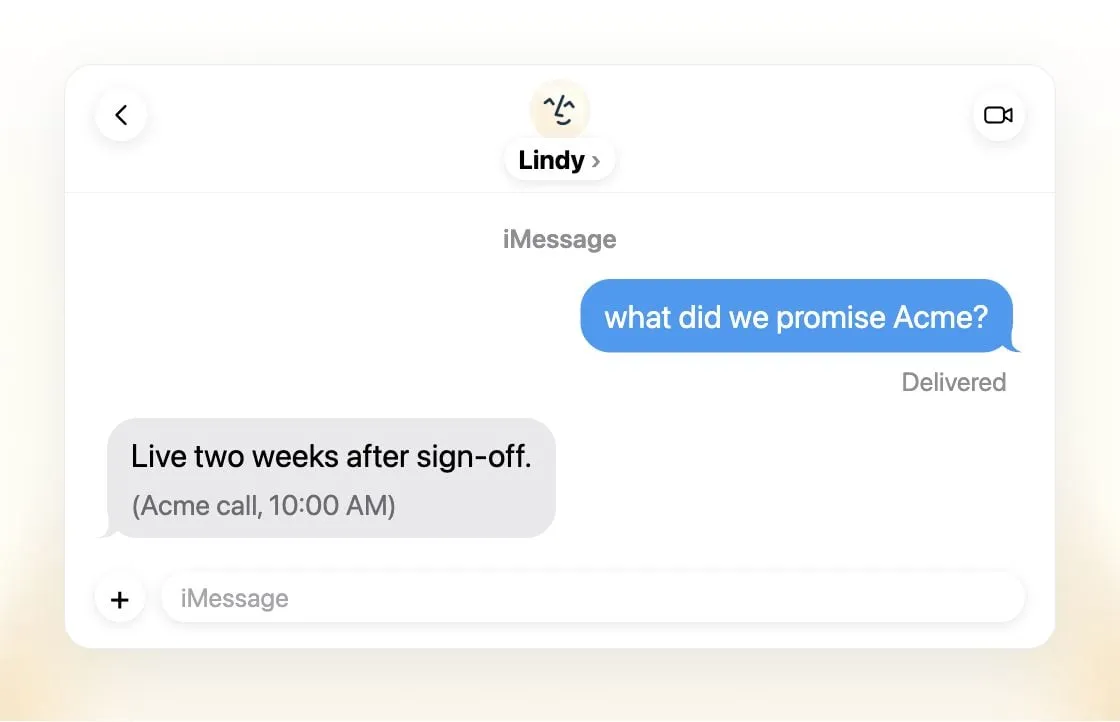
Lindy’s launch post for the assistant describes the routine it aims for: your inbox sorted and replies drafted before your coffee, background gathered from past emails and meetings before a call, notes and action items during it, and a follow-up draft after (Lindy). You can also ask it what was promised to a client on a past call, which is the kind of question that usually means digging through notes.
The channels are the practical advantage. You can text Lindy in iMessage from your phone, DM it in Slack, email it, or call its number, and it’s the same assistant with the same memory. In a shared Slack channel, you @mention it to research a question, write a report or update your CRM, and others in the thread can follow along (Lindy docs).
It also works without being asked. Routines run on a schedule or when something happens, such as a morning brief or flagging an important email (Lindy docs), and Lindy texts you about time-sensitive email. For actions that touch the outside world, it asks for approval first, and in shared Slack threads you choose which changes need yours.
On memory, Lindy lets you decide what stays personal and what the team can see. In an interview, Crivello said the team memory is stored as files you can open and edit, and that you can tell it in plain text what never to remember (The Cognitive Revolution). That’s more inspectable than most assistants’ memory.
How the credits add up
This is the part to understand before you sign up. From the pricing page:
- Every active user is a seat, from $49.99 a month with 5,000 credits each, and all credits go into one team pool.
- Mentioning Lindy in Slack needs a seat. People who join through Slack get a one-time 7-day trial before they’re billed; people who sign up directly are billed right away. Removing a seat doesn’t refund the rest of the month.
- Tasks vary more than 1,000-fold. Lindy’s own ranges are 2 to 250 credits for everyday asks like a summary or a reply draft, 250 to 1,000 for deep work like a competitor report, and 1,000 to 2,500 for big builds like a dashboard or a deck from CRM data.
- Running out pauses work, not your card. When the pool is empty, Lindy stops credit-using actions until the next cycle unless an admin buys a top-up at $10 per 1,000 credits. Monthly credits don’t roll over; top-ups don’t expire.
In practice, 5,000 credits covers a lot of email drafts but only a few heavy research jobs. Admins can cap each seat’s share of the pool, which is worth doing on day one.
The free option is $50 in credits with no card, and they expire after 7 days (pricing). Use that week on your real inbox and calendar; it’s enough to judge the drafts and the scheduling.
One irritation: plan names don’t match. The pricing page sells one Team plan with credit tiers, while the docs talk about Plus, Pro and Max plans (Lindy docs), and the pricing page still says computer use is available “on Pro and Max”. Ask before you buy if a specific feature matters.
Limits
- No mobile app. On a phone you use iMessage, SMS or a call.
- One shared Lindy per team, plus each person’s private one, rather than separate assistants for separate jobs.
- Expensive for individuals. A single seat at $49.99 is more than Poke Pro, Manus or Claude Pro.
- Model choice is there, with a caveat. The Team plan lets you choose the model per task, from OpenAI, Claude, Gemini and DeepSeek models. If your company has rules about which models may see its data, check which model each task uses.
Privacy
Lindy makes clearer privacy commitments than most hosted assistants here. It says data is encrypted in transit and at rest and is never sold, shared or used to train models, and it claims SOC 2 Type II, GDPR and PIPEDA compliance, with HIPAA and a signed BAA on Enterprise (Lindy, pricing). Enterprise also adds SSO, SCIM and audit logs.
The usual hosted-service caveat applies: Lindy reads your email, calendar and recorded meetings on its servers, so you’re trusting those promises. If you want nothing to leave your hardware, see the self-hosted options in private AI assistants.
How Lindy compares
vs Poke. Both text you over iMessage and reach out first. Poke is personal, free to start and $19 for Pro, but trains on your data unless you opt out. Lindy is for work, costs more, and promises no training. Pick by whether this is for your life or your job.
vs dots. OpenAI’s agent also works in Slack and Microsoft Teams and runs on its own cloud computer, but needs ChatGPT Pro from $100 a month. Lindy is cheaper per person, has a phone line and iMessage, and is more focused on inbox and meetings.
vs Perplexity Teammates. Persistent agents that watch Slack, GitHub and Linear, each with its own computer, but only on Perplexity Max at $200 a month and as a web preview. Better for research-heavy and engineering teams; Lindy is better for the inbox and calendar.
vs Grok Bot. Always-on agents on a cloud computer, with a Teams plan from $30 per user. Grok Bot can run several bots at once; Lindy’s strength is the executive-assistant routine and more channels.
vs Claude Duet. Briefs you each morning and asks before acting, but it’s a US waitlist preview for paid Claude plans, for individuals rather than teams.
vs Rakazo, OpenClaw and Hermes Agent. Open source, your choice of model, several bots, and they can be self-hosted so data stays with you. You do more setup, and with OpenClaw and Hermes you run the server, but the bill is the model’s, not a per-seat price. (Disclosure: Rakazo is made by the company behind this site, and is ranked on the same terms.)
vs Manus. Manus produces finished artifacts like reports, sites and slides, also on credits. It’s a better fit for one-off output; Lindy for the daily inbox and meeting loop.
On our checklist, Lindy acts in your accounts, works while you’re away, messages you first and lives in iMessage and Slack. It misses running several bots, because a team gets one shared Lindy. See where that puts it in the AI assistant ranking.
Verdict
Lindy is the most complete assistant here for the work inbox, calendar and meeting loop, and the only one built from the start for a team on Slack. Its privacy promises are strong for a hosted product, and reaching it by iMessage, Slack, email or phone makes it easy to actually use.
Price is the question. At $49.99 per seat, a bill that grows with every colleague who mentions it, and credits that vary from 2 to 2,500 per task, it’s worth it for teams that would otherwise hire help, and hard to justify for one person. Use the free week on your real inbox, cap seat usage, and watch the credit pool for a month before rolling it out.
Pricing
Free
Free
- $50 in credits, no card required
- Free credits expire after 7 days
Team
$49.99/mo
- Per user, from 5,000 credits a month each, pooled across the team
- Larger credit tiers up to $9,999.50 a month
- Top-ups at $10 per 1,000 credits
- Choose the model per task, computer use and live onboarding
Enterprise
Custom
- Custom pricing
- HIPAA with a signed BAA, SSO and SCIM, audit logs
- Bonus credits and dedicated support
Features
| Web search | Yes |
|---|---|
| Image generation | Yes |
| Voice mode | Yes |
| File uploads | Yes |
| Memory | Yes |
| Takes actions for you | Yes |
| App integrations | Yes |
| Works on its own | Yes |
| Messages you first | Yes |
| Runs several bots | No |
Strengths
- Texts you first: a personalized first message, alerts on time-sensitive email, and daily briefs
- Reachable almost anywhere: iMessage or SMS, Slack, its own phone number, Gmail via a Chrome extension, and the web
- 1,500+ integrations plus any hosted MCP server, and a browser for tools without one
- Asks for approval before anything with outside impact
- Says it never uses your data to train models, with SOC 2 Type II, GDPR and PIPEDA compliance
Weaknesses
- Expensive for individuals: paid seats start at $49.99 per user a month, and free credits last only 7 days
- Credit-based usage is hard to predict, from 2 credits for a simple ask to 2,500 for a big build
- One shared Lindy per team rather than separate assistants for different jobs
- No mobile app; on phones you use iMessage, SMS or calls
- Plan names differ between its pricing page and its docs, so it is hard to tell what each tier includes
Best for
- Small teams and agencies that live in Slack and email
- Busy professionals who want inbox, calendar and meeting help over text
Sources
- Lindy homepageChecked Nov 8, 2026
- Lindy pricingChecked Nov 8, 2026
- Lindy docs: What is Lindy?Checked Nov 8, 2026
- Lindy docs: iMessage & SMSChecked Nov 8, 2026
- Lindy docs: Phone CallsChecked Nov 8, 2026
- Lindy docs: Ad Hoc Tasks (research)Checked Nov 8, 2026
- Lindy docs: Pricing and creditsChecked Nov 8, 2026
- Lindy Assistant: The AI that runs your work lifeChecked Nov 8, 2026
- Lindy docs: Set up Lindy (web search, image generation)Checked Nov 8, 2026
- Lindy docs: Files (drop files and folders in for Lindy to use)Checked Nov 8, 2026
- Lindy changelog (Creatives: on-brand images, Sep 16, 2026)Checked Nov 8, 2026