
Manus review: an AI agent for finished work, paid in credits
Manus turns one prompt into a report, website, slide deck or video. Who it suits after Manus 2.0, how credits really work, and how it compares to Grok Bot and OpenClaw.
Visit ManusManus is a general-purpose AI agent that takes a task and delivers a finished result: a research report, a website, a slide deck, a short video or a simple game. It works in its own cloud environment, so you describe what you want and come back to the output. It’s a good fit for people who need deliverables with a clear finish line. It’s a weaker fit for open-ended errands, and its credit-based pricing makes it hard to know in advance what a task will cost.
Who Manus is for
Manus suits people whose work ends in a file or a link:
- Marketers and founders who need landing pages, decks and short product videos.
- Consultants and analysts who need a researched report with sources gathered from many pages.
- Small teams that want recurring automations, such as a weekly summary built from Gmail, Slack or Notion.
Users on Reddit tend to agree on where it works: concrete multi-step tasks with a clear end, rather than vague, long-running goals (Ciela’s summary of Reddit threads). If what you want is an assistant that handles your inbox and bookings every day, Muse or Grok Bot fit better.
What’s new
Manus went viral as an invite-only beta in March 2025, when invite codes were resold for over $1,000 (Wikipedia). Since then:
- The Meta deal fell apart. Meta agreed to buy Manus in December 2025. China investigated, and in April 2026 ordered the deal unwound. Manus now operates independently from Singapore, and says it was required to delete some user data as part of the split (TechCrunch).
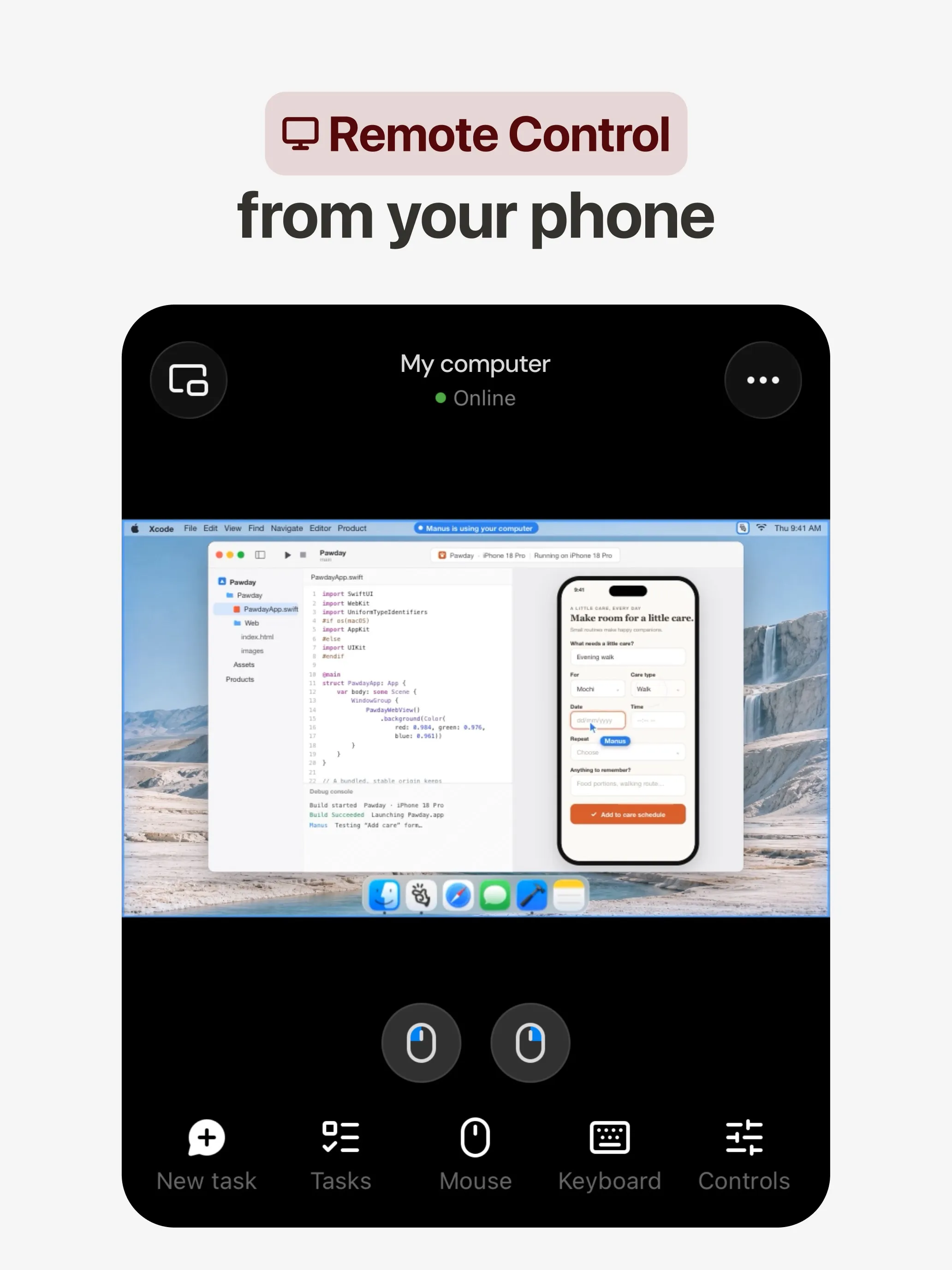
- Manus 2.0 (September 28). A new agent harness called Cascade, which Manus says used 23.2% fewer tokens and cost 32% less in one tested setup; Automations that start from events in connected apps, not just on a schedule; Cloud Computers you can buy that keep running when your laptop is closed; and Manus Studio on desktop, with a Video Editor and Game Dev workspace (Manus).
- Cue. A separate app, launched alongside 2.0, where each personal agent gets its own email address, phone number, wallet and computer. It still requires an invitation code (Manus help center) and is a different product from Manus itself (The Next Web).
- Manus in your chats. Manus Agents now work in Telegram for every user on every plan, running the full agent rather than a lighter chatbot, and an automation can deliver scheduled summaries straight into the chat (Manus). You can also message it in Slack channels and DMs and get files back there (help center). That moves Manus closer to an assistant that reports to you, not just a tool you visit.
- New funding (October 8). More than $500 million. Manus didn’t disclose a valuation; in September it was reported to be in talks to raise at $4 billion (TechCrunch). The agent Meta tried to buy now competes with Meta’s own Muse.
Real use cases
The task box on the homepage gives the clearest picture: slides, websites, games and video, alongside open research. In practice:
- Research reports. “Compare the five biggest project management tools for a 20-person team” becomes a sourced document.
- Websites and web apps. A landing page or a small internal tool from a description.
- Slide decks from a brief or a document.
- Short videos and games, which Manus Studio lets you edit instead of regenerating from scratch.
- Automations. A report that rebuilds itself when a new email arrives or a Notion page changes.
How Manus compares
vs Grok Bot. Grok Bot runs long-lived, named Bots inside your accounts: routines and inbox work. Manus is built around projects with an output. Grok Bot has no free plan and starts at $30 a month; Manus has a free plan and paid plans from $20. Choose Grok Bot for ongoing chores and Manus for deliverables.
vs Muse and Instinct. Those are consumer errand agents: shopping, bookings, email. Manus doesn’t really compete with them. Cue, Manus’s separate app, is its answer to them.
vs OpenClaw. OpenClaw is free, open source and runs on your own computer with the model you choose, but expects command-line skills and careful security settings. Manus is hosted and needs no setup. If you want control and are technical, OpenClaw. If you want a finished deck by this afternoon, Manus.
vs dots. OpenAI’s always-on agent is the closest match in what it produces: it uses Codex and ChatGPT Work to research, analyze data, prepare documents and build software on its own cloud computer, and it works from your ChatGPT memory. It’s included only from the $100 ChatGPT Pro plan and you get one dot. Manus starts free, bills per task, and its editors for video and games go further. If you already pay for ChatGPT Pro, try your dot first.
vs Lindy. Lindy is an assistant for the daily work around deliverables: triaging email, scheduling, recording and prepping meetings, with daily briefs over iMessage or Slack. Manus makes the deliverable itself. Small teams sometimes need both; if you have to pick, decide whether your bottleneck is your inbox or your output.

Pricing advice
Manus charges in credits, and the number a task uses depends on how complex it turns out to be (Manus help center). You can’t know a task’s cost before it runs, and runs that go wrong can still use credits; Manus refunds only tasks that fail because of a technical issue on its side. So:
- Start on the free plan. Daily free credits only work in the Lite mode, so the free plan shows you the workflow, not the full agent.
- Give precise briefs. Vague prompts are what lead to long, expensive runs. Say exactly what the output should be.
- Pick the $20 Pro plan first. All three paid individual plans are called Pro and differ only by credit amount. Move up only when you run out every month. The $40 plan has a 7-day free trial if you want to test the full agent first (pricing).
- Annual billing saves 17%, but only commit after a month or two of real use.
- Budget for extras. Cloud Computers are paid separately. Monthly plan credits don’t roll over; add-on credits carry over only while you keep a paid subscription.
Privacy
Manus is weaker here than most rivals:
- A training opt-out is listed only for the Team plan. Manus doesn’t state an in-app opt-out for individual plans, and we couldn’t confirm whether it trains on individual users’ data by default.
- A change of hands left a mark. Manus said it was required to delete some user data as part of its split from Meta (TechCrunch), a reminder that ownership and jurisdiction can change what happens to your data.
- Regulatory uncertainty. The company was built in China, moved to Singapore, and has been caught between US and Chinese regulators (Wikipedia).
For company work with sensitive data, use the Team plan with its opt-out, or keep confidential material out of Manus.
Getting good results
Most complaints about Manus come down to wasted credits on runs that didn’t produce what the user wanted. A few habits help:
- Describe the finished output. “A 10-slide deck for investors, with a market size slide and three competitor slides” works better than “make a pitch deck”.
- Give it the sources you trust, such as links or files, instead of letting it search widely.
- Break big jobs into steps. A research report first, then a deck built from it, rather than one long run that can go wrong halfway.
- Edit instead of regenerating. For video and games, Manus Studio’s editors let you fix parts of the result without paying for a full new run.
- Test automations by hand first. Run the task once yourself before setting it to trigger on every new email.
When Manus is the wrong tool
Skip Manus if you mainly want a daily assistant for email, bookings and shopping; Muse is free and built for that. Skip it if you need predictable monthly costs, since credits make that hard. And skip it for confidential client material unless you’re on the Team plan with its training opt-out.
Verdict
Manus is one of the best agents for turning a brief into a finished deliverable. Manus 2.0 made it faster and more useful, especially with event-triggered automations and editable video and games. If your work produces reports, sites or decks, it’s worth trying, and the free plan makes that easy.
The weak points are cost and privacy. Credits make spending hard to predict, failed runs still cost you, and individual users get no clear training opt-out. Write precise briefs, start on the cheapest Pro plan, and keep sensitive material on the Team plan or out of it. For other options, see our Manus alternatives or our guide to the best AI agents.
Pricing
Free
Free
- 300 credits a day, capped at 1,500 refreshed credits a month
- 1 concurrent task and 2 scheduled automations
- Daily credits only work in Manus 2.0 Lite mode
Pro
$20/mo
- 4,000 credits a month plus 300 daily refresh credits
- 20 concurrent tasks and 20 scheduled tasks
- 17% off with annual billing
Pro
$40/mo
- 8,000 credits a month, adjustable
- 7-day free trial
Pro
$200/mo
- 40,000 credits a month, adjustable
Team
$20/mo
- Price per seat, from $20
- SSO, usage analytics, access control
- Data training opt-out
Features
| Web search | Yes |
|---|---|
| Image generation | Yes |
| Voice mode | Yes |
| File uploads | Yes |
| Memory | Yes |
| Takes actions for you | Yes |
| App integrations | Yes |
| Works on its own | Yes |
| Messages you first | Yes |
| Runs several bots | Unknown |
Strengths
- Turns one prompt into finished output: research reports, websites, slides, videos and playable games
- Automations can start from a schedule or an event in a connected service such as Gmail, Slack or Notion
- Video Editor and Game Dev let you edit what the agent made instead of regenerating it
- Free plan to try it, with apps for web, iOS, Android, macOS and Windows
Weaknesses
- Credit-based pricing makes costs hard to predict, and long or failed runs can use up credits
- Free daily credits are capped at 1,500 a month and only work in the Lite mode
- A built-in training opt-out is listed only for Team plans
- Several plans share the Pro name and differ only by credit amount
Best for
- Generating websites, slide decks and videos from a prompt
- Research and data-gathering tasks with a clear end result
- Small teams automating recurring workflows
Sources
- Manus Plans & PricingChecked Nov 8, 2026
- Manus Help Center: What is the current membership pricing for Manus?Checked Nov 8, 2026
- Manus Help Center: rules for credit consumptionChecked Nov 8, 2026
- Introducing Manus 2.0 (Sep 28, 2026)Checked Nov 8, 2026
- Download Manus: macOS, Windows, iOS and AndroidChecked Nov 8, 2026
- Tech Xplore/AFP: Manus raises $500 million after Meta acquisition blocked by ChinaChecked Nov 8, 2026
- Wikipedia: Manus (AI agent)Checked Nov 8, 2026
- Manus for Slack: Turn Your Workspace into an Autonomous EngineChecked Nov 8, 2026
- Manus docs: AutomationsChecked Nov 8, 2026
- Is my data safe when using Manus Agents in Telegram?Checked Nov 8, 2026
- Chatting with Manus Agent on Slack: Channels, DMs, and File DeliveryChecked Nov 8, 2026
- Manus Agents in Telegram (available to all users)Checked Nov 8, 2026
- Manus Help Center: What's new in Manus 2.0 (Cue requires an invitation code)Checked Nov 8, 2026
- Manus API docs: Agents (default agent plus agents you create)Checked Nov 8, 2026
- Manus privacy policy (updated Sep 28, 2026)Checked Nov 8, 2026