
Hermes Agent review: the self-hosted AI agent that writes its own skills
Hermes Agent is a free, open-source AI agent from Nous Research that runs on your server and learns skills. Setup, security, costs, and how it compares to OpenClaw.
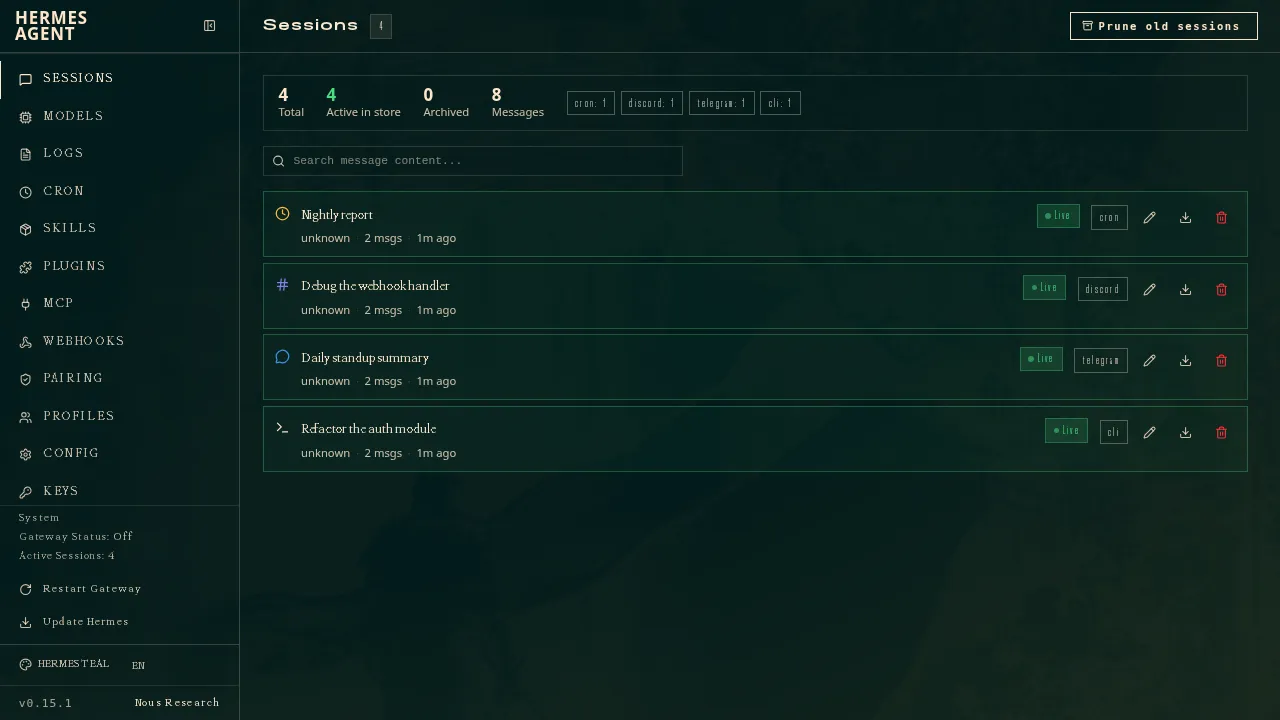
Visit Hermes AgentHermes Agent is a free, MIT-licensed AI agent from Nous Research, the lab behind the Hermes models. You install it on your own computer or a small server, connect a model, and talk to it from Telegram, Slack, WhatsApp, Discord, Signal, email or the terminal. Its pitch is that it gets better at your work over time: after a complex task it writes a reusable skill, refines that skill as it uses it, and builds a profile of you across sessions (GitHub).
It does everything on our checklist, and it does it on hardware you control. The price is setup: you’re the administrator, and you pay the model bill unless you use free models or Nous Research’s optional subscription.
Who Hermes Agent is for
- Developers and tinkerers who are comfortable with a terminal and want an agent they can read, extend and run anywhere.
- People who repeat the same kinds of tasks. The self-written skills pay off on research, triage and other work you do again and again, not on one-off questions.
- People who want a team of specialist agents. Profiles let you run several separate agents, each with its own model, memory and skills, and Bot Mode puts them in group chats together (profiles docs, Bot Mode docs).
- OpenClaw users who want to try something else. Hermes can import OpenClaw’s memories, skills, persona file and messaging settings, with a dry-run preview first (GitHub).
It’s not for anyone who has never opened a terminal. If that’s you, a hosted assistant like Poke or Lindy will get you further with less risk.
What it does for you day to day
Once it’s running, Hermes behaves like a capable assistant that lives in your chat app:
- One conversation everywhere. A single gateway connects it to 20+ platforms and continues a conversation across them, transcribing voice memos along the way (GitHub). Since v0.23.0, the CLI, desktop app, editors, chat bots and scheduled jobs all attach to the same session instead of each running their own copy (release notes).
- Scheduled work. A built-in scheduler takes tasks in plain language (“every morning, summarize…”) and delivers results to whichever platform you choose. You can cancel a running job and decide what happens to runs missed while Hermes was off.
- Real tools. It runs commands, browses, edits files, works with 40+ built-in tools and MCP servers, and can split work across subagents.
- Memory you can search. It curates its own memory and searches past sessions, so it remembers what you told it last month.
The skills system is the distinctive part. You don’t write automations; Hermes notices what worked and saves it. That’s powerful and also something to watch, because the agent is writing procedures it will follow later. Review what it saves, and use hermes curator lock on skills you’ve tuned by hand so the agent can’t rewrite them (release notes).
Setup effort
More than any hosted assistant, but less than it used to be.
- Install. On macOS and Windows there’s a desktop installer; on Linux, macOS or WSL2 it’s a one-line
curl ... | bashscript, and Windows also has a PowerShell installer. Android works through Termux (GitHub). The desktop app now needs macOS 13 or later or 64-bit Windows. - Pick a model. The quickest route is
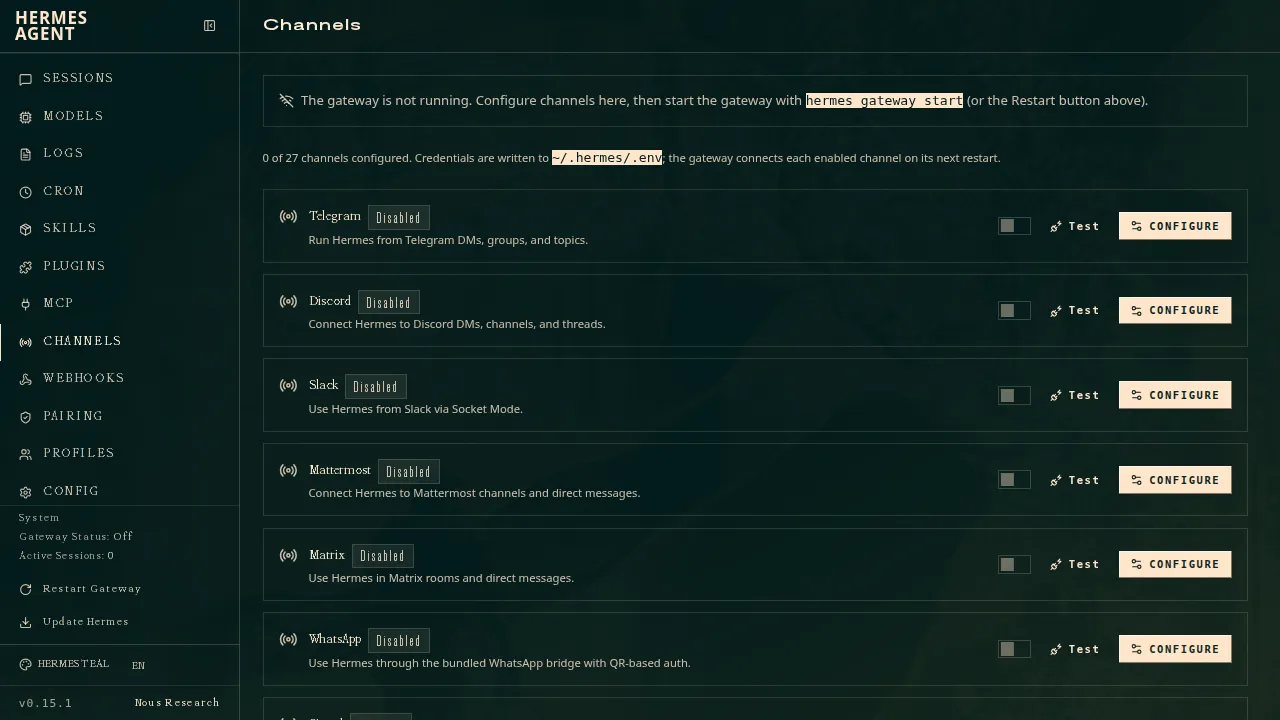
hermes setup --portal, a single login to Nous Portal that gives you a model plus hosted web search, image generation, speech and a browser (docs). Or bring OpenRouter, OpenAI or any compatible endpoint. If you never pick one, Hermes falls back to GLM-5.3 (release notes). - Connect chat apps. Each platform needs its own bot setup in the dashboard or config. iMessage is the hardest: it needs a separate BlueBubbles server running on a Mac (BlueBubbles docs).
- Decide where it runs. To keep it working while your laptop is closed, you need an always-on machine. The README says a $5 VPS is enough. Nous Portal plans also include one hosted cloud agent if you’d rather not run a server.
Expect an evening to get it running and a few more sessions to tune it.
Security
Hermes ships with more guardrails switched on than its main rival, which matters for an agent that runs commands (security docs):
- Command approval is on by default. In the default “smart” mode, a second model rates each risky command: low-risk ones run, clearly dangerous ones are refused, and uncertain ones ask you. If you don’t answer, the command is denied. Scheduled and unattended runs deny by default.
- Strangers can’t message it. With no allowlist set, the gateway denies everyone. On chat apps, unknown users get a pairing code you approve from the command line.
- But it runs on your machine by default. The default “local” backend has no isolation; the docs recommend Docker for an always-on gateway. Do that.
- YOLO mode exists. One flag turns off the safety checks for a session, apart from a hard blocklist and spend limits. Avoid it outside throwaway containers.
The project has had real vulnerabilities. The GitHub Advisory Database lists ten advisories for the hermes-agent package published in May and June 2026, mostly medium or low severity, including a high-severity DNS rebinding flaw fixed in 0.16.0 (GitHub advisories). In one case, the advisory says the reporter got no response from the maintainers (GHSA-pgp4-xr4j-h5cg). Keep it updated.
Updating is frequent. Eight releases shipped between October 14 and November 5, 2026, and the v0.23.0 notes credit 666 contributors since the previous minor version (releases). Read the upgrade notes: v0.23.0 removed the old browser tools and renamed a command, which can break custom setups.
Privacy and cost
Self-hosted, Hermes keeps its config, memory, skills and chat history on your machine under ~/.hermes. Your prompts still go to the model provider and chat apps you connect, so their policies apply. Nous Research’s FAQ says Hermes collects no telemetry, usage data or analytics, and sends API calls only to the model provider you configure. If you want nothing to leave your network, pair it with a local model through an OpenAI-compatible endpoint.
The software is free. Your costs are the server, if you use one, and the model. Nous Portal plans run from $20 to $200 a month and bundle models, hosted tools and a cloud agent; otherwise you pay your provider per token. An always-on agent with scheduled jobs can use a lot of tokens, so set a spending limit with your provider before turning on routines. The v0.23.0 release added price tags and spend limits for paid MCP tools, which also apply in YOLO mode.
How Hermes Agent compares
vs OpenClaw. The obvious comparison: both are free, MIT-licensed, self-hosted, model-agnostic and reach you on WhatsApp, Telegram, Slack, Discord and iMessage. OpenClaw is bigger and older, with roughly 394,000 GitHub stars to Hermes’s roughly 262,000 on November 8. Hermes’s advantages are the self-written skills, approvals and default-deny messaging switched on out of the box (OpenClaw’s sandboxing is off by default), and built-in profiles for several agents. Since Hermes imports OpenClaw setups, trying it costs little. See What is OpenClaw? and OpenClaw alternatives.
vs Rakazo. Also open source and self-hostable, with several bots and your choice of model. Rakazo gives each bot its own sandboxed computer and offers a hosted plan with mobile apps; Hermes runs on one machine you manage, has more chat channels out of the box, and learns skills on its own. (Disclosure: Rakazo is made by the company behind this site, and is ranked on the same terms.)
vs Grok Bot, dots and Perplexity Teammates. Hosted always-on agents with their own cloud computers, from $30 to $200 a month, and no server to run. You give up control of the model and your data’s location for an agent that works the day you pay.
vs Poke and Lindy. Hosted assistants you reach by text or Slack with almost no setup. Poke is free to start for personal use; Lindy is built for work teams. Both run on their vendors’ servers, and Poke trains on your data unless you opt out.
vs Manus and Muse. Hosted agents for finished outputs and personal errands. Easier, but billed by credits or plans and run on someone else’s computer.
Hermes Agent does everything on our checklist: it acts in your accounts, works while you’re away, messages you first, lives in your chat apps and runs several bots. See how it ranks in the AI assistant ranking and among private AI assistants.
Verdict
Hermes Agent is the most interesting self-hosted agent right now: free, fast-moving, available in nearly every chat app, and built around writing and refining its own skills. Its defaults are more careful than OpenClaw’s, and it imports an OpenClaw setup if you want to compare them side by side.
It’s still software you run and secure yourself. Use Docker, keep approvals on, set a spending limit, update often, and review the skills it writes. If that sounds like a hobby you’d enjoy, Hermes is a strong choice. If it sounds like work, pick a hosted assistant.
Pricing
Open source
Free
- MIT licensed and free to self-host
- You pay your chosen model provider, or use Nous Portal's free models
Nous Portal Plus
$20/mo
- Optional subscription with free and paid models
- Hosted tools: web search, image generation, speech and cloud browser
- One cloud agent with 4 GB RAM and 25 GB disk
Nous Portal Super
$100/mo
- 5× Plus usage
- Cloud agent with 4 GB RAM and 100 GB disk
Nous Portal Ultra
$200/mo
- 10× Plus usage
- Cloud agent with 8 GB RAM and 100 GB disk
Features
| Web search | Yes |
|---|---|
| Image generation | Yes |
| Voice mode | Yes |
| File uploads | Yes |
| Memory | Yes |
| Takes actions for you | Yes |
| App integrations | Yes |
| Works on its own | Yes |
| Messages you first | Yes |
| Runs several bots | Yes |
Strengths
- Free and MIT licensed, and runs on hardware you control
- Writes and refines its own skills from experience, on top of persistent memory and cross-session search
- One gateway for 20+ chat platforms, including Telegram, Discord, Slack, WhatsApp, Signal and email
- Run several separate agents as profiles, each with its own model, memory and skills, and let them talk in group chats
- Model-agnostic, with a one-command import from OpenClaw
Weaknesses
- Setup expects comfort with the command line and with running your own server
- Model costs are on you unless you use free models, and hosted web search, images and speech need a paid Nous Portal plan or your own keys
- iMessage needs a separate BlueBubbles server on a Mac
- No native mobile app; Android support is a command-line install through Termux
Best for
- Developers who want a self-hosted agent that keeps learning
- People running a team of specialist agents on their own server
- OpenClaw users looking for an alternative
Sources
- NousResearch/hermes-agent on GitHub (MIT, v0.23.0)Checked Nov 8, 2026
- Hermes Agent homepage and Nous Portal pricingChecked Nov 8, 2026
- Hermes Agent documentationChecked Nov 8, 2026
- Hermes Agent docs: Profiles, running multiple agentsChecked Nov 8, 2026
- Hermes Agent docs: Bot ModeChecked Nov 8, 2026
- Hermes Agent docs: Voice modeChecked Nov 8, 2026
- Hermes Agent docs: Vision and image pasteChecked Nov 8, 2026
- Hermes Agent docs: iMessage via BlueBubblesChecked Nov 8, 2026
- Nous Research on X: Meet Hermes Agent (February 25, 2026)Checked Nov 8, 2026
- Hermes Agent docs: Session heartbeats and cron watchdogsChecked Nov 8, 2026
- Hermes Agent docs: FAQ (Is my data sent anywhere?)Checked Nov 8, 2026