Poke के विकल्प: AI असिस्टेंट जिन्हें आप मैसेज कर सकते हैं
Cognition डील या डिफ़ॉल्ट ट्रेनिंग के बाद Poke का विकल्प चाहिए? Lindy सबसे करीबी होस्टेड टेक्स्टिंग असिस्टेंट है; OpenClaw और Hermes Agent मुफ़्त हैं।
एक नज़र में
| असिस्टेंट | मुफ़्त प्लान | ओपन सोर्स | सेल्फ़-होस्ट हो सकता है | डिफ़ॉल्ट रूप से आपकी चैट पर ट्रेनिंग करता है | ||
|---|---|---|---|---|---|---|
| Poke | हाँ | $19/माह | नहीं | नहीं | हाँ | |
| Lindy | हाँ | $49.99/माह | नहीं | नहीं | नहीं | |
| OpenClaw | हाँ | – | हाँ | हाँ | नहीं | |
| Hermes Agent | हाँ | $20/माह | हाँ | हाँ | नहीं | |
| Rakazo | हाँ | $10/माह | हाँ | हाँ | नहीं | |
| Manus | हाँ | $20/माह | नहीं | नहीं | अज्ञात | |
| Grok Bot | नहीं | $30/माह | नहीं | नहीं | नहीं |







Poke का सबसे करीबी विकल्प Lindy है: आप इसे iMessage या SMS में मैसेज करते हैं, यह अलर्ट और रोज़ की ब्रीफ़िंग के साथ पहले खुद मैसेज करता है, और कहता है कि यह कभी आपके डेटा पर ट्रेनिंग नहीं करता, हालाँकि इसकी कीमत $49.99 प्रति माह है। अगर आप Poke की मुफ़्त कीमत बनाए रखना चाहते हैं और खुद सॉफ़्टवेयर चला सकते हैं, तो OpenClaw या Hermes Agent इस्तेमाल करें, जो दोनों iMessage, WhatsApp और Telegram में जवाब देते हैं और आपको मॉडल चुनने देते हैं।
खुलासा: चौथे स्थान पर रैंक किया गया Rakazo उसी कंपनी का बनाया हुआ है जो यह साइट चलाती है। इसे बाकी की तरह उन्हीं मानदंडों पर रैंक किया गया है।
लोग Poke के विकल्प क्यों ढूँढते हैं
Poke ने पर्सनल असिस्टेंट को एक कॉन्टैक्ट जैसा बना दिया: कोई ऐप नहीं, आप अपने फ़ोन नंबर से साइन अप करते हैं और इसे iMessage, SMS या Telegram में मैसेज करते हैं। यह आपके ईमेल, कैलेंडर और कई अन्य ऐप्स से जुड़ता है, recipes नाम के ऑटोमेशन चलाता है, और जब किसी चीज़ पर ध्यान देना हो तो पहले खुद मैसेज करता है। मुफ़्त प्लान के लिए कार्ड नहीं चाहिए। हमारी चेकलिस्ट पर, इससे सिर्फ़ एक चीज़ छूटती है: कई बॉट चलाना। फिर भी लोग कुछ वजहों से दूसरी जगह देखते हैं:
- डिफ़ॉल्ट रूप से ट्रेनिंग। Poke की प्राइवेसी नोटिस कहती है कि जब तक आप Maximum Privacy न चुनें, आपके डेटा से इसके मॉडल ट्रेन हो सकते हैं।
- नया मालिक। Poke के पीछे की कंपनी जुलाई 2026 में Cognition से जुड़ गई। Cognition कहता है कि मौजूदा उपयोगकर्ता Poke को पहले की तरह इस्तेमाल करते रह सकते हैं, लेकिन प्रोडक्ट की दिशा बदल सकती है।
- अंदर क्या है, कोई अंदाज़ा नहीं। Poke यह नहीं बताता कि वह कौन-से मॉडल इस्तेमाल करता है या हर प्लान में कितने क्रेडिट हैं, इसलिए आप अनुमान नहीं लगा सकते कि सीमा कब आएगी।
- सीमित चैनल और नंबर। WhatsApp सिर्फ़ कुछ बाज़ारों में उपलब्ध है, और एक अकाउंट सिर्फ़ एक फ़ोन नंबर लेता है।
- असली दुनिया के कामों की कीमत $199। Poke Human, यानी रिज़र्वेशन और फ़ोन कॉल सँभालने वाले लोग, सिर्फ़ Ultra प्लान पर हैं।
हमने इन्हें कैसे रैंक किया
Poke दो काम करता है: यह आपके ईमेल, कैलेंडर और ऐप्स पर नज़र रखता है और पहले खुद मैसेज करता है, और यह आपके टेक्स्ट में रहता है। इसलिए यहाँ के पहले चार टूल वही काम करते हैं (वे आपके अकाउंट में काम करते हैं और खुद संपर्क करते हैं), और आखिरी दो उससे जुड़ा काम करते हैं, प्रोजेक्ट और रूटीन, उन लोगों के लिए जिनका Poke इस्तेमाल उस दिशा में बढ़ा। हर समूह में, वे टूल पहले आते हैं जिन्हें आप अपना सर्वर चलाए बिना iMessage, WhatsApp या Telegram पर मैसेज कर सकते हैं, फिर वे जिन्हें सेल्फ़-होस्ट करने के बाद मैसेज कर सकते हैं। बराबरी पर ज़्यादा चैट ऐप्स तक पहुँचने वाले को, फिर कम कीमत को तरजीह मिलती है। हमारी कुल रेटिंग ऊपर टेबल में है।
1. Lindy: सबसे करीबी होस्टेड टेक्स्टिंग असिस्टेंट
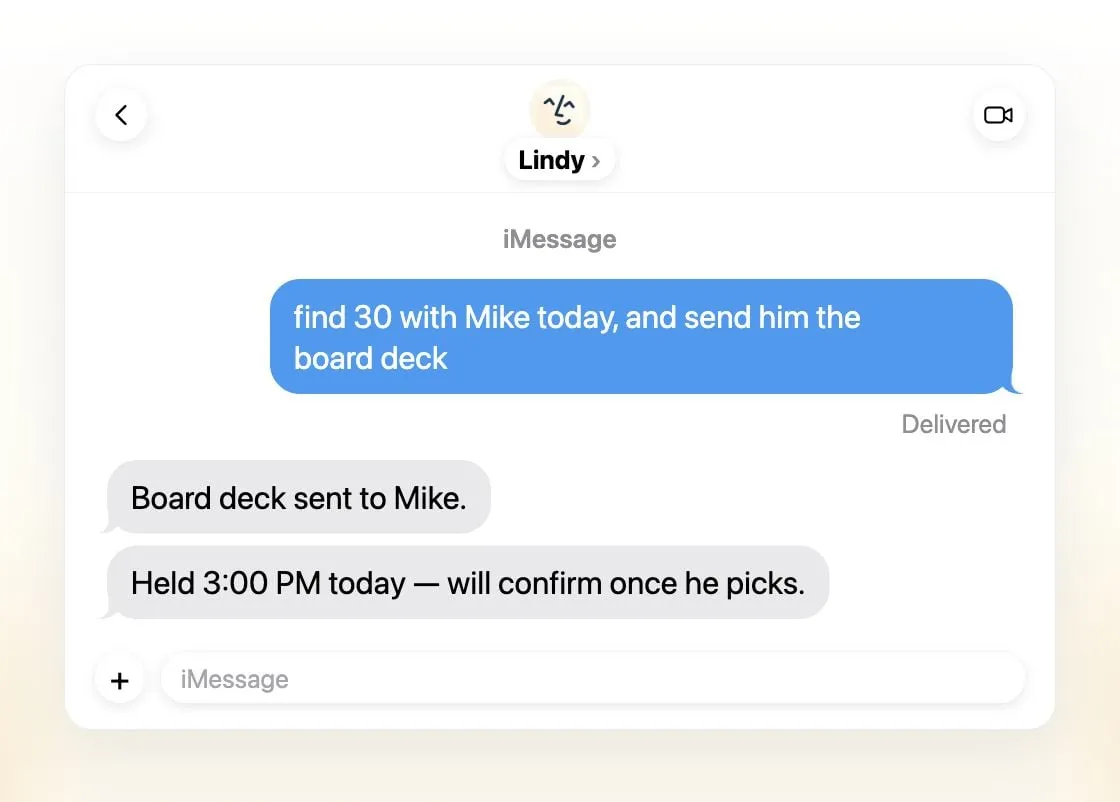
Lindy यहाँ का अकेला होस्टेड टूल है जिसे आप बिना कुछ सेट किए iMessage या SMS पर मैसेज कर सकते हैं, और यह Poke जैसा बर्ताव करता है: एक पर्सनलाइज़्ड पहला मैसेज, समय-संवेदनशील ईमेल पर अलर्ट और रोज़ की ब्रीफ़िंग। काम के मामले में यह आगे जाता है, ईमेल छाँटना और आपकी शैली में जवाब के ड्राफ़्ट, शेड्यूलिंग, मीटिंग रिकॉर्डिंग और तैयारी, अपना फ़ोन नंबर जिस पर आप कॉल कर सकते हैं, और 1,500 से ज़्यादा इंटीग्रेशन के साथ MCP सर्वर। बाहरी असर वाले किसी भी काम से पहले यह पूछता है। Lindy कहता है कि वह कभी आपके डेटा से मॉडल ट्रेन नहीं करता, और आप हर काम के लिए मॉडल चुनते हैं, जो लोगों के Poke छोड़ने की दो मुख्य वजहें हैं।
आप क्या छोड़ते हैं: कीमत और निजी पहलू। पेड सीट $49.99 प्रति उपयोगकर्ता प्रति माह से शुरू होती हैं, मुफ़्त क्रेडिट 7 दिन बाद खत्म हो जाते हैं, और Lindy छोटी टीमों और काम के लिए बना है, निजी कामों के लिए नहीं। कोई मोबाइल ऐप नहीं है, हालाँकि टेक्स्टिंग के साथ इसकी ज़रूरत नहीं।
2. OpenClaw: मुफ़्त, और हर चैट ऐप में
OpenClaw 29 चैट चैनलों में जवाब देता है, जिनमें iMessage, WhatsApp, Telegram, Slack और Discord शामिल हैं, इसलिए आप इसे वहीं से मैसेज कर सकते हैं जहाँ आप पहले से हैं। यह मुफ़्त और MIT लाइसेंस वाला है, आपके अपने कंप्यूटर पर चलता है, और 64 मॉडल और मीडिया प्रोवाइडर या लोकल मॉडलों के साथ काम करता है, इसलिए आपको हमेशा पता रहता है कि आप कौन-सा मॉडल इस्तेमाल कर रहे हैं। OpenClaw खुद कोई मॉडल ट्रेन नहीं करता।
आप क्या छोड़ते हैं: आसानी और डिफ़ॉल्ट सुरक्षा। इसे आप खुद चलाते हैं, सेटअप के लिए कमांड लाइन चाहिए, और सैंडबॉक्सिंग डिफ़ॉल्ट रूप से बंद है। सॉफ़्टवेयर मुफ़्त है लेकिन मॉडल नहीं, और महंगे मॉडलों से प्रति दिन $100 के बिल आए हैं।

3. Hermes Agent: मुफ़्त, और आपके रूटीन सीखता है
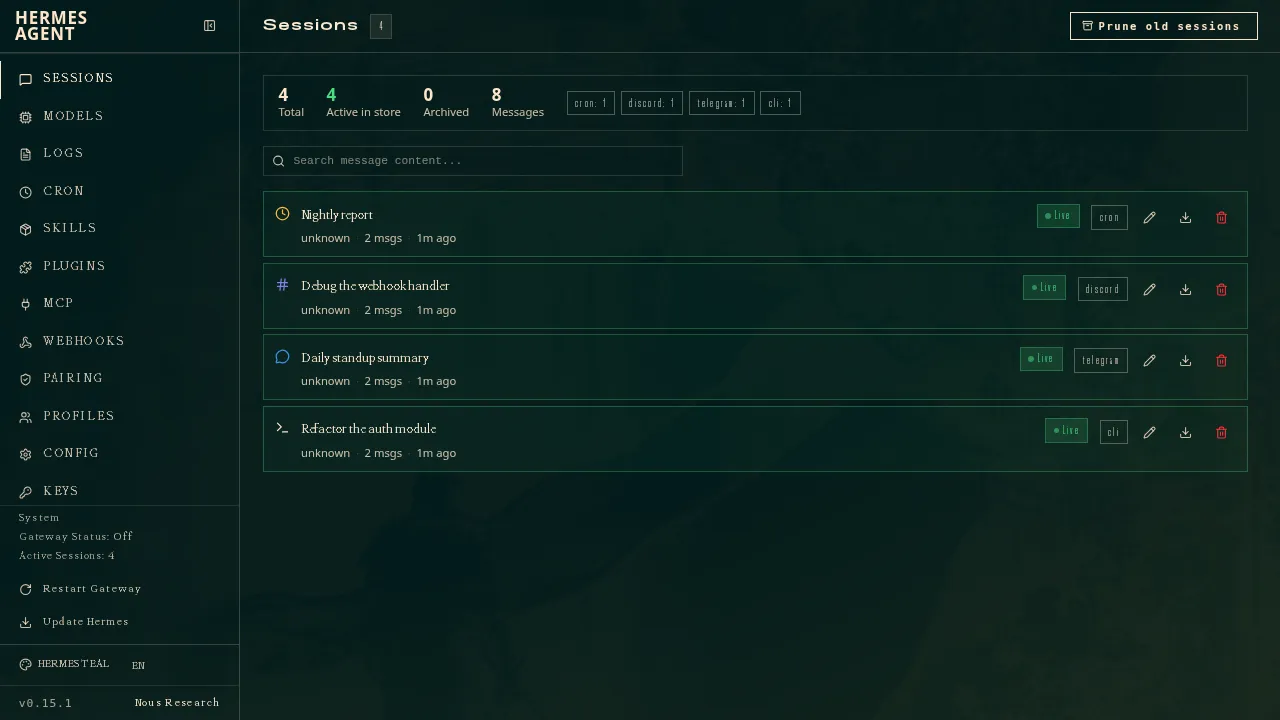
Nous Research का Hermes Agent भी आपके चैट ऐप्स में रहता है: एक गेटवे इसे 20 से ज़्यादा प्लेटफ़ॉर्म से जोड़ता है, जिनमें Telegram, WhatsApp, Signal, SMS, ईमेल और iMessage शामिल हैं। यह जटिल कामों के बाद दोबारा इस्तेमाल होने वाली स्किल्स लिखता है, आपकी मेमोरी और प्रोफ़ाइल रखता है, और खुद हालचाल लेता है। यह MIT लाइसेंस वाला है और किसी भी मॉडल के साथ चलता है, और आप अलग-अलग कामों वाले कई एजेंट चला सकते हैं।
यह OpenClaw से नीचे है क्योंकि यह कम चैट ऐप्स तक पहुँचता है, और इसके iMessage सपोर्ट के लिए Mac पर एक अलग BlueBubbles सर्वर चाहिए, जो उन Poke उपयोगकर्ताओं के लिए एक अतिरिक्त कदम है जो ज़्यादातर iPhone से मैसेज करते हैं। अगर आप प्रोवाइडर नहीं चुनना चाहते, तो $20 का वैकल्पिक Nous Portal प्लान मॉडल और एक होस्टेड क्लाउड एजेंट साथ देता है।
आप क्या छोड़ते हैं: “कुछ इंस्टॉल नहीं करना” वाला हिस्सा। सेटअप के लिए कमांड लाइन और आपकी अपनी मशीन चाहिए, और कोई नेटिव मोबाइल ऐप नहीं है।
4. Rakazo: कई बॉट, आपका मॉडल, सेल्फ़-होस्ट करने पर टेक्स्टिंग
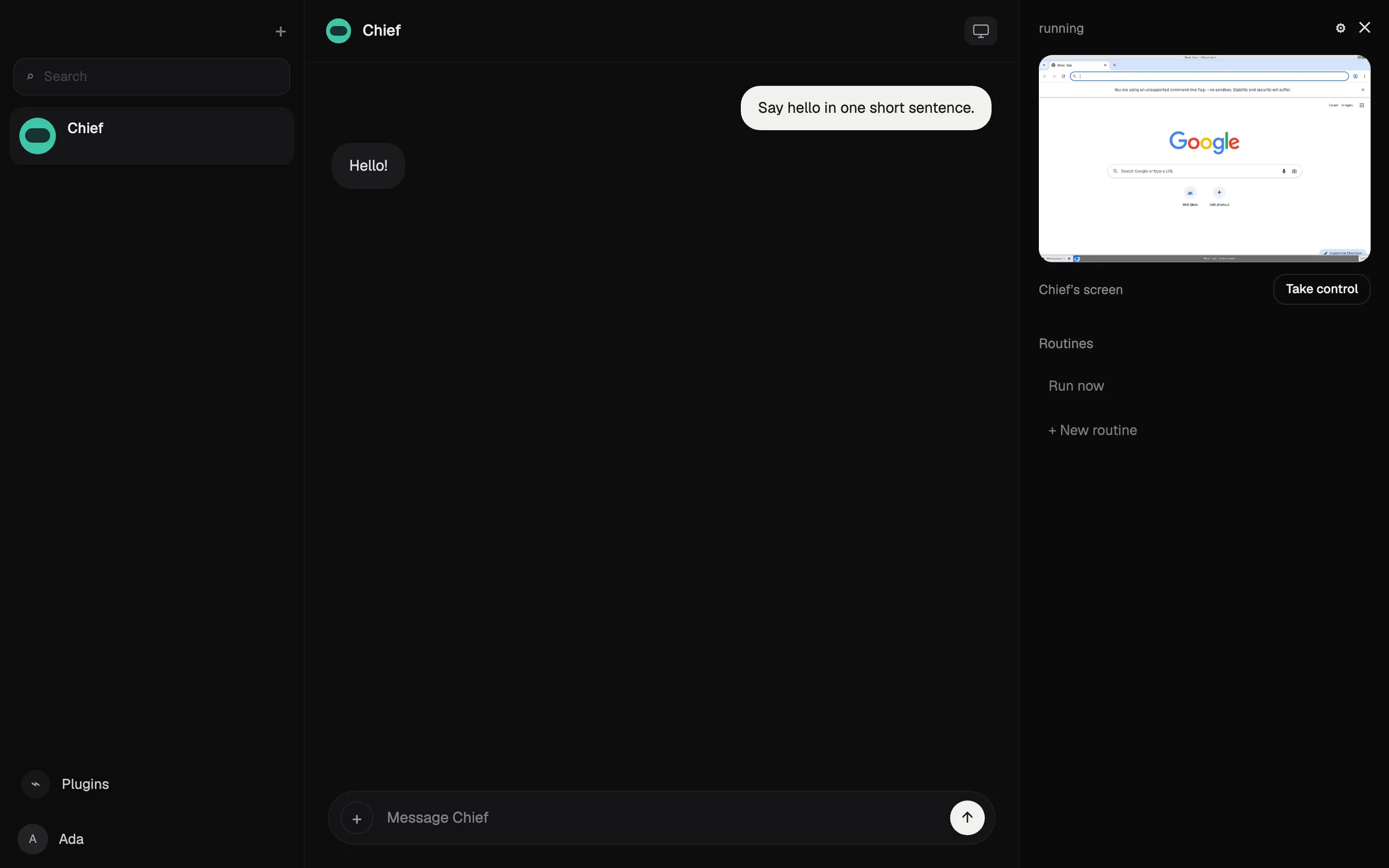
Rakazo स्थायी बॉट चलाता है, हर एक का एक काम, मेमोरी, रूटीन और ब्राउज़र और टर्मिनल वाला अपना सैंडबॉक्स्ड कंप्यूटर। आप हर बॉट के लिए मॉडल चुनते हैं, मौजूदा Claude या ChatGPT सब्सक्रिप्शन या लोकल मॉडल समेत, और आप तय करते हैं कि किन कामों के लिए आपकी अनुमति चाहिए। सेल्फ़-होस्टिंग मुफ़्त है और Telegram, WhatsApp और iMessage जोड़ती है।
यह OpenClaw और Hermes Agent से नीचे है क्योंकि यह कम चैट ऐप्स तक पहुँचता है: $15 प्रति माह से शुरू होने वाला होस्टेड प्लान Slack और Rakazo के अपने ऐप्स कवर करता है, और टेक्स्टिंग सिर्फ़ सेल्फ़-होस्ट करने पर काम करती है।
आप क्या छोड़ते हैं: सरलता। Rakazo बीटा में है, इसमें किसी नंबर को मैसेज करने से ज़्यादा सेटअप है, और होस्टेड प्लान पर आप अपने मॉडल प्रोवाइडर को अलग से भुगतान करते हैं जब तक आप Rakazo क्रेडिट न खरीदें।

5. Manus: मुफ़्त प्लान, Telegram में उपलब्ध
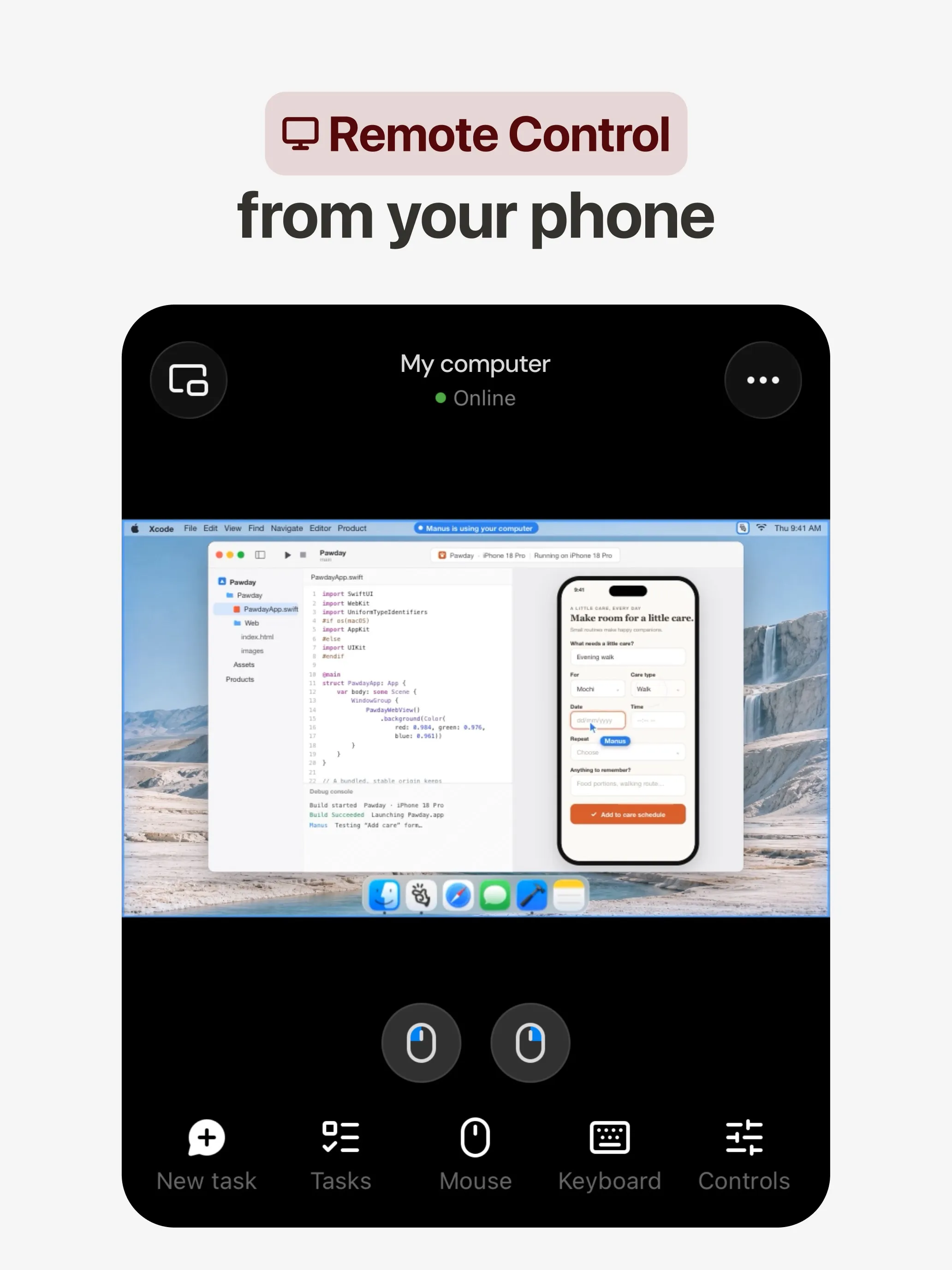
Manus एक अलग तरह का असिस्टेंट है: आप इसे एक काम देते हैं और यह अपने वातावरण में उसकी योजना बनाकर उसे पूरा करता है, और रिपोर्ट, वेबसाइट, स्लाइड डेक या वीडियो लौटाता है। आप इसे Telegram में मैसेज कर सकते हैं और Slack में भी, और Automations, Gmail, Slack या Notion के इवेंट से शुरू होते हैं। इसमें मुफ़्त प्लान है।
आप क्या छोड़ते हैं: पृष्ठभूमि में रहने वाला असिस्टेंट। Manus प्रोजेक्ट्स के लिए बना है, आपके इनबॉक्स और कैलेंडर के बारे में रोज़ की याद दिलाने के लिए नहीं, और क्रेडिट काम की जटिलता के हिसाब से लगते हैं, इसलिए लागत का अनुमान Poke जितना ही मुश्किल है।
6. Grok Bot: सबसे सक्षम, काम के लिए
Grok Bot एक स्थायी क्लाउड कंप्यूटर पर नाम वाले Bots चलाता है जो आपके ऐप्स में साइन इन करते हैं, शेड्यूल या ट्रिगर पर रूटीन चलाते हैं, और आपकी ओर से अमेरिकी व्यवसायों को फ़ोन कर सकते हैं, वैसा काम जिसे Poke अपने $199 वाले प्लान के लिए रखता है।
आप क्या छोड़ते हैं: टेक्स्टिंग। इसका चैट-ऐप चैनल Slack है, इसलिए रोज़ आप इसके डेस्कटॉप और मोबाइल ऐप इस्तेमाल करते हैं। यह बिना मुफ़्त प्लान के $30 प्रति माह से शुरू होता है, आप मॉडल नहीं चुन सकते, और हैलोवीन वीकेंड पर उपयोगकर्ताओं का साप्ताहिक उपयोग जल्दी खत्म हो गया।

आपको कौन-सा चुनना चाहिए?
- आप काम के लिए Poke जैसी टेक्स्टिंग चाहते हैं, बिना आपके डेटा पर ट्रेनिंग के: Lindy.
- आप मुफ़्त, हर चैट ऐप में चाहते हैं, और इसे खुद चला सकते हैं: OpenClaw.
- आप मुफ़्त और आपके रूटीन सीखने वाला एजेंट चाहते हैं: Hermes Agent.
- आप अपने मॉडल और हर एक के लिए सैंडबॉक्स वाले कई बॉट चाहते हैं: Rakazo.
- आपके अनुरोध असल में प्रोजेक्ट हैं: Manus.
- आप $199 दिए बिना फ़ोन कॉल और रूटीन चाहते हैं: Grok Bot.
अगर आप Poke पर ही रहते हैं और नहीं चाहते कि आपका डेटा ट्रेनिंग में इस्तेमाल हो, तो अपना ईमेल जोड़ने से पहले Maximum Privacy पर स्विच करें।
विकल्प
$49.99/माह
An AI assistant for work that runs your inbox, calendar and meetings, takes requests by iMessage, Slack, phone or browser, and sends you daily briefs.
Lindy पर जाएँखूबियाँ
- Texts you first: a personalized first message, alerts on time-sensitive email, and daily briefs
- Reachable almost anywhere: iMessage or SMS, Slack, its own phone number, Gmail via a Chrome extension, and the web
- 1,500+ integrations plus any hosted MCP server, and a browser for tools without one
- Asks for approval before anything with outside impact
- Says it never uses your data to train models, with SOC 2 Type II, GDPR and PIPEDA compliance
कमियाँ
- Expensive for individuals: paid seats start at $49.99 per user a month, and free credits last only 7 days
- Credit-based usage is hard to predict, from 2 credits for a simple ask to 2,500 for a big build
- One shared Lindy per team rather than separate assistants for different jobs
- No mobile app; on phones you use iMessage, SMS or calls
- Plan names differ between its pricing page and its docs, so it is hard to tell what each tier includes
Free, MIT-licensed personal AI agent that runs on your own computer and takes orders from WhatsApp, Telegram, iMessage, Slack and 20+ other chat apps.
OpenClaw पर जाएँखूबियाँ
- Free and MIT licensed, with no paid tier
- Runs on your own hardware; state, memory and credentials stay local, and it sends nothing home except an optional daily version check
- Works in 29 chat channels, including WhatsApp, Telegram, iMessage, Slack, Discord and Microsoft Teams
- Model-agnostic: 64 model and media providers, plus local models
- Large ecosystem of skills and 142 official plugins, and very active development
कमियाँ
- Model costs are on you and can run high: testers and users have reported spending over $100 in a day with expensive models
- Sandboxing is off by default and the agent can run commands on the host unless you turn on approvals
- Setup and upkeep expect comfort with the command line; maintainers warn it is risky for non-technical users
- Broad access to email, messages and the system makes prompt injection and malicious third-party skills a real risk
$20/माह
Free, MIT-licensed AI agent from Nous Research that runs on your own machine or server, learns reusable skills, and chats with you on Telegram, Slack and more.
Hermes Agent पर जाएँखूबियाँ
- Free and MIT licensed, and runs on hardware you control
- Writes and refines its own skills from experience, on top of persistent memory and cross-session search
- One gateway for 20+ chat platforms, including Telegram, Discord, Slack, WhatsApp, Signal and email
- Run several separate agents as profiles, each with its own model, memory and skills, and let them talk in group chats
- Model-agnostic, with a one-command import from OpenClaw
कमियाँ
- Setup expects comfort with the command line and with running your own server
- Model costs are on you unless you use free models, and hosted web search, images and speech need a paid Nous Portal plan or your own keys
- iMessage needs a separate BlueBubbles server on a Mac
- No native mobile app; Android support is a command-line install through Termux
$10/माह
Open-source, self-hostable platform for persistent AI bots that each get a job, a computer, memory and routines, using the model you choose.
Rakazo पर जाएँखूबियाँ
- Open source (Apache-2.0) and fully self-hostable, including with local models
- Choice of model per bot, including existing Claude or ChatGPT subscriptions
- Bots keep working on schedules and triggers with their own cloud computer
- Approval controls over which actions a bot may take on its own
कमियाँ
- Still in beta, with frequent releases
- You supply and pay for the model on the hosted plans, unless you buy Rakazo credits
- Telegram, WhatsApp and iMessage/SMS are only available when self-hosted
- More setup than a single chat app
$20/माह
General-purpose AI agent that researches, builds websites, slides, videos and games, and runs automations on its own cloud computer.
Manus पर जाएँखूबियाँ
- Turns one prompt into finished output: research reports, websites, slides, videos and playable games
- Automations can start from a schedule or an event in a connected service such as Gmail, Slack or Notion
- Video Editor and Game Dev let you edit what the agent made instead of regenerating it
- Free plan to try it, with apps for web, iOS, Android, macOS and Windows
कमियाँ
- Credit-based pricing makes costs hard to predict, and long or failed runs can use up credits
- Free daily credits are capped at 1,500 a month and only work in the Lite mode
- A built-in training opt-out is listed only for Team plans
- Several plans share the Pro name and differ only by credit amount
$30/माह
Always-on AI agents from SpaceXSI that run on a shared cloud computer, sign in to your apps and finish multi-step work while you're away.
Grok Bot पर जाएँखूबियाँ
- Bots work on their own cloud computer, so tasks keep running when your laptop or phone is closed
- Can operate websites and apps that have no API, using saved logins it never sees in plain text
- Several Bots can run in parallel, message each other and share one workspace
- Routines can run on a schedule or after an event, and a Bot can learn a task from a recorded demonstration of up to 10 minutes
- Can place phone calls to US businesses for you and send a summary afterwards
- Native apps for macOS, Windows, Linux, iOS and Android, plus Slack
कमियाँ
- No free plan and no standalone price: the cheapest way in is the $30/month Premium plan
- Usage comes from a weekly pool shared with Grok and Cursor, and SpaceXSI does not publish how much work that pool covers
- No model picker: Grok Bot chooses the model for each task and does not show which one it used
- All Bots on an account share one computer, files and logins; the docs say not to use separate Bots as a security boundary
- Users report Amazon blocks it from shopping as an unauthorized AI agent; Amazon hasn't commented
- Still labelled beta, with no browser version
फ़ीचर
| Poke | Lindy | OpenClaw | Hermes Agent | Rakazo | Manus | Grok Bot | |
|---|---|---|---|---|---|---|---|
| वेब सर्च | हाँ | हाँ | हाँ | हाँ | हाँ | हाँ | हाँ |
| इमेज बनाना | अज्ञात | हाँ | हाँ | हाँ | हाँ | हाँ | हाँ |
| वॉइस मोड | हाँ | हाँ | हाँ | हाँ | हाँ | हाँ | हाँ |
| फ़ाइल अपलोड | हाँ | हाँ | हाँ | हाँ | हाँ | हाँ | हाँ |
| मेमोरी | हाँ | हाँ | हाँ | हाँ | हाँ | हाँ | हाँ |
| आपके लिए काम करता है | हाँ | हाँ | हाँ | हाँ | हाँ | हाँ | हाँ |
| ऐप इंटीग्रेशन | हाँ | हाँ | हाँ | हाँ | हाँ | हाँ | हाँ |
| खुद से काम करता है | हाँ | हाँ | हाँ | हाँ | हाँ | हाँ | हाँ |
| पहले ख़ुद मैसेज करता है | हाँ | हाँ | हाँ | हाँ | हाँ | हाँ | हाँ |
| कई बॉट | अज्ञात | नहीं | हाँ | हाँ | हाँ | अज्ञात | हाँ |
स्रोत
Poke
- Poke homepage8 नव॰ 2026 को जाँचा गया
- Poke pricing8 नव॰ 2026 को जाँचा गया
- Poke FAQ8 नव॰ 2026 को जाँचा गया
- Poke privacy notice (last updated September 11, 2026)8 नव॰ 2026 को जाँचा गया
- Cognition: welcoming The Interaction Company to Cognition (July 23, 2026)8 नव॰ 2026 को जाँचा गया
- TechCrunch: Poke makes using AI agents as easy as sending a text8 नव॰ 2026 को जाँचा गया
- TechCrunch: Apple approves Poke as the first AI agent on its Messages for Business platform8 नव॰ 2026 को जाँचा गया
- Introducing Poke.com (launch announcement, September 8, 2025)8 नव॰ 2026 को जाँचा गया
- Poke docs: Welcome (built-in web search)8 नव॰ 2026 को जाँचा गया
- Poke release notes (web search, sharing images, attachments)8 नव॰ 2026 को जाँचा गया
Lindy
- Lindy homepage8 नव॰ 2026 को जाँचा गया
- Lindy pricing8 नव॰ 2026 को जाँचा गया
- Lindy docs: What is Lindy?8 नव॰ 2026 को जाँचा गया
- Lindy docs: iMessage & SMS8 नव॰ 2026 को जाँचा गया
- Lindy docs: Phone Calls8 नव॰ 2026 को जाँचा गया
- Lindy docs: Ad Hoc Tasks (research)8 नव॰ 2026 को जाँचा गया
- Lindy docs: Pricing and credits8 नव॰ 2026 को जाँचा गया
- Lindy Assistant: The AI that runs your work life8 नव॰ 2026 को जाँचा गया
- Lindy docs: Set up Lindy (web search, image generation)8 नव॰ 2026 को जाँचा गया
- Lindy docs: Files (drop files and folders in for Lindy to use)8 नव॰ 2026 को जाँचा गया
- Lindy changelog (Creatives: on-brand images, Sep 16, 2026)8 नव॰ 2026 को जाँचा गया
OpenClaw
- OpenClaw homepage and Foundation section8 नव॰ 2026 को जाँचा गया
- OpenClaw integrations: channels, providers and plugins8 नव॰ 2026 को जाँचा गया
- openclaw/openclaw on GitHub (MIT, v2026.11.1)8 नव॰ 2026 को जाँचा गया
- OpenClaw docs: Sandboxing (off by default)8 नव॰ 2026 को जाँचा गया
- Wikipedia: OpenClaw8 नव॰ 2026 को जाँचा गया
- Notebookcheck: OpenClaw can burn through hundreds of dollars per day8 नव॰ 2026 को जाँचा गया
- OpenClaw docs: Memory overview8 नव॰ 2026 को जाँचा गया
- OpenClaw docs: Automations8 नव॰ 2026 को जाँचा गया
- OpenClaw docs: Chat channels8 नव॰ 2026 को जाँचा गया
- OpenClaw docs: iMessage8 नव॰ 2026 को जाँचा गया
- OpenClaw docs: Heartbeat, now a default Proactive check job8 नव॰ 2026 को जाँचा गया
- OpenClaw docs: Multi-agent routing8 नव॰ 2026 को जाँचा गया
- OpenClaw docs: Platforms (macOS, Windows, Linux, iOS and Android apps)8 नव॰ 2026 को जाँचा गया
- OpenClaw docs: Tools (exec, browser, web search)8 नव॰ 2026 को जाँचा गया
- OpenClaw docs: Audio and voice notes (inbound transcription)8 नव॰ 2026 को जाँचा गया
- OpenClaw docs: Image and media support (inbound media)8 नव॰ 2026 को जाँचा गया
Hermes Agent
- NousResearch/hermes-agent on GitHub (MIT, v0.23.0)8 नव॰ 2026 को जाँचा गया
- Hermes Agent homepage and Nous Portal pricing8 नव॰ 2026 को जाँचा गया
- Hermes Agent documentation8 नव॰ 2026 को जाँचा गया
- Hermes Agent docs: Profiles, running multiple agents8 नव॰ 2026 को जाँचा गया
- Hermes Agent docs: Bot Mode8 नव॰ 2026 को जाँचा गया
- Hermes Agent docs: Voice mode8 नव॰ 2026 को जाँचा गया
- Hermes Agent docs: Vision and image paste8 नव॰ 2026 को जाँचा गया
- Hermes Agent docs: iMessage via BlueBubbles8 नव॰ 2026 को जाँचा गया
- Nous Research on X: Meet Hermes Agent (February 25, 2026)8 नव॰ 2026 को जाँचा गया
- Hermes Agent docs: Session heartbeats and cron watchdogs8 नव॰ 2026 को जाँचा गया
- Hermes Agent docs: FAQ (Is my data sent anywhere?)8 नव॰ 2026 को जाँचा गया
Rakazo
- Rakazo homepage8 नव॰ 2026 को जाँचा गया
- Rakazo pricing8 नव॰ 2026 को जाँचा गया
- Rakazo privacy policy8 नव॰ 2026 को जाँचा गया
- Rakazo on GitHub (README and license)8 नव॰ 2026 को जाँचा गया
- Rakazo changelog8 नव॰ 2026 को जाँचा गया
- Rakazo releases8 नव॰ 2026 को जाँचा गया
- Rakazo docs: Image and video generation8 नव॰ 2026 को जाँचा गया
- Rakazo docs: Memory8 नव॰ 2026 को जाँचा गया
- Rakazo docs: Connect apps8 नव॰ 2026 को जाँचा गया
- Rakazo docs: Routines8 नव॰ 2026 को जाँचा गया
- Rakazo docs: Chat apps8 नव॰ 2026 को जाँचा गया
- Rakazo docs: Messaging apps (self-hosting)8 नव॰ 2026 को जाँचा गया
- Rakazo docs: Bots and chats (add another bot, bot templates)8 नव॰ 2026 को जाँचा गया
- Rakazo docs: Groups (several bots in one chat)8 नव॰ 2026 को जाँचा गया
- Rakazo docs: Mobile app (notifications)8 नव॰ 2026 को जाँचा गया
- Rakazo privacy policy (updated Sep 14, 2026)8 नव॰ 2026 को जाँचा गया
- Rakazo privacy policy source on GitHub8 नव॰ 2026 को जाँचा गया
Manus
- Manus Plans & Pricing8 नव॰ 2026 को जाँचा गया
- Manus Help Center: What is the current membership pricing for Manus?8 नव॰ 2026 को जाँचा गया
- Manus Help Center: rules for credit consumption8 नव॰ 2026 को जाँचा गया
- Introducing Manus 2.0 (Sep 28, 2026)8 नव॰ 2026 को जाँचा गया
- Download Manus: macOS, Windows, iOS and Android8 नव॰ 2026 को जाँचा गया
- Tech Xplore/AFP: Manus raises $500 million after Meta acquisition blocked by China8 नव॰ 2026 को जाँचा गया
- Wikipedia: Manus (AI agent)8 नव॰ 2026 को जाँचा गया
- Manus for Slack: Turn Your Workspace into an Autonomous Engine8 नव॰ 2026 को जाँचा गया
- Manus docs: Automations8 नव॰ 2026 को जाँचा गया
- Is my data safe when using Manus Agents in Telegram?8 नव॰ 2026 को जाँचा गया
- Chatting with Manus Agent on Slack: Channels, DMs, and File Delivery8 नव॰ 2026 को जाँचा गया
- Manus Agents in Telegram (available to all users)8 नव॰ 2026 को जाँचा गया
- Manus Help Center: What's new in Manus 2.0 (Cue requires an invitation code)8 नव॰ 2026 को जाँचा गया
- Manus API docs: Agents (default agent plus agents you create)8 नव॰ 2026 को जाँचा गया
- Manus privacy policy (updated Sep 28, 2026)8 नव॰ 2026 को जाँचा गया
Grok Bot
- Grok Bot product page and FAQ8 नव॰ 2026 को जाँचा गया
- SpaceXSI pricing: The X Subscription plans8 नव॰ 2026 को जाँचा गया
- Introducing Grok Bot (launch post, Aug 11, 2026)8 नव॰ 2026 को जाँचा गया
- Grok Bot FAQ: plans, platforms, memory, privacy and limits8 नव॰ 2026 को जाँचा गया
- Grok Bot docs: Create and manage Bots8 नव॰ 2026 को जाँचा गया
- Grok Bot changelog (v0.78.1, Oct 27, 2026)8 नव॰ 2026 को जाँचा गया
- Cursor help: Grok Bot plans and usage8 नव॰ 2026 को जाँचा गया
- Teslarati: Grok Bot can now call US businesses (Nov 2026)8 नव॰ 2026 को जाँचा गया
- Teslarati: Amazon shuts out Grok Bot (Oct 15, 2026)8 नव॰ 2026 को जाँचा गया
- Grok Bot docs: Overview (proactive teammate, morning briefing)8 नव॰ 2026 को जाँचा गया
- Grok Bot docs: Chat and collaboration (Slack DMs, X Chat rolling out)8 नव॰ 2026 को जाँचा गया
- Grok Bot docs: Get started (desktop and mobile apps)8 नव॰ 2026 को जाँचा गया
- Grok Bot docs: Skills, routines and automations8 नव॰ 2026 को जाँचा गया
- SpaceXSI: Team Bots in public beta (Sep 28, 2026)8 नव॰ 2026 को जाँचा गया
- Wikipedia: SpaceXAI (xAI renamed SpaceXAI, then SpaceXSI)8 नव॰ 2026 को जाँचा गया
- Cursor: Data Use & Privacy Overview (Privacy Mode and training)8 नव॰ 2026 को जाँचा गया