Poke alternatives: AI assistants you can text
Want a Poke alternative after the Cognition deal or over its training default? Lindy is the closest hosted texting assistant; OpenClaw and Hermes Agent are free.
At a glance







The closest Poke alternative is Lindy: you text it in iMessage or SMS, it messages you first with alerts and daily briefs, and it says it never trains on your data, though it costs $49.99 a month. If you want to keep Poke’s free price and can run software yourself, use OpenClaw or Hermes Agent, which both answer in iMessage, WhatsApp and Telegram and let you pick the model.
Disclosure: Rakazo, ranked fourth, is made by the company that runs this site. It is ranked by the same criteria as the rest.
Why people look for Poke alternatives
Poke made the personal assistant feel like a contact: there is no app, you sign up with your phone number and text it in iMessage, SMS or Telegram. It connects to your email, calendar and many other apps, runs automations called recipes, and messages you first when something needs attention. The free plan needs no card. On our checklist, the one thing it misses is running several bots. People still look elsewhere, for a few reasons:
- Training by default. Poke’s privacy notice says your data may be used to train its models unless you choose Maximum Privacy.
- A new owner. The company behind Poke joined Cognition in July 2026. Cognition says current users can keep using Poke as before, but the product’s direction may change.
- No idea what’s under the hood. Poke doesn’t say which models it uses or how many credits each plan includes, so you can’t predict when you’ll hit a limit.
- Limited channels and numbers. WhatsApp is only available in some markets, and an account takes only one phone number.
- Real-world tasks cost $199. Poke Human, the people who handle reservations and phone calls, is only on the Ultra plan.
How we ranked them
Poke does two things: it keeps an eye on your email, calendar and apps and messages you first, and it lives in your texts. So the first four tools here do the same job (they act in your accounts and reach out on their own), and the last two do adjacent work, projects and routines, for people whose Poke use grew in that direction. Within each group, tools you can text over iMessage, WhatsApp or Telegram without running your own server come first, then tools you can text once you self-host. Ties go to the one that reaches more chat apps, then to the lower price. Our overall rating is in the table above.
1. Lindy: the closest hosted texting assistant
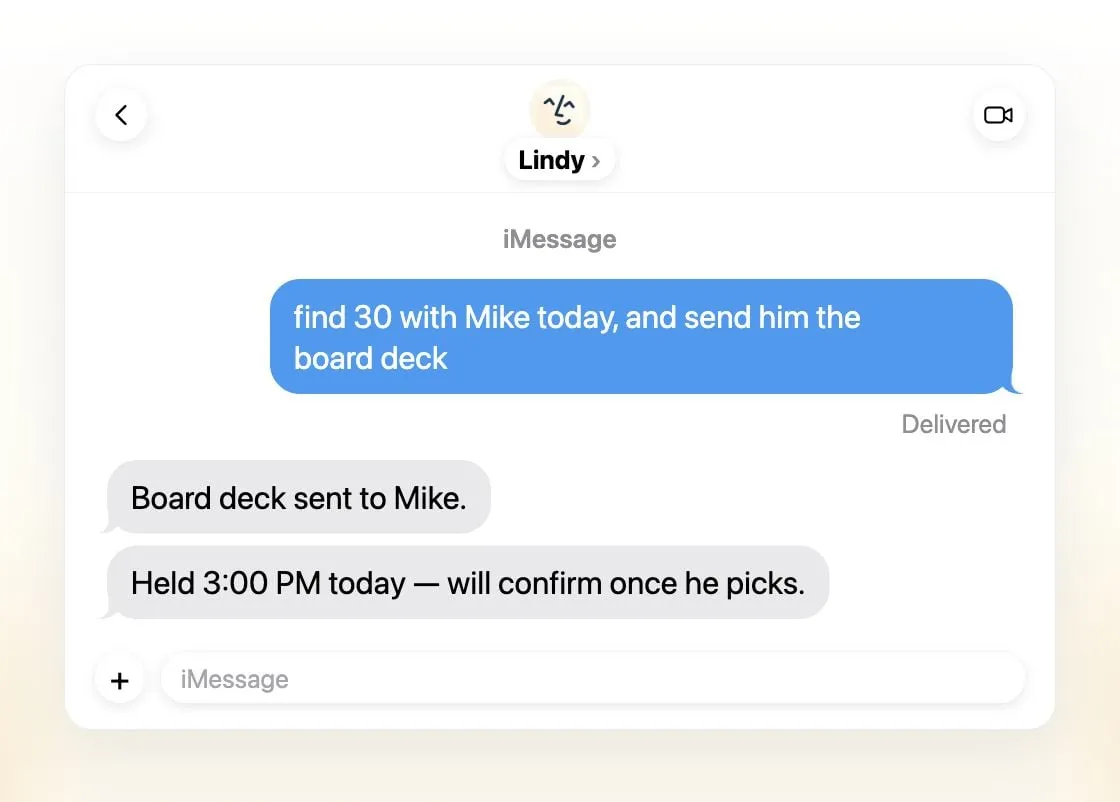
Lindy is the only hosted tool here you can text over iMessage or SMS without setting anything up, and it behaves like Poke: a personalized first message, alerts on time-sensitive email and daily briefs. It goes further on work, with email triage and drafted replies in your voice, scheduling, meeting recordings and prep, its own phone number you can call, and 1,500+ integrations plus MCP servers. It asks before anything with outside impact. Lindy says it never uses your data to train models, and you choose the model per task, two of the main reasons people leave Poke.
What you give up: price and the personal side. Paid seats start at $49.99 per user a month, the free credits expire after 7 days, and Lindy is built for small teams and work, not personal errands. There is no mobile app, though with texting you don’t need one.
2. OpenClaw: free, and in every chat app
OpenClaw answers in 29 chat channels, including iMessage, WhatsApp, Telegram, Slack and Discord, so you can text it from wherever you already are. It is free and MIT licensed, runs on your own computer, and works with 64 model and media providers or local models, so you always know what model you’re using. OpenClaw itself trains no models.
What you give up: ease and safety by default. You run it yourself, setup expects the command line, and sandboxing is off by default. The software is free but the model isn’t, and expensive models have produced $100-a-day bills.

3. Hermes Agent: free, and learns your routines
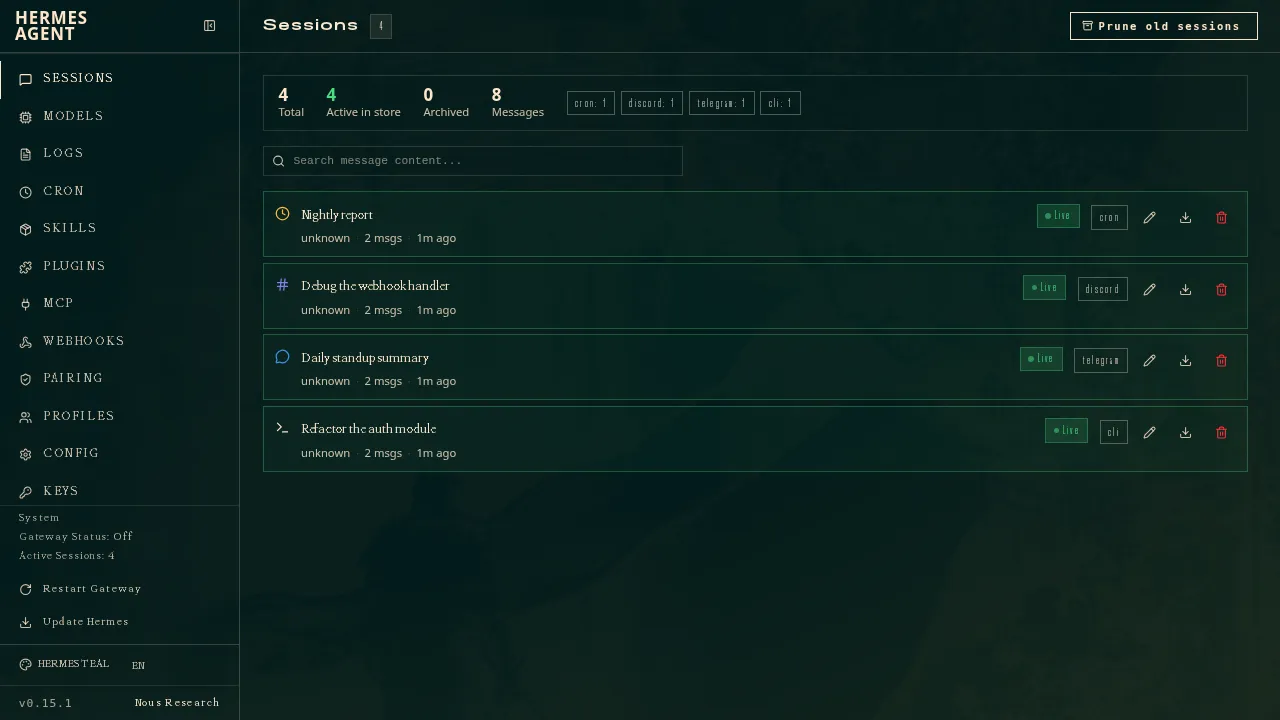
Hermes Agent, from Nous Research, also lives in your chat apps: one gateway connects it to more than 20 platforms, including Telegram, WhatsApp, Signal, SMS, email and iMessage. It writes reusable skills after complex tasks, keeps a memory and a profile of you, and checks in on its own. It is MIT licensed and model-agnostic, and you can run several agents with different jobs.
It ranks below OpenClaw because it reaches fewer chat apps, and its iMessage support needs a separate BlueBubbles server on a Mac, an extra step for Poke users who mostly text from an iPhone. An optional $20 Nous Portal plan bundles models and one hosted cloud agent if you’d rather not pick a provider.
What you give up: the “nothing to install” part. Setup expects the command line and your own machine, and there is no native mobile app.
4. Rakazo: several bots, your model, texting when self-hosted
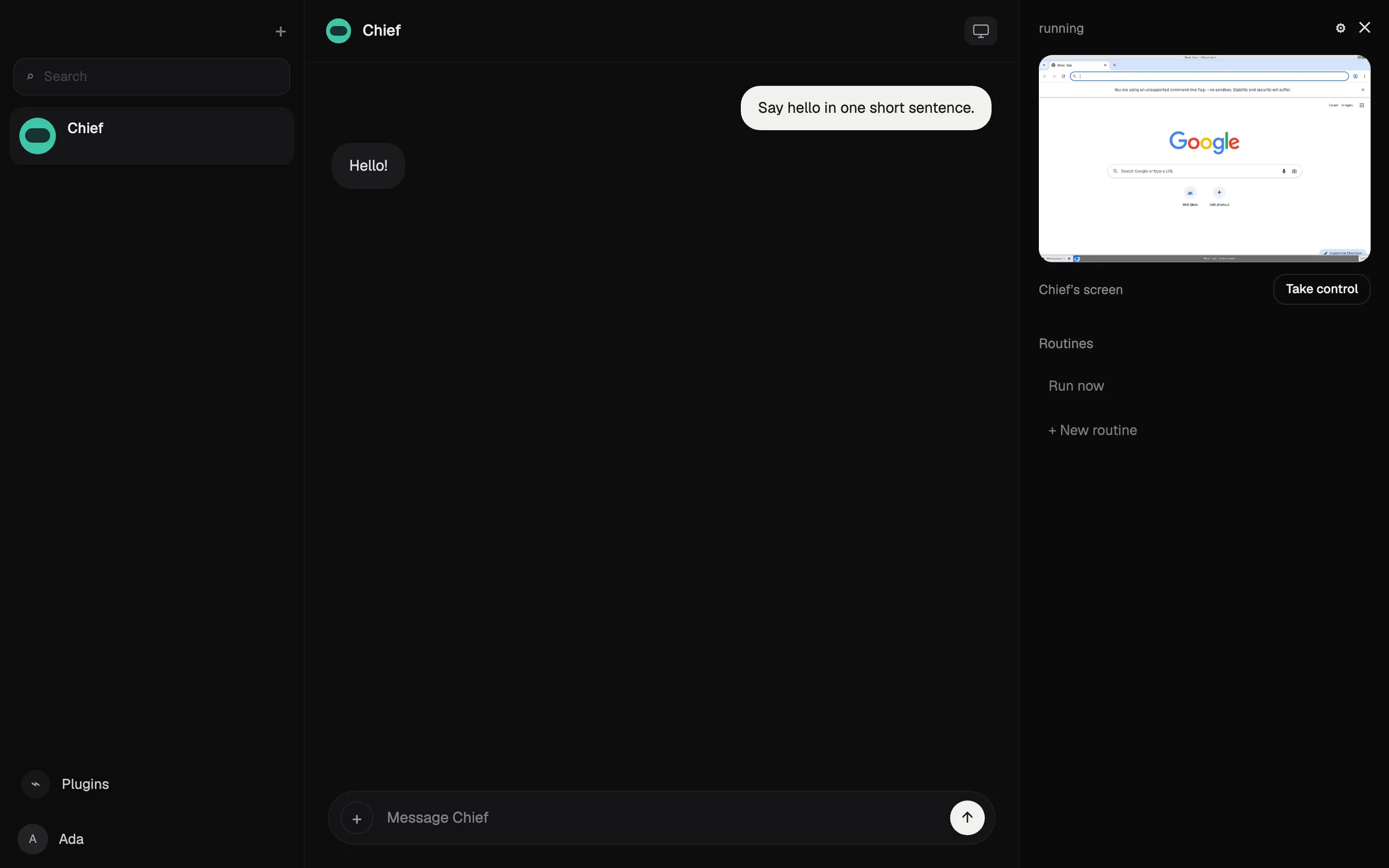
Rakazo runs persistent bots, each with a job, memory, routines and its own sandboxed computer with a browser and terminal. You choose the model per bot, including an existing Claude or ChatGPT subscription or local models, and you decide which actions need your approval. Self-hosting is free and adds Telegram, WhatsApp and iMessage.
It ranks below OpenClaw and Hermes Agent because it reaches fewer chat apps: the hosted plan, from $15 a month, covers Slack and Rakazo’s own apps, and texting only works when you self-host.
What you give up: simplicity. Rakazo is in beta, it is more setup than texting a number, and on hosted plans you pay your model provider separately unless you buy Rakazo credits.

5. Manus: free plan, reachable in Telegram
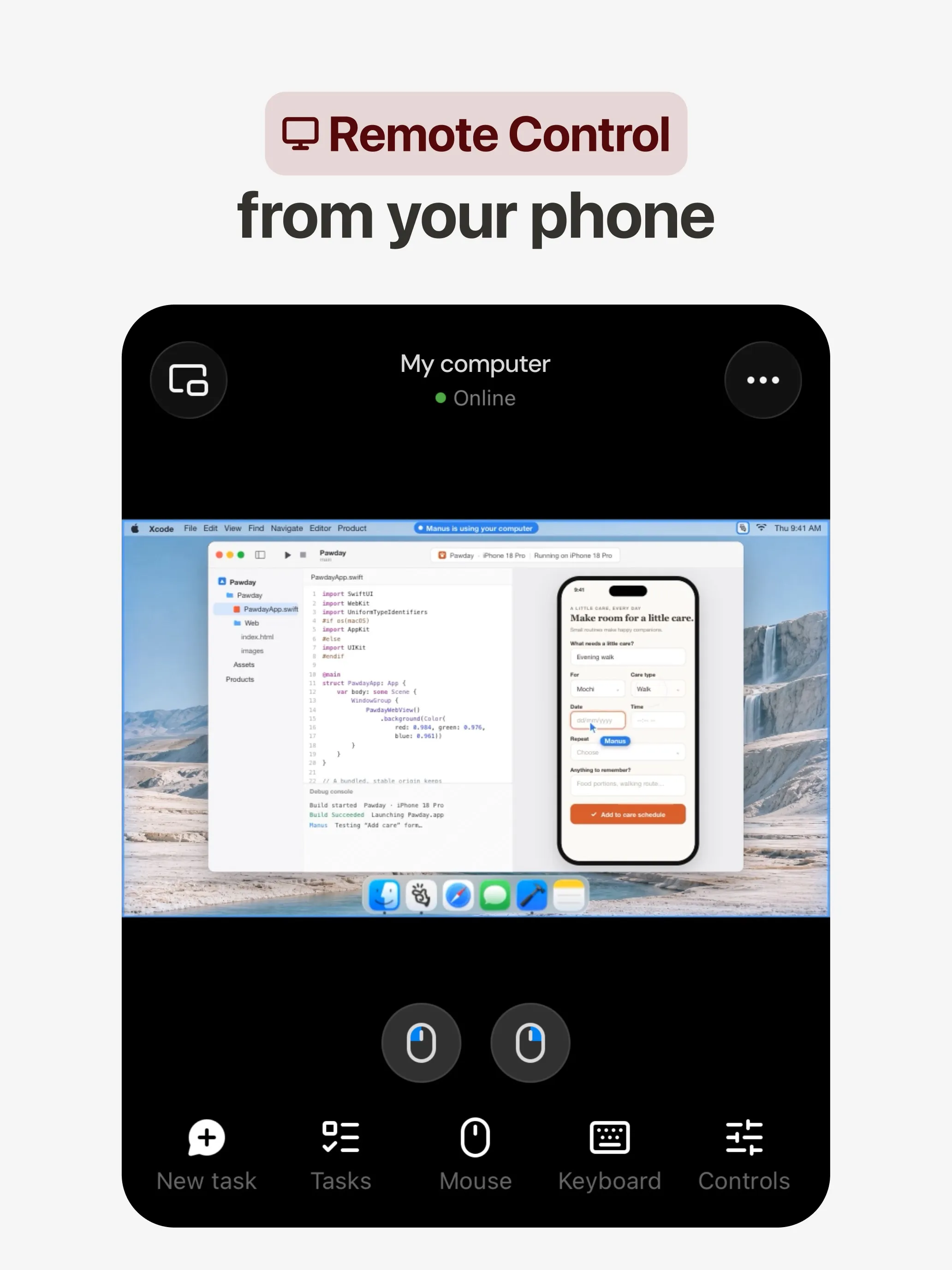
Manus is a different kind of assistant: you give it a task and it plans and finishes it in its own environment, returning a report, website, slide deck or video. You can message it in Telegram and Slack, and Automations start from events in Gmail, Slack or Notion. There is a free plan.
What you give up: the ambient assistant. Manus is built for projects, not daily nudges about your inbox and calendar, and credits are charged by task complexity, so costs are as hard to predict as Poke’s.
6. Grok Bot: most capable, for work
Grok Bot runs named Bots on a persistent cloud computer that sign in to your apps, run routines on a schedule or trigger, and can phone US businesses for you, the kind of task Poke reserves for its $199 plan.
What you give up: the texting. Its chat-app channel is Slack, so day to day you use its desktop and mobile apps. It starts at $30 a month with no free plan, you can’t choose the model, and users ran out of weekly usage early over Halloween weekend.

Which one should you pick?
- You want Poke’s texting with no training on your data, for work: Lindy.
- You want free, in every chat app, and can run it yourself: OpenClaw.
- You want free and an agent that learns your routines: Hermes Agent.
- You want several bots with your own model and a sandbox each: Rakazo.
- Your requests are really projects: Manus.
- You want phone calls and routines without paying $199: Grok Bot.
If you stay on Poke, switch to Maximum Privacy before connecting your email if you don’t want your data used for training.
Alternatives
$49.99/mo
An AI assistant for work that runs your inbox, calendar and meetings, takes requests by iMessage, Slack, phone or browser, and sends you daily briefs.
Visit LindyStrengths
- Texts you first: a personalized first message, alerts on time-sensitive email, and daily briefs
- Reachable almost anywhere: iMessage or SMS, Slack, its own phone number, Gmail via a Chrome extension, and the web
- 1,500+ integrations plus any hosted MCP server, and a browser for tools without one
- Asks for approval before anything with outside impact
- Says it never uses your data to train models, with SOC 2 Type II, GDPR and PIPEDA compliance
Weaknesses
- Expensive for individuals: paid seats start at $49.99 per user a month, and free credits last only 7 days
- Credit-based usage is hard to predict, from 2 credits for a simple ask to 2,500 for a big build
- One shared Lindy per team rather than separate assistants for different jobs
- No mobile app; on phones you use iMessage, SMS or calls
- Plan names differ between its pricing page and its docs, so it is hard to tell what each tier includes
Free, MIT-licensed personal AI agent that runs on your own computer and takes orders from WhatsApp, Telegram, iMessage, Slack and 20+ other chat apps.
Visit OpenClawStrengths
- Free and MIT licensed, with no paid tier
- Runs on your own hardware; state, memory and credentials stay local, and it sends nothing home except an optional daily version check
- Works in 29 chat channels, including WhatsApp, Telegram, iMessage, Slack, Discord and Microsoft Teams
- Model-agnostic: 64 model and media providers, plus local models
- Large ecosystem of skills and 142 official plugins, and very active development
Weaknesses
- Model costs are on you and can run high: testers and users have reported spending over $100 in a day with expensive models
- Sandboxing is off by default and the agent can run commands on the host unless you turn on approvals
- Setup and upkeep expect comfort with the command line; maintainers warn it is risky for non-technical users
- Broad access to email, messages and the system makes prompt injection and malicious third-party skills a real risk
$20/mo
Free, MIT-licensed AI agent from Nous Research that runs on your own machine or server, learns reusable skills, and chats with you on Telegram, Slack and more.
Visit Hermes AgentStrengths
- Free and MIT licensed, and runs on hardware you control
- Writes and refines its own skills from experience, on top of persistent memory and cross-session search
- One gateway for 20+ chat platforms, including Telegram, Discord, Slack, WhatsApp, Signal and email
- Run several separate agents as profiles, each with its own model, memory and skills, and let them talk in group chats
- Model-agnostic, with a one-command import from OpenClaw
Weaknesses
- Setup expects comfort with the command line and with running your own server
- Model costs are on you unless you use free models, and hosted web search, images and speech need a paid Nous Portal plan or your own keys
- iMessage needs a separate BlueBubbles server on a Mac
- No native mobile app; Android support is a command-line install through Termux
$10/mo
Open-source, self-hostable platform for persistent AI bots that each get a job, a computer, memory and routines, using the model you choose.
Visit RakazoStrengths
- Open source (Apache-2.0) and fully self-hostable, including with local models
- Choice of model per bot, including existing Claude or ChatGPT subscriptions
- Bots keep working on schedules and triggers with their own cloud computer
- Approval controls over which actions a bot may take on its own
Weaknesses
- Still in beta, with frequent releases
- You supply and pay for the model on the hosted plans, unless you buy Rakazo credits
- Telegram, WhatsApp and iMessage/SMS are only available when self-hosted
- More setup than a single chat app
$20/mo
General-purpose AI agent that researches, builds websites, slides, videos and games, and runs automations on its own cloud computer.
Visit ManusStrengths
- Turns one prompt into finished output: research reports, websites, slides, videos and playable games
- Automations can start from a schedule or an event in a connected service such as Gmail, Slack or Notion
- Video Editor and Game Dev let you edit what the agent made instead of regenerating it
- Free plan to try it, with apps for web, iOS, Android, macOS and Windows
Weaknesses
- Credit-based pricing makes costs hard to predict, and long or failed runs can use up credits
- Free daily credits are capped at 1,500 a month and only work in the Lite mode
- A built-in training opt-out is listed only for Team plans
- Several plans share the Pro name and differ only by credit amount
$30/mo
Always-on AI agents from SpaceXSI that run on a shared cloud computer, sign in to your apps and finish multi-step work while you're away.
Visit Grok BotStrengths
- Bots work on their own cloud computer, so tasks keep running when your laptop or phone is closed
- Can operate websites and apps that have no API, using saved logins it never sees in plain text
- Several Bots can run in parallel, message each other and share one workspace
- Routines can run on a schedule or after an event, and a Bot can learn a task from a recorded demonstration of up to 10 minutes
- Can place phone calls to US businesses for you and send a summary afterwards
- Native apps for macOS, Windows, Linux, iOS and Android, plus Slack
Weaknesses
- No free plan and no standalone price: the cheapest way in is the $30/month Premium plan
- Usage comes from a weekly pool shared with Grok and Cursor, and SpaceXSI does not publish how much work that pool covers
- No model picker: Grok Bot chooses the model for each task and does not show which one it used
- All Bots on an account share one computer, files and logins; the docs say not to use separate Bots as a security boundary
- Users report Amazon blocks it from shopping as an unauthorized AI agent; Amazon hasn't commented
- Still labelled beta, with no browser version
Features
| Poke | Lindy | OpenClaw | Hermes Agent | Rakazo | Manus | Grok Bot | |
|---|---|---|---|---|---|---|---|
| Web search | Yes | Yes | Yes | Yes | Yes | Yes | Yes |
| Image generation | Unknown | Yes | Yes | Yes | Yes | Yes | Yes |
| Voice mode | Yes | Yes | Yes | Yes | Yes | Yes | Yes |
| File uploads | Yes | Yes | Yes | Yes | Yes | Yes | Yes |
| Memory | Yes | Yes | Yes | Yes | Yes | Yes | Yes |
| Takes actions for you | Yes | Yes | Yes | Yes | Yes | Yes | Yes |
| App integrations | Yes | Yes | Yes | Yes | Yes | Yes | Yes |
| Works on its own | Yes | Yes | Yes | Yes | Yes | Yes | Yes |
| Messages you first | Yes | Yes | Yes | Yes | Yes | Yes | Yes |
| Runs several bots | Unknown | No | Yes | Yes | Yes | Unknown | Yes |
Sources
Poke
- Poke homepageChecked Nov 8, 2026
- Poke pricingChecked Nov 8, 2026
- Poke FAQChecked Nov 8, 2026
- Poke privacy notice (last updated September 11, 2026)Checked Nov 8, 2026
- Cognition: welcoming The Interaction Company to Cognition (July 23, 2026)Checked Nov 8, 2026
- TechCrunch: Poke makes using AI agents as easy as sending a textChecked Nov 8, 2026
- TechCrunch: Apple approves Poke as the first AI agent on its Messages for Business platformChecked Nov 8, 2026
- Introducing Poke.com (launch announcement, September 8, 2025)Checked Nov 8, 2026
- Poke docs: Welcome (built-in web search)Checked Nov 8, 2026
- Poke release notes (web search, sharing images, attachments)Checked Nov 8, 2026
Lindy
- Lindy homepageChecked Nov 8, 2026
- Lindy pricingChecked Nov 8, 2026
- Lindy docs: What is Lindy?Checked Nov 8, 2026
- Lindy docs: iMessage & SMSChecked Nov 8, 2026
- Lindy docs: Phone CallsChecked Nov 8, 2026
- Lindy docs: Ad Hoc Tasks (research)Checked Nov 8, 2026
- Lindy docs: Pricing and creditsChecked Nov 8, 2026
- Lindy Assistant: The AI that runs your work lifeChecked Nov 8, 2026
- Lindy docs: Set up Lindy (web search, image generation)Checked Nov 8, 2026
- Lindy docs: Files (drop files and folders in for Lindy to use)Checked Nov 8, 2026
- Lindy changelog (Creatives: on-brand images, Sep 16, 2026)Checked Nov 8, 2026
OpenClaw
- OpenClaw homepage and Foundation sectionChecked Nov 8, 2026
- OpenClaw integrations: channels, providers and pluginsChecked Nov 8, 2026
- openclaw/openclaw on GitHub (MIT, v2026.11.1)Checked Nov 8, 2026
- OpenClaw docs: Sandboxing (off by default)Checked Nov 8, 2026
- Wikipedia: OpenClawChecked Nov 8, 2026
- Notebookcheck: OpenClaw can burn through hundreds of dollars per dayChecked Nov 8, 2026
- OpenClaw docs: Memory overviewChecked Nov 8, 2026
- OpenClaw docs: AutomationsChecked Nov 8, 2026
- OpenClaw docs: Chat channelsChecked Nov 8, 2026
- OpenClaw docs: iMessageChecked Nov 8, 2026
- OpenClaw docs: Heartbeat, now a default Proactive check jobChecked Nov 8, 2026
- OpenClaw docs: Multi-agent routingChecked Nov 8, 2026
- OpenClaw docs: Platforms (macOS, Windows, Linux, iOS and Android apps)Checked Nov 8, 2026
- OpenClaw docs: Tools (exec, browser, web search)Checked Nov 8, 2026
- OpenClaw docs: Audio and voice notes (inbound transcription)Checked Nov 8, 2026
- OpenClaw docs: Image and media support (inbound media)Checked Nov 8, 2026
Hermes Agent
- NousResearch/hermes-agent on GitHub (MIT, v0.23.0)Checked Nov 8, 2026
- Hermes Agent homepage and Nous Portal pricingChecked Nov 8, 2026
- Hermes Agent documentationChecked Nov 8, 2026
- Hermes Agent docs: Profiles, running multiple agentsChecked Nov 8, 2026
- Hermes Agent docs: Bot ModeChecked Nov 8, 2026
- Hermes Agent docs: Voice modeChecked Nov 8, 2026
- Hermes Agent docs: Vision and image pasteChecked Nov 8, 2026
- Hermes Agent docs: iMessage via BlueBubblesChecked Nov 8, 2026
- Nous Research on X: Meet Hermes Agent (February 25, 2026)Checked Nov 8, 2026
- Hermes Agent docs: Session heartbeats and cron watchdogsChecked Nov 8, 2026
- Hermes Agent docs: FAQ (Is my data sent anywhere?)Checked Nov 8, 2026
Rakazo
- Rakazo homepageChecked Nov 8, 2026
- Rakazo pricingChecked Nov 8, 2026
- Rakazo privacy policyChecked Nov 8, 2026
- Rakazo on GitHub (README and license)Checked Nov 8, 2026
- Rakazo changelogChecked Nov 8, 2026
- Rakazo releasesChecked Nov 8, 2026
- Rakazo docs: Image and video generationChecked Nov 8, 2026
- Rakazo docs: MemoryChecked Nov 8, 2026
- Rakazo docs: Connect appsChecked Nov 8, 2026
- Rakazo docs: RoutinesChecked Nov 8, 2026
- Rakazo docs: Chat appsChecked Nov 8, 2026
- Rakazo docs: Messaging apps (self-hosting)Checked Nov 8, 2026
- Rakazo docs: Bots and chats (add another bot, bot templates)Checked Nov 8, 2026
- Rakazo docs: Groups (several bots in one chat)Checked Nov 8, 2026
- Rakazo docs: Mobile app (notifications)Checked Nov 8, 2026
- Rakazo privacy policy (updated Sep 14, 2026)Checked Nov 8, 2026
- Rakazo privacy policy source on GitHubChecked Nov 8, 2026
Manus
- Manus Plans & PricingChecked Nov 8, 2026
- Manus Help Center: What is the current membership pricing for Manus?Checked Nov 8, 2026
- Manus Help Center: rules for credit consumptionChecked Nov 8, 2026
- Introducing Manus 2.0 (Sep 28, 2026)Checked Nov 8, 2026
- Download Manus: macOS, Windows, iOS and AndroidChecked Nov 8, 2026
- Tech Xplore/AFP: Manus raises $500 million after Meta acquisition blocked by ChinaChecked Nov 8, 2026
- Wikipedia: Manus (AI agent)Checked Nov 8, 2026
- Manus for Slack: Turn Your Workspace into an Autonomous EngineChecked Nov 8, 2026
- Manus docs: AutomationsChecked Nov 8, 2026
- Is my data safe when using Manus Agents in Telegram?Checked Nov 8, 2026
- Chatting with Manus Agent on Slack: Channels, DMs, and File DeliveryChecked Nov 8, 2026
- Manus Agents in Telegram (available to all users)Checked Nov 8, 2026
- Manus Help Center: What's new in Manus 2.0 (Cue requires an invitation code)Checked Nov 8, 2026
- Manus API docs: Agents (default agent plus agents you create)Checked Nov 8, 2026
- Manus privacy policy (updated Sep 28, 2026)Checked Nov 8, 2026
Grok Bot
- Grok Bot product page and FAQChecked Nov 8, 2026
- SpaceXSI pricing: The X Subscription plansChecked Nov 8, 2026
- Introducing Grok Bot (launch post, Aug 11, 2026)Checked Nov 8, 2026
- Grok Bot FAQ: plans, platforms, memory, privacy and limitsChecked Nov 8, 2026
- Grok Bot docs: Create and manage BotsChecked Nov 8, 2026
- Grok Bot changelog (v0.78.1, Oct 27, 2026)Checked Nov 8, 2026
- Cursor help: Grok Bot plans and usageChecked Nov 8, 2026
- Teslarati: Grok Bot can now call US businesses (Nov 2026)Checked Nov 8, 2026
- Teslarati: Amazon shuts out Grok Bot (Oct 15, 2026)Checked Nov 8, 2026
- Grok Bot docs: Overview (proactive teammate, morning briefing)Checked Nov 8, 2026
- Grok Bot docs: Chat and collaboration (Slack DMs, X Chat rolling out)Checked Nov 8, 2026
- Grok Bot docs: Get started (desktop and mobile apps)Checked Nov 8, 2026
- Grok Bot docs: Skills, routines and automationsChecked Nov 8, 2026
- SpaceXSI: Team Bots in public beta (Sep 28, 2026)Checked Nov 8, 2026
- Wikipedia: SpaceXAI (xAI renamed SpaceXAI, then SpaceXSI)Checked Nov 8, 2026
- Cursor: Data Use & Privacy Overview (Privacy Mode and training)Checked Nov 8, 2026