2026'nın en iyi yapay zeka asistanları: gerçekten iş yapanlar
Sizin adınıza iş yapan on iki yapay zeka asistanı, kendi başına yapabildiklerine ve erişim kolaylığına göre: Grok Bot, Rakazo, OpenClaw, Hermes Agent, Muse ve fazlası.
Kısaca
| Asistan | Ücretsiz plan | Açık kaynak | Kendi sunucunda çalışır | Varsayılan olarak sohbetlerinizle eğitilir | ||
|---|---|---|---|---|---|---|
| Grok Bot | Hayır | Aylık $30 | Hayır | Hayır | Hayır | |
| Rakazo | Evet | Aylık $10 | Evet | Evet | Hayır | |
| OpenClaw | Evet | – | Evet | Evet | Hayır | |
| Hermes Agent | Evet | Aylık $20 | Evet | Evet | Hayır | |
| Muse | Evet | Aylık $20 | Hayır | Hayır | Evet | |
| Poke | Evet | Aylık $19 | Hayır | Hayır | Evet | |
| Instinct | Evet | – | Hayır | Hayır | Evet | |
| Claude Duet | Hayır | Aylık $20 | Hayır | Hayır | Bilinmiyor | |
| Lindy | Evet | Aylık $49,99 | Hayır | Hayır | Hayır | |
| Manus | Evet | Aylık $20 | Hayır | Hayır | Bilinmiyor | |
| Perplexity Teammates | Hayır | Aylık $200 | Hayır | Hayır | Evet | |
| dots | Hayır | Aylık $100 | Hayır | Hayır | Evet |












Grok Bot, Kasım 2026 itibarıyla işini devretmek isteyen çoğu kişi için en iyi yapay zeka asistanı: bir asistanın yapması gereken her şeyi yapıyor, her platformda uygulaması var ve kurulum gerektirmiyor; ancak aylık $30 tutuyor. Rakazo aynı işleri seçtiğiniz modelle ve $15 ile başlayan barındırılan bir planla yapıyor. Teknik bilginiz varsa ve kendi donanımınızda ücretsiz kullanmak istiyorsanız iki açık kaynak seçenek OpenClaw ve Hermes Agent. Bir asistana sadece mesaj yazmak istiyorsanız ücretsiz olan Poke ile başlayın.
Açıklama: Rakazo, bu siteyi işleten şirket tarafından geliştiriliyor. Diğer tüm araçlarla aynı koşullarda değerlendirildi ve zayıf yönleri aşağıda listeleniyor.
ChatGPT, Claude ve Gemini neden bu listede yok
Bir sohbet uygulaması, siz açıp sorduğunuzda yanıt verir. Bu faydalıdır ama sizin için çalışan biri anlamında bir asistan değildir. Gerçek bir asistan hesaplarınıza giriş yapıp işleri halleder, siz pencereyi kapattıktan sonra da devam eder ve bir şey size ihtiyaç duyduğunda haber verir.
Bu yüzden bu liste yalnızca sizin adınıza iş yapmak için tasarlanmış ürünleri içeriyor. Büyük bir yapay zeka şirketinin böyle bir ürünü varsa, sohbet botu yerine o ürünü listeliyoruz: dots OpenAI’ın ChatGPT içindeki ajanı, Claude Duet Anthropic’in, Perplexity Teammates Perplexity’nin ajanı; Grok Bot Grok sohbet botundan ayrı bir uygulama, Muse ise Meta AI’dan ayrı.
Nasıl sıraladık
Sıralama, bu sayfadaki tabloda tek satırlık gerekçesiyle gösterilen değerlendirmemizi izliyor. Değerlendirme, bir asistanın yapması gereken beş şeyden yola çıkıyor; bunları katalog kaydına ve altında listelenen kaynaklara göre kontrol ettik. Kendi karşılaştırma testimizi yapmadık.
- Hesaplarınızda işlem yapar: sizin adınıza e-posta gönderir, rezervasyon yapar, satın alır ya da düzenler.
- Siz yokken çalışır: cihazınız kapalıyken de görevleri ve rutinleri yürütmeye devam eder.
- Size önce o yazar: sorulmadan özetler, uyarılar ve takip mesajları gönderir.
- Sohbet uygulamalarınızda yaşar: genel kullanıma açık bir WhatsApp, Telegram, iMessage, Slack ya da Discord kanalı. Beta sürümleri ve bekleme listeleri sayılmaz.
- Birkaç bot çalıştırır: ayrı işler için ayrı asistanlar.
Değerlendirmeyi tek başına bu kontrol listesi belirlemiyor. Kurulum zahmetini (kendiniz kurmanız, çalıştırmanız ve güvenliğini sağlamanız eksi yazılır), fiyatı ve erişilebilirliği (yalnızca davetle erişim, bekleme listeleri ve bölge kısıtlamaları eksi yazılır) de hesaba katıyoruz. Daha yüksek değerlendirilen asistanlar önce geliyor.
1. Grok Bot: genel olarak en iyisi
Grok Bot, isim verdiğiniz botlar (Bots) oluşturmanıza, her birine bir iş vermenize ve tarayıcısı, dosyaları ve terminali olan bir bulut bilgisayarda çalışmalarına olanak tanır (Grok Bot). Araçlarınıza giriş yaparlar, rutinleri bir zamanlamaya göre ya da bir olaydan sonra yürütürler, hassas işlemlerden önce sorarlar ve kaydedilmiş bir gösterimden görev öğrenebilirler. macOS, Windows, Linux, iOS ve Android için yerel uygulamaları ve Slack desteği var.
Kontrol listesindeki her şeyi yaptığı, kurulum gerektirmediği ve model dahil olduğu için ilk sırada. Dezavantajları: ücretsiz planı yok (en ucuz giriş X’in $30’lık Premium planı), Grok ve Cursor ile paylaşılan ve boyutunu SpaceXSI’nin yayımlamadığı haftalık bir kullanım havuzu var ve tüm botlar tek bir bilgisayarı ve tek bir oturum bilgisi setini paylaşıyor; bu yüzden belgeler ayrı botları bir güvenlik sınırı olarak görmemenizi söylüyor. Hâlâ beta aşamasında.
Şu durumda seçin: düzenli gelen kutusu ve tarayıcı işlerinin halledilmesini istiyorsanız ve aylık $30 sizin için sorun değilse. Grok Bot alternatifleri yazısına bakın.

2. Rakazo: kendi modelinizle en iyisi
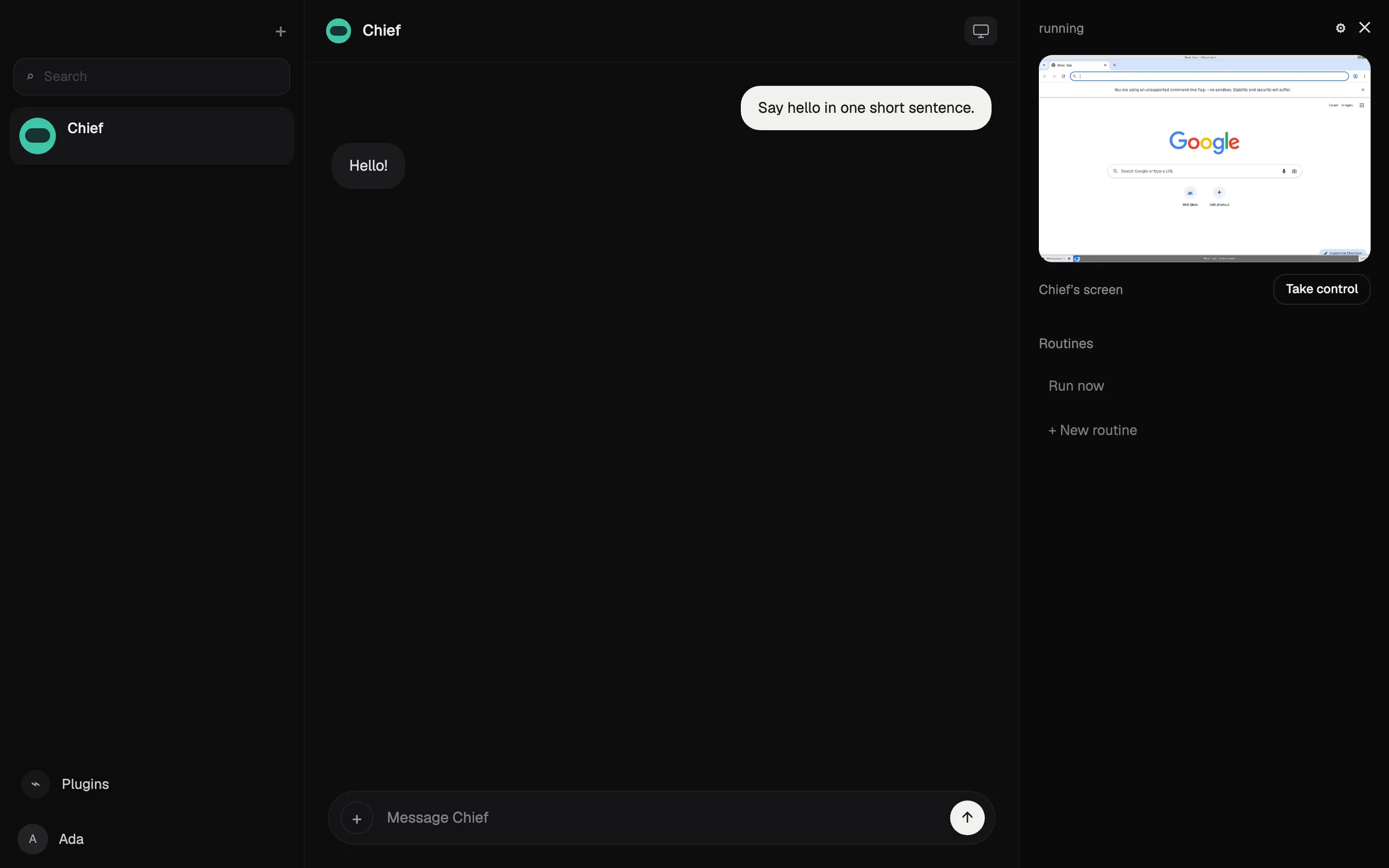
Rakazo, her birinin kendi belleği, rutinleri ve izole bilgisayarı olan kalıcı botlar çalıştırır; bunlar bir zamanlamayla, bir webhook ile ya da bir GitHub olayıyla çalışır ve seçtiğiniz işlemler için onay ister (Rakazo). Modeli siz getirirsiniz: bir Claude ya da ChatGPT aboneliği, bir API anahtarı veya yerel modeller. Apache-2.0 lisanslı açık kaynak bir projedir ve kendi sunucunuzda ücretsiz çalıştırılabilir; barındırılan plan 7 günlük denemeyle aylık $15 ile başlar (fiyatlar).
Grok Bot’un gerisinde kalıyor çünkü Rakazo kredisi satın almadığınız sürece modeli genellikle kendiniz sağlayıp ödüyorsunuz, beta aşamasında ve Telegram, WhatsApp ve iMessage yalnızca kendi sunucunuzda çalıştırdığınızda kullanılabiliyor. Ayrıntılar için Rakazo incelemesini okuyun.
Şu durumda seçin: ayrı bilgisayarlara sahip birkaç bot istiyorsanız ya da modeli kendiniz seçmek istiyorsanız.

3. OpenClaw: en iyi ücretsiz ve açık kaynak seçenek
OpenClaw, kendi bilgisayarınızda çalışan ve talimatları WhatsApp, Telegram, iMessage, Slack, Discord ve daha birçok sohbet uygulamasından alan, MIT lisanslı ücretsiz bir ajan (OpenClaw). Herhangi bir bulut modelini ya da yerel bir modeli kullanabilirsiniz; durum, bellek ve kimlik bilgileri donanımınızda kalır.
Kontrol listesindeki her şeyi yapıyor, ama kurmak, çalıştırmak ve güvenliğini sağlamak size kaldığı için barındırılan seçeneklerin altında değerlendiriliyor: komut satırına hâkim olmanızı bekliyor, korumalı alan varsayılan olarak kapalı ve model faturaları size ait. Test edenler pahalı modellerle bir günde $100’ın üzerinde harcadıklarını bildirdi.
Şu durumda seçin: teknik bilginiz varsa ve tam kontrol istiyorsanız. OpenClaw nedir ve OpenClaw alternatifleri yazılarına bakın.

4. Hermes Agent: öğrenen bir ajan için en iyisi
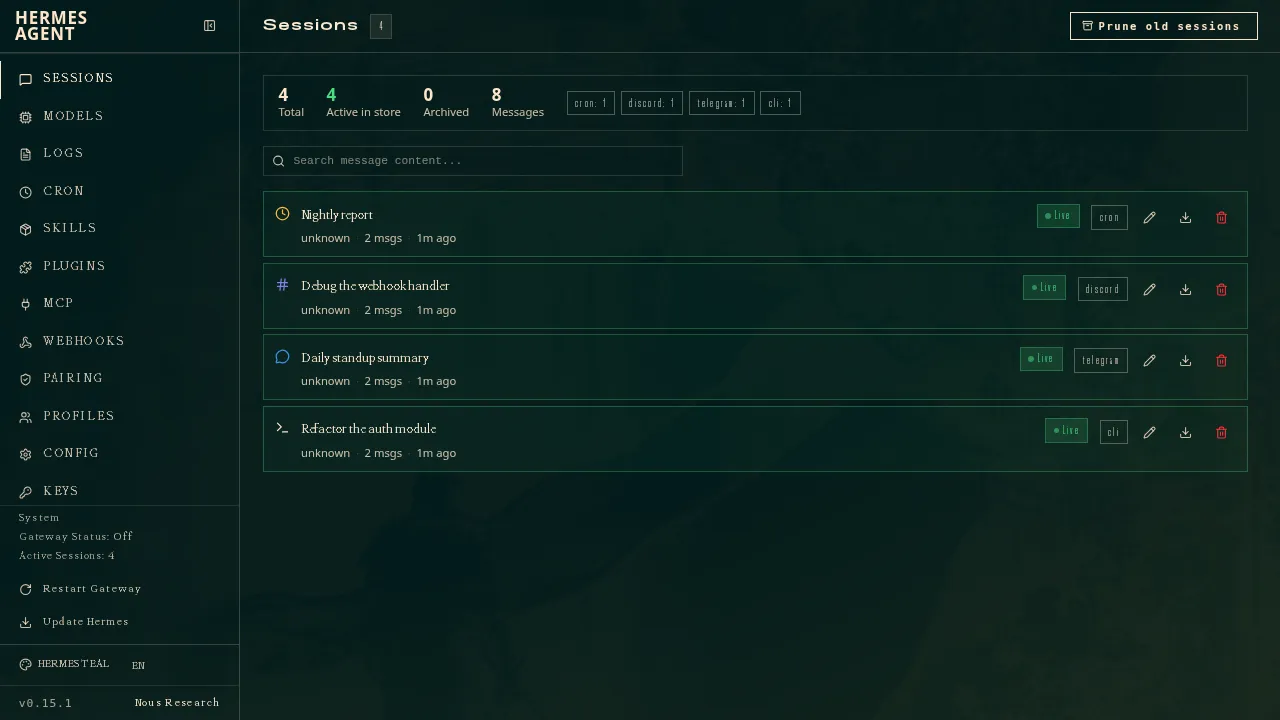
Nous Research’ün geliştirdiği Hermes Agent ücretsiz ve MIT lisanslı; bilgisayarınızda, ucuz bir sunucuda ya da sunucusuz altyapıda çalışıyor (GitHub). Karmaşık görevlerden sonra yeniden kullanılabilir beceriler yazıp bunları geliştiriyor; tek bir ağ geçidi onu Telegram, Discord, Slack, WhatsApp, Signal, e-posta ve daha fazlasına bağlıyor. Birkaç ajanı ayrı profiller olarak çalıştırabilirsiniz ve OpenClaw’dan ayarları, anıları ve becerileri içe aktarabiliyor.
OpenClaw gibi kontrol listesindeki her şeyi yapıyor, ama çalıştırmak ve güvenliğini sağlamak size kalıyor. OpenClaw’ın hemen altında çünkü yerel bir mobil uygulaması yok ve iMessage için bir Mac üzerinde ayrı bir BlueBubbles sunucusu gerekiyor. $20 ile başlayan isteğe bağlı Nous Portal aboneliği modelleri, barındırılan araçları ve bir bulut ajanını bir arada sunuyor (Hermes Agent).
Şu durumda seçin: kendi sunucunuzu çalıştırıyorsanız ve kullandıkça gelişen bir ajan istiyorsanız.
5. Muse: günlük işler için en iyi ücretsiz asistan
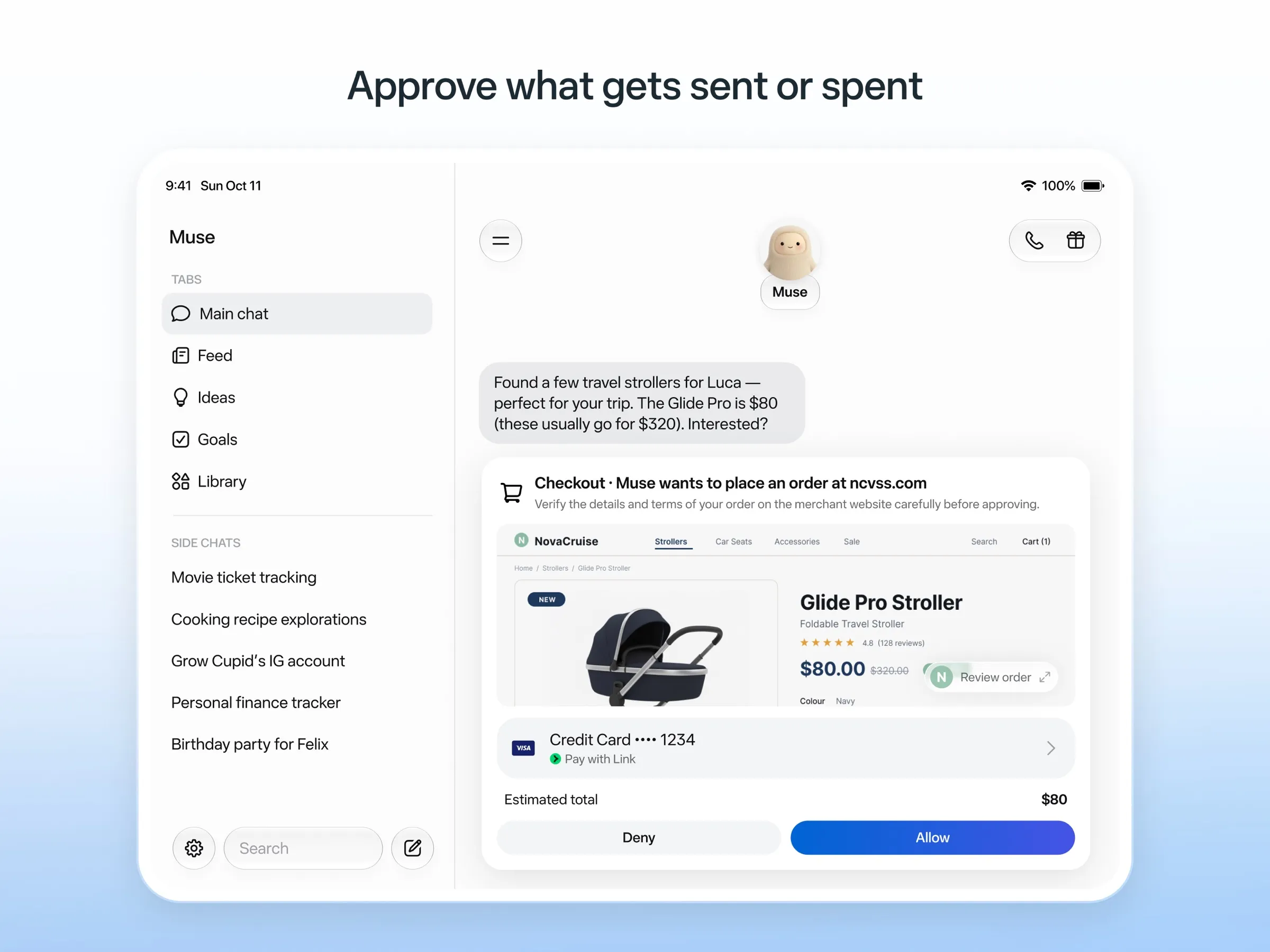
Muse, Meta’nın kişisel ajanı: ona bir insana yazar gibi yazıyorsunuz, kendi bulut bilgisayarında çalışıyor, e-posta göndermeden ya da satın almadan önce soruyor ve tek kullanımlık kart numaralarıyla ödüyor (Meta). Yayımlanmamış bir sınıra kadar ücretsiz; ücretli planlar $20 ile başlıyor.
Ücretsiz olduğu ve işi hiçbir kurulum gerektirmeden kendi bulut bilgisayarında yaptığı için iyi bir değerlendirme alıyor. Sohbet uygulaması maddesini karşılamıyor, çünkü WhatsApp erişimi hâlâ sınırlı testte ve Meta birden fazla Muse çalıştırıp çalıştıramayacağınızı söylemiyor. Yalnızca ABD, Kanada, Japonya, Singapur ve Meksika’da kullanılabiliyor, ücretsiz katmanda bile ödeme kartı istiyor ve vazgeçmediğiniz sürece sohbetleriniz Meta’nın modellerini eğitmek için kullanılıyor. Muse nedir ve Muse alternatifleri yazılarına bakın.
6. Poke: sadece mesaj attığınız en iyi asistan
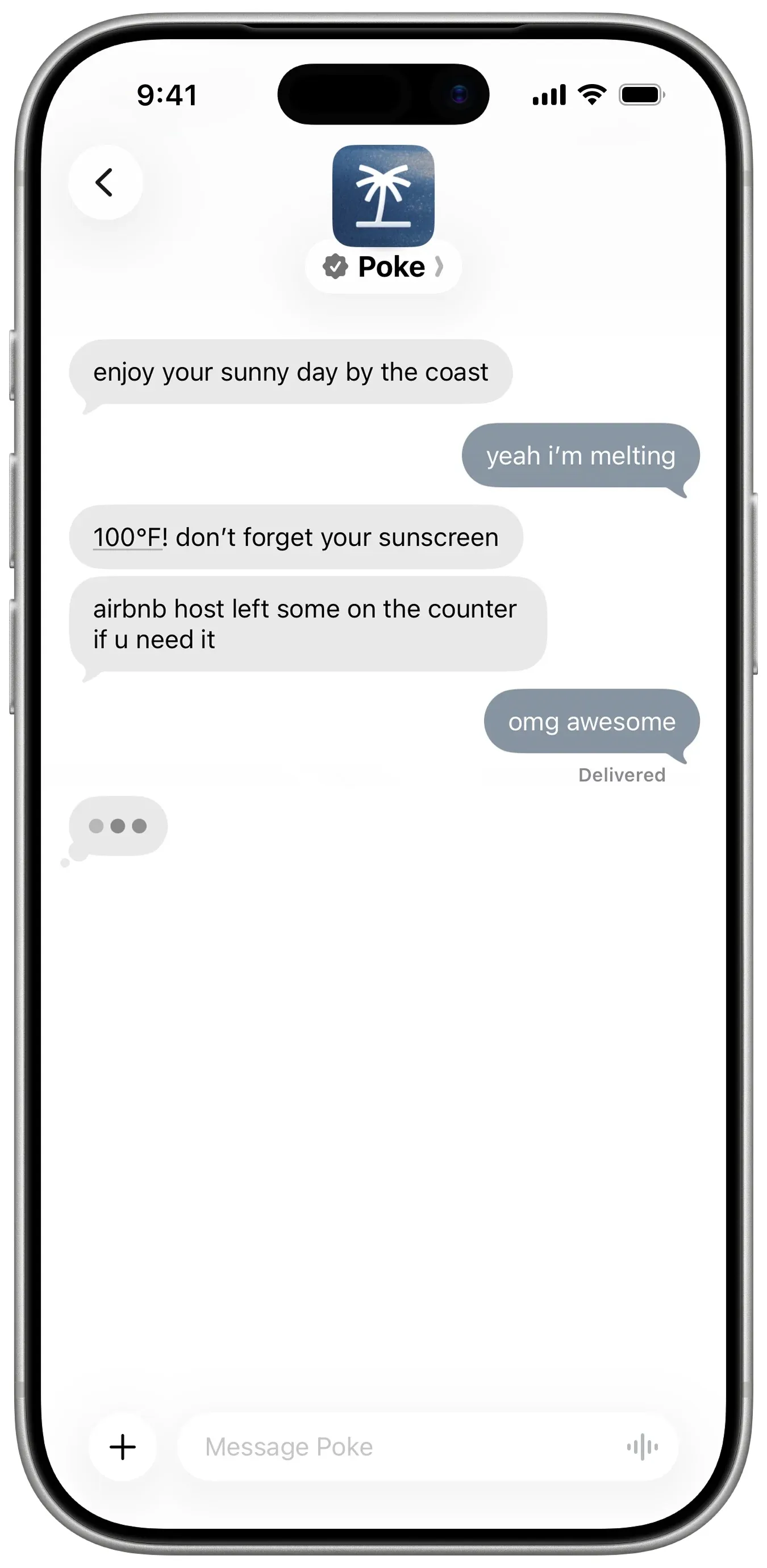
Poke’ta kurulacak bir şey yok: telefon numaranızla kaydolup ona iMessage, SMS ya da Telegram üzerinden yazıyorsunuz (Poke). Gmail, Outlook, Google Calendar ve daha birçok uygulamaya bağlanıyor, recipes adı verilen paylaşılabilir otomasyonlar çalıştırıyor ve size önce kendisi yazıyor. Ücretsiz plan kart istemiyor; Pro ise $19 (fiyatlar).
Yalnızca birkaç bot maddesini karşılamıyor, çünkü Poke bunu belgelemiyor. Gizlilik bildirimi, Maximum Privacy’yi seçmediğiniz sürece verilerinizin modellerini eğitmek için kullanılabileceğini söylüyor; ayrıca artık Cognition’a ait.
Şu durumda seçin: mesajlarınızın içinde ücretsiz bir asistan istiyorsanız. Poke alternatifleri yazısına bakın.
7. Instinct: en çok konuşulan, en zor erişilen
Instinct, mesaj atabileceğiniz ya da arayabileceğiniz bir asistan; seyahat rezervasyonu yapmak, market siparişi vermek ve ayak işlerini halletmek için bir telefon ve bilgisayar kullanıyor, buna grup sohbetleri de dahil (TechCrunch). Arka planda çalışmaya devam ediyor ve size kendiliğinden geri dönüyor (Built In), ama yalnızca davetle erişilebiliyor, yani genel kullanıma açık bir sohbet kanalı yok. Koşulları da vazgeçmediğiniz sürece materyallerinizle eğitim yapmasına izin veriyor. Instinct nedir ve Instinct alternatifleri yazılarına bakın.
8. Claude Duet: girebilirseniz en iyi sabah özeti
Claude Duet, Anthropic’in proaktif ajan uygulaması. Her sabah e-postanızı ve takviminizi inceleyip bir özet gönderiyor, birkaç saatte bir hesaplarınızı kontrol ediyor ve herhangi bir şeyi göndermeden, ödemeden, imzalamadan ya da silmeden önce soruyor (Anthropic).
Ücretli Claude planları için yalnızca ABD’de, bekleme listesiyle sunulan bir önizleme; sohbet uygulamalarından ulaşılamıyor ve Claude’un kullanım limitlerini paylaşıyor. Claude Duet nedir yazısına bakın.
9. Lindy: iş e-postası ve toplantılar için en iyisi
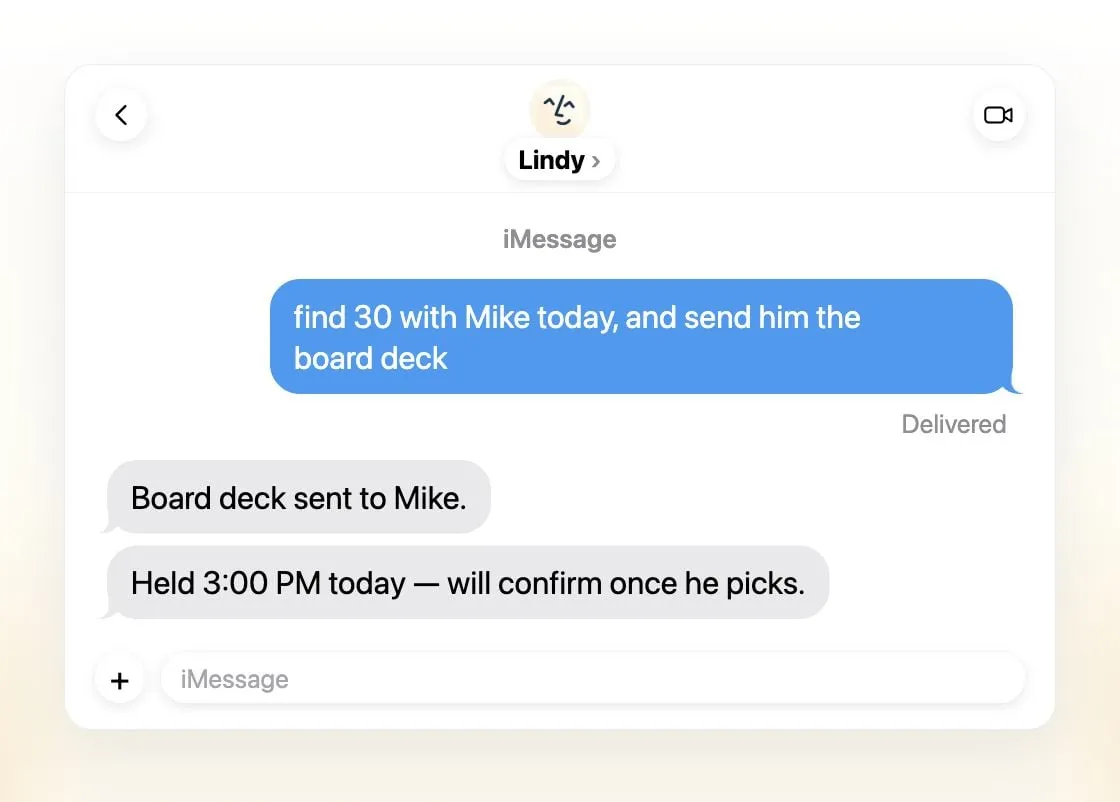
Lindy e-postaları önceliklendirir, yanıt taslakları hazırlar, toplantı ayarlar ve sizi görüşmelere hazırlar; ona iMessage, SMS, Slack, telefon ya da bir Gmail eklentisiyle ulaşırsınız (Lindy). Günlük özetler gönderir, dışarıyı etkileyen her şeyden önce sorar ve verilerinizle asla eğitim yapmadığını söyler.
Birkaç asistan yerine ekip başına tek bir ortak asistan sunuyor, ücretsiz krediler yedi gün geçerli ve ücretli koltuklar kullanıcı başına aylık $49.99 ile başlıyor (fiyatlar).
Şu durumda seçin: Slack ve e-postada yaşayan küçük bir ekipseniz.
10. Manus: hazır çıktılar için en iyisi
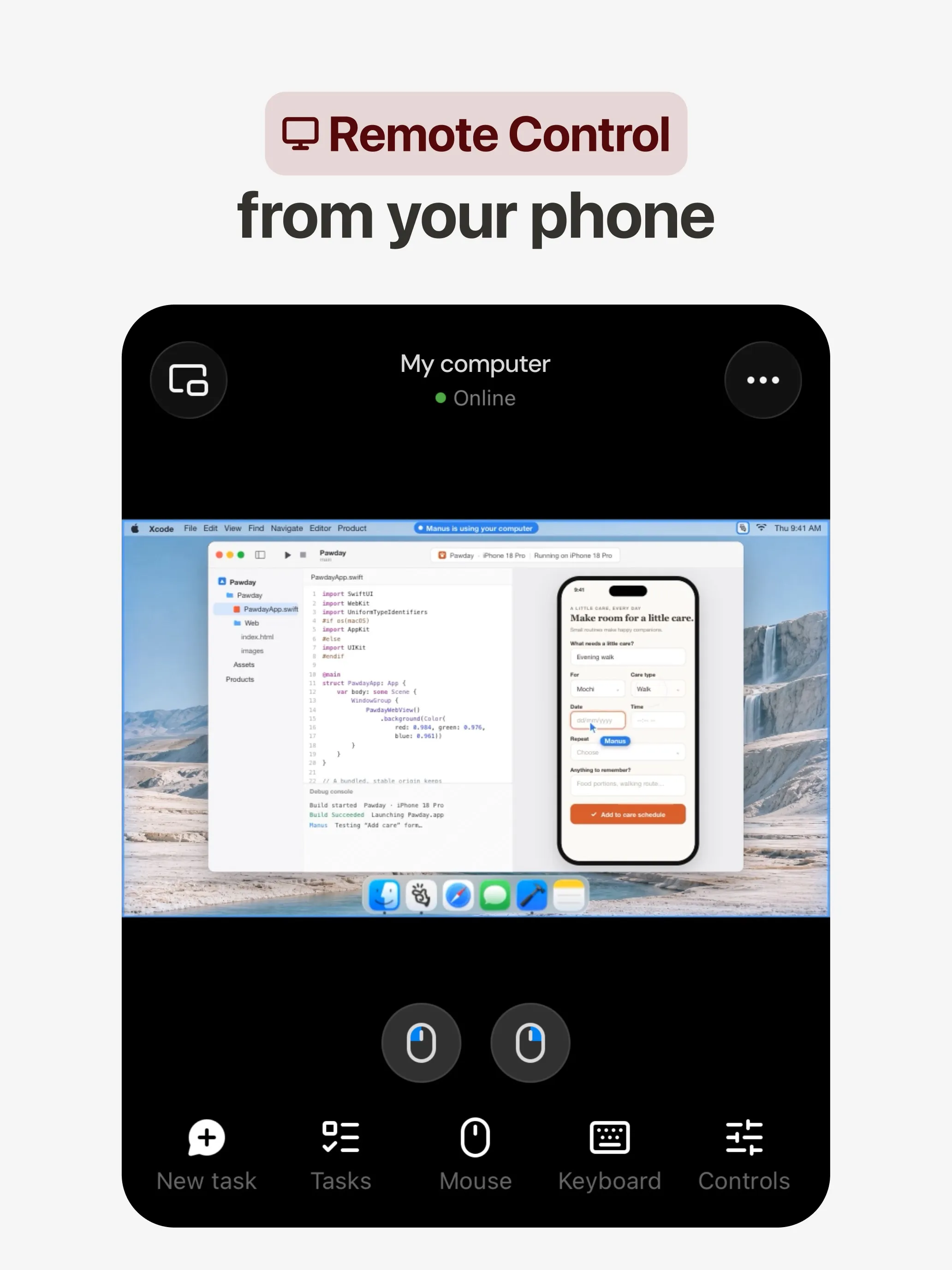
Manus bir görevi kendi bulut bilgisayarında planlayıp yürütür ve size bir araştırma raporu, web sitesi, slayt sunumu ya da video teslim eder; otomasyonları bir zamanlamaya göre ya da Gmail, Slack veya Notion’daki bir olayla başlar (Manus 2.0). Web, iOS, Android, macOS ve Windows uygulamaları, Slack ve Telegram desteği ve ücretsiz bir planı var.
Birkaç bot maddesini karşılamıyor, çünkü Manus bunu belgelemiyor. Krediler görevin karmaşıklığına göre düşülüyor, bu da maliyetleri öngörmeyi zorlaştırıyor ve başarısız çalışmalar da kredi harcıyor; eğitimden çıkma seçeneği ise yalnızca Team planlarında listeleniyor.
Şu durumda seçin: bir istemden somut bir sonuç istiyorsanız. Manus alternatifleri yazısına bakın.
11. Perplexity Teammates: uzun soluklu projeler için en iyisi
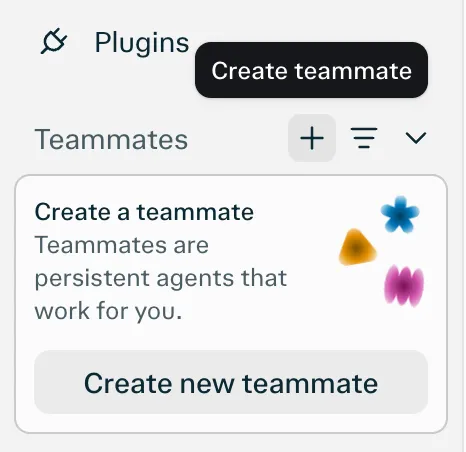
Teammates, her biri kendi izole bilgisayarında çalışan kalıcı ajanlardır; Slack, GitHub, Linear ve Gmail’i izler, bir şey değiştiğinde harekete geçer ve girdinize ihtiyaç duyduklarında sizinle iletişime geçerler (Perplexity). Modeli her teammate için ayrı seçersiniz.
Listelenen tek platformu web olduğu için sohbet uygulaması maddesini karşılamıyor. Ayrıca aylık $200’lık Perplexity Max için bir araştırma önizlemesi ve görev başına kredi maliyeti yayımlanmamış.
12. dots: zaten ChatGPT Pro için ödeme yapıyorsanız en iyisi
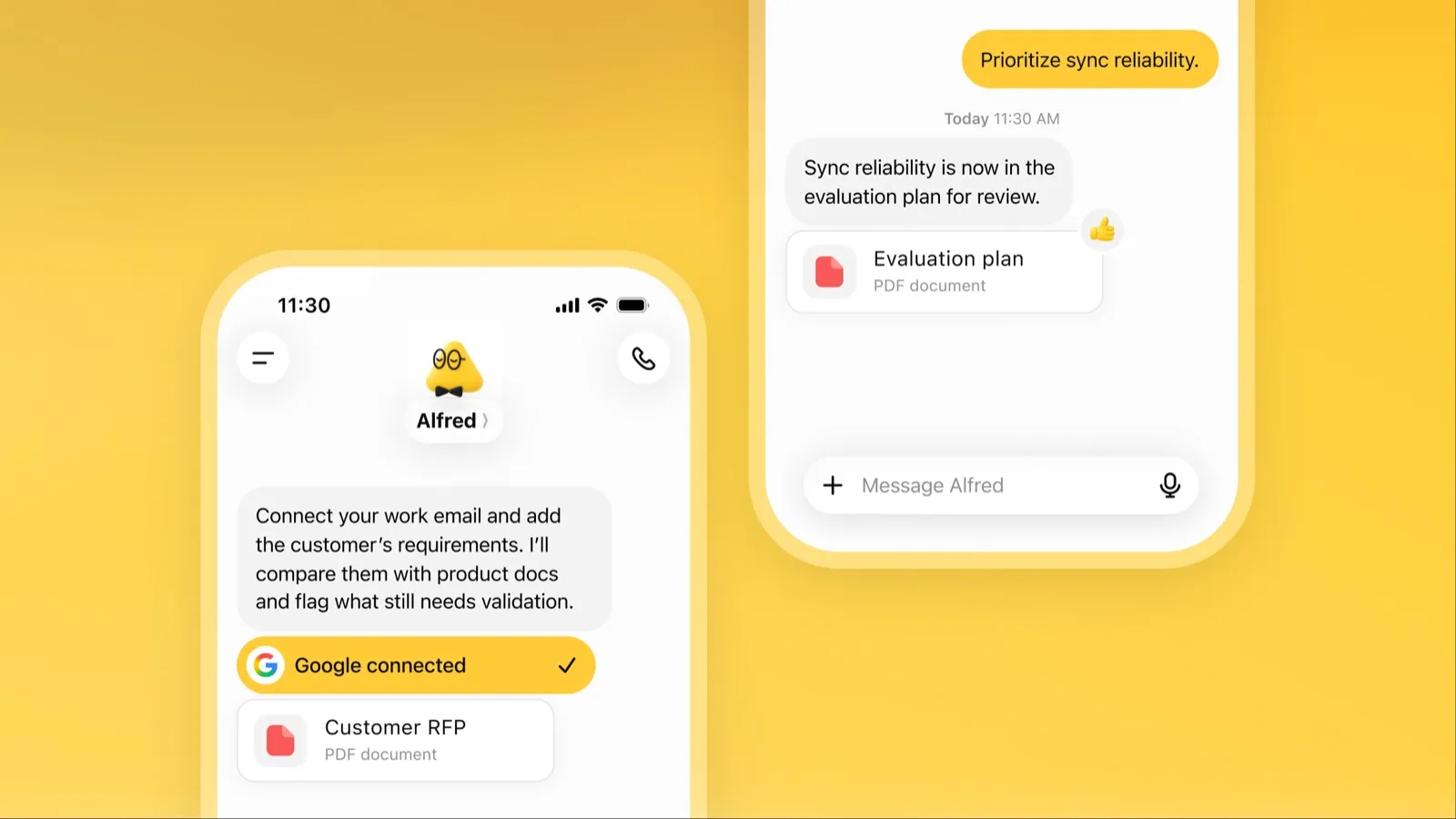
Dot, OpenAI’ın ChatGPT içindeki sürekli açık ajanıdır; kendi bulut bilgisayarı, 4.000’den fazla bağlı uygulaması ve ChatGPT, Slack ve Microsoft Teams’de aynı belleği vardır (OpenAI). Boştayken bağlı uygulamalarınızı inceler ve gözden geçirmeniz için işlerle geri gelir.
Erişim ve maliyet nedeniyle son sırada: aylık en az $100 olan ChatGPT Pro ya da Business Premium gerekiyor, Pro erişimi AEA, Birleşik Krallık ve İsviçre’yi kapsamıyor, yalnızca bir dot alıyorsunuz ve vazgeçmediğiniz sürece Pro içerikleri OpenAI’ın modellerini eğitmek için kullanılıyor. dots nedir yazısına bakın.
Hangisini seçmeli
- Kurulum olmadan iş devretmek: Grok Bot.
- Kendi modeliniz ya da ayrı bilgisayarlı birkaç bot: Rakazo.
- Ücretsiz, kendi donanımınızda: OpenClaw ya da Hermes Agent.
- ABD’de ücretsiz ayak işleri: Muse.
- Sadece mesaj atmak: Poke.
- Ekip gelen kutusu ve toplantılar: Lindy.
- Tek istemle rapor, site ya da sunum: Manus.
- Zaten ChatGPT Pro ya da Claude Pro kullanıyorsanız: dots ya da Claude Duet.
Hangisini seçerseniz seçin, hatanın ucuza mal olduğu görevlerle başlayın ve e-posta ile ödemeler için onayları açık tutun. Kendi başına ne kadar iş yapabildiğine göre sıralanmış ajanlar için en iyi yapay zeka ajanı yazısına, verilerinizi kendi makinenizde tutmak için ise en iyi gizlilik odaklı yapay zeka asistanı yazısına bakın.
En iyi seçimler
Aylık $30
Always-on AI agents from SpaceXSI that run on a shared cloud computer, sign in to your apps and finish multi-step work while you're away.
Grok Bot sitesine gitGüçlü yanlar
- Bots work on their own cloud computer, so tasks keep running when your laptop or phone is closed
- Can operate websites and apps that have no API, using saved logins it never sees in plain text
- Several Bots can run in parallel, message each other and share one workspace
- Routines can run on a schedule or after an event, and a Bot can learn a task from a recorded demonstration of up to 10 minutes
- Can place phone calls to US businesses for you and send a summary afterwards
- Native apps for macOS, Windows, Linux, iOS and Android, plus Slack
Zayıf yanlar
- No free plan and no standalone price: the cheapest way in is the $30/month Premium plan
- Usage comes from a weekly pool shared with Grok and Cursor, and SpaceXSI does not publish how much work that pool covers
- No model picker: Grok Bot chooses the model for each task and does not show which one it used
- All Bots on an account share one computer, files and logins; the docs say not to use separate Bots as a security boundary
- Users report Amazon blocks it from shopping as an unauthorized AI agent; Amazon hasn't commented
- Still labelled beta, with no browser version
Aylık $10
Open-source, self-hostable platform for persistent AI bots that each get a job, a computer, memory and routines, using the model you choose.
Rakazo sitesine gitGüçlü yanlar
- Open source (Apache-2.0) and fully self-hostable, including with local models
- Choice of model per bot, including existing Claude or ChatGPT subscriptions
- Bots keep working on schedules and triggers with their own cloud computer
- Approval controls over which actions a bot may take on its own
Zayıf yanlar
- Still in beta, with frequent releases
- You supply and pay for the model on the hosted plans, unless you buy Rakazo credits
- Telegram, WhatsApp and iMessage/SMS are only available when self-hosted
- More setup than a single chat app
Free, MIT-licensed personal AI agent that runs on your own computer and takes orders from WhatsApp, Telegram, iMessage, Slack and 20+ other chat apps.
OpenClaw sitesine gitGüçlü yanlar
- Free and MIT licensed, with no paid tier
- Runs on your own hardware; state, memory and credentials stay local, and it sends nothing home except an optional daily version check
- Works in 29 chat channels, including WhatsApp, Telegram, iMessage, Slack, Discord and Microsoft Teams
- Model-agnostic: 64 model and media providers, plus local models
- Large ecosystem of skills and 142 official plugins, and very active development
Zayıf yanlar
- Model costs are on you and can run high: testers and users have reported spending over $100 in a day with expensive models
- Sandboxing is off by default and the agent can run commands on the host unless you turn on approvals
- Setup and upkeep expect comfort with the command line; maintainers warn it is risky for non-technical users
- Broad access to email, messages and the system makes prompt injection and malicious third-party skills a real risk
Aylık $20
Free, MIT-licensed AI agent from Nous Research that runs on your own machine or server, learns reusable skills, and chats with you on Telegram, Slack and more.
Hermes Agent sitesine gitGüçlü yanlar
- Free and MIT licensed, and runs on hardware you control
- Writes and refines its own skills from experience, on top of persistent memory and cross-session search
- One gateway for 20+ chat platforms, including Telegram, Discord, Slack, WhatsApp, Signal and email
- Run several separate agents as profiles, each with its own model, memory and skills, and let them talk in group chats
- Model-agnostic, with a one-command import from OpenClaw
Zayıf yanlar
- Setup expects comfort with the command line and with running your own server
- Model costs are on you unless you use free models, and hosted web search, images and speech need a paid Nous Portal plan or your own keys
- iMessage needs a separate BlueBubbles server on a Mac
- No native mobile app; Android support is a command-line install through Termux
Aylık $20
Meta's personal AI agent that sends email, books travel and shops for you from its own cloud computer, in the Muse app or on the web.
Muse sitesine gitGüçlü yanlar
- Free tier, and no technical setup: you message it like a person in the app or on the web
- Runs on its own cloud computer and keeps working after you close the app
- Asks before sending email or buying, and shows an audit trail of what it did and plans to do
- Purchases go through a one-time card number with Link's purchase protections, so the agent never sees your real card
- Connects to email, calendar and Instagram, and can use a browser for sites without an API
Zayıf yanlar
- Only in the US, Canada, Japan, Singapore and Mexico so far, and Meta says Muse is still in limited testing
- Requires a payment card even for the free tier, and the stronger Muse Wonder model is for paid plans only
- Your interactions train Meta's AI models unless you opt out
- Free usage limit is not published, so it is hard to know when you will hit it
- Early users and press reported it overstepping permissions, such as reading messages it was not meant to
- Requires a Meta account and asks for broad access to email, calendars and payments
Aylık $19
A personal AI assistant you text in iMessage or Telegram that connects to your email, calendar and apps and messages you first when something needs attention.
Poke sitesine gitGüçlü yanlar
- Nothing to install: you sign up with a phone number and text it like a contact
- Messages you first, using your connected services and memory
- Free plan with no credit card, and email and calendar included
- Connects to Gmail, Outlook, Google Calendar, Notion, GitHub, Linear and many more apps, plus custom integrations through MCP
- Shareable automation recipes, and developers can build their own
Zayıf yanlar
- Uses your data to train its AI models unless you choose Maximum Privacy
- WhatsApp support is limited to some markets
- Only one phone number per account
- Does not say which AI models it uses, and does not publish how many credits each plan includes
- Now owned by Cognition, so the product's direction may change
Invite-only personal AI assistant you text or call. It uses a phone and computer for you to book travel, order groceries and handle errands.
Instinct sitesine gitGüçlü yanlar
- No new interface: you text or call it like a person
- Handles real-world errands end to end, such as travel bookings, groceries and subscription cancellations
- Group chats can use one shared Instinct, even for friends without an account
- Free during the beta
Zayıf yanlar
- Invite-only, with no public sign-up or published pricing
- Terms let it use your materials to train AI models unless you opt out, and the opt-out only applies going forward
- Terms appoint it as your agent to enter agreements and transactions on your behalf, and require binding arbitration with a class action waiver
- Early testers reported it sending an email without asking and keeping inbox data after Google access was revoked
- No choice of model, and the company does not say which models it uses
Aylık $20
Anthropic's proactive agent app: briefs you each morning, works on its own cloud computer and asks before acting. US waitlist preview for paid Claude plans.
Claude Duet sitesine gitGüçlü yanlar
- Messages you first: a morning brief from your email and calendar, then check-ins every few hours
- Works with over 6,000 connectors and plugins, and uses a cloud browser for sites without one
- Brings your existing Claude memory, skills and connectors from the first message
- Asks before sending, paying, signing or deleting, and blocks trading and moving money even with approval
- Pays through one-time card numbers via Link and Shop Pay, and turns larger jobs into editable briefs, decks and dashboards
Zayıf yanlar
- Waitlist-only research preview, US only, and not on Team or Enterprise plans yet
- Uses the same Claude usage limits as chat, and background checks count too
- One model only, Claude Opus 5.5, with no choice of model
- Anthropic's docs say you can't yet watch or take over its browser
- Microsoft 365 isn't available yet, and it can misread threads, misjudge urgency or miss things between check-ins
Aylık $49,99
An AI assistant for work that runs your inbox, calendar and meetings, takes requests by iMessage, Slack, phone or browser, and sends you daily briefs.
Lindy sitesine gitGüçlü yanlar
- Texts you first: a personalized first message, alerts on time-sensitive email, and daily briefs
- Reachable almost anywhere: iMessage or SMS, Slack, its own phone number, Gmail via a Chrome extension, and the web
- 1,500+ integrations plus any hosted MCP server, and a browser for tools without one
- Asks for approval before anything with outside impact
- Says it never uses your data to train models, with SOC 2 Type II, GDPR and PIPEDA compliance
Zayıf yanlar
- Expensive for individuals: paid seats start at $49.99 per user a month, and free credits last only 7 days
- Credit-based usage is hard to predict, from 2 credits for a simple ask to 2,500 for a big build
- One shared Lindy per team rather than separate assistants for different jobs
- No mobile app; on phones you use iMessage, SMS or calls
- Plan names differ between its pricing page and its docs, so it is hard to tell what each tier includes
Aylık $20
General-purpose AI agent that researches, builds websites, slides, videos and games, and runs automations on its own cloud computer.
Manus sitesine gitGüçlü yanlar
- Turns one prompt into finished output: research reports, websites, slides, videos and playable games
- Automations can start from a schedule or an event in a connected service such as Gmail, Slack or Notion
- Video Editor and Game Dev let you edit what the agent made instead of regenerating it
- Free plan to try it, with apps for web, iOS, Android, macOS and Windows
Zayıf yanlar
- Credit-based pricing makes costs hard to predict, and long or failed runs can use up credits
- Free daily credits are capped at 1,500 a month and only work in the Lite mode
- A built-in training opt-out is listed only for Team plans
- Several plans share the Pro name and differ only by credit amount
Aylık $200
Persistent Perplexity agents, each with its own computer, browser and memory, that own ongoing work and watch Slack, GitHub and Linear. Max-only web preview.
Perplexity Teammates sitesine gitGüçlü yanlar
- Run several teammates, each on its own isolated computer and browser with separate sessions
- Watches Slack, GitHub, Linear and other connected tools, acts on changes and reaches out when it needs you
- Pick the model per teammate or task, with Claude Opus 5.5 as the default
- Splits a goal into parallel agent tasks, and teammates in a Project share context and hand work to each other
- You can take over a teammate's desktop and steer it, and it can't view your saved credentials
Zayıf yanlar
- Only on Perplexity Max at $200 a month; Pro and Enterprise plans are excluded by default
- Research preview whose behavior may change
- Web only for now; the iOS app is only promised soon
- Usage draws on credits, and parallel agents, large files and frequent automations use more
- No published cap on teammates and no published credit cost per task
Aylık $100
OpenAI's always-on agent inside ChatGPT, with its own cloud computer, that works on your goals between chats and reaches you in ChatGPT, Slack or Teams.
dots sitesine gitGüçlü yanlar
- Runs on its own cloud computer and browser and keeps working when your devices are off
- Connects to over 4,000 apps through ChatGPT plugins and can hand work to Codex and ChatGPT Work
- Reachable in ChatGPT, Slack and Microsoft Teams, and you can call it, with one memory across channels
- Researches your connected apps on its own and brings you finished work or decisions to review
- Custom Rules and Auto-review gate sensitive actions, and some steps always stay with you
Zayıf yanlar
- No free, Go or Plus access: it needs ChatGPT Pro from $100 a month or Business Premium
- Pro access excludes the EEA, the UK and Switzerland
- One dot per user for now; teams of dots are only planned
- Texting over iMessage or RCS is a US-only beta, and your dot cannot call you yet
- Stopping a task does not undo actions it already took, and tasks it starts in Codex or ChatGPT Work count toward those limits
Özellikler
| Grok Bot | Rakazo | OpenClaw | Hermes Agent | Muse | Poke | Instinct | Claude Duet | Lindy | Manus | Perplexity Teammates | dots | |
|---|---|---|---|---|---|---|---|---|---|---|---|---|
| Web araması | Evet | Evet | Evet | Evet | Evet | Evet | Evet | Evet | Evet | Evet | Evet | Evet |
| Görsel üretimi | Evet | Evet | Evet | Evet | Evet | Bilinmiyor | Bilinmiyor | Bilinmiyor | Evet | Evet | Evet | Evet |
| Sesli mod | Evet | Evet | Evet | Evet | Evet | Evet | Evet | Evet | Evet | Evet | Bilinmiyor | Evet |
| Dosya yükleme | Evet | Evet | Evet | Evet | Evet | Evet | Evet | Evet | Evet | Evet | Evet | Evet |
| Hafıza | Evet | Evet | Evet | Evet | Evet | Evet | Evet | Evet | Evet | Evet | Evet | Evet |
| Sizin yerinize işlem yapar | Evet | Evet | Evet | Evet | Evet | Evet | Evet | Evet | Evet | Evet | Evet | Evet |
| Uygulama entegrasyonları | Evet | Evet | Evet | Evet | Evet | Evet | Evet | Evet | Evet | Evet | Evet | Evet |
| Kendi başına çalışır | Evet | Evet | Evet | Evet | Evet | Evet | Evet | Evet | Evet | Evet | Evet | Evet |
| İlk mesajı kendisi atar | Evet | Evet | Evet | Evet | Evet | Evet | Evet | Evet | Evet | Evet | Evet | Evet |
| Birden çok bot | Evet | Evet | Evet | Evet | Bilinmiyor | Bilinmiyor | Bilinmiyor | Hayır | Hayır | Bilinmiyor | Evet | Hayır |
Kaynaklar
Grok Bot
- Grok Bot product page and FAQ8 Kas 2026 tarihinde kontrol edildi
- SpaceXSI pricing: The X Subscription plans8 Kas 2026 tarihinde kontrol edildi
- Introducing Grok Bot (launch post, Aug 11, 2026)8 Kas 2026 tarihinde kontrol edildi
- Grok Bot FAQ: plans, platforms, memory, privacy and limits8 Kas 2026 tarihinde kontrol edildi
- Grok Bot docs: Create and manage Bots8 Kas 2026 tarihinde kontrol edildi
- Grok Bot changelog (v0.78.1, Oct 27, 2026)8 Kas 2026 tarihinde kontrol edildi
- Cursor help: Grok Bot plans and usage8 Kas 2026 tarihinde kontrol edildi
- Teslarati: Grok Bot can now call US businesses (Nov 2026)8 Kas 2026 tarihinde kontrol edildi
- Teslarati: Amazon shuts out Grok Bot (Oct 15, 2026)8 Kas 2026 tarihinde kontrol edildi
- Grok Bot docs: Overview (proactive teammate, morning briefing)8 Kas 2026 tarihinde kontrol edildi
- Grok Bot docs: Chat and collaboration (Slack DMs, X Chat rolling out)8 Kas 2026 tarihinde kontrol edildi
- Grok Bot docs: Get started (desktop and mobile apps)8 Kas 2026 tarihinde kontrol edildi
- Grok Bot docs: Skills, routines and automations8 Kas 2026 tarihinde kontrol edildi
- SpaceXSI: Team Bots in public beta (Sep 28, 2026)8 Kas 2026 tarihinde kontrol edildi
- Wikipedia: SpaceXAI (xAI renamed SpaceXAI, then SpaceXSI)8 Kas 2026 tarihinde kontrol edildi
- Cursor: Data Use & Privacy Overview (Privacy Mode and training)8 Kas 2026 tarihinde kontrol edildi
Rakazo
- Rakazo homepage8 Kas 2026 tarihinde kontrol edildi
- Rakazo pricing8 Kas 2026 tarihinde kontrol edildi
- Rakazo privacy policy8 Kas 2026 tarihinde kontrol edildi
- Rakazo on GitHub (README and license)8 Kas 2026 tarihinde kontrol edildi
- Rakazo changelog8 Kas 2026 tarihinde kontrol edildi
- Rakazo releases8 Kas 2026 tarihinde kontrol edildi
- Rakazo docs: Image and video generation8 Kas 2026 tarihinde kontrol edildi
- Rakazo docs: Memory8 Kas 2026 tarihinde kontrol edildi
- Rakazo docs: Connect apps8 Kas 2026 tarihinde kontrol edildi
- Rakazo docs: Routines8 Kas 2026 tarihinde kontrol edildi
- Rakazo docs: Chat apps8 Kas 2026 tarihinde kontrol edildi
- Rakazo docs: Messaging apps (self-hosting)8 Kas 2026 tarihinde kontrol edildi
- Rakazo docs: Bots and chats (add another bot, bot templates)8 Kas 2026 tarihinde kontrol edildi
- Rakazo docs: Groups (several bots in one chat)8 Kas 2026 tarihinde kontrol edildi
- Rakazo docs: Mobile app (notifications)8 Kas 2026 tarihinde kontrol edildi
- Rakazo privacy policy (updated Sep 14, 2026)8 Kas 2026 tarihinde kontrol edildi
- Rakazo privacy policy source on GitHub8 Kas 2026 tarihinde kontrol edildi
OpenClaw
- OpenClaw homepage and Foundation section8 Kas 2026 tarihinde kontrol edildi
- OpenClaw integrations: channels, providers and plugins8 Kas 2026 tarihinde kontrol edildi
- openclaw/openclaw on GitHub (MIT, v2026.11.1)8 Kas 2026 tarihinde kontrol edildi
- OpenClaw docs: Sandboxing (off by default)8 Kas 2026 tarihinde kontrol edildi
- Wikipedia: OpenClaw8 Kas 2026 tarihinde kontrol edildi
- Notebookcheck: OpenClaw can burn through hundreds of dollars per day8 Kas 2026 tarihinde kontrol edildi
- OpenClaw docs: Memory overview8 Kas 2026 tarihinde kontrol edildi
- OpenClaw docs: Automations8 Kas 2026 tarihinde kontrol edildi
- OpenClaw docs: Chat channels8 Kas 2026 tarihinde kontrol edildi
- OpenClaw docs: iMessage8 Kas 2026 tarihinde kontrol edildi
- OpenClaw docs: Heartbeat, now a default Proactive check job8 Kas 2026 tarihinde kontrol edildi
- OpenClaw docs: Multi-agent routing8 Kas 2026 tarihinde kontrol edildi
- OpenClaw docs: Platforms (macOS, Windows, Linux, iOS and Android apps)8 Kas 2026 tarihinde kontrol edildi
- OpenClaw docs: Tools (exec, browser, web search)8 Kas 2026 tarihinde kontrol edildi
- OpenClaw docs: Audio and voice notes (inbound transcription)8 Kas 2026 tarihinde kontrol edildi
- OpenClaw docs: Image and media support (inbound media)8 Kas 2026 tarihinde kontrol edildi
Hermes Agent
- NousResearch/hermes-agent on GitHub (MIT, v0.23.0)8 Kas 2026 tarihinde kontrol edildi
- Hermes Agent homepage and Nous Portal pricing8 Kas 2026 tarihinde kontrol edildi
- Hermes Agent documentation8 Kas 2026 tarihinde kontrol edildi
- Hermes Agent docs: Profiles, running multiple agents8 Kas 2026 tarihinde kontrol edildi
- Hermes Agent docs: Bot Mode8 Kas 2026 tarihinde kontrol edildi
- Hermes Agent docs: Voice mode8 Kas 2026 tarihinde kontrol edildi
- Hermes Agent docs: Vision and image paste8 Kas 2026 tarihinde kontrol edildi
- Hermes Agent docs: iMessage via BlueBubbles8 Kas 2026 tarihinde kontrol edildi
- Nous Research on X: Meet Hermes Agent (February 25, 2026)8 Kas 2026 tarihinde kontrol edildi
- Hermes Agent docs: Session heartbeats and cron watchdogs8 Kas 2026 tarihinde kontrol edildi
- Hermes Agent docs: FAQ (Is my data sent anywhere?)8 Kas 2026 tarihinde kontrol edildi
Muse
- Meta: Introducing Muse, the world's first personal AI agent built for everyone8 Kas 2026 tarihinde kontrol edildi
- Muse homepage8 Kas 2026 tarihinde kontrol edildi
- Meta Help Center: About Muse subscriptions8 Kas 2026 tarihinde kontrol edildi
- Meta Help Center: Meta AI, Muse and Vibes are separate apps8 Kas 2026 tarihinde kontrol edildi
- TechCrunch: Meta debuts its Muse AI agent. Will consumers trust it?8 Kas 2026 tarihinde kontrol edildi
- 9to5Mac: Muse personal agent gets apps for iPhone and Mac8 Kas 2026 tarihinde kontrol edildi
- The Guardian TechScape: early Muse users report the agent overstepping permissions8 Kas 2026 tarihinde kontrol edildi
- iPhone in Canada: Meta's Muse AI agent is now available in Canada8 Kas 2026 tarihinde kontrol edildi
- Superpower Daily: Meta launches Muse in Japan (Oct 23, 2026)8 Kas 2026 tarihinde kontrol edildi
- Meta: Muse is now available in Singapore (Oct 27, 2026)8 Kas 2026 tarihinde kontrol edildi
- Mexico News Daily: Meta launches its Muse AI agent in Mexico (Nov 6, 2026)8 Kas 2026 tarihinde kontrol edildi
- Meta Q3 2026 earnings call transcript: Muse Wonder in the paid tier, free tier on Muse Spark8 Kas 2026 tarihinde kontrol edildi
- How to manage reminders and scheduled tasks with Muse8 Kas 2026 tarihinde kontrol edildi
- WhatsApp Help Center: About chatting with your Muse agent through WhatsApp8 Kas 2026 tarihinde kontrol edildi
- TechCrunch: Meta's Muse hits Mac8 Kas 2026 tarihinde kontrol edildi
- Meta AI: Muse features and FAQ (browses the web, generates images)8 Kas 2026 tarihinde kontrol edildi
- Meta Help Center: How your Muse agent browses the web8 Kas 2026 tarihinde kontrol edildi
- Meta Help Center: How to use Muse with artifacts (uploads, image generation)8 Kas 2026 tarihinde kontrol edildi
- Meta Help Center: How to get started with Muse8 Kas 2026 tarihinde kontrol edildi
Poke
- Poke homepage8 Kas 2026 tarihinde kontrol edildi
- Poke pricing8 Kas 2026 tarihinde kontrol edildi
- Poke FAQ8 Kas 2026 tarihinde kontrol edildi
- Poke privacy notice (last updated September 11, 2026)8 Kas 2026 tarihinde kontrol edildi
- Cognition: welcoming The Interaction Company to Cognition (July 23, 2026)8 Kas 2026 tarihinde kontrol edildi
- TechCrunch: Poke makes using AI agents as easy as sending a text8 Kas 2026 tarihinde kontrol edildi
- TechCrunch: Apple approves Poke as the first AI agent on its Messages for Business platform8 Kas 2026 tarihinde kontrol edildi
- Introducing Poke.com (launch announcement, September 8, 2025)8 Kas 2026 tarihinde kontrol edildi
- Poke docs: Welcome (built-in web search)8 Kas 2026 tarihinde kontrol edildi
- Poke release notes (web search, sharing images, attachments)8 Kas 2026 tarihinde kontrol edildi
Instinct
- Instinct homepage8 Kas 2026 tarihinde kontrol edildi
- Instinct Terms of Service (last revised Aug 26, 2026)8 Kas 2026 tarihinde kontrol edildi
- TechCrunch: Instinct brings its AI agent to group chats8 Kas 2026 tarihinde kontrol edildi
- Fortune: Noah Shinn's viral AI assistant Instinct raises $1B Series C8 Kas 2026 tarihinde kontrol edildi
- Vellum: Instinct breakdown (competitor; summary of early tester reports)8 Kas 2026 tarihinde kontrol edildi
- Digit: Instinct clarifies WhatsApp outage (works through WhatsApp and iMessage)8 Kas 2026 tarihinde kontrol edildi
- RuntimeWire: Instinct brings its group AI agent to iMessage for all users (Oct 29, 2026)8 Kas 2026 tarihinde kontrol edildi
- Privacy Policy | Instinct8 Kas 2026 tarihinde kontrol edildi
- Built In: What Is Instinct AI? (Oct 21, 2026)8 Kas 2026 tarihinde kontrol edildi
Claude Duet
- Anthropic: Introducing Claude Duet (October 21, 2026)8 Kas 2026 tarihinde kontrol edildi
- Claude Help Center: Get started with Claude Duet8 Kas 2026 tarihinde kontrol edildi
- Claude Duet product page8 Kas 2026 tarihinde kontrol edildi
- Claude pricing: Pro, Max and Ultra8 Kas 2026 tarihinde kontrol edildi
- Inc.: I Tried Claude Duet (reviewer sent it a screenshot)8 Kas 2026 tarihinde kontrol edildi
Lindy
- Lindy homepage8 Kas 2026 tarihinde kontrol edildi
- Lindy pricing8 Kas 2026 tarihinde kontrol edildi
- Lindy docs: What is Lindy?8 Kas 2026 tarihinde kontrol edildi
- Lindy docs: iMessage & SMS8 Kas 2026 tarihinde kontrol edildi
- Lindy docs: Phone Calls8 Kas 2026 tarihinde kontrol edildi
- Lindy docs: Ad Hoc Tasks (research)8 Kas 2026 tarihinde kontrol edildi
- Lindy docs: Pricing and credits8 Kas 2026 tarihinde kontrol edildi
- Lindy Assistant: The AI that runs your work life8 Kas 2026 tarihinde kontrol edildi
- Lindy docs: Set up Lindy (web search, image generation)8 Kas 2026 tarihinde kontrol edildi
- Lindy docs: Files (drop files and folders in for Lindy to use)8 Kas 2026 tarihinde kontrol edildi
- Lindy changelog (Creatives: on-brand images, Sep 16, 2026)8 Kas 2026 tarihinde kontrol edildi
Manus
- Manus Plans & Pricing8 Kas 2026 tarihinde kontrol edildi
- Manus Help Center: What is the current membership pricing for Manus?8 Kas 2026 tarihinde kontrol edildi
- Manus Help Center: rules for credit consumption8 Kas 2026 tarihinde kontrol edildi
- Introducing Manus 2.0 (Sep 28, 2026)8 Kas 2026 tarihinde kontrol edildi
- Download Manus: macOS, Windows, iOS and Android8 Kas 2026 tarihinde kontrol edildi
- Tech Xplore/AFP: Manus raises $500 million after Meta acquisition blocked by China8 Kas 2026 tarihinde kontrol edildi
- Wikipedia: Manus (AI agent)8 Kas 2026 tarihinde kontrol edildi
- Manus for Slack: Turn Your Workspace into an Autonomous Engine8 Kas 2026 tarihinde kontrol edildi
- Manus docs: Automations8 Kas 2026 tarihinde kontrol edildi
- Is my data safe when using Manus Agents in Telegram?8 Kas 2026 tarihinde kontrol edildi
- Chatting with Manus Agent on Slack: Channels, DMs, and File Delivery8 Kas 2026 tarihinde kontrol edildi
- Manus Agents in Telegram (available to all users)8 Kas 2026 tarihinde kontrol edildi
- Manus Help Center: What's new in Manus 2.0 (Cue requires an invitation code)8 Kas 2026 tarihinde kontrol edildi
- Manus API docs: Agents (default agent plus agents you create)8 Kas 2026 tarihinde kontrol edildi
- Manus privacy policy (updated Sep 28, 2026)8 Kas 2026 tarihinde kontrol edildi
Perplexity Teammates
- Perplexity blog: Teammates are agents for complex, ongoing work (November 4, 2026)8 Kas 2026 tarihinde kontrol edildi
- Perplexity Help Center: Perplexity Teammates8 Kas 2026 tarihinde kontrol edildi
- Perplexity Help Center: Perplexity Max ($200 a month)8 Kas 2026 tarihinde kontrol edildi
- Perplexity Help Center: Data Collection at Perplexity8 Kas 2026 tarihinde kontrol edildi
- Perplexity Help Center: Generating Images with Perplexity8 Kas 2026 tarihinde kontrol edildi
dots
- ChatGPT: Dots feature page8 Kas 2026 tarihinde kontrol edildi
- ChatGPT docs: Meet dots8 Kas 2026 tarihinde kontrol edildi
- ChatGPT docs: Dot channels (Slack, Teams, calls, texting beta)8 Kas 2026 tarihinde kontrol edildi
- ChatGPT pricing: Dots on Pro only; training opt-out8 Kas 2026 tarihinde kontrol edildi
- TechCrunch: OpenAI launches dots, its bubbly agentic avatar8 Kas 2026 tarihinde kontrol edildi
- DataCamp: OpenAI Dots, always-on agents in ChatGPT, explained8 Kas 2026 tarihinde kontrol edildi
- eesel: OpenAI Dots pricing by Pro tier and limits8 Kas 2026 tarihinde kontrol edildi
- ChatGPT docs: Dot computers and apps (cloud browser for research)8 Kas 2026 tarihinde kontrol edildi
- OpenAI Help Center: Images in ChatGPT (image generation on all tiers)8 Kas 2026 tarihinde kontrol edildi