Лучшие ИИ-ассистенты 2026 года: те, что действительно делают дела
Двенадцать ИИ-ассистентов, которые действуют за вас, по тому, что они умеют сами и насколько легко их получить: Grok Bot, Rakazo, OpenClaw, Hermes Agent, Muse и другие.
Коротко
| Ассистент | Бесплатный тариф | Открытый код | Можно развернуть у себя | По умолчанию обучается на ваших чатах | ||
|---|---|---|---|---|---|---|
| Grok Bot | Нет | 30 $/мес. | Нет | Нет | Нет | |
| Rakazo | Да | 10 $/мес. | Да | Да | Нет | |
| OpenClaw | Да | – | Да | Да | Нет | |
| Hermes Agent | Да | 20 $/мес. | Да | Да | Нет | |
| Muse | Да | 20 $/мес. | Нет | Нет | Да | |
| Poke | Да | 19 $/мес. | Нет | Нет | Да | |
| Instinct | Да | – | Нет | Нет | Да | |
| Claude Duet | Нет | 20 $/мес. | Нет | Нет | Неизвестно | |
| Lindy | Да | 49,99 $/мес. | Нет | Нет | Нет | |
| Manus | Да | 20 $/мес. | Нет | Нет | Неизвестно | |
| Perplexity Teammates | Нет | 200 $/мес. | Нет | Нет | Да | |
| dots | Нет | 100 $/мес. | Нет | Нет | Да |












Grok Bot — лучший ИИ-ассистент для большинства тех, кто в ноябре 2026 года хочет передать работу: он делает всё, что должен делать ассистент, есть на всех платформах и не требует настройки, хотя стоит $30 в месяц. Rakazo выполняет те же задачи с выбранной вами моделью и облачным тарифом от $15. Если вы технический пользователь и хотите бесплатно и на своём оборудовании, два варианта с открытым исходным кодом — OpenClaw и Hermes Agent. Если вы просто хотите переписываться с ассистентом, начните с бесплатного Poke.
Раскрытие информации: Rakazo создаёт компания, которой принадлежит этот сайт. Он оценивается на тех же условиях, что и все остальные, а его слабые места перечислены ниже.
Почему в списке нет ChatGPT, Claude и Gemini
Чат-приложение отвечает, когда вы его открываете и что-то спрашиваете. Это полезно, но это не ассистент в смысле того, кто работает на вас. Настоящий ассистент входит в ваши аккаунты и доводит дела до конца, продолжает работать после того, как вы закрыли окно, и сообщает, когда нужно ваше участие.
Поэтому в список вошли только продукты, созданные, чтобы действовать за вас. Если у крупной ИИ-компании такой продукт есть, мы указываем его, а не чат-бота: dots — агент OpenAI внутри ChatGPT, Claude Duet — агент Anthropic, Perplexity Teammates — агент Perplexity, Grok Bot — отдельное от чат-бота Grok приложение, а Muse существует отдельно от Meta AI.
Как мы составляли рейтинг
Порядок следует нашей оценке, которая вместе с кратким обоснованием приведена в таблице на этой странице. За основу взяты пять вещей, которые должен уметь ассистент; мы проверяли их по записи в нашем каталоге и указанным в ней источникам. Собственного бенчмарка мы не проводили.
- Действует в ваших аккаунтах: отправляет письма, бронирует, покупает или редактирует от вашего имени.
- Работает, пока вас нет: продолжает выполнять задачи и рутины, когда ваше устройство выключено.
- Пишет первым: сводки, оповещения и напоминания без запроса.
- Живёт в ваших мессенджерах: общедоступный канал в WhatsApp, Telegram, iMessage, Slack или Discord. Бета-версии и листы ожидания не считаются.
- Запускает несколько ботов: отдельные ассистенты для отдельных задач.
Один лишь этот список оценку не определяет. Мы также учитываем усилия на настройку (если устанавливать, запускать и защищать всё приходится самому, это минус), цену и доступность (доступ только по приглашениям, листы ожидания и региональные ограничения — тоже минус). Ассистенты с более высокой оценкой идут первыми.
1. Grok Bot: лучший в целом
Grok Bot позволяет создавать именованных ботов (Bots), давать каждому задачу и пускать их работать на облачном компьютере с браузером, файлами и терминалом (Grok Bot). Они входят в ваши сервисы, выполняют рутины по расписанию или после события, спрашивают разрешения перед чувствительными действиями и могут научиться задаче по записанной демонстрации. Есть нативные приложения для macOS, Windows, Linux, iOS и Android, а также Slack.
Он на первом месте, потому что выполняет весь список, не требует настройки и модель включена. Подвохи: бесплатного тарифа нет (самый дешёвый вход — план X Premium за $30), недельный пул использования общий с Grok и Cursor, а его размер SpaceXSI не публикует, и все боты делят один компьютер и один набор логинов, поэтому документация советует не считать отдельных ботов границей безопасности. Он всё ещё в бета-версии.
Выбирайте его, если вам нужно, чтобы регулярная работа с почтой и браузером делалась сама, и $30 в месяц вас не смущают. Смотрите альтернативы Grok Bot.

2. Rakazo: лучший со своей моделью
Rakazo запускает постоянных ботов, у каждого из которых своя память, рутины и изолированный компьютер; они работают по расписанию, вебхуку или событию в GitHub и запрашивают подтверждение для выбранных вами действий (Rakazo). Модель вы подключаете сами: подписка Claude или ChatGPT, API-ключ или локальные модели. Проект открыт по лицензии Apache-2.0 и бесплатен при самостоятельном хостинге; облачный тариф стоит от $15 в месяц с 7-дневным пробным периодом (цены).
Он ниже Grok Bot, потому что модель обычно приходится подключать и оплачивать самому, если не покупать кредиты Rakazo, он в бета-версии, а Telegram, WhatsApp и iMessage работают только при самостоятельном хостинге. Подробности — в обзоре Rakazo.
Выбирайте его, если вам нужно несколько ботов с отдельными компьютерами или вы хотите сами выбирать модель.
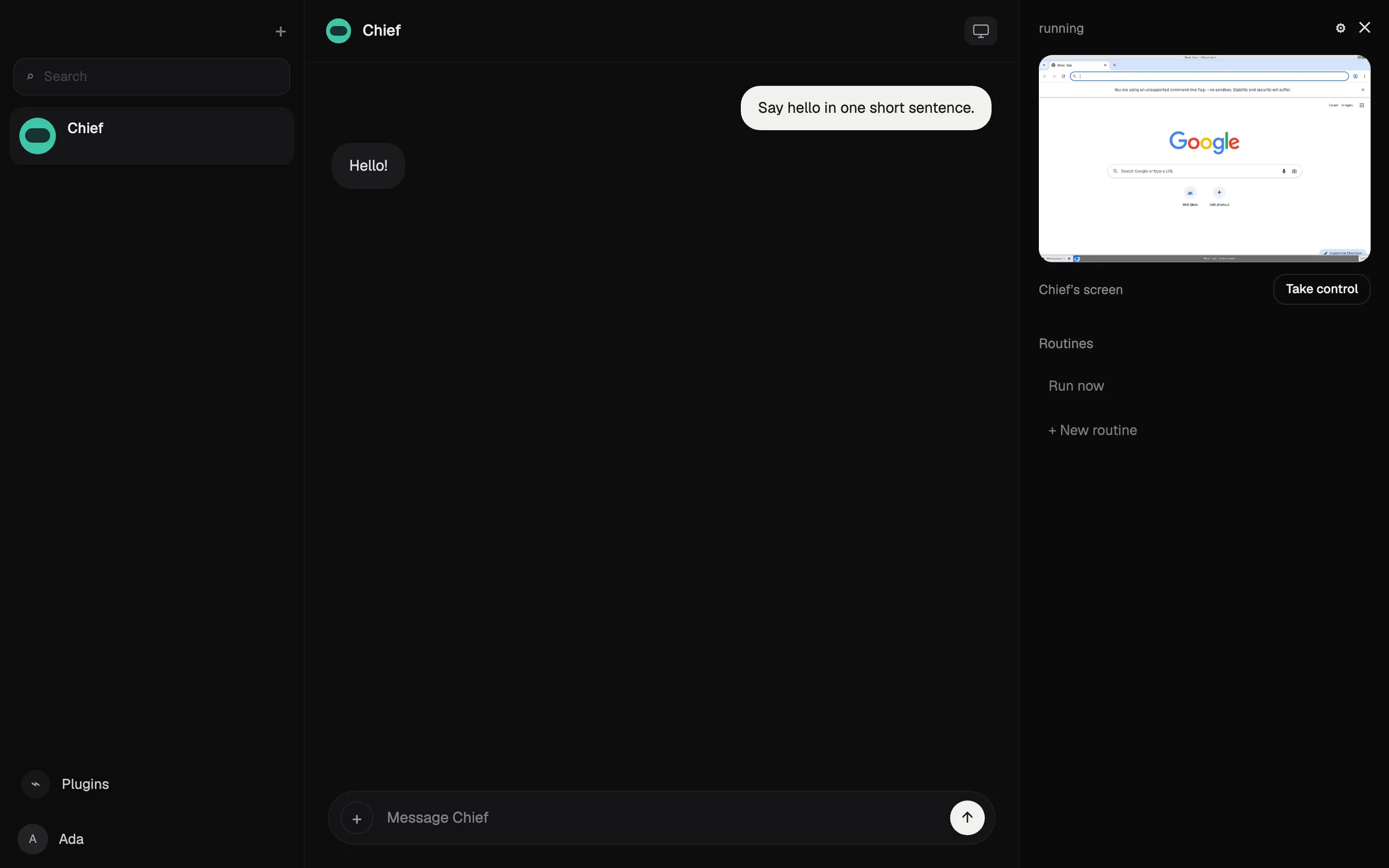

3. OpenClaw: лучший бесплатный и открытый
OpenClaw — бесплатный агент под лицензией MIT, который работает на вашем компьютере и принимает инструкции из WhatsApp, Telegram, iMessage, Slack, Discord и многих других мессенджеров (OpenClaw). Вы подключаете любую облачную или локальную модель, а состояние, память и учётные данные остаются на вашем оборудовании.
Он выполняет весь список, но оценён ниже облачных вариантов, потому что устанавливать, запускать и защищать его приходится самому: он требует уверенного владения командной строкой, песочница по умолчанию выключена, а счета за модель оплачиваете вы. Тестировщики сообщали, что тратили больше $100 за день с дорогими моделями.
Выбирайте его, если вы технический пользователь и хотите полного контроля. Читайте, что такое OpenClaw, и альтернативы OpenClaw.

4. Hermes Agent: лучший агент, который учится
Hermes Agent от Nous Research бесплатен, распространяется по лицензии MIT и работает на вашем компьютере, недорогом сервере или serverless-инфраструктуре (GitHub). После сложных задач он пишет переиспользуемые навыки и улучшает их, а единый шлюз подключает его к Telegram, Discord, Slack, WhatsApp, Signal, почте и другим каналам. Можно запускать несколько агентов как отдельные профили, а настройки, воспоминания и навыки импортируются из OpenClaw.
Как и OpenClaw, он выполняет весь список, но запускать и защищать его вы будете сами. Он чуть ниже OpenClaw, потому что у него нет нативного мобильного приложения, а для iMessage нужен отдельный сервер BlueBubbles на Mac. Дополнительная подписка Nous Portal от $20 включает модели, облачные инструменты и одного облачного агента (Hermes Agent).
Выбирайте его, если у вас есть свой сервер и нужен агент, который становится лучше со временем.
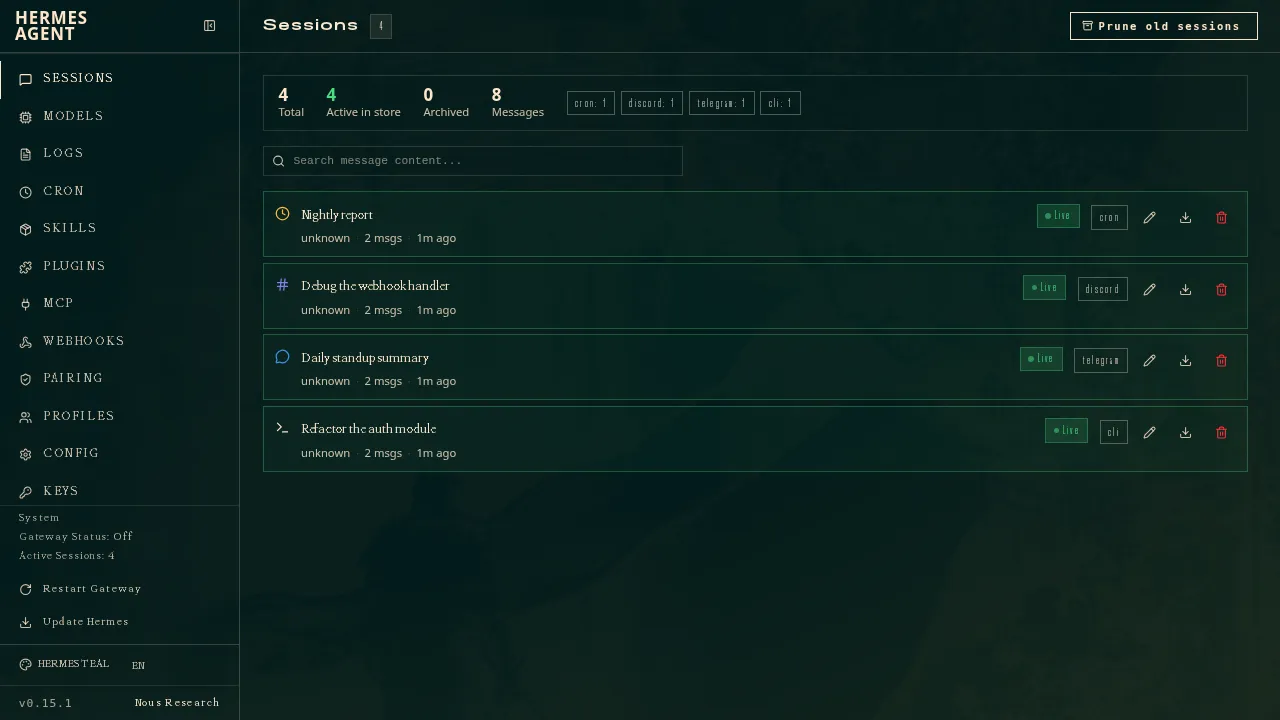
5. Muse: лучший бесплатный ассистент для повседневных дел
Muse — персональный агент Meta: вы пишете ему как человеку, он работает на собственном облачном компьютере, спрашивает разрешения перед отправкой писем или покупками и платит одноразовыми номерами карт (Meta). Он бесплатен до неопубликованного лимита, платные тарифы — от $20.
У него высокая оценка, потому что он бесплатен и выполняет работу на собственном облачном компьютере без какой-либо настройки. Пункт про мессенджеры он не набирает, потому что доступ через WhatsApp всё ещё в ограниченном тестировании, а Meta не говорит, можно ли запускать несколько Muse. Он доступен только в США, Канаде, Японии, Сингапуре и Мексике, требует платёжную карту даже на бесплатном уровне, а ваши чаты используются для обучения моделей Meta, если вы не откажетесь. Читайте, что такое Muse, и альтернативы Muse.
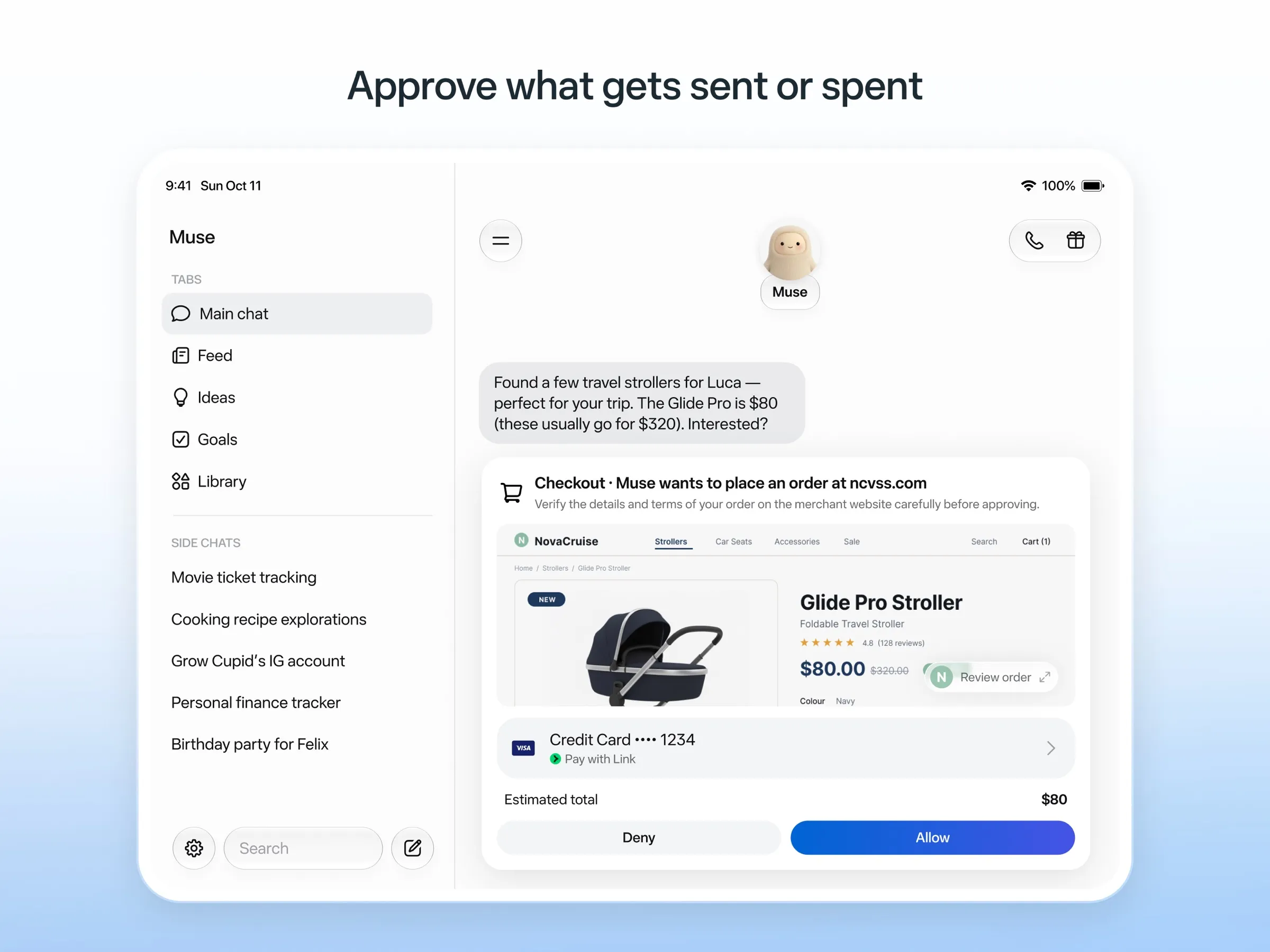
6. Poke: лучший ассистент, которому просто пишешь
Poke ничего не требует устанавливать: вы регистрируетесь по номеру телефона и пишете ему через iMessage, SMS или Telegram (Poke). Он подключается к Gmail, Outlook, Google Calendar и многим другим приложениям, запускает автоматизации, которыми можно делиться, — recipes — и пишет первым. Бесплатный тариф не требует карты, а Pro стоит $19 (цены).
Он не набирает только пункт про несколько ботов: Poke такую возможность не документирует. В его уведомлении о конфиденциальности сказано, что ваши данные могут использоваться для обучения моделей, если вы не выберете Maximum Privacy, а сейчас он принадлежит Cognition.
Выбирайте его, если хотите бесплатного ассистента в своих сообщениях. Смотрите альтернативы Poke.
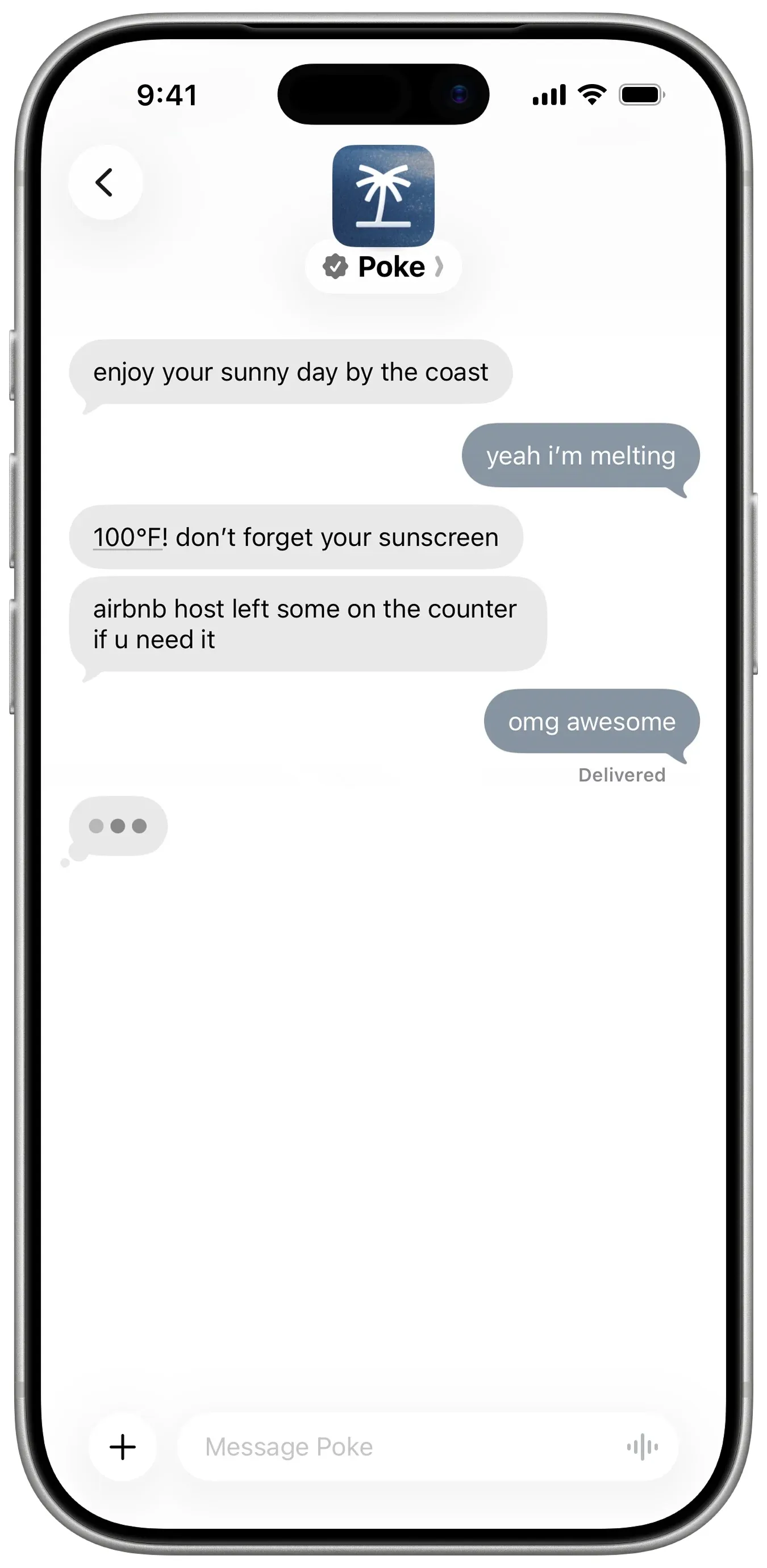
7. Instinct: больше всего шума, сложнее всего получить
Instinct — ассистент, которому можно написать или позвонить; он пользуется телефоном и компьютером, чтобы бронировать поездки, заказывать продукты и выполнять поручения, в том числе в групповых чатах (TechCrunch). Он продолжает работать в фоне и сам пишет вам, чтобы сообщить о ходе дел (Built In), но доступ только по приглашениям, так что общедоступного канала в мессенджерах нет. Его условия также позволяют обучаться на ваших материалах, если вы не откажетесь. Читайте, что такое Instinct, и альтернативы Instinct.
8. Claude Duet: лучшая утренняя сводка, если попадёте
Claude Duet — проактивное приложение-агент от Anthropic. Каждое утро он просматривает вашу почту и календарь и присылает сводку, каждые несколько часов проверяет ваши аккаунты и спрашивает разрешения, прежде чем что-либо отправить, оплатить, подписать или удалить (Anthropic).
Это превью только для США по листу ожидания для платных тарифов Claude, через мессенджеры с ним не связаться, а лимиты использования у него общие с Claude. Читайте, что такое Claude Duet.
9. Lindy: лучший для рабочей почты и встреч
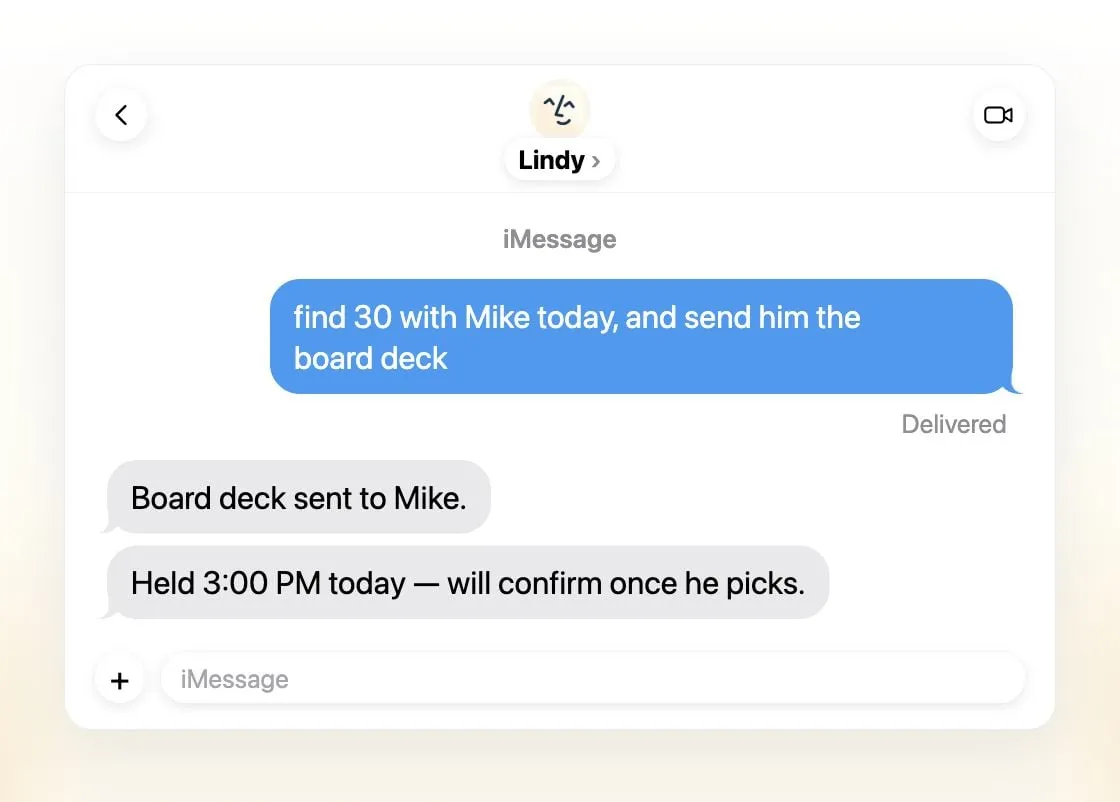
Lindy сортирует почту, готовит черновики ответов, назначает встречи и готовит вас к звонкам, а связаться с ним можно через iMessage, SMS, Slack, телефон или расширение для Gmail (Lindy). Он присылает ежедневные сводки, спрашивает разрешения перед всем, что затрагивает внешний мир, и заявляет, что никогда не обучается на ваших данных.
Это один общий ассистент на команду, а не несколько, бесплатные кредиты действуют семь дней, а платные места стоят от $49.99 за пользователя в месяц (цены).
Выбирайте его, если вы небольшая команда, которая живёт в Slack и почте.
10. Manus: лучший для готовых результатов
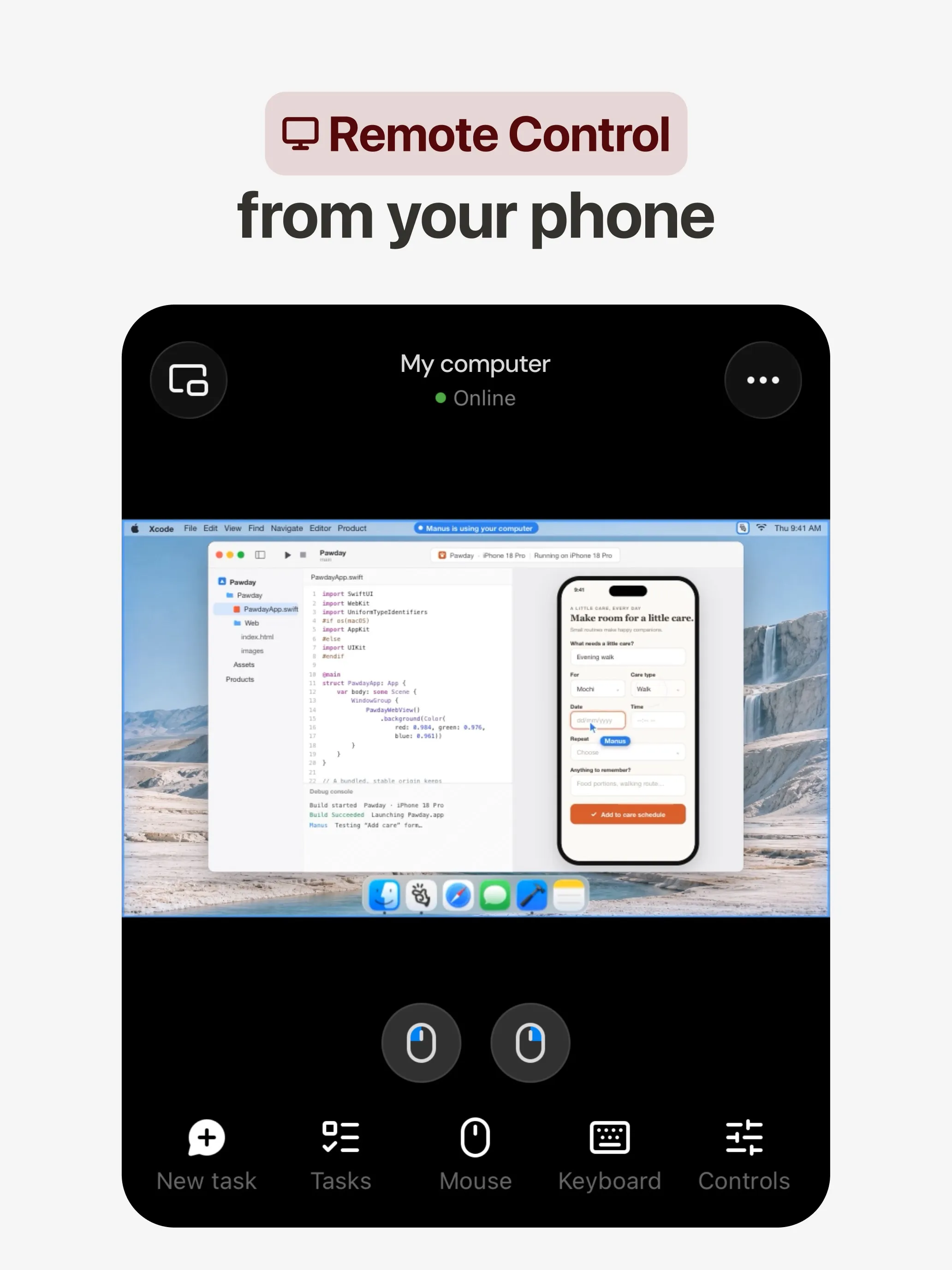
Manus планирует и выполняет задачу на собственном облачном компьютере и возвращает исследовательский отчёт, сайт, презентацию или видео, а его автоматизации запускаются по расписанию или по событию в Gmail, Slack или Notion (Manus 2.0). Есть приложения для веба, iOS, Android, macOS и Windows, а также Slack и Telegram, и бесплатный тариф.
Он не набирает пункт про несколько ботов: Manus это не документирует. Кредиты списываются в зависимости от сложности задачи, так что расходы трудно предсказать, а неудачные запуски тоже их тратят; отказ от обучения указан только для тарифов Team.
Выбирайте его, если хотите получить конкретный результат по одному запросу. Смотрите альтернативы Manus.
11. Perplexity Teammates: лучший для долгих проектов
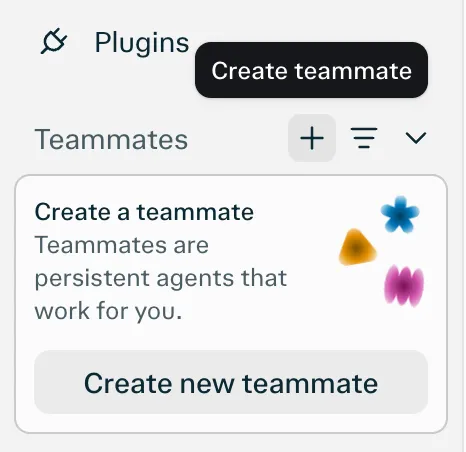
Teammates — постоянные агенты, каждый на собственном изолированном компьютере, которые следят за Slack, GitHub, Linear и Gmail, действуют, когда что-то меняется, и связываются с вами, когда нужен ваш ввод (Perplexity). Модель выбирается для каждого teammate отдельно.
Пункт про мессенджеры он не набирает, потому что единственная указанная платформа — веб. Кроме того, это research preview для Perplexity Max за $200 в месяц без опубликованной стоимости одной задачи в кредитах.
12. dots: лучший, если вы уже платите за ChatGPT Pro
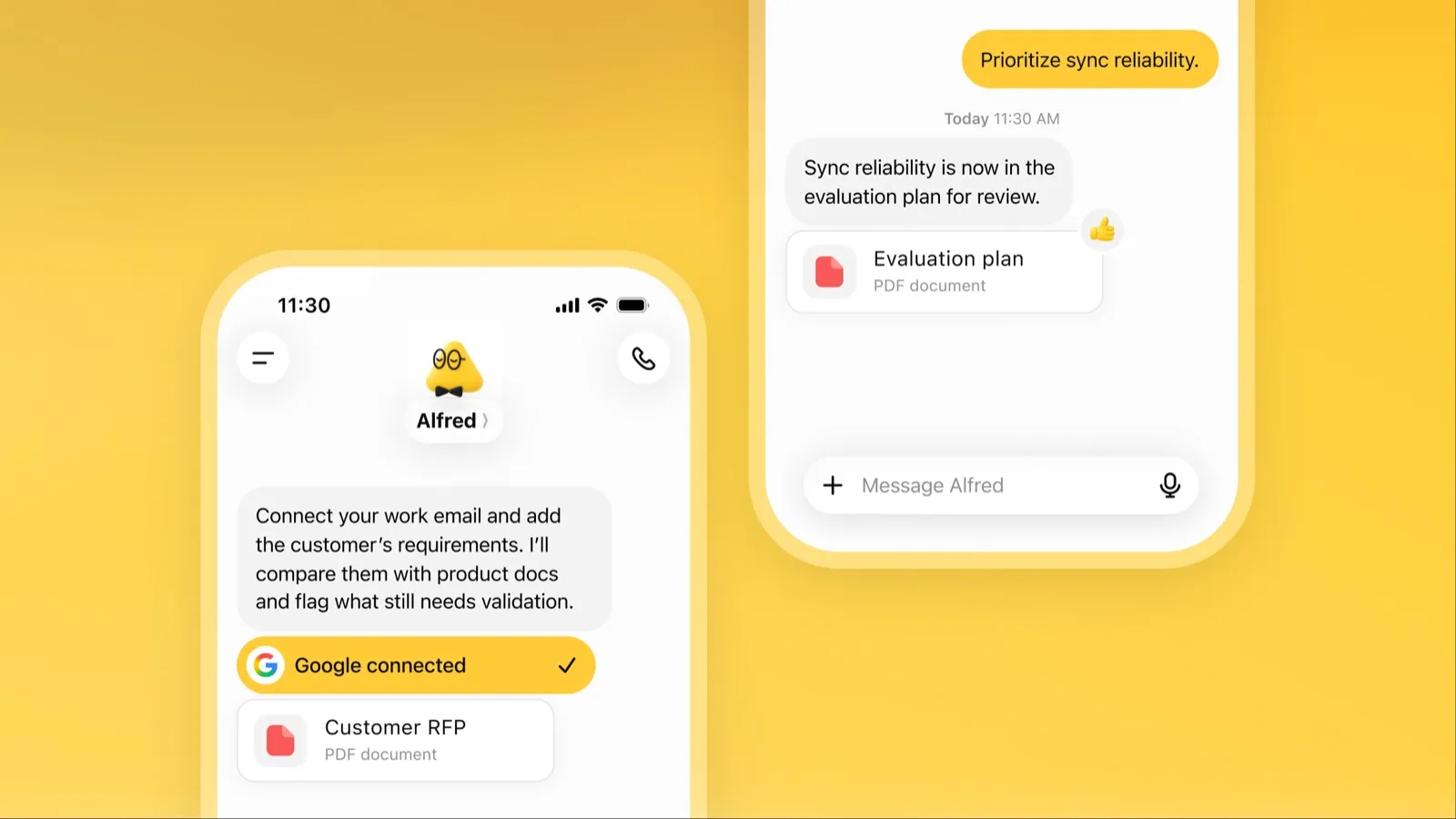
Dot — постоянно работающий агент OpenAI внутри ChatGPT с собственным облачным компьютером, более чем 4000 подключённых приложений и общей памятью в ChatGPT, Slack и Microsoft Teams (OpenAI). В свободное время он изучает подключённые приложения и возвращается с работой на проверку.
Последнее место — из-за доступности и цены: нужен ChatGPT Pro от $100 в месяц или Business Premium, доступ в рамках Pro не распространяется на ЕЭЗ, Великобританию и Швейцарию, вы получаете один dot, а контент Pro используется для обучения моделей OpenAI, если вы не откажетесь. Читайте, что такое dots.
Что выбрать
- Передать работу без настройки: Grok Bot.
- Своя модель или несколько ботов с отдельными компьютерами: Rakazo.
- Бесплатно, на своём оборудовании: OpenClaw или Hermes Agent.
- Бесплатные поручения в США: Muse.
- Просто писать сообщения: Poke.
- Командная почта и встречи: Lindy.
- Отчёт, сайт или презентация по одному запросу: Manus.
- Уже есть ChatGPT Pro или Claude Pro: dots или Claude Duet.
Что бы вы ни выбрали, начните с задач, где ошибка обходится дёшево, и держите подтверждения включёнными для почты и платежей. Рейтинг агентов по тому, сколько они могут сделать сами, — в обзоре лучших ИИ-агентов; о хранении данных на своём устройстве — в обзоре лучших приватных ИИ-ассистентов.
Лучшие подборки
30 $/мес.
Always-on AI agents from SpaceXSI that run on a shared cloud computer, sign in to your apps and finish multi-step work while you're away.
Открыть Grok BotСильные стороны
- Bots work on their own cloud computer, so tasks keep running when your laptop or phone is closed
- Can operate websites and apps that have no API, using saved logins it never sees in plain text
- Several Bots can run in parallel, message each other and share one workspace
- Routines can run on a schedule or after an event, and a Bot can learn a task from a recorded demonstration of up to 10 minutes
- Can place phone calls to US businesses for you and send a summary afterwards
- Native apps for macOS, Windows, Linux, iOS and Android, plus Slack
Слабые стороны
- No free plan and no standalone price: the cheapest way in is the $30/month Premium plan
- Usage comes from a weekly pool shared with Grok and Cursor, and SpaceXSI does not publish how much work that pool covers
- No model picker: Grok Bot chooses the model for each task and does not show which one it used
- All Bots on an account share one computer, files and logins; the docs say not to use separate Bots as a security boundary
- Users report Amazon blocks it from shopping as an unauthorized AI agent; Amazon hasn't commented
- Still labelled beta, with no browser version
10 $/мес.
Open-source, self-hostable platform for persistent AI bots that each get a job, a computer, memory and routines, using the model you choose.
Открыть RakazoСильные стороны
- Open source (Apache-2.0) and fully self-hostable, including with local models
- Choice of model per bot, including existing Claude or ChatGPT subscriptions
- Bots keep working on schedules and triggers with their own cloud computer
- Approval controls over which actions a bot may take on its own
Слабые стороны
- Still in beta, with frequent releases
- You supply and pay for the model on the hosted plans, unless you buy Rakazo credits
- Telegram, WhatsApp and iMessage/SMS are only available when self-hosted
- More setup than a single chat app
Free, MIT-licensed personal AI agent that runs on your own computer and takes orders from WhatsApp, Telegram, iMessage, Slack and 20+ other chat apps.
Открыть OpenClawСильные стороны
- Free and MIT licensed, with no paid tier
- Runs on your own hardware; state, memory and credentials stay local, and it sends nothing home except an optional daily version check
- Works in 29 chat channels, including WhatsApp, Telegram, iMessage, Slack, Discord and Microsoft Teams
- Model-agnostic: 64 model and media providers, plus local models
- Large ecosystem of skills and 142 official plugins, and very active development
Слабые стороны
- Model costs are on you and can run high: testers and users have reported spending over $100 in a day with expensive models
- Sandboxing is off by default and the agent can run commands on the host unless you turn on approvals
- Setup and upkeep expect comfort with the command line; maintainers warn it is risky for non-technical users
- Broad access to email, messages and the system makes prompt injection and malicious third-party skills a real risk
20 $/мес.
Free, MIT-licensed AI agent from Nous Research that runs on your own machine or server, learns reusable skills, and chats with you on Telegram, Slack and more.
Открыть Hermes AgentСильные стороны
- Free and MIT licensed, and runs on hardware you control
- Writes and refines its own skills from experience, on top of persistent memory and cross-session search
- One gateway for 20+ chat platforms, including Telegram, Discord, Slack, WhatsApp, Signal and email
- Run several separate agents as profiles, each with its own model, memory and skills, and let them talk in group chats
- Model-agnostic, with a one-command import from OpenClaw
Слабые стороны
- Setup expects comfort with the command line and with running your own server
- Model costs are on you unless you use free models, and hosted web search, images and speech need a paid Nous Portal plan or your own keys
- iMessage needs a separate BlueBubbles server on a Mac
- No native mobile app; Android support is a command-line install through Termux
20 $/мес.
Meta's personal AI agent that sends email, books travel and shops for you from its own cloud computer, in the Muse app or on the web.
Открыть MuseСильные стороны
- Free tier, and no technical setup: you message it like a person in the app or on the web
- Runs on its own cloud computer and keeps working after you close the app
- Asks before sending email or buying, and shows an audit trail of what it did and plans to do
- Purchases go through a one-time card number with Link's purchase protections, so the agent never sees your real card
- Connects to email, calendar and Instagram, and can use a browser for sites without an API
Слабые стороны
- Only in the US, Canada, Japan, Singapore and Mexico so far, and Meta says Muse is still in limited testing
- Requires a payment card even for the free tier, and the stronger Muse Wonder model is for paid plans only
- Your interactions train Meta's AI models unless you opt out
- Free usage limit is not published, so it is hard to know when you will hit it
- Early users and press reported it overstepping permissions, such as reading messages it was not meant to
- Requires a Meta account and asks for broad access to email, calendars and payments
19 $/мес.
A personal AI assistant you text in iMessage or Telegram that connects to your email, calendar and apps and messages you first when something needs attention.
Открыть PokeСильные стороны
- Nothing to install: you sign up with a phone number and text it like a contact
- Messages you first, using your connected services and memory
- Free plan with no credit card, and email and calendar included
- Connects to Gmail, Outlook, Google Calendar, Notion, GitHub, Linear and many more apps, plus custom integrations through MCP
- Shareable automation recipes, and developers can build their own
Слабые стороны
- Uses your data to train its AI models unless you choose Maximum Privacy
- WhatsApp support is limited to some markets
- Only one phone number per account
- Does not say which AI models it uses, and does not publish how many credits each plan includes
- Now owned by Cognition, so the product's direction may change
Invite-only personal AI assistant you text or call. It uses a phone and computer for you to book travel, order groceries and handle errands.
Открыть InstinctСильные стороны
- No new interface: you text or call it like a person
- Handles real-world errands end to end, such as travel bookings, groceries and subscription cancellations
- Group chats can use one shared Instinct, even for friends without an account
- Free during the beta
Слабые стороны
- Invite-only, with no public sign-up or published pricing
- Terms let it use your materials to train AI models unless you opt out, and the opt-out only applies going forward
- Terms appoint it as your agent to enter agreements and transactions on your behalf, and require binding arbitration with a class action waiver
- Early testers reported it sending an email without asking and keeping inbox data after Google access was revoked
- No choice of model, and the company does not say which models it uses
20 $/мес.
Anthropic's proactive agent app: briefs you each morning, works on its own cloud computer and asks before acting. US waitlist preview for paid Claude plans.
Открыть Claude DuetСильные стороны
- Messages you first: a morning brief from your email and calendar, then check-ins every few hours
- Works with over 6,000 connectors and plugins, and uses a cloud browser for sites without one
- Brings your existing Claude memory, skills and connectors from the first message
- Asks before sending, paying, signing or deleting, and blocks trading and moving money even with approval
- Pays through one-time card numbers via Link and Shop Pay, and turns larger jobs into editable briefs, decks and dashboards
Слабые стороны
- Waitlist-only research preview, US only, and not on Team or Enterprise plans yet
- Uses the same Claude usage limits as chat, and background checks count too
- One model only, Claude Opus 5.5, with no choice of model
- Anthropic's docs say you can't yet watch or take over its browser
- Microsoft 365 isn't available yet, and it can misread threads, misjudge urgency or miss things between check-ins
49,99 $/мес.
An AI assistant for work that runs your inbox, calendar and meetings, takes requests by iMessage, Slack, phone or browser, and sends you daily briefs.
Открыть LindyСильные стороны
- Texts you first: a personalized first message, alerts on time-sensitive email, and daily briefs
- Reachable almost anywhere: iMessage or SMS, Slack, its own phone number, Gmail via a Chrome extension, and the web
- 1,500+ integrations plus any hosted MCP server, and a browser for tools without one
- Asks for approval before anything with outside impact
- Says it never uses your data to train models, with SOC 2 Type II, GDPR and PIPEDA compliance
Слабые стороны
- Expensive for individuals: paid seats start at $49.99 per user a month, and free credits last only 7 days
- Credit-based usage is hard to predict, from 2 credits for a simple ask to 2,500 for a big build
- One shared Lindy per team rather than separate assistants for different jobs
- No mobile app; on phones you use iMessage, SMS or calls
- Plan names differ between its pricing page and its docs, so it is hard to tell what each tier includes
20 $/мес.
General-purpose AI agent that researches, builds websites, slides, videos and games, and runs automations on its own cloud computer.
Открыть ManusСильные стороны
- Turns one prompt into finished output: research reports, websites, slides, videos and playable games
- Automations can start from a schedule or an event in a connected service such as Gmail, Slack or Notion
- Video Editor and Game Dev let you edit what the agent made instead of regenerating it
- Free plan to try it, with apps for web, iOS, Android, macOS and Windows
Слабые стороны
- Credit-based pricing makes costs hard to predict, and long or failed runs can use up credits
- Free daily credits are capped at 1,500 a month and only work in the Lite mode
- A built-in training opt-out is listed only for Team plans
- Several plans share the Pro name and differ only by credit amount
200 $/мес.
Persistent Perplexity agents, each with its own computer, browser and memory, that own ongoing work and watch Slack, GitHub and Linear. Max-only web preview.
Открыть Perplexity TeammatesСильные стороны
- Run several teammates, each on its own isolated computer and browser with separate sessions
- Watches Slack, GitHub, Linear and other connected tools, acts on changes and reaches out when it needs you
- Pick the model per teammate or task, with Claude Opus 5.5 as the default
- Splits a goal into parallel agent tasks, and teammates in a Project share context and hand work to each other
- You can take over a teammate's desktop and steer it, and it can't view your saved credentials
Слабые стороны
- Only on Perplexity Max at $200 a month; Pro and Enterprise plans are excluded by default
- Research preview whose behavior may change
- Web only for now; the iOS app is only promised soon
- Usage draws on credits, and parallel agents, large files and frequent automations use more
- No published cap on teammates and no published credit cost per task
100 $/мес.
OpenAI's always-on agent inside ChatGPT, with its own cloud computer, that works on your goals between chats and reaches you in ChatGPT, Slack or Teams.
Открыть dotsСильные стороны
- Runs on its own cloud computer and browser and keeps working when your devices are off
- Connects to over 4,000 apps through ChatGPT plugins and can hand work to Codex and ChatGPT Work
- Reachable in ChatGPT, Slack and Microsoft Teams, and you can call it, with one memory across channels
- Researches your connected apps on its own and brings you finished work or decisions to review
- Custom Rules and Auto-review gate sensitive actions, and some steps always stay with you
Слабые стороны
- No free, Go or Plus access: it needs ChatGPT Pro from $100 a month or Business Premium
- Pro access excludes the EEA, the UK and Switzerland
- One dot per user for now; teams of dots are only planned
- Texting over iMessage or RCS is a US-only beta, and your dot cannot call you yet
- Stopping a task does not undo actions it already took, and tasks it starts in Codex or ChatGPT Work count toward those limits
Функции
| Grok Bot | Rakazo | OpenClaw | Hermes Agent | Muse | Poke | Instinct | Claude Duet | Lindy | Manus | Perplexity Teammates | dots | |
|---|---|---|---|---|---|---|---|---|---|---|---|---|
| Поиск в интернете | Да | Да | Да | Да | Да | Да | Да | Да | Да | Да | Да | Да |
| Генерация изображений | Да | Да | Да | Да | Да | Неизвестно | Неизвестно | Неизвестно | Да | Да | Да | Да |
| Голосовой режим | Да | Да | Да | Да | Да | Да | Да | Да | Да | Да | Неизвестно | Да |
| Загрузка файлов | Да | Да | Да | Да | Да | Да | Да | Да | Да | Да | Да | Да |
| Память | Да | Да | Да | Да | Да | Да | Да | Да | Да | Да | Да | Да |
| Выполняет действия за вас | Да | Да | Да | Да | Да | Да | Да | Да | Да | Да | Да | Да |
| Интеграции с приложениями | Да | Да | Да | Да | Да | Да | Да | Да | Да | Да | Да | Да |
| Работает самостоятельно | Да | Да | Да | Да | Да | Да | Да | Да | Да | Да | Да | Да |
| Пишет первым | Да | Да | Да | Да | Да | Да | Да | Да | Да | Да | Да | Да |
| Несколько ботов | Да | Да | Да | Да | Неизвестно | Неизвестно | Неизвестно | Нет | Нет | Неизвестно | Да | Нет |
Источники
Grok Bot
- Grok Bot product page and FAQПроверено 8 нояб. 2026 г.
- SpaceXSI pricing: The X Subscription plansПроверено 8 нояб. 2026 г.
- Introducing Grok Bot (launch post, Aug 11, 2026)Проверено 8 нояб. 2026 г.
- Grok Bot FAQ: plans, platforms, memory, privacy and limitsПроверено 8 нояб. 2026 г.
- Grok Bot docs: Create and manage BotsПроверено 8 нояб. 2026 г.
- Grok Bot changelog (v0.78.1, Oct 27, 2026)Проверено 8 нояб. 2026 г.
- Cursor help: Grok Bot plans and usageПроверено 8 нояб. 2026 г.
- Teslarati: Grok Bot can now call US businesses (Nov 2026)Проверено 8 нояб. 2026 г.
- Teslarati: Amazon shuts out Grok Bot (Oct 15, 2026)Проверено 8 нояб. 2026 г.
- Grok Bot docs: Overview (proactive teammate, morning briefing)Проверено 8 нояб. 2026 г.
- Grok Bot docs: Chat and collaboration (Slack DMs, X Chat rolling out)Проверено 8 нояб. 2026 г.
- Grok Bot docs: Get started (desktop and mobile apps)Проверено 8 нояб. 2026 г.
- Grok Bot docs: Skills, routines and automationsПроверено 8 нояб. 2026 г.
- SpaceXSI: Team Bots in public beta (Sep 28, 2026)Проверено 8 нояб. 2026 г.
- Wikipedia: SpaceXAI (xAI renamed SpaceXAI, then SpaceXSI)Проверено 8 нояб. 2026 г.
- Cursor: Data Use & Privacy Overview (Privacy Mode and training)Проверено 8 нояб. 2026 г.
Rakazo
- Rakazo homepageПроверено 8 нояб. 2026 г.
- Rakazo pricingПроверено 8 нояб. 2026 г.
- Rakazo privacy policyПроверено 8 нояб. 2026 г.
- Rakazo on GitHub (README and license)Проверено 8 нояб. 2026 г.
- Rakazo changelogПроверено 8 нояб. 2026 г.
- Rakazo releasesПроверено 8 нояб. 2026 г.
- Rakazo docs: Image and video generationПроверено 8 нояб. 2026 г.
- Rakazo docs: MemoryПроверено 8 нояб. 2026 г.
- Rakazo docs: Connect appsПроверено 8 нояб. 2026 г.
- Rakazo docs: RoutinesПроверено 8 нояб. 2026 г.
- Rakazo docs: Chat appsПроверено 8 нояб. 2026 г.
- Rakazo docs: Messaging apps (self-hosting)Проверено 8 нояб. 2026 г.
- Rakazo docs: Bots and chats (add another bot, bot templates)Проверено 8 нояб. 2026 г.
- Rakazo docs: Groups (several bots in one chat)Проверено 8 нояб. 2026 г.
- Rakazo docs: Mobile app (notifications)Проверено 8 нояб. 2026 г.
- Rakazo privacy policy (updated Sep 14, 2026)Проверено 8 нояб. 2026 г.
- Rakazo privacy policy source on GitHubПроверено 8 нояб. 2026 г.
OpenClaw
- OpenClaw homepage and Foundation sectionПроверено 8 нояб. 2026 г.
- OpenClaw integrations: channels, providers and pluginsПроверено 8 нояб. 2026 г.
- openclaw/openclaw on GitHub (MIT, v2026.11.1)Проверено 8 нояб. 2026 г.
- OpenClaw docs: Sandboxing (off by default)Проверено 8 нояб. 2026 г.
- Wikipedia: OpenClawПроверено 8 нояб. 2026 г.
- Notebookcheck: OpenClaw can burn through hundreds of dollars per dayПроверено 8 нояб. 2026 г.
- OpenClaw docs: Memory overviewПроверено 8 нояб. 2026 г.
- OpenClaw docs: AutomationsПроверено 8 нояб. 2026 г.
- OpenClaw docs: Chat channelsПроверено 8 нояб. 2026 г.
- OpenClaw docs: iMessageПроверено 8 нояб. 2026 г.
- OpenClaw docs: Heartbeat, now a default Proactive check jobПроверено 8 нояб. 2026 г.
- OpenClaw docs: Multi-agent routingПроверено 8 нояб. 2026 г.
- OpenClaw docs: Platforms (macOS, Windows, Linux, iOS and Android apps)Проверено 8 нояб. 2026 г.
- OpenClaw docs: Tools (exec, browser, web search)Проверено 8 нояб. 2026 г.
- OpenClaw docs: Audio and voice notes (inbound transcription)Проверено 8 нояб. 2026 г.
- OpenClaw docs: Image and media support (inbound media)Проверено 8 нояб. 2026 г.
Hermes Agent
- NousResearch/hermes-agent on GitHub (MIT, v0.23.0)Проверено 8 нояб. 2026 г.
- Hermes Agent homepage and Nous Portal pricingПроверено 8 нояб. 2026 г.
- Hermes Agent documentationПроверено 8 нояб. 2026 г.
- Hermes Agent docs: Profiles, running multiple agentsПроверено 8 нояб. 2026 г.
- Hermes Agent docs: Bot ModeПроверено 8 нояб. 2026 г.
- Hermes Agent docs: Voice modeПроверено 8 нояб. 2026 г.
- Hermes Agent docs: Vision and image pasteПроверено 8 нояб. 2026 г.
- Hermes Agent docs: iMessage via BlueBubblesПроверено 8 нояб. 2026 г.
- Nous Research on X: Meet Hermes Agent (February 25, 2026)Проверено 8 нояб. 2026 г.
- Hermes Agent docs: Session heartbeats and cron watchdogsПроверено 8 нояб. 2026 г.
- Hermes Agent docs: FAQ (Is my data sent anywhere?)Проверено 8 нояб. 2026 г.
Muse
- Meta: Introducing Muse, the world's first personal AI agent built for everyoneПроверено 8 нояб. 2026 г.
- Muse homepageПроверено 8 нояб. 2026 г.
- Meta Help Center: About Muse subscriptionsПроверено 8 нояб. 2026 г.
- Meta Help Center: Meta AI, Muse and Vibes are separate appsПроверено 8 нояб. 2026 г.
- TechCrunch: Meta debuts its Muse AI agent. Will consumers trust it?Проверено 8 нояб. 2026 г.
- 9to5Mac: Muse personal agent gets apps for iPhone and MacПроверено 8 нояб. 2026 г.
- The Guardian TechScape: early Muse users report the agent overstepping permissionsПроверено 8 нояб. 2026 г.
- iPhone in Canada: Meta's Muse AI agent is now available in CanadaПроверено 8 нояб. 2026 г.
- Superpower Daily: Meta launches Muse in Japan (Oct 23, 2026)Проверено 8 нояб. 2026 г.
- Meta: Muse is now available in Singapore (Oct 27, 2026)Проверено 8 нояб. 2026 г.
- Mexico News Daily: Meta launches its Muse AI agent in Mexico (Nov 6, 2026)Проверено 8 нояб. 2026 г.
- Meta Q3 2026 earnings call transcript: Muse Wonder in the paid tier, free tier on Muse SparkПроверено 8 нояб. 2026 г.
- How to manage reminders and scheduled tasks with MuseПроверено 8 нояб. 2026 г.
- WhatsApp Help Center: About chatting with your Muse agent through WhatsAppПроверено 8 нояб. 2026 г.
- TechCrunch: Meta's Muse hits MacПроверено 8 нояб. 2026 г.
- Meta AI: Muse features and FAQ (browses the web, generates images)Проверено 8 нояб. 2026 г.
- Meta Help Center: How your Muse agent browses the webПроверено 8 нояб. 2026 г.
- Meta Help Center: How to use Muse with artifacts (uploads, image generation)Проверено 8 нояб. 2026 г.
- Meta Help Center: How to get started with MuseПроверено 8 нояб. 2026 г.
Poke
- Poke homepageПроверено 8 нояб. 2026 г.
- Poke pricingПроверено 8 нояб. 2026 г.
- Poke FAQПроверено 8 нояб. 2026 г.
- Poke privacy notice (last updated September 11, 2026)Проверено 8 нояб. 2026 г.
- Cognition: welcoming The Interaction Company to Cognition (July 23, 2026)Проверено 8 нояб. 2026 г.
- TechCrunch: Poke makes using AI agents as easy as sending a textПроверено 8 нояб. 2026 г.
- TechCrunch: Apple approves Poke as the first AI agent on its Messages for Business platformПроверено 8 нояб. 2026 г.
- Introducing Poke.com (launch announcement, September 8, 2025)Проверено 8 нояб. 2026 г.
- Poke docs: Welcome (built-in web search)Проверено 8 нояб. 2026 г.
- Poke release notes (web search, sharing images, attachments)Проверено 8 нояб. 2026 г.
Instinct
- Instinct homepageПроверено 8 нояб. 2026 г.
- Instinct Terms of Service (last revised Aug 26, 2026)Проверено 8 нояб. 2026 г.
- TechCrunch: Instinct brings its AI agent to group chatsПроверено 8 нояб. 2026 г.
- Fortune: Noah Shinn's viral AI assistant Instinct raises $1B Series CПроверено 8 нояб. 2026 г.
- Vellum: Instinct breakdown (competitor; summary of early tester reports)Проверено 8 нояб. 2026 г.
- Digit: Instinct clarifies WhatsApp outage (works through WhatsApp and iMessage)Проверено 8 нояб. 2026 г.
- RuntimeWire: Instinct brings its group AI agent to iMessage for all users (Oct 29, 2026)Проверено 8 нояб. 2026 г.
- Privacy Policy | InstinctПроверено 8 нояб. 2026 г.
- Built In: What Is Instinct AI? (Oct 21, 2026)Проверено 8 нояб. 2026 г.
Claude Duet
- Anthropic: Introducing Claude Duet (October 21, 2026)Проверено 8 нояб. 2026 г.
- Claude Help Center: Get started with Claude DuetПроверено 8 нояб. 2026 г.
- Claude Duet product pageПроверено 8 нояб. 2026 г.
- Claude pricing: Pro, Max and UltraПроверено 8 нояб. 2026 г.
- Inc.: I Tried Claude Duet (reviewer sent it a screenshot)Проверено 8 нояб. 2026 г.
Lindy
- Lindy homepageПроверено 8 нояб. 2026 г.
- Lindy pricingПроверено 8 нояб. 2026 г.
- Lindy docs: What is Lindy?Проверено 8 нояб. 2026 г.
- Lindy docs: iMessage & SMSПроверено 8 нояб. 2026 г.
- Lindy docs: Phone CallsПроверено 8 нояб. 2026 г.
- Lindy docs: Ad Hoc Tasks (research)Проверено 8 нояб. 2026 г.
- Lindy docs: Pricing and creditsПроверено 8 нояб. 2026 г.
- Lindy Assistant: The AI that runs your work lifeПроверено 8 нояб. 2026 г.
- Lindy docs: Set up Lindy (web search, image generation)Проверено 8 нояб. 2026 г.
- Lindy docs: Files (drop files and folders in for Lindy to use)Проверено 8 нояб. 2026 г.
- Lindy changelog (Creatives: on-brand images, Sep 16, 2026)Проверено 8 нояб. 2026 г.
Manus
- Manus Plans & PricingПроверено 8 нояб. 2026 г.
- Manus Help Center: What is the current membership pricing for Manus?Проверено 8 нояб. 2026 г.
- Manus Help Center: rules for credit consumptionПроверено 8 нояб. 2026 г.
- Introducing Manus 2.0 (Sep 28, 2026)Проверено 8 нояб. 2026 г.
- Download Manus: macOS, Windows, iOS and AndroidПроверено 8 нояб. 2026 г.
- Tech Xplore/AFP: Manus raises $500 million after Meta acquisition blocked by ChinaПроверено 8 нояб. 2026 г.
- Wikipedia: Manus (AI agent)Проверено 8 нояб. 2026 г.
- Manus for Slack: Turn Your Workspace into an Autonomous EngineПроверено 8 нояб. 2026 г.
- Manus docs: AutomationsПроверено 8 нояб. 2026 г.
- Is my data safe when using Manus Agents in Telegram?Проверено 8 нояб. 2026 г.
- Chatting with Manus Agent on Slack: Channels, DMs, and File DeliveryПроверено 8 нояб. 2026 г.
- Manus Agents in Telegram (available to all users)Проверено 8 нояб. 2026 г.
- Manus Help Center: What's new in Manus 2.0 (Cue requires an invitation code)Проверено 8 нояб. 2026 г.
- Manus API docs: Agents (default agent plus agents you create)Проверено 8 нояб. 2026 г.
- Manus privacy policy (updated Sep 28, 2026)Проверено 8 нояб. 2026 г.
Perplexity Teammates
- Perplexity blog: Teammates are agents for complex, ongoing work (November 4, 2026)Проверено 8 нояб. 2026 г.
- Perplexity Help Center: Perplexity TeammatesПроверено 8 нояб. 2026 г.
- Perplexity Help Center: Perplexity Max ($200 a month)Проверено 8 нояб. 2026 г.
- Perplexity Help Center: Data Collection at PerplexityПроверено 8 нояб. 2026 г.
- Perplexity Help Center: Generating Images with PerplexityПроверено 8 нояб. 2026 г.
dots
- ChatGPT: Dots feature pageПроверено 8 нояб. 2026 г.
- ChatGPT docs: Meet dotsПроверено 8 нояб. 2026 г.
- ChatGPT docs: Dot channels (Slack, Teams, calls, texting beta)Проверено 8 нояб. 2026 г.
- ChatGPT pricing: Dots on Pro only; training opt-outПроверено 8 нояб. 2026 г.
- TechCrunch: OpenAI launches dots, its bubbly agentic avatarПроверено 8 нояб. 2026 г.
- DataCamp: OpenAI Dots, always-on agents in ChatGPT, explainedПроверено 8 нояб. 2026 г.
- eesel: OpenAI Dots pricing by Pro tier and limitsПроверено 8 нояб. 2026 г.
- ChatGPT docs: Dot computers and apps (cloud browser for research)Проверено 8 нояб. 2026 г.
- OpenAI Help Center: Images in ChatGPT (image generation on all tiers)Проверено 8 нояб. 2026 г.