Die besten KI-Assistenten 2026: die, die wirklich etwas erledigen
Zwölf KI-Assistenten, die für Sie handeln, bewertet danach, was sie selbst können und wie leicht man sie bekommt: Grok Bot, Rakazo, OpenClaw, Hermes Agent, Muse und mehr.
Auf einen Blick
| Assistent | Gratis-Tarif | Open Source | Selbst hostbar | Trainiert standardmäßig mit deinen Chats | ||
|---|---|---|---|---|---|---|
| Grok Bot | Nein | 30 $/Monat | Nein | Nein | Nein | |
| Rakazo | Ja | 10 $/Monat | Ja | Ja | Nein | |
| OpenClaw | Ja | – | Ja | Ja | Nein | |
| Hermes Agent | Ja | 20 $/Monat | Ja | Ja | Nein | |
| Muse | Ja | 20 $/Monat | Nein | Nein | Ja | |
| Poke | Ja | 19 $/Monat | Nein | Nein | Ja | |
| Instinct | Ja | – | Nein | Nein | Ja | |
| Claude Duet | Nein | 20 $/Monat | Nein | Nein | Unbekannt | |
| Lindy | Ja | 49,99 $/Monat | Nein | Nein | Nein | |
| Manus | Ja | 20 $/Monat | Nein | Nein | Unbekannt | |
| Perplexity Teammates | Nein | 200 $/Monat | Nein | Nein | Ja | |
| dots | Nein | 100 $/Monat | Nein | Nein | Ja |












Grok Bot ist im November 2026 der beste KI-Assistent für die meisten, die Arbeit abgeben wollen: Er kann alles, was ein Assistent können sollte, hat Apps für jede Plattform und braucht keine Einrichtung, kostet aber $30 im Monat. Rakazo erledigt dieselben Aufgaben mit dem Modell Ihrer Wahl und einem gehosteten Tarif ab $15. Wenn Sie technisch versiert sind und es kostenlos auf eigener Hardware wollen, sind OpenClaw und Hermes Agent die beiden Open-Source-Empfehlungen. Wenn Sie einem Assistenten einfach nur schreiben wollen, beginnen Sie mit Poke, das kostenlos ist.
Offenlegung: Rakazo wird von dem Unternehmen entwickelt, das diese Website betreibt. Es wird nach denselben Maßstäben bewertet wie alle anderen, und seine Schwachstellen sind unten aufgeführt.
Warum ChatGPT, Claude und Gemini nicht auf dieser Liste stehen
Eine Chat-App antwortet, wenn Sie sie öffnen und fragen. Das ist nützlich, aber kein Assistent im Sinne von jemandem, der für Sie arbeitet. Ein echter Assistent meldet sich bei Ihren Konten an und erledigt Dinge, arbeitet weiter, nachdem Sie das Fenster geschlossen haben, und sagt Ihnen Bescheid, wenn er Sie braucht.
Deshalb enthält diese Liste nur Produkte, die dafür gebaut sind, für Sie zu handeln. Wo ein großes KI-Unternehmen ein solches Produkt hat, nennen wir dieses statt seines Chatbots: dots ist OpenAIs Agent in ChatGPT, Claude Duet der von Anthropic, Perplexity Teammates der von Perplexity, Grok Bot ist eine vom Grok-Chatbot getrennte App, und Muse ist getrennt von Meta AI.
So haben wir bewertet
Die Rangfolge folgt unserer Wertung, die in der Tabelle auf dieser Seite mit einer einzeiligen Begründung steht. Ausgangspunkt sind fünf Dinge, die ein Assistent können sollte, geprüft anhand seines Katalogeintrags und der dort aufgeführten Quellen. Einen eigenen Benchmark haben wir nicht durchgeführt.
- Handelt in Ihren Konten: sendet E-Mails, bucht, kauft oder bearbeitet in Ihrem Namen.
- Arbeitet, während Sie weg sind: führt Aufgaben und Routinen weiter aus, wenn Ihr Gerät aus ist.
- Meldet sich zuerst: Briefings, Hinweise und Nachfassen, ohne dass Sie fragen.
- Lebt in Ihren Chat-Apps: ein allgemein verfügbarer Kanal über WhatsApp, Telegram, iMessage, Slack oder Discord. Betas und Wartelisten zählen nicht.
- Betreibt mehrere Bots: getrennte Assistenten für getrennte Aufgaben.
Die Checkliste allein entscheidet nicht über die Wertung. Wir berücksichtigen auch den Einrichtungsaufwand (selbst installieren, betreiben und absichern zählt dagegen), den Preis und die Verfügbarkeit (Zugang nur auf Einladung, Wartelisten und regionale Sperren zählen dagegen). Höher bewertete Assistenten stehen weiter oben.
1. Grok Bot: insgesamt der beste
Mit Grok Bot legen Sie benannte Bots an, geben jedem eine Aufgabe und lassen sie auf einem Cloud-Computer mit Browser, Dateien und Terminal arbeiten (Grok Bot). Sie melden sich bei Ihren Tools an, führen Routinen nach Zeitplan oder nach einem Ereignis aus, fragen vor sensiblen Aktionen nach und können eine Aufgabe aus einer aufgezeichneten Vorführung lernen. Es gibt native Apps für macOS, Windows, Linux, iOS und Android, dazu Slack.
Er steht an erster Stelle, weil er alles auf der Checkliste erfüllt, keine Einrichtung braucht und das Modell inklusive ist. Die Haken: kein Gratistarif (der günstigste Einstieg ist X Premium für $30), ein wöchentliches Nutzungskontingent, das mit Grok und Cursor geteilt wird und dessen Größe SpaceXSI nicht veröffentlicht, und alle Bots teilen sich einen Computer und dieselben Logins, weshalb die Dokumentation davon abrät, getrennte Bots als Sicherheitsgrenze zu betrachten. Er ist noch in der Beta.
Wählen Sie ihn, wenn wiederkehrende Postfach- und Browserarbeit erledigt werden soll und $30 im Monat kein Problem sind. Siehe Grok-Bot-Alternativen.

2. Rakazo: am besten mit eigenem Modell
Rakazo betreibt dauerhafte Bots mit jeweils eigenem Gedächtnis, eigenen Routinen und eigenem abgeschotteten Computer, die nach Zeitplan, per Webhook oder bei einem GitHub-Ereignis laufen und bei den von Ihnen gewählten Aktionen um Freigabe bitten (Rakazo). Das Modell bringen Sie mit: ein Claude- oder ChatGPT-Abo, einen API-Schlüssel oder lokale Modelle. Es ist Open Source unter Apache-2.0 und selbst gehostet kostenlos; der gehostete Tarif beginnt bei $15 im Monat mit 7-tägiger Testphase (Preise).
Es liegt hinter Grok Bot, weil Sie das Modell meist selbst stellen und bezahlen, sofern Sie keine Rakazo-Credits kaufen, weil es in der Beta ist und weil Telegram, WhatsApp und iMessage nur beim Selbsthosten funktionieren. Details im Rakazo-Test.
Wählen Sie es, wenn Sie mehrere Bots mit getrennten Computern wollen oder das Modell selbst wählen möchten.

3. OpenClaw: am besten kostenlos und Open Source
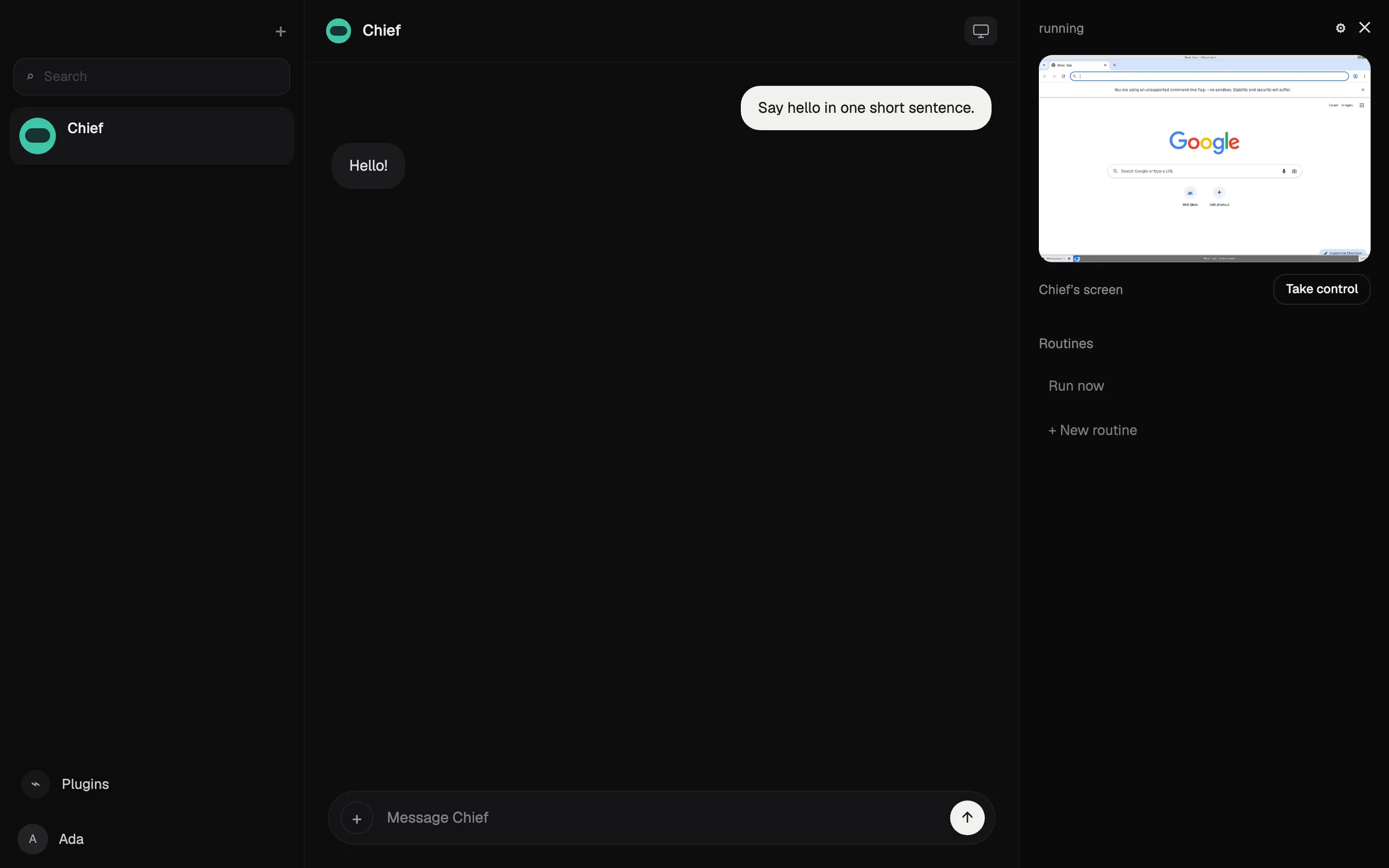
OpenClaw ist ein kostenloser, MIT-lizenzierter Agent, der auf Ihrem eigenen Computer läuft und Anweisungen über WhatsApp, Telegram, iMessage, Slack, Discord und viele weitere Chat-Apps entgegennimmt (OpenClaw). Sie bringen ein beliebiges Cloud-Modell oder ein lokales mit, und Zustand, Gedächtnis und Zugangsdaten bleiben auf Ihrer Hardware.
Es erfüllt alles auf der Checkliste, wird aber niedriger bewertet als die gehosteten Empfehlungen, weil Sie es selbst installieren, betreiben und absichern: Es setzt Sicherheit im Umgang mit der Kommandozeile voraus, Sandboxing ist standardmäßig aus, und die Modellkosten liegen bei Ihnen. Tester berichteten, mit teuren Modellen über $100 an einem Tag ausgegeben zu haben.
Wählen Sie es, wenn Sie technisch versiert sind und volle Kontrolle wollen. Siehe was OpenClaw ist und OpenClaw-Alternativen.

4. Hermes Agent: am besten für einen Agenten, der dazulernt
Hermes Agent von Nous Research ist kostenlos, MIT-lizenziert und läuft auf Ihrem Computer, einem günstigen Server oder serverloser Infrastruktur (GitHub). Nach komplexen Aufgaben schreibt er wiederverwendbare Skills und verfeinert sie, und ein Gateway verbindet ihn mit Telegram, Discord, Slack, WhatsApp, Signal, E-Mail und mehr. Sie können mehrere Agenten als getrennte Profile betreiben, und er importiert Einstellungen, Erinnerungen und Skills aus OpenClaw.
Wie OpenClaw erfüllt er alles auf der Checkliste, aber Sie betreiben und sichern ihn selbst ab. Er liegt knapp hinter OpenClaw, weil es keine native Mobil-App gibt und iMessage einen separaten BlueBubbles-Server auf einem Mac braucht. Ein optionales Nous-Portal-Abo ab $20 bündelt Modelle, gehostete Tools und einen Cloud-Agenten (Hermes Agent).
Wählen Sie ihn, wenn Sie einen eigenen Server betreiben und einen Agenten wollen, der mit der Nutzung besser wird.
5. Muse: der beste kostenlose Assistent für Alltagserledigungen
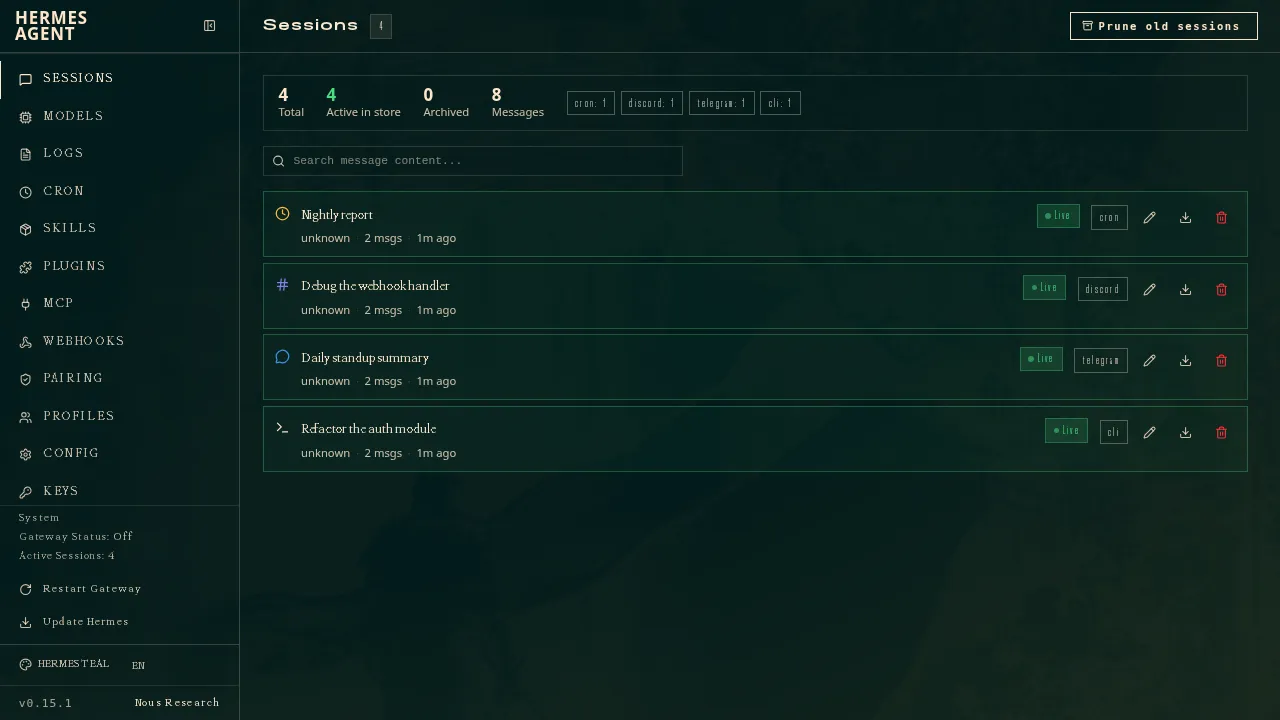
Muse ist Metas persönlicher Agent: Sie schreiben ihm wie einem Menschen, er arbeitet auf seinem eigenen Cloud-Computer, fragt vor dem Senden von E-Mails oder vor Käufen nach und zahlt mit Einmal-Kartennummern (Meta). Bis zu einem nicht veröffentlichten Limit ist er kostenlos, bezahlte Tarife beginnen bei $20.
Er wird gut bewertet, weil er kostenlos ist und die Arbeit auf seinem eigenen Cloud-Computer erledigt, ohne dass Sie etwas einrichten müssen. Den Chat-App-Punkt verfehlt er, weil der WhatsApp-Zugang noch in begrenzter Testphase ist, und Meta sagt nicht, ob Sie mehrere Muses betreiben können. Er ist nur in den USA, Kanada, Japan, Singapur und Mexiko verfügbar, verlangt selbst in der Gratisstufe eine Zahlungskarte, und Ihre Chats trainieren Metas Modelle, sofern Sie nicht widersprechen. Siehe was Muse ist und Muse-Alternativen.
6. Poke: der beste Assistent, dem Sie einfach schreiben
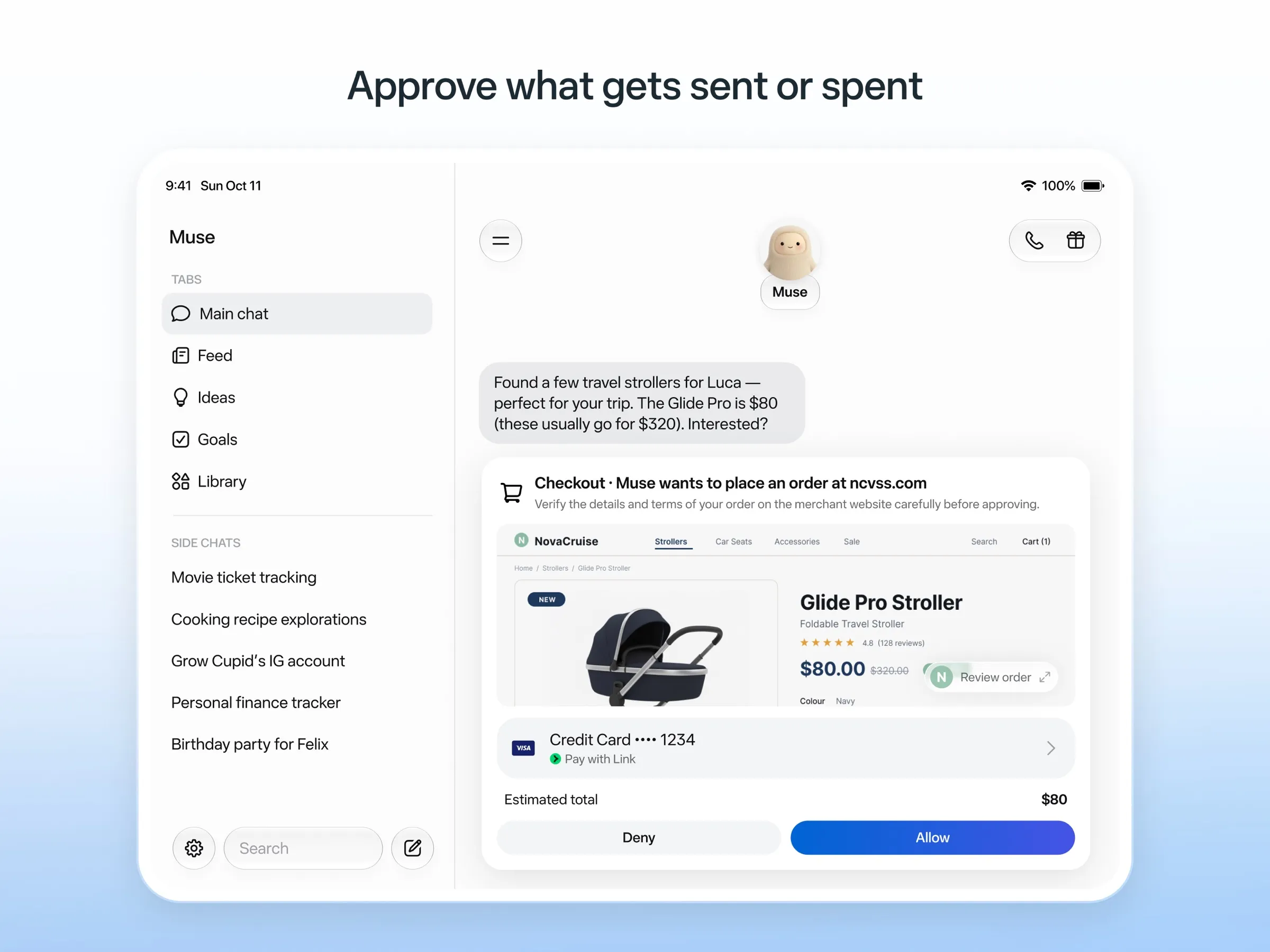
Bei Poke muss nichts installiert werden: Sie melden sich mit Ihrer Telefonnummer an und schreiben ihm über iMessage, SMS oder Telegram (Poke). Es verbindet sich mit Gmail, Outlook, Google Calendar und vielen weiteren Apps, führt teilbare Automatisierungen namens Recipes aus und meldet sich von selbst. Der Gratistarif braucht keine Karte, Pro kostet $19 (Preise).
Es verfehlt nur den Punkt für mehrere Bots, den Poke nicht dokumentiert. Laut Datenschutzhinweis können Ihre Daten seine Modelle trainieren, sofern Sie nicht Maximum Privacy wählen, und Poke gehört inzwischen zu Cognition.
Wählen Sie es, wenn Sie kostenlos einen Assistenten in Ihren Nachrichten wollen. Siehe Poke-Alternativen.
7. Instinct: der meiste Hype, am schwersten zu bekommen
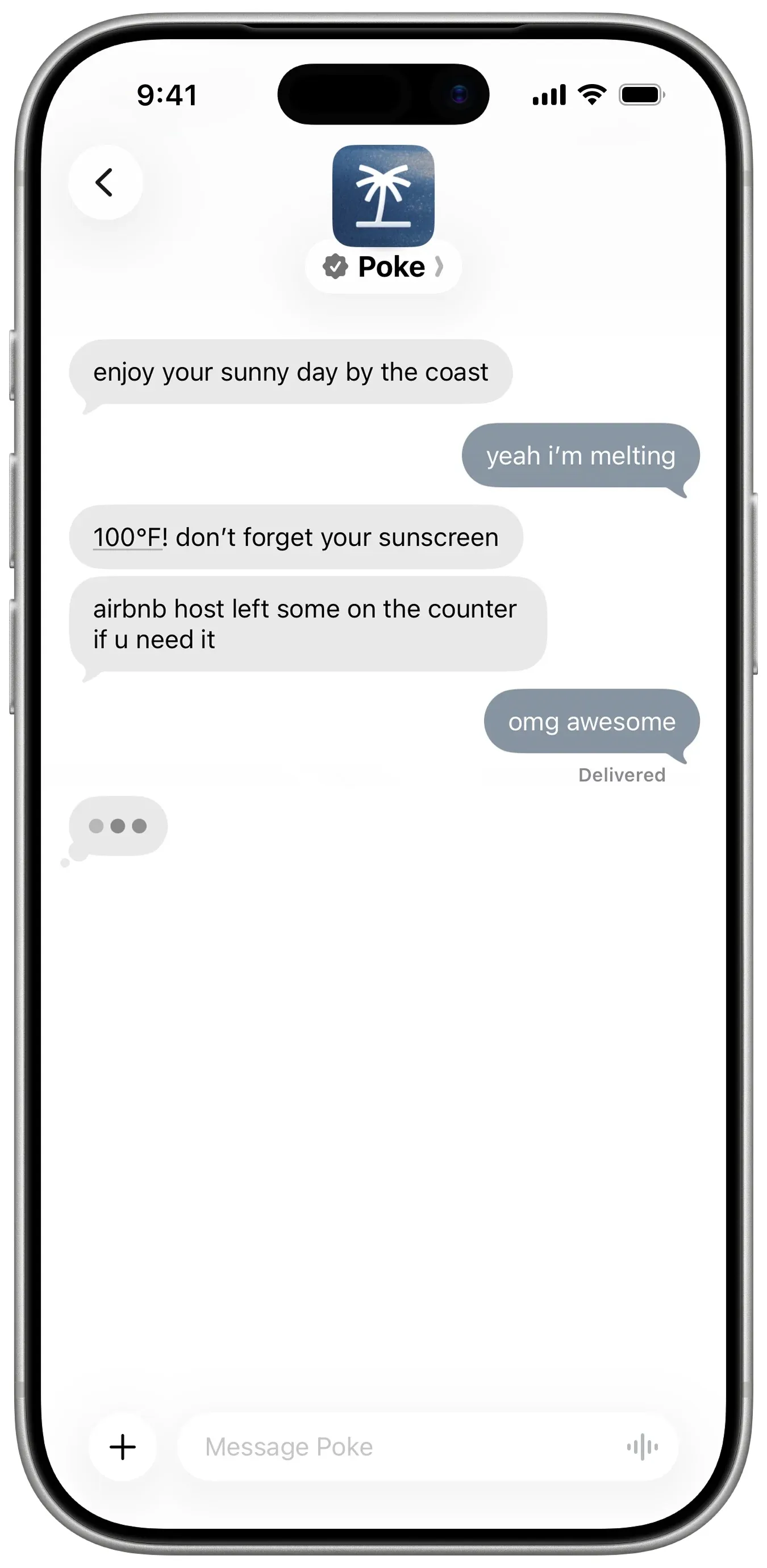
Instinct ist ein Assistent, dem Sie schreiben oder den Sie anrufen und der mit einem Telefon und einem Computer Reisen bucht, Lebensmittel bestellt und Besorgungen erledigt, auch in Gruppenchats (TechCrunch). Er arbeitet im Hintergrund weiter und meldet sich von selbst bei Ihnen (Built In), ist aber nur auf Einladung verfügbar, also ist kein Chat-Kanal allgemein verfügbar. Seine Nutzungsbedingungen erlauben ihm zudem, mit Ihren Materialien zu trainieren, sofern Sie nicht widersprechen. Siehe was Instinct ist und Instinct-Alternativen.
8. Claude Duet: das beste Morgen-Briefing, wenn Sie reinkommen
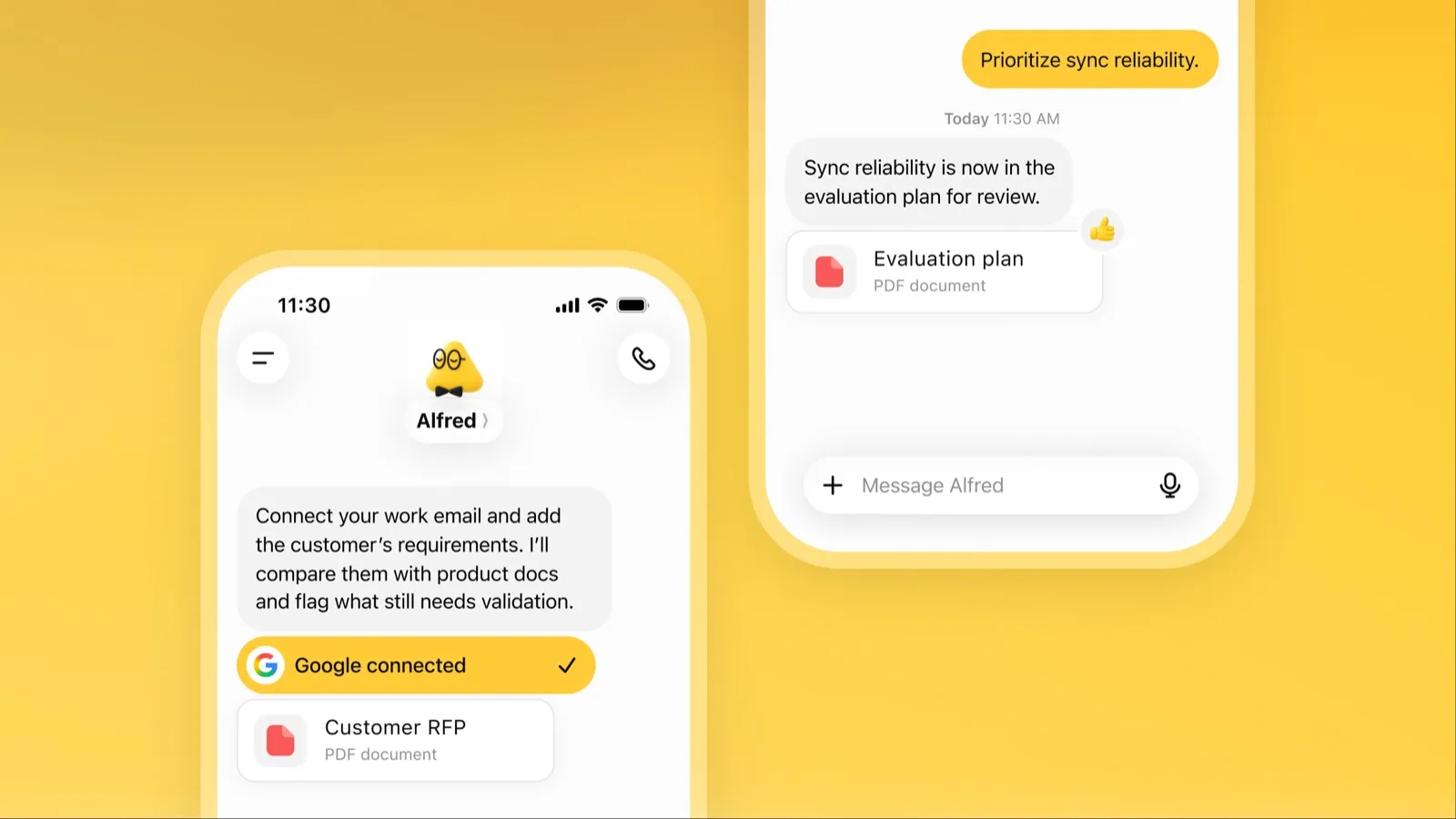
Claude Duet ist Anthropics proaktive Agenten-App. Jeden Morgen sichtet sie Ihre E-Mails und Ihren Kalender und schickt ein Briefing, prüft Ihre Konten alle paar Stunden und fragt nach, bevor sie etwas sendet, bezahlt, unterschreibt oder löscht (Anthropic).
Sie ist eine Preview mit Warteliste nur in den USA für bezahlte Claude-Tarife, über Chat-Apps nicht erreichbar und teilt sich die Nutzungslimits von Claude. Siehe was Claude Duet ist.
9. Lindy: am besten für geschäftliche E-Mails und Meetings
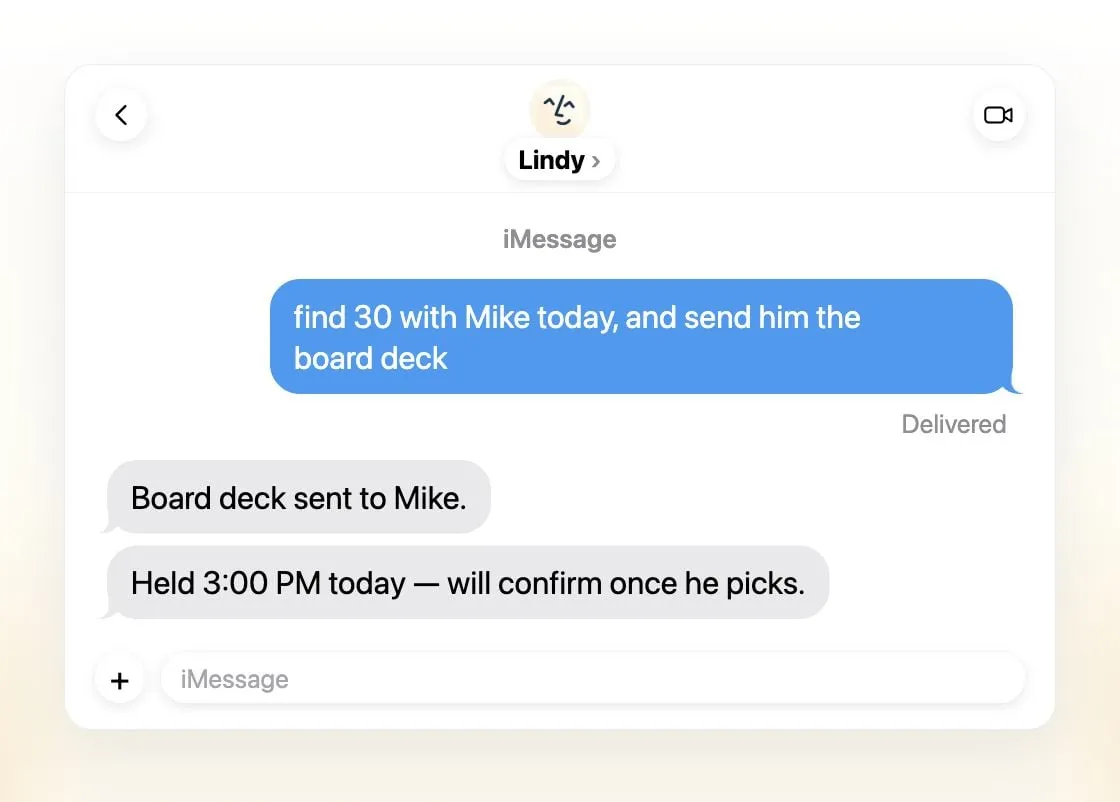
Lindy sortiert E-Mails, entwirft Antworten, plant Meetings und bereitet Sie auf Gespräche vor, erreichbar per iMessage, SMS, Slack, Telefon oder Gmail-Erweiterung (Lindy). Es schickt tägliche Briefings, fragt vor allem mit Außenwirkung nach und sagt, dass es nie mit Ihren Daten trainiert.
Es ist ein gemeinsamer Assistent pro Team statt mehrerer, die Gratis-Credits reichen sieben Tage, und bezahlte Plätze beginnen bei $49.99 pro Nutzer und Monat (Preise).
Wählen Sie es, wenn Sie ein kleines Team sind, das in Slack und E-Mail lebt.
10. Manus: am besten für fertige Ergebnisse
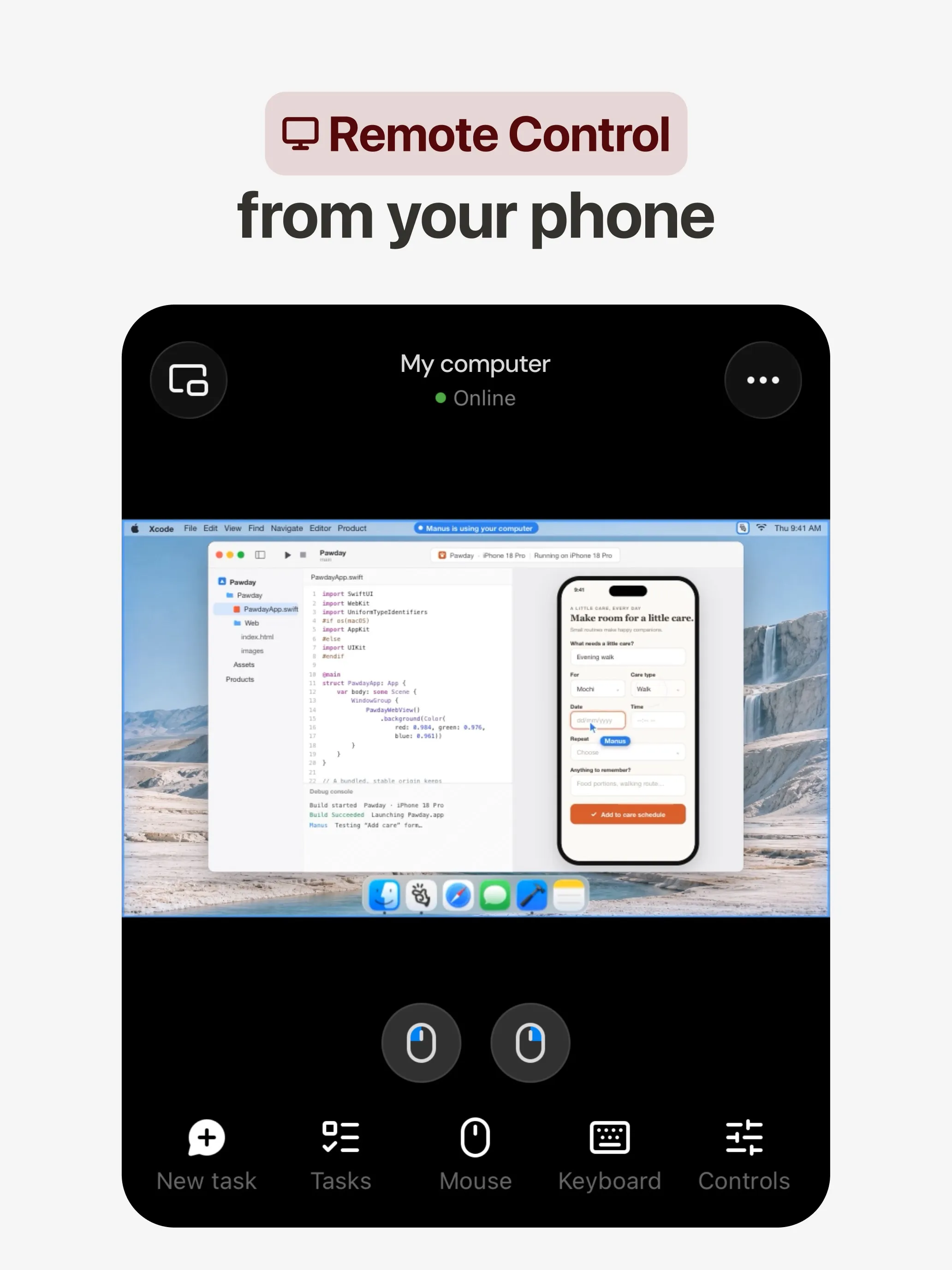
Manus plant und erledigt eine Aufgabe auf seinem eigenen Cloud-Computer und liefert einen Recherchebericht, eine Website, eine Präsentation oder ein Video, und seine Automatisierungen starten nach Zeitplan oder durch ein Ereignis in Gmail, Slack oder Notion (Manus 2.0). Es gibt Apps für Web, iOS, Android, macOS und Windows, dazu Slack und Telegram, und einen Gratistarif.
Es verfehlt den Punkt für mehrere Bots, die Manus nicht dokumentiert. Credits werden nach Komplexität der Aufgabe berechnet, die Kosten sind also schwer planbar, auch fehlgeschlagene Läufe verbrauchen sie, und ein Widerspruch gegen Training ist nur für Team-Tarife aufgeführt.
Wählen Sie es, wenn Sie aus einem Prompt ein konkretes Ergebnis wollen. Siehe Manus-Alternativen.
11. Perplexity Teammates: am besten für langfristige Projekte
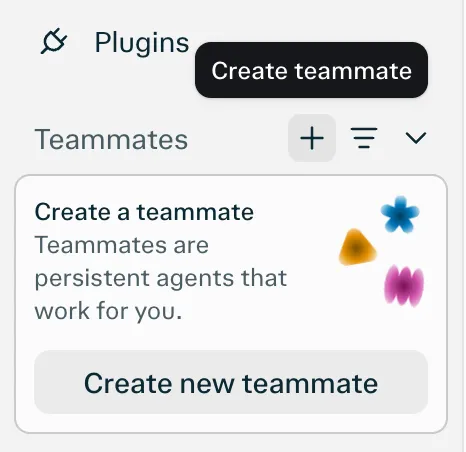
Teammates sind dauerhafte Agenten, jeder auf einem eigenen isolierten Computer, die Slack, GitHub, Linear und Gmail beobachten, handeln, wenn sich etwas ändert, und sich melden, wenn sie Input brauchen (Perplexity). Sie wählen das Modell pro Teammate.
Den Chat-App-Punkt verfehlt es, weil als einzige Plattform das Web aufgeführt ist. Außerdem ist es eine Research-Preview für Perplexity Max zu $200 im Monat ohne veröffentlichte Credit-Kosten pro Aufgabe.
12. dots: am besten, wenn Sie schon für ChatGPT Pro zahlen
Ein dot ist OpenAIs ständig aktiver Agent in ChatGPT, mit eigenem Cloud-Computer, über 4.000 verbundenen Apps und demselben Gedächtnis in ChatGPT, Slack und Microsoft Teams (OpenAI). Im Leerlauf recherchiert er in Ihren verbundenen Apps und meldet sich mit Arbeit zur Durchsicht.
Wegen Zugang und Kosten landet er auf dem letzten Platz: Er braucht ChatGPT Pro ab $100 im Monat oder Business Premium, der Pro-Zugang schließt den EWR, das Vereinigte Königreich und die Schweiz aus, Sie bekommen einen dot, und Pro-Inhalte trainieren OpenAIs Modelle, sofern Sie nicht widersprechen. Siehe was dots ist.
Welchen Sie wählen sollten
- Arbeit abgeben, ohne Einrichtung: Grok Bot.
- Eigenes Modell oder mehrere Bots mit getrennten Computern: Rakazo.
- Kostenlos, auf eigener Hardware: OpenClaw oder Hermes Agent.
- Kostenlose Erledigungen in den USA: Muse.
- Einfach schreiben: Poke.
- Team-Postfach und Meetings: Lindy.
- Ein Bericht, eine Website oder Präsentation aus einem Prompt: Manus.
- Bereits ChatGPT Pro oder Claude Pro: dots oder Claude Duet.
Egal, wofür Sie sich entscheiden: Beginnen Sie mit Aufgaben, bei denen ein Fehler wenig kostet, und lassen Sie Freigaben für E-Mails und Zahlungen eingeschaltet. Agenten, die danach bewertet sind, wie viel sie allein schaffen, finden Sie unter der beste KI-Agent; wenn Ihre Daten auf Ihrem eigenen Rechner bleiben sollen, unter der beste private KI-Assistent.
Bestenlisten
30 $/Monat
Always-on AI agents from SpaceXSI that run on a shared cloud computer, sign in to your apps and finish multi-step work while you're away.
Grok Bot öffnenStärken
- Bots work on their own cloud computer, so tasks keep running when your laptop or phone is closed
- Can operate websites and apps that have no API, using saved logins it never sees in plain text
- Several Bots can run in parallel, message each other and share one workspace
- Routines can run on a schedule or after an event, and a Bot can learn a task from a recorded demonstration of up to 10 minutes
- Can place phone calls to US businesses for you and send a summary afterwards
- Native apps for macOS, Windows, Linux, iOS and Android, plus Slack
Schwächen
- No free plan and no standalone price: the cheapest way in is the $30/month Premium plan
- Usage comes from a weekly pool shared with Grok and Cursor, and SpaceXSI does not publish how much work that pool covers
- No model picker: Grok Bot chooses the model for each task and does not show which one it used
- All Bots on an account share one computer, files and logins; the docs say not to use separate Bots as a security boundary
- Users report Amazon blocks it from shopping as an unauthorized AI agent; Amazon hasn't commented
- Still labelled beta, with no browser version
10 $/Monat
Open-source, self-hostable platform for persistent AI bots that each get a job, a computer, memory and routines, using the model you choose.
Rakazo öffnenStärken
- Open source (Apache-2.0) and fully self-hostable, including with local models
- Choice of model per bot, including existing Claude or ChatGPT subscriptions
- Bots keep working on schedules and triggers with their own cloud computer
- Approval controls over which actions a bot may take on its own
Schwächen
- Still in beta, with frequent releases
- You supply and pay for the model on the hosted plans, unless you buy Rakazo credits
- Telegram, WhatsApp and iMessage/SMS are only available when self-hosted
- More setup than a single chat app
Free, MIT-licensed personal AI agent that runs on your own computer and takes orders from WhatsApp, Telegram, iMessage, Slack and 20+ other chat apps.
OpenClaw öffnenStärken
- Free and MIT licensed, with no paid tier
- Runs on your own hardware; state, memory and credentials stay local, and it sends nothing home except an optional daily version check
- Works in 29 chat channels, including WhatsApp, Telegram, iMessage, Slack, Discord and Microsoft Teams
- Model-agnostic: 64 model and media providers, plus local models
- Large ecosystem of skills and 142 official plugins, and very active development
Schwächen
- Model costs are on you and can run high: testers and users have reported spending over $100 in a day with expensive models
- Sandboxing is off by default and the agent can run commands on the host unless you turn on approvals
- Setup and upkeep expect comfort with the command line; maintainers warn it is risky for non-technical users
- Broad access to email, messages and the system makes prompt injection and malicious third-party skills a real risk
20 $/Monat
Free, MIT-licensed AI agent from Nous Research that runs on your own machine or server, learns reusable skills, and chats with you on Telegram, Slack and more.
Hermes Agent öffnenStärken
- Free and MIT licensed, and runs on hardware you control
- Writes and refines its own skills from experience, on top of persistent memory and cross-session search
- One gateway for 20+ chat platforms, including Telegram, Discord, Slack, WhatsApp, Signal and email
- Run several separate agents as profiles, each with its own model, memory and skills, and let them talk in group chats
- Model-agnostic, with a one-command import from OpenClaw
Schwächen
- Setup expects comfort with the command line and with running your own server
- Model costs are on you unless you use free models, and hosted web search, images and speech need a paid Nous Portal plan or your own keys
- iMessage needs a separate BlueBubbles server on a Mac
- No native mobile app; Android support is a command-line install through Termux
20 $/Monat
Meta's personal AI agent that sends email, books travel and shops for you from its own cloud computer, in the Muse app or on the web.
Muse öffnenStärken
- Free tier, and no technical setup: you message it like a person in the app or on the web
- Runs on its own cloud computer and keeps working after you close the app
- Asks before sending email or buying, and shows an audit trail of what it did and plans to do
- Purchases go through a one-time card number with Link's purchase protections, so the agent never sees your real card
- Connects to email, calendar and Instagram, and can use a browser for sites without an API
Schwächen
- Only in the US, Canada, Japan, Singapore and Mexico so far, and Meta says Muse is still in limited testing
- Requires a payment card even for the free tier, and the stronger Muse Wonder model is for paid plans only
- Your interactions train Meta's AI models unless you opt out
- Free usage limit is not published, so it is hard to know when you will hit it
- Early users and press reported it overstepping permissions, such as reading messages it was not meant to
- Requires a Meta account and asks for broad access to email, calendars and payments
19 $/Monat
A personal AI assistant you text in iMessage or Telegram that connects to your email, calendar and apps and messages you first when something needs attention.
Poke öffnenStärken
- Nothing to install: you sign up with a phone number and text it like a contact
- Messages you first, using your connected services and memory
- Free plan with no credit card, and email and calendar included
- Connects to Gmail, Outlook, Google Calendar, Notion, GitHub, Linear and many more apps, plus custom integrations through MCP
- Shareable automation recipes, and developers can build their own
Schwächen
- Uses your data to train its AI models unless you choose Maximum Privacy
- WhatsApp support is limited to some markets
- Only one phone number per account
- Does not say which AI models it uses, and does not publish how many credits each plan includes
- Now owned by Cognition, so the product's direction may change
Invite-only personal AI assistant you text or call. It uses a phone and computer for you to book travel, order groceries and handle errands.
Instinct öffnenStärken
- No new interface: you text or call it like a person
- Handles real-world errands end to end, such as travel bookings, groceries and subscription cancellations
- Group chats can use one shared Instinct, even for friends without an account
- Free during the beta
Schwächen
- Invite-only, with no public sign-up or published pricing
- Terms let it use your materials to train AI models unless you opt out, and the opt-out only applies going forward
- Terms appoint it as your agent to enter agreements and transactions on your behalf, and require binding arbitration with a class action waiver
- Early testers reported it sending an email without asking and keeping inbox data after Google access was revoked
- No choice of model, and the company does not say which models it uses
20 $/Monat
Anthropic's proactive agent app: briefs you each morning, works on its own cloud computer and asks before acting. US waitlist preview for paid Claude plans.
Claude Duet öffnenStärken
- Messages you first: a morning brief from your email and calendar, then check-ins every few hours
- Works with over 6,000 connectors and plugins, and uses a cloud browser for sites without one
- Brings your existing Claude memory, skills and connectors from the first message
- Asks before sending, paying, signing or deleting, and blocks trading and moving money even with approval
- Pays through one-time card numbers via Link and Shop Pay, and turns larger jobs into editable briefs, decks and dashboards
Schwächen
- Waitlist-only research preview, US only, and not on Team or Enterprise plans yet
- Uses the same Claude usage limits as chat, and background checks count too
- One model only, Claude Opus 5.5, with no choice of model
- Anthropic's docs say you can't yet watch or take over its browser
- Microsoft 365 isn't available yet, and it can misread threads, misjudge urgency or miss things between check-ins
49,99 $/Monat
An AI assistant for work that runs your inbox, calendar and meetings, takes requests by iMessage, Slack, phone or browser, and sends you daily briefs.
Lindy öffnenStärken
- Texts you first: a personalized first message, alerts on time-sensitive email, and daily briefs
- Reachable almost anywhere: iMessage or SMS, Slack, its own phone number, Gmail via a Chrome extension, and the web
- 1,500+ integrations plus any hosted MCP server, and a browser for tools without one
- Asks for approval before anything with outside impact
- Says it never uses your data to train models, with SOC 2 Type II, GDPR and PIPEDA compliance
Schwächen
- Expensive for individuals: paid seats start at $49.99 per user a month, and free credits last only 7 days
- Credit-based usage is hard to predict, from 2 credits for a simple ask to 2,500 for a big build
- One shared Lindy per team rather than separate assistants for different jobs
- No mobile app; on phones you use iMessage, SMS or calls
- Plan names differ between its pricing page and its docs, so it is hard to tell what each tier includes
20 $/Monat
General-purpose AI agent that researches, builds websites, slides, videos and games, and runs automations on its own cloud computer.
Manus öffnenStärken
- Turns one prompt into finished output: research reports, websites, slides, videos and playable games
- Automations can start from a schedule or an event in a connected service such as Gmail, Slack or Notion
- Video Editor and Game Dev let you edit what the agent made instead of regenerating it
- Free plan to try it, with apps for web, iOS, Android, macOS and Windows
Schwächen
- Credit-based pricing makes costs hard to predict, and long or failed runs can use up credits
- Free daily credits are capped at 1,500 a month and only work in the Lite mode
- A built-in training opt-out is listed only for Team plans
- Several plans share the Pro name and differ only by credit amount
200 $/Monat
Persistent Perplexity agents, each with its own computer, browser and memory, that own ongoing work and watch Slack, GitHub and Linear. Max-only web preview.
Perplexity Teammates öffnenStärken
- Run several teammates, each on its own isolated computer and browser with separate sessions
- Watches Slack, GitHub, Linear and other connected tools, acts on changes and reaches out when it needs you
- Pick the model per teammate or task, with Claude Opus 5.5 as the default
- Splits a goal into parallel agent tasks, and teammates in a Project share context and hand work to each other
- You can take over a teammate's desktop and steer it, and it can't view your saved credentials
Schwächen
- Only on Perplexity Max at $200 a month; Pro and Enterprise plans are excluded by default
- Research preview whose behavior may change
- Web only for now; the iOS app is only promised soon
- Usage draws on credits, and parallel agents, large files and frequent automations use more
- No published cap on teammates and no published credit cost per task
100 $/Monat
OpenAI's always-on agent inside ChatGPT, with its own cloud computer, that works on your goals between chats and reaches you in ChatGPT, Slack or Teams.
dots öffnenStärken
- Runs on its own cloud computer and browser and keeps working when your devices are off
- Connects to over 4,000 apps through ChatGPT plugins and can hand work to Codex and ChatGPT Work
- Reachable in ChatGPT, Slack and Microsoft Teams, and you can call it, with one memory across channels
- Researches your connected apps on its own and brings you finished work or decisions to review
- Custom Rules and Auto-review gate sensitive actions, and some steps always stay with you
Schwächen
- No free, Go or Plus access: it needs ChatGPT Pro from $100 a month or Business Premium
- Pro access excludes the EEA, the UK and Switzerland
- One dot per user for now; teams of dots are only planned
- Texting over iMessage or RCS is a US-only beta, and your dot cannot call you yet
- Stopping a task does not undo actions it already took, and tasks it starts in Codex or ChatGPT Work count toward those limits
Funktionen
| Grok Bot | Rakazo | OpenClaw | Hermes Agent | Muse | Poke | Instinct | Claude Duet | Lindy | Manus | Perplexity Teammates | dots | |
|---|---|---|---|---|---|---|---|---|---|---|---|---|
| Websuche | Ja | Ja | Ja | Ja | Ja | Ja | Ja | Ja | Ja | Ja | Ja | Ja |
| Bilderzeugung | Ja | Ja | Ja | Ja | Ja | Unbekannt | Unbekannt | Unbekannt | Ja | Ja | Ja | Ja |
| Sprachmodus | Ja | Ja | Ja | Ja | Ja | Ja | Ja | Ja | Ja | Ja | Unbekannt | Ja |
| Datei-Uploads | Ja | Ja | Ja | Ja | Ja | Ja | Ja | Ja | Ja | Ja | Ja | Ja |
| Gedächtnis | Ja | Ja | Ja | Ja | Ja | Ja | Ja | Ja | Ja | Ja | Ja | Ja |
| Erledigt Aufgaben für dich | Ja | Ja | Ja | Ja | Ja | Ja | Ja | Ja | Ja | Ja | Ja | Ja |
| App-Integrationen | Ja | Ja | Ja | Ja | Ja | Ja | Ja | Ja | Ja | Ja | Ja | Ja |
| Arbeitet selbstständig | Ja | Ja | Ja | Ja | Ja | Ja | Ja | Ja | Ja | Ja | Ja | Ja |
| Meldet sich von selbst | Ja | Ja | Ja | Ja | Ja | Ja | Ja | Ja | Ja | Ja | Ja | Ja |
| Mehrere Bots möglich | Ja | Ja | Ja | Ja | Unbekannt | Unbekannt | Unbekannt | Nein | Nein | Unbekannt | Ja | Nein |
Quellen
Grok Bot
- Grok Bot product page and FAQGeprüft am 08.11.2026
- SpaceXSI pricing: The X Subscription plansGeprüft am 08.11.2026
- Introducing Grok Bot (launch post, Aug 11, 2026)Geprüft am 08.11.2026
- Grok Bot FAQ: plans, platforms, memory, privacy and limitsGeprüft am 08.11.2026
- Grok Bot docs: Create and manage BotsGeprüft am 08.11.2026
- Grok Bot changelog (v0.78.1, Oct 27, 2026)Geprüft am 08.11.2026
- Cursor help: Grok Bot plans and usageGeprüft am 08.11.2026
- Teslarati: Grok Bot can now call US businesses (Nov 2026)Geprüft am 08.11.2026
- Teslarati: Amazon shuts out Grok Bot (Oct 15, 2026)Geprüft am 08.11.2026
- Grok Bot docs: Overview (proactive teammate, morning briefing)Geprüft am 08.11.2026
- Grok Bot docs: Chat and collaboration (Slack DMs, X Chat rolling out)Geprüft am 08.11.2026
- Grok Bot docs: Get started (desktop and mobile apps)Geprüft am 08.11.2026
- Grok Bot docs: Skills, routines and automationsGeprüft am 08.11.2026
- SpaceXSI: Team Bots in public beta (Sep 28, 2026)Geprüft am 08.11.2026
- Wikipedia: SpaceXAI (xAI renamed SpaceXAI, then SpaceXSI)Geprüft am 08.11.2026
- Cursor: Data Use & Privacy Overview (Privacy Mode and training)Geprüft am 08.11.2026
Rakazo
- Rakazo homepageGeprüft am 08.11.2026
- Rakazo pricingGeprüft am 08.11.2026
- Rakazo privacy policyGeprüft am 08.11.2026
- Rakazo on GitHub (README and license)Geprüft am 08.11.2026
- Rakazo changelogGeprüft am 08.11.2026
- Rakazo releasesGeprüft am 08.11.2026
- Rakazo docs: Image and video generationGeprüft am 08.11.2026
- Rakazo docs: MemoryGeprüft am 08.11.2026
- Rakazo docs: Connect appsGeprüft am 08.11.2026
- Rakazo docs: RoutinesGeprüft am 08.11.2026
- Rakazo docs: Chat appsGeprüft am 08.11.2026
- Rakazo docs: Messaging apps (self-hosting)Geprüft am 08.11.2026
- Rakazo docs: Bots and chats (add another bot, bot templates)Geprüft am 08.11.2026
- Rakazo docs: Groups (several bots in one chat)Geprüft am 08.11.2026
- Rakazo docs: Mobile app (notifications)Geprüft am 08.11.2026
- Rakazo privacy policy (updated Sep 14, 2026)Geprüft am 08.11.2026
- Rakazo privacy policy source on GitHubGeprüft am 08.11.2026
OpenClaw
- OpenClaw homepage and Foundation sectionGeprüft am 08.11.2026
- OpenClaw integrations: channels, providers and pluginsGeprüft am 08.11.2026
- openclaw/openclaw on GitHub (MIT, v2026.11.1)Geprüft am 08.11.2026
- OpenClaw docs: Sandboxing (off by default)Geprüft am 08.11.2026
- Wikipedia: OpenClawGeprüft am 08.11.2026
- Notebookcheck: OpenClaw can burn through hundreds of dollars per dayGeprüft am 08.11.2026
- OpenClaw docs: Memory overviewGeprüft am 08.11.2026
- OpenClaw docs: AutomationsGeprüft am 08.11.2026
- OpenClaw docs: Chat channelsGeprüft am 08.11.2026
- OpenClaw docs: iMessageGeprüft am 08.11.2026
- OpenClaw docs: Heartbeat, now a default Proactive check jobGeprüft am 08.11.2026
- OpenClaw docs: Multi-agent routingGeprüft am 08.11.2026
- OpenClaw docs: Platforms (macOS, Windows, Linux, iOS and Android apps)Geprüft am 08.11.2026
- OpenClaw docs: Tools (exec, browser, web search)Geprüft am 08.11.2026
- OpenClaw docs: Audio and voice notes (inbound transcription)Geprüft am 08.11.2026
- OpenClaw docs: Image and media support (inbound media)Geprüft am 08.11.2026
Hermes Agent
- NousResearch/hermes-agent on GitHub (MIT, v0.23.0)Geprüft am 08.11.2026
- Hermes Agent homepage and Nous Portal pricingGeprüft am 08.11.2026
- Hermes Agent documentationGeprüft am 08.11.2026
- Hermes Agent docs: Profiles, running multiple agentsGeprüft am 08.11.2026
- Hermes Agent docs: Bot ModeGeprüft am 08.11.2026
- Hermes Agent docs: Voice modeGeprüft am 08.11.2026
- Hermes Agent docs: Vision and image pasteGeprüft am 08.11.2026
- Hermes Agent docs: iMessage via BlueBubblesGeprüft am 08.11.2026
- Nous Research on X: Meet Hermes Agent (February 25, 2026)Geprüft am 08.11.2026
- Hermes Agent docs: Session heartbeats and cron watchdogsGeprüft am 08.11.2026
- Hermes Agent docs: FAQ (Is my data sent anywhere?)Geprüft am 08.11.2026
Muse
- Meta: Introducing Muse, the world's first personal AI agent built for everyoneGeprüft am 08.11.2026
- Muse homepageGeprüft am 08.11.2026
- Meta Help Center: About Muse subscriptionsGeprüft am 08.11.2026
- Meta Help Center: Meta AI, Muse and Vibes are separate appsGeprüft am 08.11.2026
- TechCrunch: Meta debuts its Muse AI agent. Will consumers trust it?Geprüft am 08.11.2026
- 9to5Mac: Muse personal agent gets apps for iPhone and MacGeprüft am 08.11.2026
- The Guardian TechScape: early Muse users report the agent overstepping permissionsGeprüft am 08.11.2026
- iPhone in Canada: Meta's Muse AI agent is now available in CanadaGeprüft am 08.11.2026
- Superpower Daily: Meta launches Muse in Japan (Oct 23, 2026)Geprüft am 08.11.2026
- Meta: Muse is now available in Singapore (Oct 27, 2026)Geprüft am 08.11.2026
- Mexico News Daily: Meta launches its Muse AI agent in Mexico (Nov 6, 2026)Geprüft am 08.11.2026
- Meta Q3 2026 earnings call transcript: Muse Wonder in the paid tier, free tier on Muse SparkGeprüft am 08.11.2026
- How to manage reminders and scheduled tasks with MuseGeprüft am 08.11.2026
- WhatsApp Help Center: About chatting with your Muse agent through WhatsAppGeprüft am 08.11.2026
- TechCrunch: Meta's Muse hits MacGeprüft am 08.11.2026
- Meta AI: Muse features and FAQ (browses the web, generates images)Geprüft am 08.11.2026
- Meta Help Center: How your Muse agent browses the webGeprüft am 08.11.2026
- Meta Help Center: How to use Muse with artifacts (uploads, image generation)Geprüft am 08.11.2026
- Meta Help Center: How to get started with MuseGeprüft am 08.11.2026
Poke
- Poke homepageGeprüft am 08.11.2026
- Poke pricingGeprüft am 08.11.2026
- Poke FAQGeprüft am 08.11.2026
- Poke privacy notice (last updated September 11, 2026)Geprüft am 08.11.2026
- Cognition: welcoming The Interaction Company to Cognition (July 23, 2026)Geprüft am 08.11.2026
- TechCrunch: Poke makes using AI agents as easy as sending a textGeprüft am 08.11.2026
- TechCrunch: Apple approves Poke as the first AI agent on its Messages for Business platformGeprüft am 08.11.2026
- Introducing Poke.com (launch announcement, September 8, 2025)Geprüft am 08.11.2026
- Poke docs: Welcome (built-in web search)Geprüft am 08.11.2026
- Poke release notes (web search, sharing images, attachments)Geprüft am 08.11.2026
Instinct
- Instinct homepageGeprüft am 08.11.2026
- Instinct Terms of Service (last revised Aug 26, 2026)Geprüft am 08.11.2026
- TechCrunch: Instinct brings its AI agent to group chatsGeprüft am 08.11.2026
- Fortune: Noah Shinn's viral AI assistant Instinct raises $1B Series CGeprüft am 08.11.2026
- Vellum: Instinct breakdown (competitor; summary of early tester reports)Geprüft am 08.11.2026
- Digit: Instinct clarifies WhatsApp outage (works through WhatsApp and iMessage)Geprüft am 08.11.2026
- RuntimeWire: Instinct brings its group AI agent to iMessage for all users (Oct 29, 2026)Geprüft am 08.11.2026
- Privacy Policy | InstinctGeprüft am 08.11.2026
- Built In: What Is Instinct AI? (Oct 21, 2026)Geprüft am 08.11.2026
Claude Duet
- Anthropic: Introducing Claude Duet (October 21, 2026)Geprüft am 08.11.2026
- Claude Help Center: Get started with Claude DuetGeprüft am 08.11.2026
- Claude Duet product pageGeprüft am 08.11.2026
- Claude pricing: Pro, Max and UltraGeprüft am 08.11.2026
- Inc.: I Tried Claude Duet (reviewer sent it a screenshot)Geprüft am 08.11.2026
Lindy
- Lindy homepageGeprüft am 08.11.2026
- Lindy pricingGeprüft am 08.11.2026
- Lindy docs: What is Lindy?Geprüft am 08.11.2026
- Lindy docs: iMessage & SMSGeprüft am 08.11.2026
- Lindy docs: Phone CallsGeprüft am 08.11.2026
- Lindy docs: Ad Hoc Tasks (research)Geprüft am 08.11.2026
- Lindy docs: Pricing and creditsGeprüft am 08.11.2026
- Lindy Assistant: The AI that runs your work lifeGeprüft am 08.11.2026
- Lindy docs: Set up Lindy (web search, image generation)Geprüft am 08.11.2026
- Lindy docs: Files (drop files and folders in for Lindy to use)Geprüft am 08.11.2026
- Lindy changelog (Creatives: on-brand images, Sep 16, 2026)Geprüft am 08.11.2026
Manus
- Manus Plans & PricingGeprüft am 08.11.2026
- Manus Help Center: What is the current membership pricing for Manus?Geprüft am 08.11.2026
- Manus Help Center: rules for credit consumptionGeprüft am 08.11.2026
- Introducing Manus 2.0 (Sep 28, 2026)Geprüft am 08.11.2026
- Download Manus: macOS, Windows, iOS and AndroidGeprüft am 08.11.2026
- Tech Xplore/AFP: Manus raises $500 million after Meta acquisition blocked by ChinaGeprüft am 08.11.2026
- Wikipedia: Manus (AI agent)Geprüft am 08.11.2026
- Manus for Slack: Turn Your Workspace into an Autonomous EngineGeprüft am 08.11.2026
- Manus docs: AutomationsGeprüft am 08.11.2026
- Is my data safe when using Manus Agents in Telegram?Geprüft am 08.11.2026
- Chatting with Manus Agent on Slack: Channels, DMs, and File DeliveryGeprüft am 08.11.2026
- Manus Agents in Telegram (available to all users)Geprüft am 08.11.2026
- Manus Help Center: What's new in Manus 2.0 (Cue requires an invitation code)Geprüft am 08.11.2026
- Manus API docs: Agents (default agent plus agents you create)Geprüft am 08.11.2026
- Manus privacy policy (updated Sep 28, 2026)Geprüft am 08.11.2026
Perplexity Teammates
- Perplexity blog: Teammates are agents for complex, ongoing work (November 4, 2026)Geprüft am 08.11.2026
- Perplexity Help Center: Perplexity TeammatesGeprüft am 08.11.2026
- Perplexity Help Center: Perplexity Max ($200 a month)Geprüft am 08.11.2026
- Perplexity Help Center: Data Collection at PerplexityGeprüft am 08.11.2026
- Perplexity Help Center: Generating Images with PerplexityGeprüft am 08.11.2026
dots
- ChatGPT: Dots feature pageGeprüft am 08.11.2026
- ChatGPT docs: Meet dotsGeprüft am 08.11.2026
- ChatGPT docs: Dot channels (Slack, Teams, calls, texting beta)Geprüft am 08.11.2026
- ChatGPT pricing: Dots on Pro only; training opt-outGeprüft am 08.11.2026
- TechCrunch: OpenAI launches dots, its bubbly agentic avatarGeprüft am 08.11.2026
- DataCamp: OpenAI Dots, always-on agents in ChatGPT, explainedGeprüft am 08.11.2026
- eesel: OpenAI Dots pricing by Pro tier and limitsGeprüft am 08.11.2026
- ChatGPT docs: Dot computers and apps (cloud browser for research)Geprüft am 08.11.2026
- OpenAI Help Center: Images in ChatGPT (image generation on all tiers)Geprüft am 08.11.2026