2026年のおすすめAIアシスタント:実際に行動してくれるもの
あなたの代わりに行動するAIアシスタント12選。自律的にできることと始めやすさで順位付けしました。Grok Bot、Rakazo、OpenClaw、Hermes Agent、Museなど。
早わかり
| アシスタント | 無料プラン | オープンソース | セルフホスト可能 | 初期設定でチャットを学習に使用 | ||
|---|---|---|---|---|---|---|
| Grok Bot | なし | 月額$30 | なし | なし | なし | |
| Rakazo | あり | 月額$10 | あり | あり | なし | |
| OpenClaw | あり | – | あり | あり | なし | |
| Hermes Agent | あり | 月額$20 | あり | あり | なし | |
| Muse | あり | 月額$20 | なし | なし | あり | |
| Poke | あり | 月額$19 | なし | なし | あり | |
| Instinct | あり | – | なし | なし | あり | |
| Claude Duet | なし | 月額$20 | なし | なし | 不明 | |
| Lindy | あり | 月額$49.99 | なし | なし | なし | |
| Manus | あり | 月額$20 | なし | なし | 不明 | |
| Perplexity Teammates | なし | 月額$200 | なし | なし | あり | |
| dots | なし | 月額$100 | なし | なし | あり |












2026年11月時点で、仕事を任せたいほとんどの人にとって最適なAIアシスタントはGrok Botです。アシスタントに求められることをすべてこなし、あらゆるプラットフォームにアプリがあり、セットアップも不要です。ただし月$30かかります。Rakazoは、自分で選んだモデルで同じ仕事をこなし、ホスト型プランは$15からです。技術に詳しく、自分のハードウェアで無料で使いたいなら、OpenClawとHermes Agentが2つのオープンソースの選択肢です。アシスタントにテキストを送るだけでいいなら、無料のPokeから始めましょう。
開示:Rakazoは当サイトの運営会社が開発しています。他の製品と同じ条件で評価しており、弱点も以下に記載しています。
ChatGPT、Claude、Geminiがこのリストにない理由
チャットアプリは、開いて質問したときに答えてくれます。便利ではありますが、あなたのために働いてくれる人という意味でのアシスタントではありません。本当のアシスタントは、あなたのアカウントにサインインして物事を片付け、ウィンドウを閉じた後も作業を続け、あなたの対応が必要なときには知らせてくれます。
そのため、このリストにはあなたの代わりに行動するために作られた製品だけを載せています。大手AI企業にそうした製品がある場合は、チャットボットではなくその製品を掲載しています。dotsはChatGPT内のOpenAIのエージェント、Claude DuetはAnthropicのエージェント、Perplexity TeammatesはPerplexityのエージェントです。Grok BotはGrokのチャットボットとは別のアプリで、MuseもMeta AIとは別物です。
順位付けの方法
順位は当サイトの評価に従っており、評価は一言の理由とともにこのページの表に示しています。評価の出発点は、アシスタントがすべき以下の5つのことで、カタログの記載とその下に挙げた出典で確認しています。独自のベンチマークは行っていません。
- あなたのアカウントで行動する: あなたに代わってメールの送信、予約、購入、編集を行う。
- 不在中も作業する: あなたのデバイスがオフでも、タスクやルーティンを実行し続ける。
- 自分から連絡してくる: 頼まれなくてもブリーフィング、通知、フォローアップを送る。
- チャットアプリで使える: WhatsApp、Telegram、iMessage、Slack、Discordのいずれかで一般提供されているチャネルがある。ベータ版や順番待ちは含みません。
- 複数のボットを動かせる: 仕事ごとに別々のアシスタントを使える。
チェックリストだけで評価が決まるわけではありません。セットアップの手間(自分でインストール、運用、保護する必要があれば減点)、料金、提供状況(招待制、順番待ち、地域制限は減点)も考慮しています。評価の高いアシスタントほど上位です。
1. Grok Bot:総合ベスト
Grok Botでは、名前を付けたBotsを作り、それぞれに仕事を与え、ブラウザ、ファイル、ターミナルを備えたクラウドPC上で作業させられます(Grok Bot)。Botsはあなたのツールにサインインし、スケジュールやイベントに応じてルーティンを実行し、重要な操作の前には確認を求め、録画した操作からタスクを覚えることもできます。macOS、Windows、Linux、iOS、Android向けのネイティブアプリがあり、Slackでも使えます。
チェックリストのすべてをこなし、セットアップ不要でモデルが含まれているため、1位です。注意点は、無料プランがないこと(最も安い入り口はXの$30のPremiumプラン)、GrokやCursorと共有される週ごとの利用枠の規模をSpaceXSIが公開していないこと、そしてすべてのBotsが1つのコンピューターと1組のログイン情報を共有しているため、ドキュメントが別々のBotsをセキュリティ境界として扱わないよう求めていることです。まだベータ版です。
こんな人に: 繰り返し発生する受信トレイやブラウザの作業を片付けてほしく、月$30を気にしない人。Grok Botの代替もご覧ください。

2. Rakazo:自分のモデルで使うならベスト
Rakazoは常駐するボットを動かします。各ボットは独自のメモリ、ルーティン、サンドボックス環境のコンピューターを持ち、スケジュール、Webhook、GitHubのイベントで動き、あなたが選んだ操作については承認を求めます(Rakazo)。モデルは自分で用意します。ClaudeやChatGPTのサブスクリプション、APIキー、ローカルモデルが使えます。Apache-2.0のオープンソースでセルフホストは無料、ホスト型プランは7日間のトライアル付きで月$15からです(料金)。
Grok Botより下位なのは、Rakazoのクレジットを購入しない限り通常はモデルを自分で用意して料金を払う必要があること、ベータ版であること、そしてTelegram、WhatsApp、iMessageはセルフホスト時にしか使えないためです。詳しくはRakazoのレビューをご覧ください。
こんな人に: コンピューターが分かれた複数のボットが欲しい人、またはモデルを選びたい人。

3. OpenClaw:無料・オープンソースならベスト
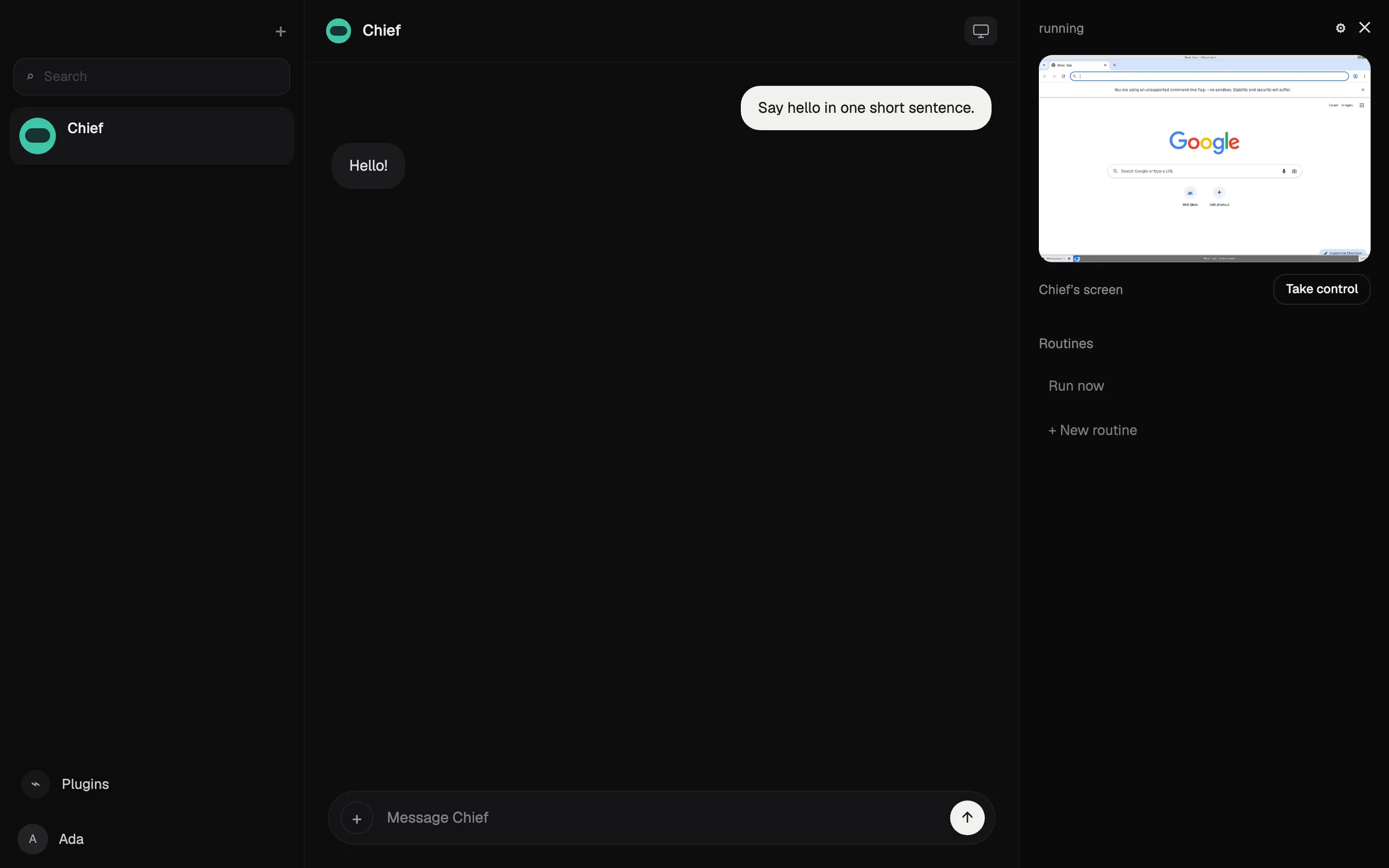
OpenClawはMITライセンスの無料エージェントで、あなた自身のコンピューターで動き、WhatsApp、Telegram、iMessage、Slack、Discordなど多くのチャットアプリから指示を受けます(OpenClaw)。好きなクラウドモデルやローカルモデルを使え、状態、メモリ、認証情報はあなたのハードウェアに残ります。
チェックリストのすべてをこなしますが、自分でインストール、運用、保護する必要があるため、ホスト型の選択肢より評価は下です。コマンドラインに慣れていることが前提で、サンドボックスがデフォルトでオフであり、モデルの料金は自己負担です。高価なモデルを使って1日で$100以上を使ったというテスターの報告もあります。
こんな人に: 技術に詳しく、すべてを自分で管理したい人。OpenClawとはとOpenClawの代替もご覧ください。

4. Hermes Agent:学習するエージェントならベスト
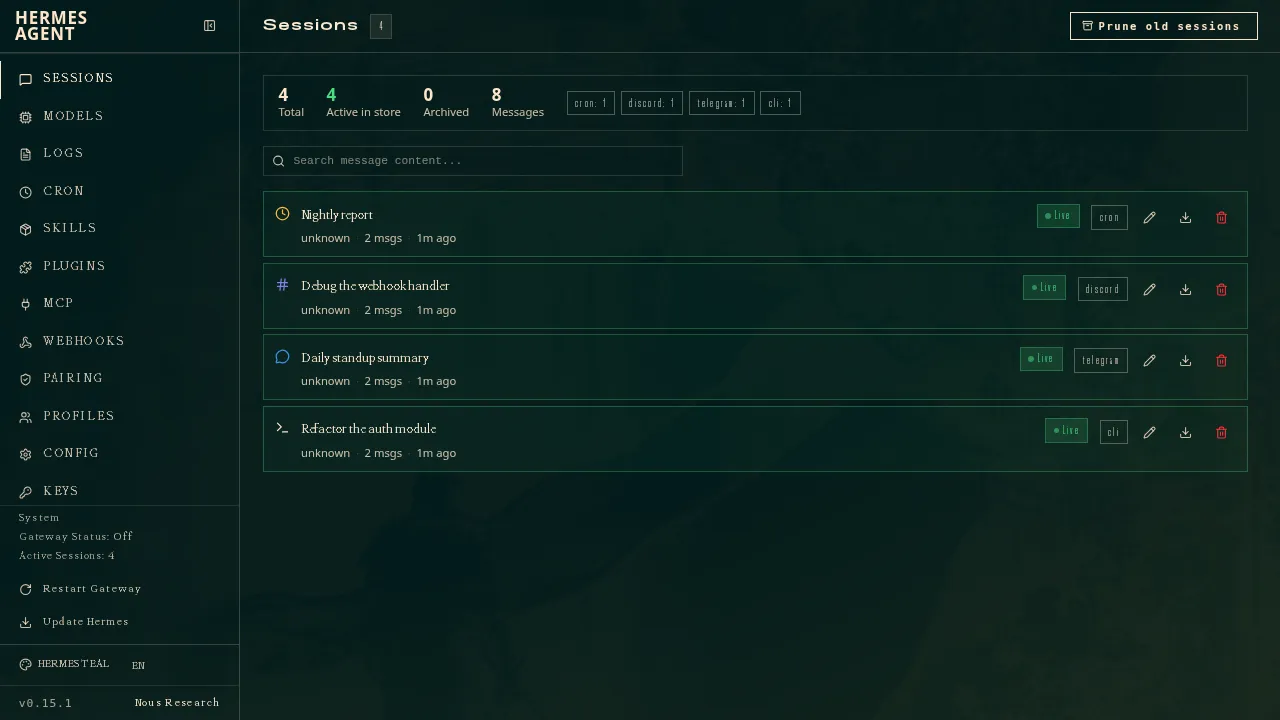
Nous ResearchのHermes AgentはMITライセンスの無料ソフトウェアで、あなたのコンピューター、安価なサーバー、サーバーレス環境で動作します(GitHub)。複雑なタスクの後には再利用できるスキルを作って改良し、1つのゲートウェイでTelegram、Discord、Slack、WhatsApp、Signal、メールなどにつながります。複数のエージェントを別々のプロファイルとして動かせ、OpenClawから設定、記憶、スキルをインポートできます。
OpenClawと同様にチェックリストのすべてをこなしますが、自分で運用し保護する必要があります。OpenClawのすぐ下なのは、ネイティブのモバイルアプリがなく、iMessageにはMac上の別のBlueBubblesサーバーが必要なためです。オプションのNous Portalサブスクリプション($20から)には、モデル、ホスト型ツール、クラウドエージェント1つがセットになっています(Hermes Agent)。
こんな人に: 自分のサーバーを運用していて、使うほど賢くなるエージェントが欲しい人。
5. Muse:日常の用事を無料で任せるならベスト
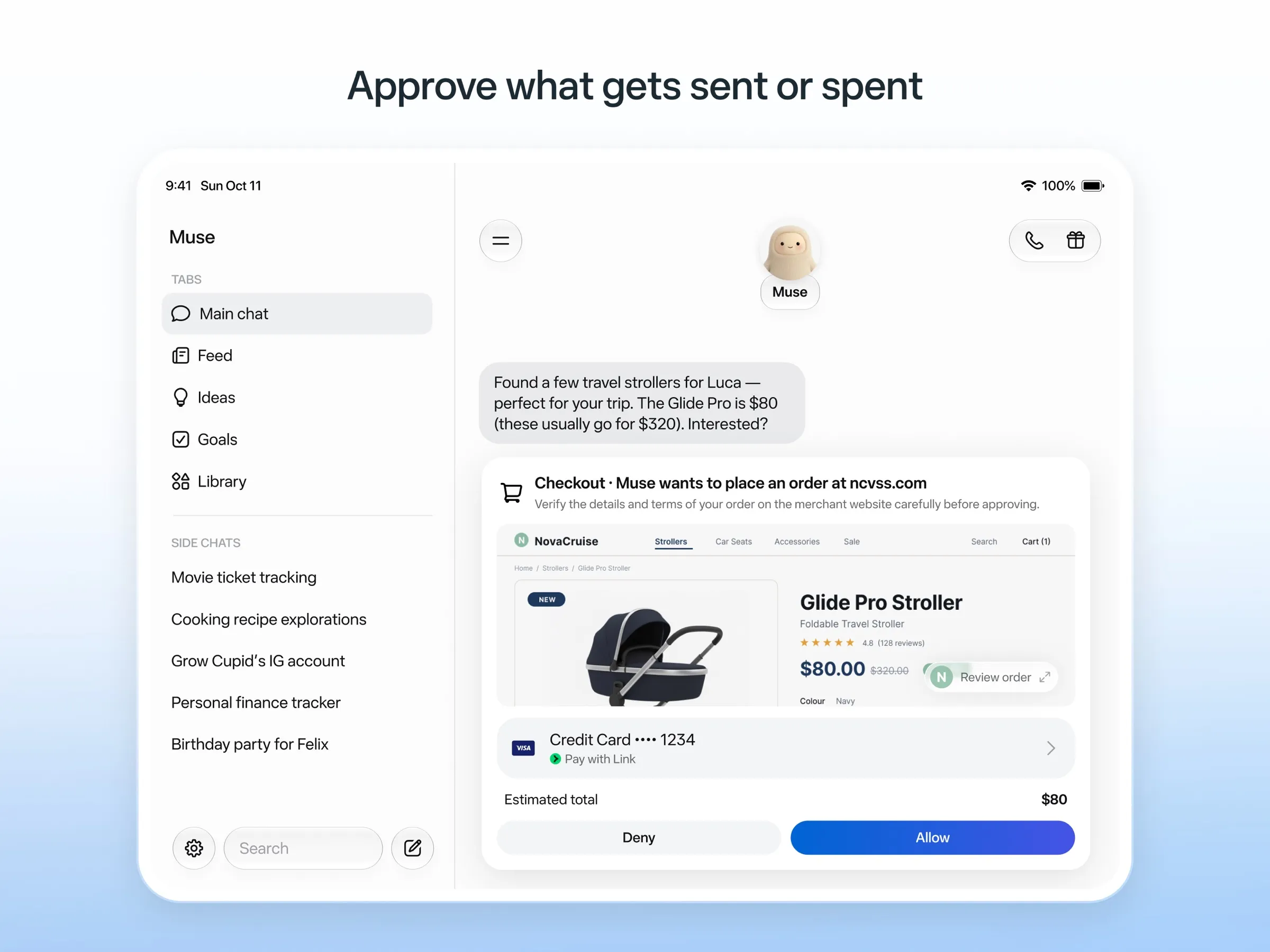
MuseはMetaのパーソナルエージェントです。人に話しかけるようにメッセージを送ると、独自のクラウドPCで作業し、メールの送信や購入の前には確認を求め、使い捨てのカード番号で支払います(Meta)。公開されていない上限までは無料で、有料プランは$20からです。
無料で、セットアップ不要のまま独自のクラウドPCで仕事をこなすため、評価は高めです。WhatsAppでの利用がまだ限定テスト中のためチャットアプリの項目を満たしておらず、複数のMuseを動かせるかもMetaは明らかにしていません。利用できるのは米国、カナダ、日本、シンガポール、メキシコのみで、無料枠でも支払いカードが必要で、オプトアウトしない限りチャットがMetaのモデルの学習に使われます。MuseとはとMuseの代替もご覧ください。
6. Poke:テキストを送るだけのアシスタントならベスト
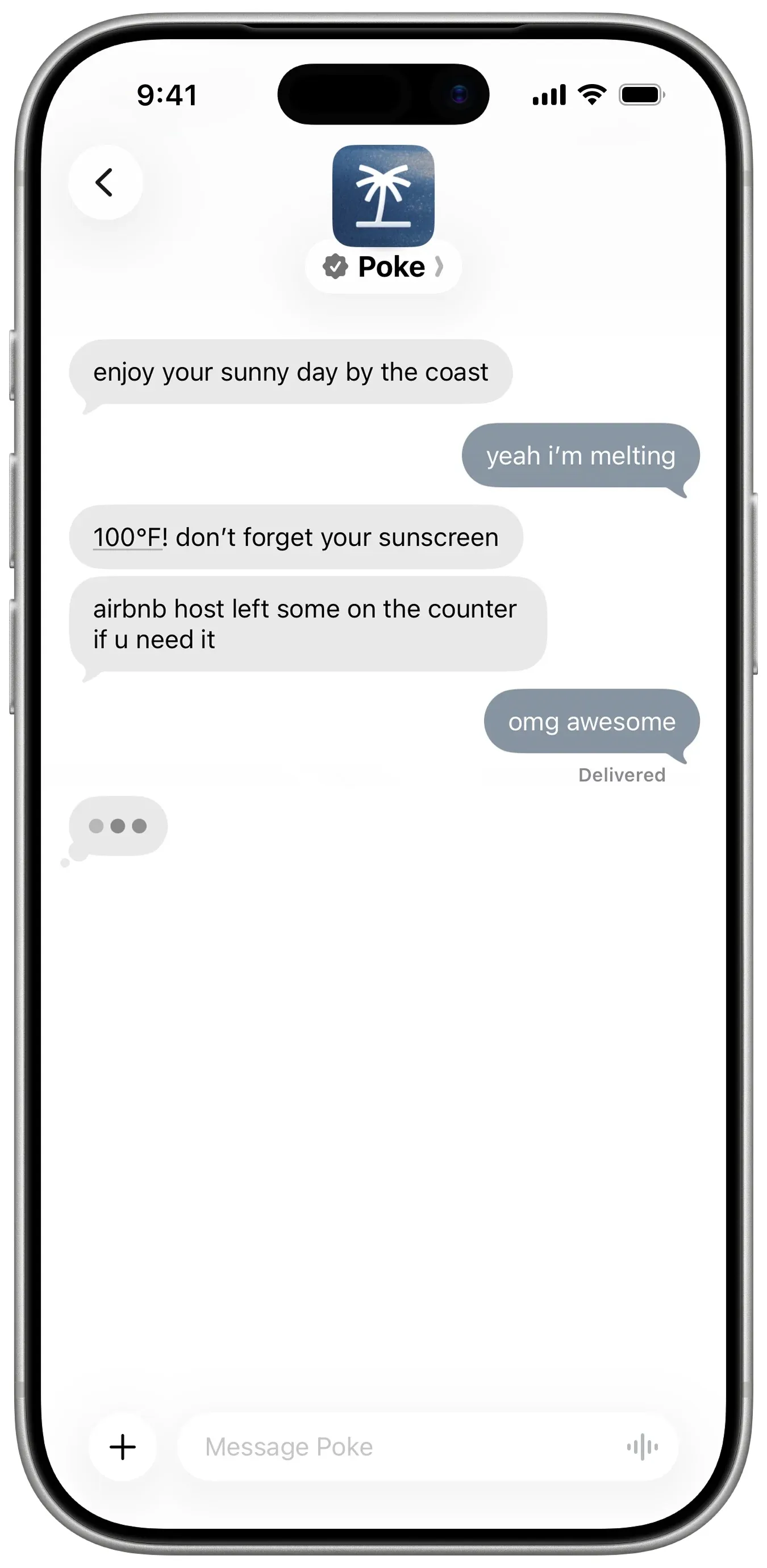
Pokeはインストール不要です。電話番号で登録し、iMessage、SMS、Telegramでテキストを送るだけです(Poke)。Gmail、Outlook、Googleカレンダーなど多くのアプリに接続し、レシピと呼ばれる共有可能な自動化を実行し、自分から連絡してきます。無料プランはカード不要で、Proは$19です(料金)。
満たしていないのは複数のボットの項目だけで、これはPokeのドキュメントに書かれていません。プライバシー通知によると、Maximum Privacyを選ばない限りデータがモデルの学習に使われる可能性があり、現在はCognitionが所有しています。
こんな人に: 無料で、テキストのやり取りの中にアシスタントが欲しい人。Pokeの代替もご覧ください。
7. Instinct:最も話題だが、最も手に入りにくい
Instinctはテキストや電話でやり取りするアシスタントで、スマートフォンとコンピューターを使って旅行の予約、食料品の注文、用事を片付けてくれます。グループチャットにも対応しています(TechCrunch)。バックグラウンドで作業を続け、自分からフォローアップもしてくれますが(Built In)、招待制のため一般提供されているチャットチャネルがありません。また利用規約では、オプトアウトしない限りあなたの素材を学習に使えることになっています。InstinctとはとInstinctの代替もご覧ください。
8. Claude Duet:朝のブリーフィングならベスト、使えればの話
Claude DuetはAnthropicの能動的なエージェントアプリです。毎朝メールとカレンダーを確認してブリーフィングを送り、数時間おきにアカウントをチェックし、送信、支払い、署名、削除の前には必ず確認を求めます(Anthropic)。
有料のClaudeプラン向けの米国限定・順番待ちのプレビューで、チャットアプリからは使えず、Claudeの利用上限を共有します。Claude Duetとはもご覧ください。
9. Lindy:仕事のメールと会議ならベスト
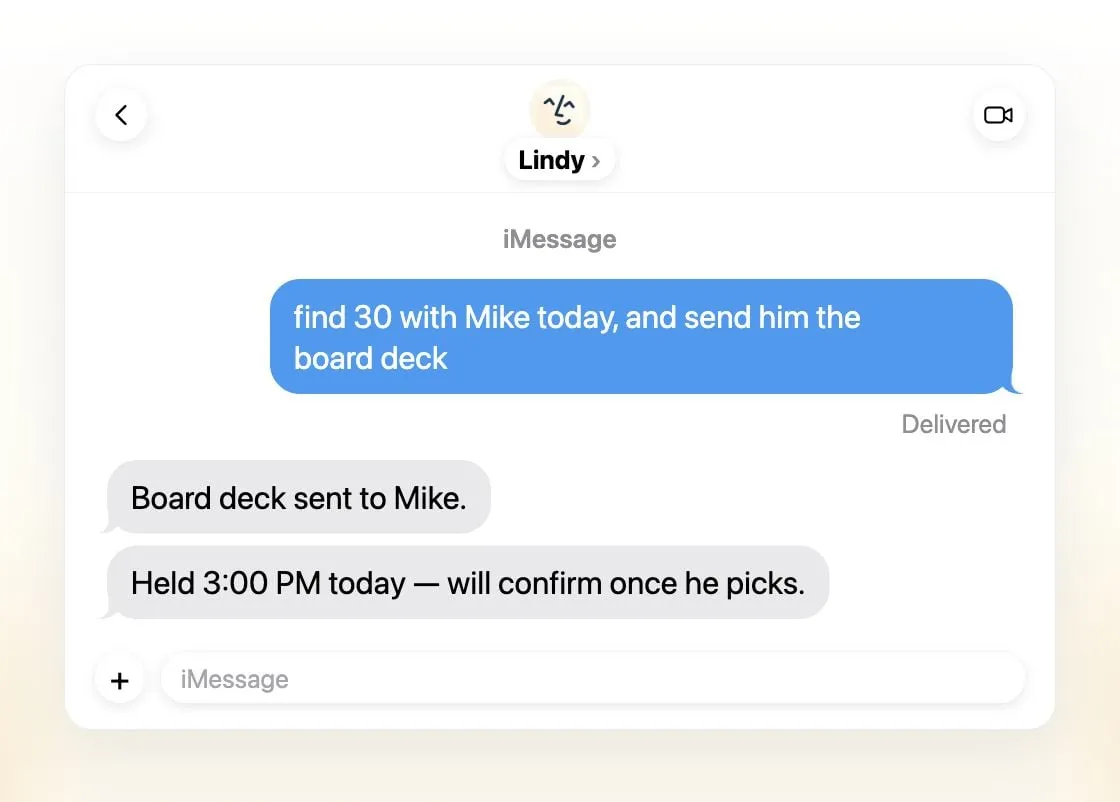
Lindyはメールを仕分けし、返信の下書きを作り、会議を設定し、通話の準備をしてくれます。iMessage、SMS、Slack、電話、Gmail拡張機能から利用できます(Lindy)。毎日のブリーフィングを送り、外部に影響することの前には確認を求め、あなたのデータで学習することは一切ないとしています。
複数ではなくチームで1つの共有アシスタントであり、無料クレジットは7日間で切れ、有料シートは1ユーザーあたり月$49.99からです(料金)。
こんな人に: Slackとメールを中心に仕事をしている小規模チーム。
10. Manus:完成した成果物が欲しいならベスト
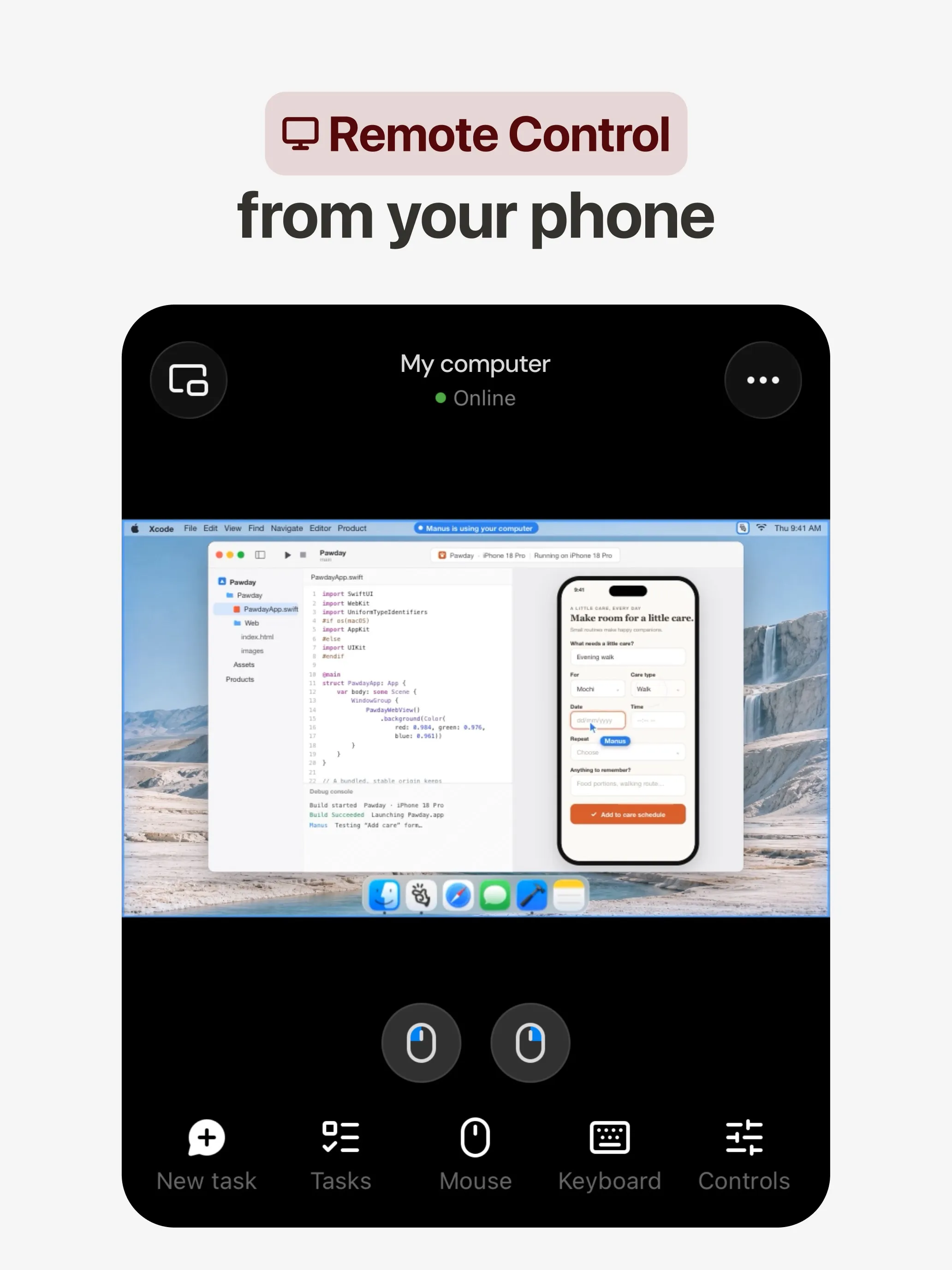
Manusは独自のクラウドPCでタスクを計画・実行し、リサーチレポート、Webサイト、スライド、動画を返します。自動化はスケジュールや、Gmail、Slack、Notionのイベントで起動します(Manus 2.0)。Web、iOS、Android、macOS、Windows向けのアプリがあり、SlackやTelegramでも使え、無料プランもあります。
複数のボットの項目を満たしておらず、これはManusのドキュメントに記載がありません。クレジットはタスクの複雑さに応じて消費されるためコストが予測しにくく、失敗した実行でも消費されます。また学習のオプトアウトはTeamプランにしか記載されていません。
こんな人に: プロンプトから具体的な成果を得たい人。Manusの代替もご覧ください。
11. Perplexity Teammates:長期プロジェクトならベスト
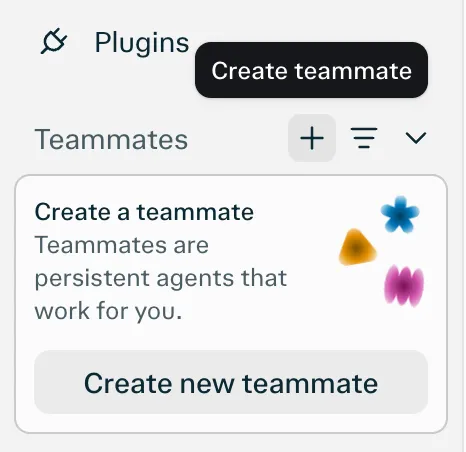
Teammatesは常駐するエージェントで、それぞれが独自の分離されたコンピューター上で動き、Slack、GitHub、Linear、Gmailを監視し、変化があれば行動し、あなたの意見が必要なときに連絡してきます(Perplexity)。teammateごとにモデルを選べます。
記載されているプラットフォームがWebだけなので、チャットアプリの項目を満たしていません。また月$200のPerplexity Max向けのリサーチプレビューで、タスクあたりのクレジットコストも公開されていません。
12. dots:すでにChatGPT Proを払っているならベスト
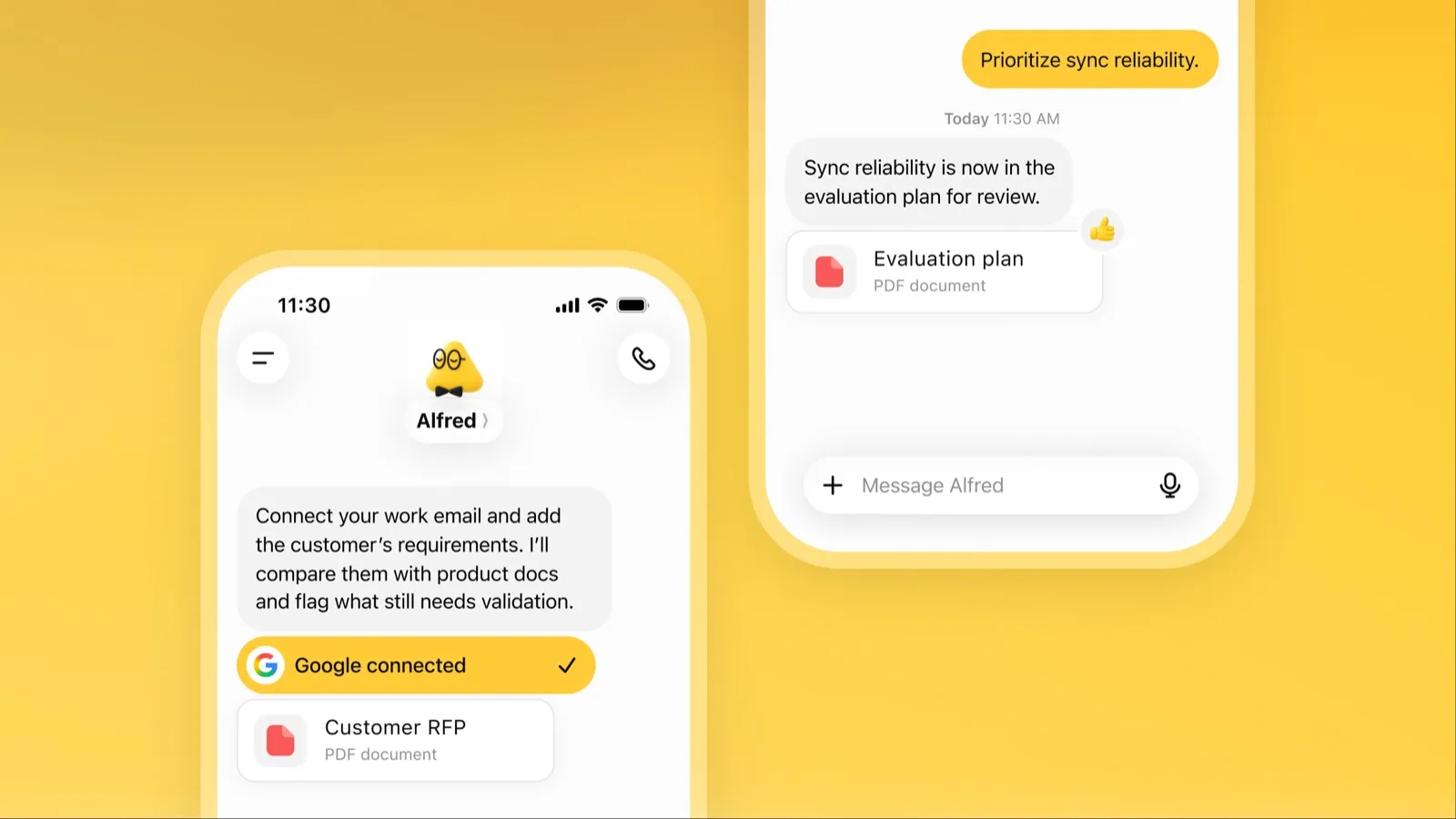
dotはChatGPT内で常時稼働するOpenAIのエージェントで、独自のクラウドPC、4,000以上の連携アプリを持ち、ChatGPT、Slack、Microsoft Teamsで同じメモリを使います(OpenAI)。手が空いているときは接続済みのアプリを調べ、確認すべき仕事を持ってきます。
利用条件とコストの面で最下位です。月$100からのChatGPT ProまたはBusiness Premiumが必要で、Proでの利用はEEA、英国、スイスでは対象外、使えるdotは1つだけで、オプトアウトしない限りProのコンテンツはOpenAIのモデルの学習に使われます。dotsとはもご覧ください。
どれを選ぶべきか
- 仕事を任せたい、セットアップ不要: Grok Bot。
- 自分のモデル、またはコンピューターが分かれた複数のボット: Rakazo。
- 無料で、自分のハードウェアで: OpenClawまたはHermes Agent。
- 米国で日常の用事を無料で: Muse。
- テキストを送るだけ: Poke。
- チームの受信トレイと会議: Lindy。
- 1つのプロンプトからレポート、サイト、スライド: Manus。
- すでにChatGPT ProやClaude Proを使っている: dotsまたはClaude Duet。
どれを選ぶにしても、失敗しても損失の小さいタスクから始め、メールと支払いについては承認をオンにしておきましょう。自律的にできることの多さで順位付けしたエージェントについてはおすすめのAIエージェントを、データを自分のマシンに置いておきたい場合はおすすめのプライベートAIアシスタントをご覧ください。
おすすめ
月額$30
Always-on AI agents from SpaceXSI that run on a shared cloud computer, sign in to your apps and finish multi-step work while you're away.
Grok Botを開く長所
- Bots work on their own cloud computer, so tasks keep running when your laptop or phone is closed
- Can operate websites and apps that have no API, using saved logins it never sees in plain text
- Several Bots can run in parallel, message each other and share one workspace
- Routines can run on a schedule or after an event, and a Bot can learn a task from a recorded demonstration of up to 10 minutes
- Can place phone calls to US businesses for you and send a summary afterwards
- Native apps for macOS, Windows, Linux, iOS and Android, plus Slack
短所
- No free plan and no standalone price: the cheapest way in is the $30/month Premium plan
- Usage comes from a weekly pool shared with Grok and Cursor, and SpaceXSI does not publish how much work that pool covers
- No model picker: Grok Bot chooses the model for each task and does not show which one it used
- All Bots on an account share one computer, files and logins; the docs say not to use separate Bots as a security boundary
- Users report Amazon blocks it from shopping as an unauthorized AI agent; Amazon hasn't commented
- Still labelled beta, with no browser version
月額$10
Open-source, self-hostable platform for persistent AI bots that each get a job, a computer, memory and routines, using the model you choose.
Rakazoを開く長所
- Open source (Apache-2.0) and fully self-hostable, including with local models
- Choice of model per bot, including existing Claude or ChatGPT subscriptions
- Bots keep working on schedules and triggers with their own cloud computer
- Approval controls over which actions a bot may take on its own
短所
- Still in beta, with frequent releases
- You supply and pay for the model on the hosted plans, unless you buy Rakazo credits
- Telegram, WhatsApp and iMessage/SMS are only available when self-hosted
- More setup than a single chat app
Free, MIT-licensed personal AI agent that runs on your own computer and takes orders from WhatsApp, Telegram, iMessage, Slack and 20+ other chat apps.
OpenClawを開く長所
- Free and MIT licensed, with no paid tier
- Runs on your own hardware; state, memory and credentials stay local, and it sends nothing home except an optional daily version check
- Works in 29 chat channels, including WhatsApp, Telegram, iMessage, Slack, Discord and Microsoft Teams
- Model-agnostic: 64 model and media providers, plus local models
- Large ecosystem of skills and 142 official plugins, and very active development
短所
- Model costs are on you and can run high: testers and users have reported spending over $100 in a day with expensive models
- Sandboxing is off by default and the agent can run commands on the host unless you turn on approvals
- Setup and upkeep expect comfort with the command line; maintainers warn it is risky for non-technical users
- Broad access to email, messages and the system makes prompt injection and malicious third-party skills a real risk
月額$20
Free, MIT-licensed AI agent from Nous Research that runs on your own machine or server, learns reusable skills, and chats with you on Telegram, Slack and more.
Hermes Agentを開く長所
- Free and MIT licensed, and runs on hardware you control
- Writes and refines its own skills from experience, on top of persistent memory and cross-session search
- One gateway for 20+ chat platforms, including Telegram, Discord, Slack, WhatsApp, Signal and email
- Run several separate agents as profiles, each with its own model, memory and skills, and let them talk in group chats
- Model-agnostic, with a one-command import from OpenClaw
短所
- Setup expects comfort with the command line and with running your own server
- Model costs are on you unless you use free models, and hosted web search, images and speech need a paid Nous Portal plan or your own keys
- iMessage needs a separate BlueBubbles server on a Mac
- No native mobile app; Android support is a command-line install through Termux
月額$20
Meta's personal AI agent that sends email, books travel and shops for you from its own cloud computer, in the Muse app or on the web.
Museを開く長所
- Free tier, and no technical setup: you message it like a person in the app or on the web
- Runs on its own cloud computer and keeps working after you close the app
- Asks before sending email or buying, and shows an audit trail of what it did and plans to do
- Purchases go through a one-time card number with Link's purchase protections, so the agent never sees your real card
- Connects to email, calendar and Instagram, and can use a browser for sites without an API
短所
- Only in the US, Canada, Japan, Singapore and Mexico so far, and Meta says Muse is still in limited testing
- Requires a payment card even for the free tier, and the stronger Muse Wonder model is for paid plans only
- Your interactions train Meta's AI models unless you opt out
- Free usage limit is not published, so it is hard to know when you will hit it
- Early users and press reported it overstepping permissions, such as reading messages it was not meant to
- Requires a Meta account and asks for broad access to email, calendars and payments
月額$19
A personal AI assistant you text in iMessage or Telegram that connects to your email, calendar and apps and messages you first when something needs attention.
Pokeを開く長所
- Nothing to install: you sign up with a phone number and text it like a contact
- Messages you first, using your connected services and memory
- Free plan with no credit card, and email and calendar included
- Connects to Gmail, Outlook, Google Calendar, Notion, GitHub, Linear and many more apps, plus custom integrations through MCP
- Shareable automation recipes, and developers can build their own
短所
- Uses your data to train its AI models unless you choose Maximum Privacy
- WhatsApp support is limited to some markets
- Only one phone number per account
- Does not say which AI models it uses, and does not publish how many credits each plan includes
- Now owned by Cognition, so the product's direction may change
Invite-only personal AI assistant you text or call. It uses a phone and computer for you to book travel, order groceries and handle errands.
Instinctを開く長所
- No new interface: you text or call it like a person
- Handles real-world errands end to end, such as travel bookings, groceries and subscription cancellations
- Group chats can use one shared Instinct, even for friends without an account
- Free during the beta
短所
- Invite-only, with no public sign-up or published pricing
- Terms let it use your materials to train AI models unless you opt out, and the opt-out only applies going forward
- Terms appoint it as your agent to enter agreements and transactions on your behalf, and require binding arbitration with a class action waiver
- Early testers reported it sending an email without asking and keeping inbox data after Google access was revoked
- No choice of model, and the company does not say which models it uses
月額$20
Anthropic's proactive agent app: briefs you each morning, works on its own cloud computer and asks before acting. US waitlist preview for paid Claude plans.
Claude Duetを開く長所
- Messages you first: a morning brief from your email and calendar, then check-ins every few hours
- Works with over 6,000 connectors and plugins, and uses a cloud browser for sites without one
- Brings your existing Claude memory, skills and connectors from the first message
- Asks before sending, paying, signing or deleting, and blocks trading and moving money even with approval
- Pays through one-time card numbers via Link and Shop Pay, and turns larger jobs into editable briefs, decks and dashboards
短所
- Waitlist-only research preview, US only, and not on Team or Enterprise plans yet
- Uses the same Claude usage limits as chat, and background checks count too
- One model only, Claude Opus 5.5, with no choice of model
- Anthropic's docs say you can't yet watch or take over its browser
- Microsoft 365 isn't available yet, and it can misread threads, misjudge urgency or miss things between check-ins
月額$49.99
An AI assistant for work that runs your inbox, calendar and meetings, takes requests by iMessage, Slack, phone or browser, and sends you daily briefs.
Lindyを開く長所
- Texts you first: a personalized first message, alerts on time-sensitive email, and daily briefs
- Reachable almost anywhere: iMessage or SMS, Slack, its own phone number, Gmail via a Chrome extension, and the web
- 1,500+ integrations plus any hosted MCP server, and a browser for tools without one
- Asks for approval before anything with outside impact
- Says it never uses your data to train models, with SOC 2 Type II, GDPR and PIPEDA compliance
短所
- Expensive for individuals: paid seats start at $49.99 per user a month, and free credits last only 7 days
- Credit-based usage is hard to predict, from 2 credits for a simple ask to 2,500 for a big build
- One shared Lindy per team rather than separate assistants for different jobs
- No mobile app; on phones you use iMessage, SMS or calls
- Plan names differ between its pricing page and its docs, so it is hard to tell what each tier includes
月額$20
General-purpose AI agent that researches, builds websites, slides, videos and games, and runs automations on its own cloud computer.
Manusを開く長所
- Turns one prompt into finished output: research reports, websites, slides, videos and playable games
- Automations can start from a schedule or an event in a connected service such as Gmail, Slack or Notion
- Video Editor and Game Dev let you edit what the agent made instead of regenerating it
- Free plan to try it, with apps for web, iOS, Android, macOS and Windows
短所
- Credit-based pricing makes costs hard to predict, and long or failed runs can use up credits
- Free daily credits are capped at 1,500 a month and only work in the Lite mode
- A built-in training opt-out is listed only for Team plans
- Several plans share the Pro name and differ only by credit amount
月額$200
Persistent Perplexity agents, each with its own computer, browser and memory, that own ongoing work and watch Slack, GitHub and Linear. Max-only web preview.
Perplexity Teammatesを開く長所
- Run several teammates, each on its own isolated computer and browser with separate sessions
- Watches Slack, GitHub, Linear and other connected tools, acts on changes and reaches out when it needs you
- Pick the model per teammate or task, with Claude Opus 5.5 as the default
- Splits a goal into parallel agent tasks, and teammates in a Project share context and hand work to each other
- You can take over a teammate's desktop and steer it, and it can't view your saved credentials
短所
- Only on Perplexity Max at $200 a month; Pro and Enterprise plans are excluded by default
- Research preview whose behavior may change
- Web only for now; the iOS app is only promised soon
- Usage draws on credits, and parallel agents, large files and frequent automations use more
- No published cap on teammates and no published credit cost per task
月額$100
OpenAI's always-on agent inside ChatGPT, with its own cloud computer, that works on your goals between chats and reaches you in ChatGPT, Slack or Teams.
dotsを開く長所
- Runs on its own cloud computer and browser and keeps working when your devices are off
- Connects to over 4,000 apps through ChatGPT plugins and can hand work to Codex and ChatGPT Work
- Reachable in ChatGPT, Slack and Microsoft Teams, and you can call it, with one memory across channels
- Researches your connected apps on its own and brings you finished work or decisions to review
- Custom Rules and Auto-review gate sensitive actions, and some steps always stay with you
短所
- No free, Go or Plus access: it needs ChatGPT Pro from $100 a month or Business Premium
- Pro access excludes the EEA, the UK and Switzerland
- One dot per user for now; teams of dots are only planned
- Texting over iMessage or RCS is a US-only beta, and your dot cannot call you yet
- Stopping a task does not undo actions it already took, and tasks it starts in Codex or ChatGPT Work count toward those limits
機能
| Grok Bot | Rakazo | OpenClaw | Hermes Agent | Muse | Poke | Instinct | Claude Duet | Lindy | Manus | Perplexity Teammates | dots | |
|---|---|---|---|---|---|---|---|---|---|---|---|---|
| ウェブ検索 | あり | あり | あり | あり | あり | あり | あり | あり | あり | あり | あり | あり |
| 画像生成 | あり | あり | あり | あり | あり | 不明 | 不明 | 不明 | あり | あり | あり | あり |
| 音声モード | あり | あり | あり | あり | あり | あり | あり | あり | あり | あり | 不明 | あり |
| ファイルのアップロード | あり | あり | あり | あり | あり | あり | あり | あり | あり | あり | あり | あり |
| メモリー | あり | あり | あり | あり | あり | あり | あり | あり | あり | あり | あり | あり |
| 代わりに操作を実行 | あり | あり | あり | あり | あり | あり | あり | あり | あり | あり | あり | あり |
| アプリ連携 | あり | あり | あり | あり | あり | あり | あり | あり | あり | あり | あり | あり |
| 自律的に動作 | あり | あり | あり | あり | あり | あり | あり | あり | あり | あり | あり | あり |
| 自分から連絡してくる | あり | あり | あり | あり | あり | あり | あり | あり | あり | あり | あり | あり |
| 複数のボット | あり | あり | あり | あり | 不明 | 不明 | 不明 | なし | なし | 不明 | あり | なし |
出典
Grok Bot
- Grok Bot product page and FAQ2026/11/08確認
- SpaceXSI pricing: The X Subscription plans2026/11/08確認
- Introducing Grok Bot (launch post, Aug 11, 2026)2026/11/08確認
- Grok Bot FAQ: plans, platforms, memory, privacy and limits2026/11/08確認
- Grok Bot docs: Create and manage Bots2026/11/08確認
- Grok Bot changelog (v0.78.1, Oct 27, 2026)2026/11/08確認
- Cursor help: Grok Bot plans and usage2026/11/08確認
- Teslarati: Grok Bot can now call US businesses (Nov 2026)2026/11/08確認
- Teslarati: Amazon shuts out Grok Bot (Oct 15, 2026)2026/11/08確認
- Grok Bot docs: Overview (proactive teammate, morning briefing)2026/11/08確認
- Grok Bot docs: Chat and collaboration (Slack DMs, X Chat rolling out)2026/11/08確認
- Grok Bot docs: Get started (desktop and mobile apps)2026/11/08確認
- Grok Bot docs: Skills, routines and automations2026/11/08確認
- SpaceXSI: Team Bots in public beta (Sep 28, 2026)2026/11/08確認
- Wikipedia: SpaceXAI (xAI renamed SpaceXAI, then SpaceXSI)2026/11/08確認
- Cursor: Data Use & Privacy Overview (Privacy Mode and training)2026/11/08確認
Rakazo
- Rakazo homepage2026/11/08確認
- Rakazo pricing2026/11/08確認
- Rakazo privacy policy2026/11/08確認
- Rakazo on GitHub (README and license)2026/11/08確認
- Rakazo changelog2026/11/08確認
- Rakazo releases2026/11/08確認
- Rakazo docs: Image and video generation2026/11/08確認
- Rakazo docs: Memory2026/11/08確認
- Rakazo docs: Connect apps2026/11/08確認
- Rakazo docs: Routines2026/11/08確認
- Rakazo docs: Chat apps2026/11/08確認
- Rakazo docs: Messaging apps (self-hosting)2026/11/08確認
- Rakazo docs: Bots and chats (add another bot, bot templates)2026/11/08確認
- Rakazo docs: Groups (several bots in one chat)2026/11/08確認
- Rakazo docs: Mobile app (notifications)2026/11/08確認
- Rakazo privacy policy (updated Sep 14, 2026)2026/11/08確認
- Rakazo privacy policy source on GitHub2026/11/08確認
OpenClaw
- OpenClaw homepage and Foundation section2026/11/08確認
- OpenClaw integrations: channels, providers and plugins2026/11/08確認
- openclaw/openclaw on GitHub (MIT, v2026.11.1)2026/11/08確認
- OpenClaw docs: Sandboxing (off by default)2026/11/08確認
- Wikipedia: OpenClaw2026/11/08確認
- Notebookcheck: OpenClaw can burn through hundreds of dollars per day2026/11/08確認
- OpenClaw docs: Memory overview2026/11/08確認
- OpenClaw docs: Automations2026/11/08確認
- OpenClaw docs: Chat channels2026/11/08確認
- OpenClaw docs: iMessage2026/11/08確認
- OpenClaw docs: Heartbeat, now a default Proactive check job2026/11/08確認
- OpenClaw docs: Multi-agent routing2026/11/08確認
- OpenClaw docs: Platforms (macOS, Windows, Linux, iOS and Android apps)2026/11/08確認
- OpenClaw docs: Tools (exec, browser, web search)2026/11/08確認
- OpenClaw docs: Audio and voice notes (inbound transcription)2026/11/08確認
- OpenClaw docs: Image and media support (inbound media)2026/11/08確認
Hermes Agent
- NousResearch/hermes-agent on GitHub (MIT, v0.23.0)2026/11/08確認
- Hermes Agent homepage and Nous Portal pricing2026/11/08確認
- Hermes Agent documentation2026/11/08確認
- Hermes Agent docs: Profiles, running multiple agents2026/11/08確認
- Hermes Agent docs: Bot Mode2026/11/08確認
- Hermes Agent docs: Voice mode2026/11/08確認
- Hermes Agent docs: Vision and image paste2026/11/08確認
- Hermes Agent docs: iMessage via BlueBubbles2026/11/08確認
- Nous Research on X: Meet Hermes Agent (February 25, 2026)2026/11/08確認
- Hermes Agent docs: Session heartbeats and cron watchdogs2026/11/08確認
- Hermes Agent docs: FAQ (Is my data sent anywhere?)2026/11/08確認
Muse
- Meta: Introducing Muse, the world's first personal AI agent built for everyone2026/11/08確認
- Muse homepage2026/11/08確認
- Meta Help Center: About Muse subscriptions2026/11/08確認
- Meta Help Center: Meta AI, Muse and Vibes are separate apps2026/11/08確認
- TechCrunch: Meta debuts its Muse AI agent. Will consumers trust it?2026/11/08確認
- 9to5Mac: Muse personal agent gets apps for iPhone and Mac2026/11/08確認
- The Guardian TechScape: early Muse users report the agent overstepping permissions2026/11/08確認
- iPhone in Canada: Meta's Muse AI agent is now available in Canada2026/11/08確認
- Superpower Daily: Meta launches Muse in Japan (Oct 23, 2026)2026/11/08確認
- Meta: Muse is now available in Singapore (Oct 27, 2026)2026/11/08確認
- Mexico News Daily: Meta launches its Muse AI agent in Mexico (Nov 6, 2026)2026/11/08確認
- Meta Q3 2026 earnings call transcript: Muse Wonder in the paid tier, free tier on Muse Spark2026/11/08確認
- How to manage reminders and scheduled tasks with Muse2026/11/08確認
- WhatsApp Help Center: About chatting with your Muse agent through WhatsApp2026/11/08確認
- TechCrunch: Meta's Muse hits Mac2026/11/08確認
- Meta AI: Muse features and FAQ (browses the web, generates images)2026/11/08確認
- Meta Help Center: How your Muse agent browses the web2026/11/08確認
- Meta Help Center: How to use Muse with artifacts (uploads, image generation)2026/11/08確認
- Meta Help Center: How to get started with Muse2026/11/08確認
Poke
- Poke homepage2026/11/08確認
- Poke pricing2026/11/08確認
- Poke FAQ2026/11/08確認
- Poke privacy notice (last updated September 11, 2026)2026/11/08確認
- Cognition: welcoming The Interaction Company to Cognition (July 23, 2026)2026/11/08確認
- TechCrunch: Poke makes using AI agents as easy as sending a text2026/11/08確認
- TechCrunch: Apple approves Poke as the first AI agent on its Messages for Business platform2026/11/08確認
- Introducing Poke.com (launch announcement, September 8, 2025)2026/11/08確認
- Poke docs: Welcome (built-in web search)2026/11/08確認
- Poke release notes (web search, sharing images, attachments)2026/11/08確認
Instinct
- Instinct homepage2026/11/08確認
- Instinct Terms of Service (last revised Aug 26, 2026)2026/11/08確認
- TechCrunch: Instinct brings its AI agent to group chats2026/11/08確認
- Fortune: Noah Shinn's viral AI assistant Instinct raises $1B Series C2026/11/08確認
- Vellum: Instinct breakdown (competitor; summary of early tester reports)2026/11/08確認
- Digit: Instinct clarifies WhatsApp outage (works through WhatsApp and iMessage)2026/11/08確認
- RuntimeWire: Instinct brings its group AI agent to iMessage for all users (Oct 29, 2026)2026/11/08確認
- Privacy Policy | Instinct2026/11/08確認
- Built In: What Is Instinct AI? (Oct 21, 2026)2026/11/08確認
Claude Duet
- Anthropic: Introducing Claude Duet (October 21, 2026)2026/11/08確認
- Claude Help Center: Get started with Claude Duet2026/11/08確認
- Claude Duet product page2026/11/08確認
- Claude pricing: Pro, Max and Ultra2026/11/08確認
- Inc.: I Tried Claude Duet (reviewer sent it a screenshot)2026/11/08確認
Lindy
- Lindy homepage2026/11/08確認
- Lindy pricing2026/11/08確認
- Lindy docs: What is Lindy?2026/11/08確認
- Lindy docs: iMessage & SMS2026/11/08確認
- Lindy docs: Phone Calls2026/11/08確認
- Lindy docs: Ad Hoc Tasks (research)2026/11/08確認
- Lindy docs: Pricing and credits2026/11/08確認
- Lindy Assistant: The AI that runs your work life2026/11/08確認
- Lindy docs: Set up Lindy (web search, image generation)2026/11/08確認
- Lindy docs: Files (drop files and folders in for Lindy to use)2026/11/08確認
- Lindy changelog (Creatives: on-brand images, Sep 16, 2026)2026/11/08確認
Manus
- Manus Plans & Pricing2026/11/08確認
- Manus Help Center: What is the current membership pricing for Manus?2026/11/08確認
- Manus Help Center: rules for credit consumption2026/11/08確認
- Introducing Manus 2.0 (Sep 28, 2026)2026/11/08確認
- Download Manus: macOS, Windows, iOS and Android2026/11/08確認
- Tech Xplore/AFP: Manus raises $500 million after Meta acquisition blocked by China2026/11/08確認
- Wikipedia: Manus (AI agent)2026/11/08確認
- Manus for Slack: Turn Your Workspace into an Autonomous Engine2026/11/08確認
- Manus docs: Automations2026/11/08確認
- Is my data safe when using Manus Agents in Telegram?2026/11/08確認
- Chatting with Manus Agent on Slack: Channels, DMs, and File Delivery2026/11/08確認
- Manus Agents in Telegram (available to all users)2026/11/08確認
- Manus Help Center: What's new in Manus 2.0 (Cue requires an invitation code)2026/11/08確認
- Manus API docs: Agents (default agent plus agents you create)2026/11/08確認
- Manus privacy policy (updated Sep 28, 2026)2026/11/08確認
Perplexity Teammates
- Perplexity blog: Teammates are agents for complex, ongoing work (November 4, 2026)2026/11/08確認
- Perplexity Help Center: Perplexity Teammates2026/11/08確認
- Perplexity Help Center: Perplexity Max ($200 a month)2026/11/08確認
- Perplexity Help Center: Data Collection at Perplexity2026/11/08確認
- Perplexity Help Center: Generating Images with Perplexity2026/11/08確認
dots
- ChatGPT: Dots feature page2026/11/08確認
- ChatGPT docs: Meet dots2026/11/08確認
- ChatGPT docs: Dot channels (Slack, Teams, calls, texting beta)2026/11/08確認
- ChatGPT pricing: Dots on Pro only; training opt-out2026/11/08確認
- TechCrunch: OpenAI launches dots, its bubbly agentic avatar2026/11/08確認
- DataCamp: OpenAI Dots, always-on agents in ChatGPT, explained2026/11/08確認
- eesel: OpenAI Dots pricing by Pro tier and limits2026/11/08確認
- ChatGPT docs: Dot computers and apps (cloud browser for research)2026/11/08確認
- OpenAI Help Center: Images in ChatGPT (image generation on all tiers)2026/11/08確認