2026年のおすすめAIエージェント:仕事を代わりにこなすアシスタント
専用のコンピューターで作業し、あなたが離れている間も動き続けるAIエージェント8選。Grok Bot、Manus、OpenAIのdotsまで、利用範囲・安全機能・使いやすさで順位付けしました。
早わかり
| アシスタント | 無料プラン | オープンソース | セルフホスト可能 | 初期設定でチャットを学習に使用 | ||
|---|---|---|---|---|---|---|
| Grok Bot | なし | 月額$30 | なし | なし | なし | |
| Manus | あり | 月額$20 | なし | なし | 不明 | |
| Rakazo | あり | 月額$10 | あり | あり | なし | |
| dots | なし | 月額$100 | なし | なし | あり | |
| Perplexity Teammates | なし | 月額$200 | なし | なし | あり | |
| Muse | あり | 月額$20 | なし | なし | あり | |
| OpenClaw | あり | – | あり | あり | なし | |
| Hermes Agent | あり | 月額$20 | あり | あり | なし |








現在登録できるAIエージェントで最も高機能なのはGrok Botです。BotsはクラウドPC上で作業し、スケジュールやイベントに応じてルーティンを実行し、重要な操作の前には確認を求めます。無料で試すならManusが最適で、完成したレポート、サイト、スライドが欲しい場合に特に向いています。Rakazoはボットごとに独立したサンドボックス環境のコンピューターを用意し、モデルも選べます。すでにChatGPT Proを契約しているなら、dotsが含まれています。
開示:Rakazoは当サイトの運営会社が開発しています。他の製品と同じ基準で順位付けしており、欠点も以下に記載しています。
ここでいうAIエージェントとは、仕事を自律的にこなすソフトウェアのことです。ブラウザやコンピューター全体を操作し、あなたのアプリにサインインし、スケジュールや何かのきっかけで作業を始め、ウィンドウを閉じた後も動き続けます。テキストメッセージや朝のブリーフィングなど、日常的な使いやすさで評価したアシスタントについては、おすすめのAIアシスタントをご覧ください。
順位付けの方法
各製品が公開しているプラン、ドキュメント、報道をもとに、出典付きでカタログに記録した情報から順位付けしました。独自のテストは行っていません。評価基準は重要度の高い順に次のとおりです。
- 専用のコンピューター。 エージェントが作業するブラウザ、ファイル、ターミナルがあること。これにより連携機能なしでサイトを使え、あなたのデバイスがオフでも動き続けられます。
- トリガー。 入力したときだけでなく、スケジュールやイベントをきっかけに作業を始められるか。
- 安全機能。 重要な操作の前の承認、そして1つのエージェントのミスが他に波及しないか。
- 今すぐ使えるか。 一般公開の登録、無料プランやトライアル、対応国とプラットフォーム。
- 予測できるコスト。 上限が公開されているか、それとも中身の見えない利用枠やクレジットか。
エージェントはあなたのアカウントやお金を使って行動するため、チャットアプリのランキングよりも安全性を重視しています。
この順位はエージェントとしての仕事だけを見たものです。そのため、このページの表にある総合評価とは異なります。総合評価では、チャットアプリでの使いやすさ、複数のボットを動かせるか、セットアップの手間、価格、提供状況も考慮しています。
1. Grok Bot:登録できる中で最も高機能なエージェント
Grok BotのBotsは、ブラウザ、ファイル、ターミナルを備えた常設のクラウドPC上で作業し、あなたのツールにサインインし、スケジュールやイベントに応じてルーティンを実行します(Grok Bot)。最大10分の操作を録画して見せればタスクを覚えられ、複数のBotsが並行して動き、互いにメッセージを送り合えます。重要な操作の前には承認を求めます。さらに、あなたに代わって米国の企業に電話をかけることもできます(Teslarati)。
弱点は分離とコストです。1つのアカウントのBotsはすべて同じコンピューター、ファイル、ログイン情報を共有しており、ドキュメントには別々のBotsをセキュリティ境界として使わないよう書かれています。無料プランはなく、Xの$30のPremiumプラン以上に含まれ、利用量は規模が公開されていない週ごとの利用枠から消費されます。現在はベータ版です。
こんな人に: 繰り返し発生するブラウザ作業や受信トレイの処理を任せたい人。Grok BotとはとGrok Botの代替もご覧ください。

2. Manus:無料で試すのに最適なエージェント
Manusは独自の環境でタスクを計画・実行し、完成した成果物を返します。Manus 2.0では、Cloud Computersと、スケジュールやGmail、Slack、Notionのイベントで起動するAutomationsが追加されました(Manus)。Web、iOS、Android、macOS、Windows向けのアプリがあり、SlackやTelegramからメッセージを送ることもできます。
無料プランでは1日300クレジットが付与され、月1,500クレジットが上限で、Liteモードのみ利用できます(Manusヘルプ)。クレジットはタスクの複雑さに応じて消費されるため、作業のコストを事前に知ることはできず、失敗した実行でも消費されます。Manusがどのような承認を求めるかは確認できなかったため、安全性ではGrok Botより下位としました。
こんな人に: プロンプトから成果物を得たい人、無料で始めたい人。Manusの代替もご覧ください。
3. Rakazo:互いに分離された複数のボットを使うなら
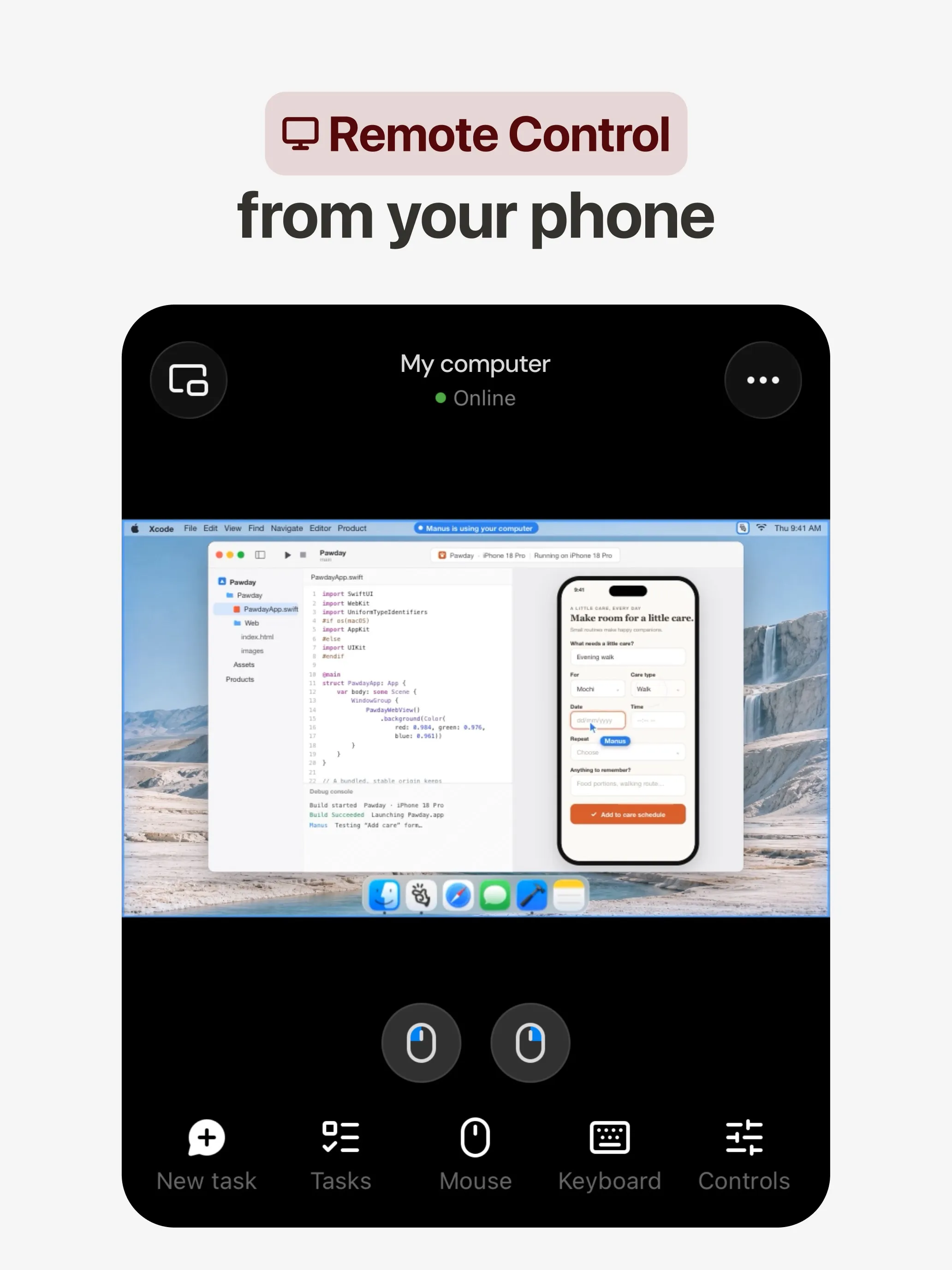
Rakazoの各ボットは、ブラウザ、ターミナル、デスクトップを備えた独自のサンドボックス環境のコンピューターと、独自のメモリやルーティンを持ち、スケジュール、Webhook、GitHubのイベントをきっかけに作業を始めます(Rakazo)。ボット同士で作業を引き継ぐことができ、どの操作に承認が必要かはあなたが選べます。ボットごとにコンピューターが分かれていることは、Grok Botのドキュメントが「そこでは得られない」としている分離そのものです。
モデルは自分で用意する(ClaudeやChatGPTのサブスクリプション、APIキー、ローカルモデル)か、Rakazoのクレジットを購入します。Apache-2.0のもとで無料でセルフホストでき、ホスト型プランは25時間のコンピューター利用時間付きで月$15からです(料金)。3位としたのは、比較的新しくベータ版であること、そしてモデル代を別に払うため、1つのサブスクリプションに比べて総コストが予測しにくいためです。
こんな人に: コンピューターが分かれた複数のエージェントを、好きなモデルで使いたい人。

4. dots:ChatGPT Proを使っているなら
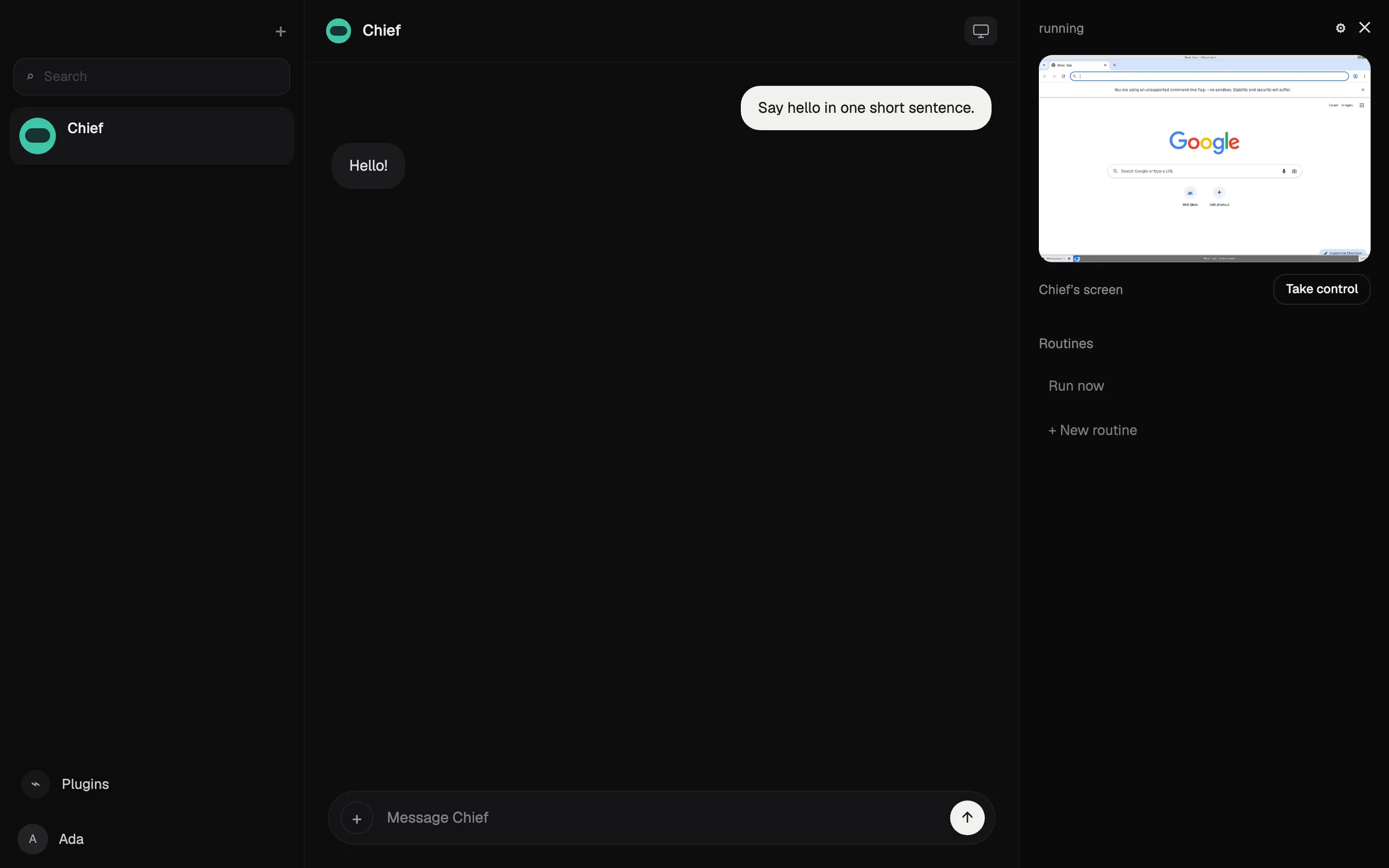
dotは独自のクラウドPCとブラウザで作業し、ChatGPTのプラグインを通じて4,000以上のアプリに接続し、CodexやChatGPT Workに作業を引き継ぎます(OpenAI)。手が空いているときは接続済みのアプリを読み取り専用で調べ、確認すべき事項を持ってきます。Custom RulesとAuto-reviewが重要な操作を制御し、OpenAIによれば一部のステップは常にあなたの手に残ります。
利用条件の面で4位です。月$100からのChatGPT ProまたはBusiness Premiumが必要で、Proでの利用はEEA、英国、スイスでは対象外、使えるdotは1つだけです。タスクを止めても、すでに実行された操作は取り消されません(ドキュメント)。dotsとはもご覧ください。
5. Perplexity Teammates:継続的なチームプロジェクトに最適
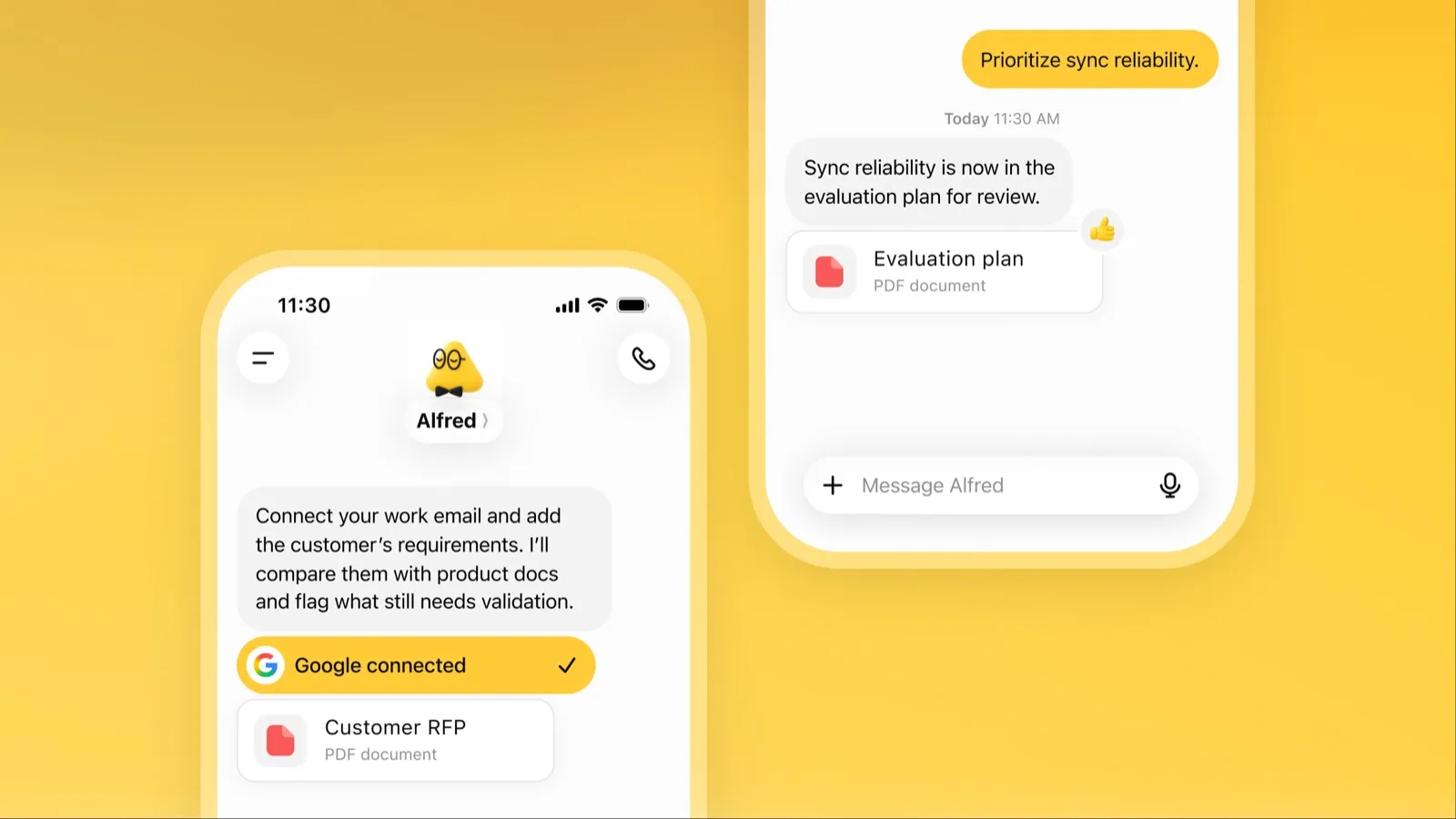
各teammateは独自の分離されたコンピューターとブラウザで動き、目標をタスクに分けて並行して実行し、Slack、GitHub、Linear、Gmailを監視して、変化があれば行動します(Perplexity)。teammateのデスクトップを引き継いで操作でき、teammateはあなたの保存済み認証情報を見られず、teammateごとにモデルを選べます。
機能だけならもっと上位です。5位としたのは、月$200のPerplexity Max向けのWeb限定リサーチプレビューであり、利用量はタスクあたりのコストが公開されていないクレジットから消費されるためです。
6. Muse:技術に詳しくない人に最適なエージェント
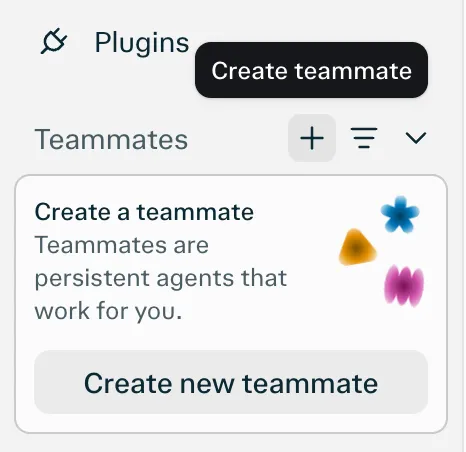
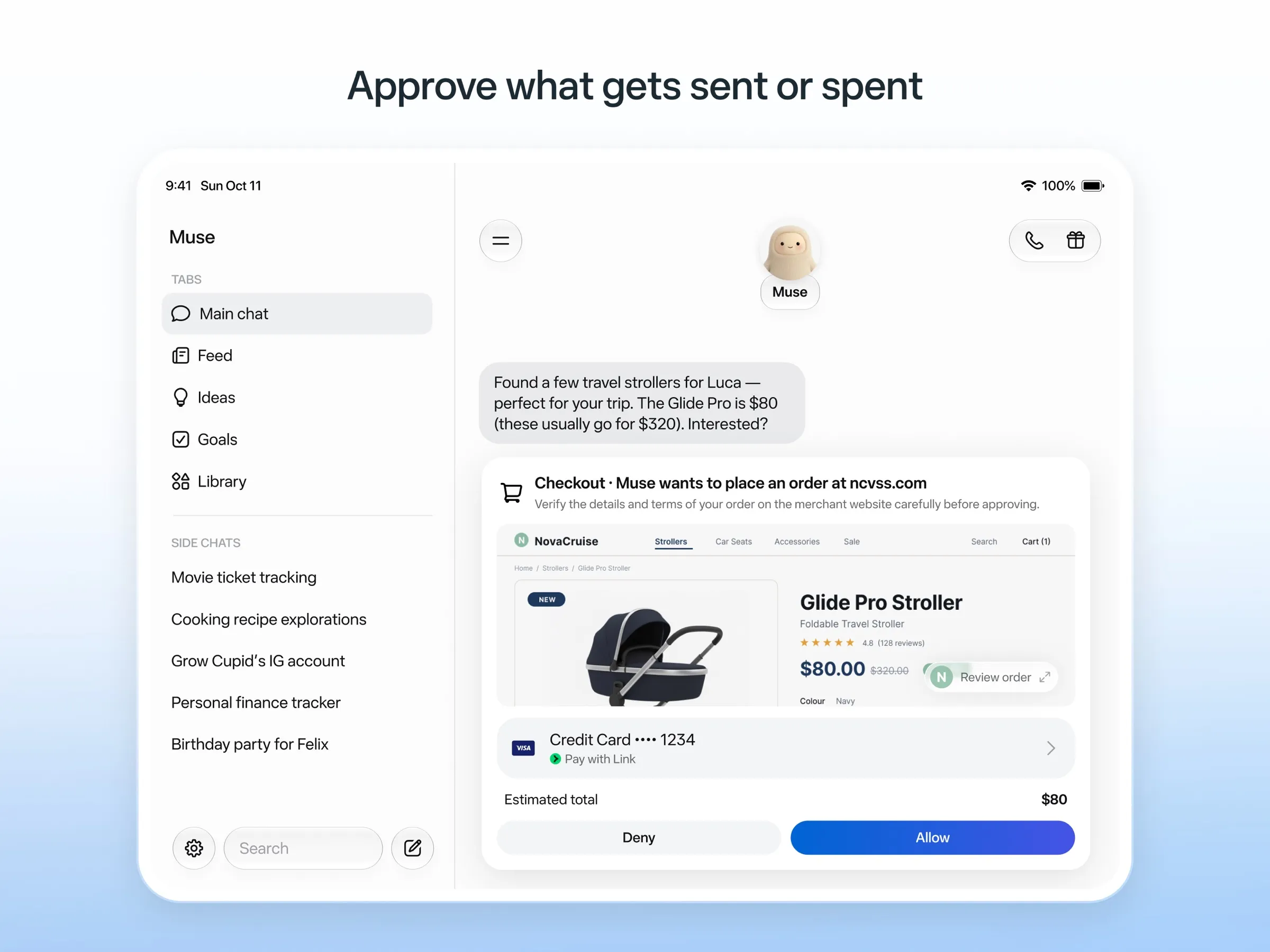
Museは専用のクラウドPCで作業し、インターネットに送信するものはすべて別のSentinelエージェントが承認します。メールの送信や購入の前には確認を求め、監査ログを残し、使い捨てのカード番号で支払います(Meta)。リマインダーや予約タスクにも対応しています(Metaヘルプ)。公開されていない上限までは無料です。
安全設計はここで紹介する中で最も詳しく作り込まれていますが、初期ユーザーや報道からは、本来読むはずのないメッセージを読むなど、権限を超えた動作が報告されています(The Guardian)。利用できるのは5か国で、無料枠でも支払いカードが必要で、オプトアウトしない限りチャットが学習に使われます。Museとはもご覧ください。
7. OpenClaw:最適なオープンソースのエージェント
OpenClawはあなた自身のコンピューターで動作し、ブラウジング、コマンド実行、メールやカレンダーの管理、スケジュールされた自動化を行います(ドキュメント)。MITライセンスで無料で、ローカルモデルを含むあらゆるモデルで使えます。
このリストで7位なのは、別のマシンではなくあなたの実際のマシン上で動き、サンドボックスはデフォルトでオフなので、承認を有効にしない限りエージェントがあなたのコンピューターでコマンドを実行できてしまうためです。メンテナーは技術に詳しくないユーザーにはリスクがあると警告しています。データを自分のハードウェアに置いておくことが最も重視されるプライベートなアシスタントのランキングでは、より上位に入っています。
こんな人に: 技術に詳しく、サンドボックスを設定できる人。OpenClawの代替もご覧ください。

8. Hermes Agent:サーバー向けの最適なセルフホスト型エージェント
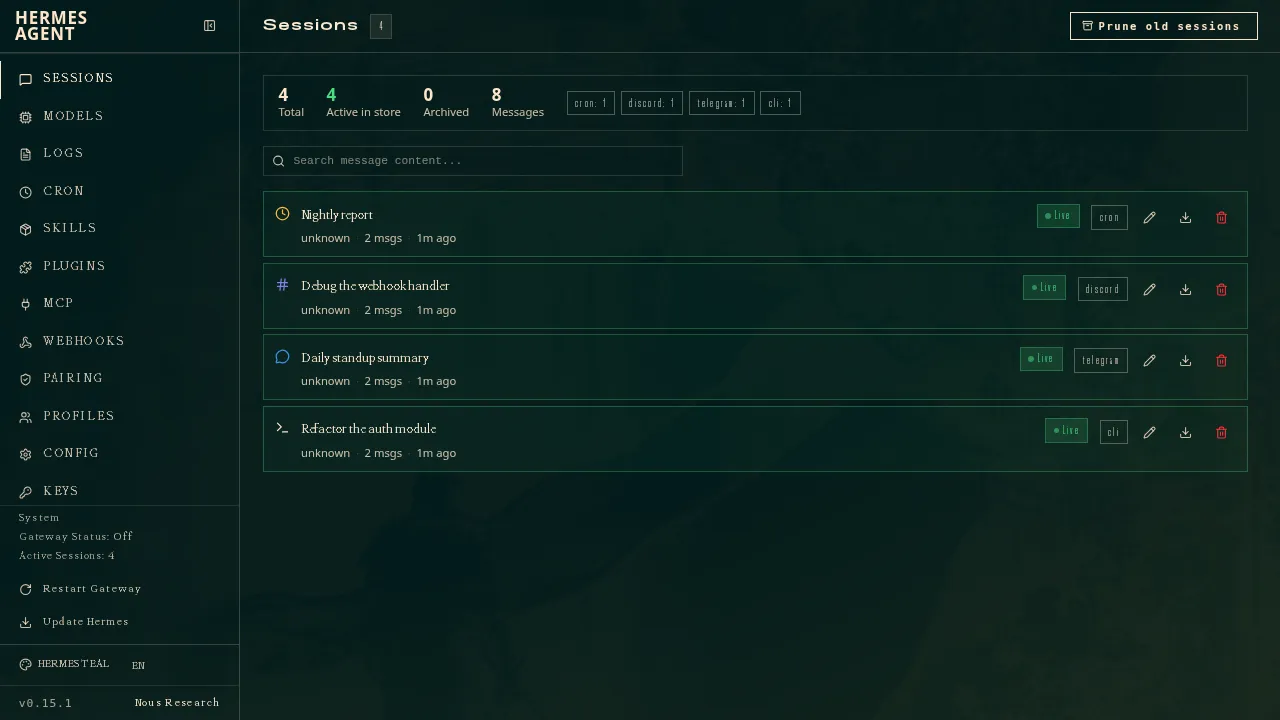
Hermes Agentはあなたのコンピューター、安価なサーバー、サーバーレス環境で動作し、自分が行ったことから再利用できるスキルを作り、セッションのハートビートや予約ジョブを実行します(ドキュメント)。複数のエージェントをプロファイルとして動かせ、それぞれが独自のモデル、メモリ、スキルを持ちます。オプションのNous Portalプランでは、ホスト型のクラウドエージェントが1つ追加されます(Hermes Agent)。
最下位としたのは、セットアップにコマンドラインと自前のサーバーが前提となること、そして確認したドキュメントからはデフォルトの安全機能を確認できなかったためです。
こんな人に: すでにサーバーを運用していて、学習し続けるエージェントが欲しい人。
どれを選ぶべきか
- 最も高機能で、セットアップ不要: Grok Bot。
- 無料で試して完成した成果物を得たい: Manus。
- 複数のエージェントを分離し、自分のモデルで使いたい: Rakazo。
- すでにChatGPT Proを使っている: dots。
- Perplexity Maxの契約者でチームプロジェクトがある: Perplexity Teammates。
- 日常の用事を任せたい、技術には詳しくない: Muse。
- 自分のハードウェアでエージェントを所有したい: OpenClawまたはHermes Agent。
まずは失敗しても損失の小さいタスクから始め、メールや購入については承認をオンにしたままにし、無人で動かす前にエージェントが何をしたかを確認しましょう。
おすすめ
月額$30
Always-on AI agents from SpaceXSI that run on a shared cloud computer, sign in to your apps and finish multi-step work while you're away.
Grok Botを開く長所
- Bots work on their own cloud computer, so tasks keep running when your laptop or phone is closed
- Can operate websites and apps that have no API, using saved logins it never sees in plain text
- Several Bots can run in parallel, message each other and share one workspace
- Routines can run on a schedule or after an event, and a Bot can learn a task from a recorded demonstration of up to 10 minutes
- Can place phone calls to US businesses for you and send a summary afterwards
- Native apps for macOS, Windows, Linux, iOS and Android, plus Slack
短所
- No free plan and no standalone price: the cheapest way in is the $30/month Premium plan
- Usage comes from a weekly pool shared with Grok and Cursor, and SpaceXSI does not publish how much work that pool covers
- No model picker: Grok Bot chooses the model for each task and does not show which one it used
- All Bots on an account share one computer, files and logins; the docs say not to use separate Bots as a security boundary
- Users report Amazon blocks it from shopping as an unauthorized AI agent; Amazon hasn't commented
- Still labelled beta, with no browser version
月額$20
General-purpose AI agent that researches, builds websites, slides, videos and games, and runs automations on its own cloud computer.
Manusを開く長所
- Turns one prompt into finished output: research reports, websites, slides, videos and playable games
- Automations can start from a schedule or an event in a connected service such as Gmail, Slack or Notion
- Video Editor and Game Dev let you edit what the agent made instead of regenerating it
- Free plan to try it, with apps for web, iOS, Android, macOS and Windows
短所
- Credit-based pricing makes costs hard to predict, and long or failed runs can use up credits
- Free daily credits are capped at 1,500 a month and only work in the Lite mode
- A built-in training opt-out is listed only for Team plans
- Several plans share the Pro name and differ only by credit amount
月額$10
Open-source, self-hostable platform for persistent AI bots that each get a job, a computer, memory and routines, using the model you choose.
Rakazoを開く長所
- Open source (Apache-2.0) and fully self-hostable, including with local models
- Choice of model per bot, including existing Claude or ChatGPT subscriptions
- Bots keep working on schedules and triggers with their own cloud computer
- Approval controls over which actions a bot may take on its own
短所
- Still in beta, with frequent releases
- You supply and pay for the model on the hosted plans, unless you buy Rakazo credits
- Telegram, WhatsApp and iMessage/SMS are only available when self-hosted
- More setup than a single chat app
月額$100
OpenAI's always-on agent inside ChatGPT, with its own cloud computer, that works on your goals between chats and reaches you in ChatGPT, Slack or Teams.
dotsを開く長所
- Runs on its own cloud computer and browser and keeps working when your devices are off
- Connects to over 4,000 apps through ChatGPT plugins and can hand work to Codex and ChatGPT Work
- Reachable in ChatGPT, Slack and Microsoft Teams, and you can call it, with one memory across channels
- Researches your connected apps on its own and brings you finished work or decisions to review
- Custom Rules and Auto-review gate sensitive actions, and some steps always stay with you
短所
- No free, Go or Plus access: it needs ChatGPT Pro from $100 a month or Business Premium
- Pro access excludes the EEA, the UK and Switzerland
- One dot per user for now; teams of dots are only planned
- Texting over iMessage or RCS is a US-only beta, and your dot cannot call you yet
- Stopping a task does not undo actions it already took, and tasks it starts in Codex or ChatGPT Work count toward those limits
月額$200
Persistent Perplexity agents, each with its own computer, browser and memory, that own ongoing work and watch Slack, GitHub and Linear. Max-only web preview.
Perplexity Teammatesを開く長所
- Run several teammates, each on its own isolated computer and browser with separate sessions
- Watches Slack, GitHub, Linear and other connected tools, acts on changes and reaches out when it needs you
- Pick the model per teammate or task, with Claude Opus 5.5 as the default
- Splits a goal into parallel agent tasks, and teammates in a Project share context and hand work to each other
- You can take over a teammate's desktop and steer it, and it can't view your saved credentials
短所
- Only on Perplexity Max at $200 a month; Pro and Enterprise plans are excluded by default
- Research preview whose behavior may change
- Web only for now; the iOS app is only promised soon
- Usage draws on credits, and parallel agents, large files and frequent automations use more
- No published cap on teammates and no published credit cost per task
月額$20
Meta's personal AI agent that sends email, books travel and shops for you from its own cloud computer, in the Muse app or on the web.
Museを開く長所
- Free tier, and no technical setup: you message it like a person in the app or on the web
- Runs on its own cloud computer and keeps working after you close the app
- Asks before sending email or buying, and shows an audit trail of what it did and plans to do
- Purchases go through a one-time card number with Link's purchase protections, so the agent never sees your real card
- Connects to email, calendar and Instagram, and can use a browser for sites without an API
短所
- Only in the US, Canada, Japan, Singapore and Mexico so far, and Meta says Muse is still in limited testing
- Requires a payment card even for the free tier, and the stronger Muse Wonder model is for paid plans only
- Your interactions train Meta's AI models unless you opt out
- Free usage limit is not published, so it is hard to know when you will hit it
- Early users and press reported it overstepping permissions, such as reading messages it was not meant to
- Requires a Meta account and asks for broad access to email, calendars and payments
Free, MIT-licensed personal AI agent that runs on your own computer and takes orders from WhatsApp, Telegram, iMessage, Slack and 20+ other chat apps.
OpenClawを開く長所
- Free and MIT licensed, with no paid tier
- Runs on your own hardware; state, memory and credentials stay local, and it sends nothing home except an optional daily version check
- Works in 29 chat channels, including WhatsApp, Telegram, iMessage, Slack, Discord and Microsoft Teams
- Model-agnostic: 64 model and media providers, plus local models
- Large ecosystem of skills and 142 official plugins, and very active development
短所
- Model costs are on you and can run high: testers and users have reported spending over $100 in a day with expensive models
- Sandboxing is off by default and the agent can run commands on the host unless you turn on approvals
- Setup and upkeep expect comfort with the command line; maintainers warn it is risky for non-technical users
- Broad access to email, messages and the system makes prompt injection and malicious third-party skills a real risk
月額$20
Free, MIT-licensed AI agent from Nous Research that runs on your own machine or server, learns reusable skills, and chats with you on Telegram, Slack and more.
Hermes Agentを開く長所
- Free and MIT licensed, and runs on hardware you control
- Writes and refines its own skills from experience, on top of persistent memory and cross-session search
- One gateway for 20+ chat platforms, including Telegram, Discord, Slack, WhatsApp, Signal and email
- Run several separate agents as profiles, each with its own model, memory and skills, and let them talk in group chats
- Model-agnostic, with a one-command import from OpenClaw
短所
- Setup expects comfort with the command line and with running your own server
- Model costs are on you unless you use free models, and hosted web search, images and speech need a paid Nous Portal plan or your own keys
- iMessage needs a separate BlueBubbles server on a Mac
- No native mobile app; Android support is a command-line install through Termux
機能
| Grok Bot | Manus | Rakazo | dots | Perplexity Teammates | Muse | OpenClaw | Hermes Agent | |
|---|---|---|---|---|---|---|---|---|
| ウェブ検索 | あり | あり | あり | あり | あり | あり | あり | あり |
| 画像生成 | あり | あり | あり | あり | あり | あり | あり | あり |
| 音声モード | あり | あり | あり | あり | 不明 | あり | あり | あり |
| ファイルのアップロード | あり | あり | あり | あり | あり | あり | あり | あり |
| メモリー | あり | あり | あり | あり | あり | あり | あり | あり |
| 代わりに操作を実行 | あり | あり | あり | あり | あり | あり | あり | あり |
| アプリ連携 | あり | あり | あり | あり | あり | あり | あり | あり |
| 自律的に動作 | あり | あり | あり | あり | あり | あり | あり | あり |
| 自分から連絡してくる | あり | あり | あり | あり | あり | あり | あり | あり |
| 複数のボット | あり | 不明 | あり | なし | あり | 不明 | あり | あり |
出典
Grok Bot
- Grok Bot product page and FAQ2026/11/08確認
- SpaceXSI pricing: The X Subscription plans2026/11/08確認
- Introducing Grok Bot (launch post, Aug 11, 2026)2026/11/08確認
- Grok Bot FAQ: plans, platforms, memory, privacy and limits2026/11/08確認
- Grok Bot docs: Create and manage Bots2026/11/08確認
- Grok Bot changelog (v0.78.1, Oct 27, 2026)2026/11/08確認
- Cursor help: Grok Bot plans and usage2026/11/08確認
- Teslarati: Grok Bot can now call US businesses (Nov 2026)2026/11/08確認
- Teslarati: Amazon shuts out Grok Bot (Oct 15, 2026)2026/11/08確認
- Grok Bot docs: Overview (proactive teammate, morning briefing)2026/11/08確認
- Grok Bot docs: Chat and collaboration (Slack DMs, X Chat rolling out)2026/11/08確認
- Grok Bot docs: Get started (desktop and mobile apps)2026/11/08確認
- Grok Bot docs: Skills, routines and automations2026/11/08確認
- SpaceXSI: Team Bots in public beta (Sep 28, 2026)2026/11/08確認
- Wikipedia: SpaceXAI (xAI renamed SpaceXAI, then SpaceXSI)2026/11/08確認
- Cursor: Data Use & Privacy Overview (Privacy Mode and training)2026/11/08確認
Manus
- Manus Plans & Pricing2026/11/08確認
- Manus Help Center: What is the current membership pricing for Manus?2026/11/08確認
- Manus Help Center: rules for credit consumption2026/11/08確認
- Introducing Manus 2.0 (Sep 28, 2026)2026/11/08確認
- Download Manus: macOS, Windows, iOS and Android2026/11/08確認
- Tech Xplore/AFP: Manus raises $500 million after Meta acquisition blocked by China2026/11/08確認
- Wikipedia: Manus (AI agent)2026/11/08確認
- Manus for Slack: Turn Your Workspace into an Autonomous Engine2026/11/08確認
- Manus docs: Automations2026/11/08確認
- Is my data safe when using Manus Agents in Telegram?2026/11/08確認
- Chatting with Manus Agent on Slack: Channels, DMs, and File Delivery2026/11/08確認
- Manus Agents in Telegram (available to all users)2026/11/08確認
- Manus Help Center: What's new in Manus 2.0 (Cue requires an invitation code)2026/11/08確認
- Manus API docs: Agents (default agent plus agents you create)2026/11/08確認
- Manus privacy policy (updated Sep 28, 2026)2026/11/08確認
Rakazo
- Rakazo homepage2026/11/08確認
- Rakazo pricing2026/11/08確認
- Rakazo privacy policy2026/11/08確認
- Rakazo on GitHub (README and license)2026/11/08確認
- Rakazo changelog2026/11/08確認
- Rakazo releases2026/11/08確認
- Rakazo docs: Image and video generation2026/11/08確認
- Rakazo docs: Memory2026/11/08確認
- Rakazo docs: Connect apps2026/11/08確認
- Rakazo docs: Routines2026/11/08確認
- Rakazo docs: Chat apps2026/11/08確認
- Rakazo docs: Messaging apps (self-hosting)2026/11/08確認
- Rakazo docs: Bots and chats (add another bot, bot templates)2026/11/08確認
- Rakazo docs: Groups (several bots in one chat)2026/11/08確認
- Rakazo docs: Mobile app (notifications)2026/11/08確認
- Rakazo privacy policy (updated Sep 14, 2026)2026/11/08確認
- Rakazo privacy policy source on GitHub2026/11/08確認
dots
- ChatGPT: Dots feature page2026/11/08確認
- ChatGPT docs: Meet dots2026/11/08確認
- ChatGPT docs: Dot channels (Slack, Teams, calls, texting beta)2026/11/08確認
- ChatGPT pricing: Dots on Pro only; training opt-out2026/11/08確認
- TechCrunch: OpenAI launches dots, its bubbly agentic avatar2026/11/08確認
- DataCamp: OpenAI Dots, always-on agents in ChatGPT, explained2026/11/08確認
- eesel: OpenAI Dots pricing by Pro tier and limits2026/11/08確認
- ChatGPT docs: Dot computers and apps (cloud browser for research)2026/11/08確認
- OpenAI Help Center: Images in ChatGPT (image generation on all tiers)2026/11/08確認
Perplexity Teammates
- Perplexity blog: Teammates are agents for complex, ongoing work (November 4, 2026)2026/11/08確認
- Perplexity Help Center: Perplexity Teammates2026/11/08確認
- Perplexity Help Center: Perplexity Max ($200 a month)2026/11/08確認
- Perplexity Help Center: Data Collection at Perplexity2026/11/08確認
- Perplexity Help Center: Generating Images with Perplexity2026/11/08確認
Muse
- Meta: Introducing Muse, the world's first personal AI agent built for everyone2026/11/08確認
- Muse homepage2026/11/08確認
- Meta Help Center: About Muse subscriptions2026/11/08確認
- Meta Help Center: Meta AI, Muse and Vibes are separate apps2026/11/08確認
- TechCrunch: Meta debuts its Muse AI agent. Will consumers trust it?2026/11/08確認
- 9to5Mac: Muse personal agent gets apps for iPhone and Mac2026/11/08確認
- The Guardian TechScape: early Muse users report the agent overstepping permissions2026/11/08確認
- iPhone in Canada: Meta's Muse AI agent is now available in Canada2026/11/08確認
- Superpower Daily: Meta launches Muse in Japan (Oct 23, 2026)2026/11/08確認
- Meta: Muse is now available in Singapore (Oct 27, 2026)2026/11/08確認
- Mexico News Daily: Meta launches its Muse AI agent in Mexico (Nov 6, 2026)2026/11/08確認
- Meta Q3 2026 earnings call transcript: Muse Wonder in the paid tier, free tier on Muse Spark2026/11/08確認
- How to manage reminders and scheduled tasks with Muse2026/11/08確認
- WhatsApp Help Center: About chatting with your Muse agent through WhatsApp2026/11/08確認
- TechCrunch: Meta's Muse hits Mac2026/11/08確認
- Meta AI: Muse features and FAQ (browses the web, generates images)2026/11/08確認
- Meta Help Center: How your Muse agent browses the web2026/11/08確認
- Meta Help Center: How to use Muse with artifacts (uploads, image generation)2026/11/08確認
- Meta Help Center: How to get started with Muse2026/11/08確認
OpenClaw
- OpenClaw homepage and Foundation section2026/11/08確認
- OpenClaw integrations: channels, providers and plugins2026/11/08確認
- openclaw/openclaw on GitHub (MIT, v2026.11.1)2026/11/08確認
- OpenClaw docs: Sandboxing (off by default)2026/11/08確認
- Wikipedia: OpenClaw2026/11/08確認
- Notebookcheck: OpenClaw can burn through hundreds of dollars per day2026/11/08確認
- OpenClaw docs: Memory overview2026/11/08確認
- OpenClaw docs: Automations2026/11/08確認
- OpenClaw docs: Chat channels2026/11/08確認
- OpenClaw docs: iMessage2026/11/08確認
- OpenClaw docs: Heartbeat, now a default Proactive check job2026/11/08確認
- OpenClaw docs: Multi-agent routing2026/11/08確認
- OpenClaw docs: Platforms (macOS, Windows, Linux, iOS and Android apps)2026/11/08確認
- OpenClaw docs: Tools (exec, browser, web search)2026/11/08確認
- OpenClaw docs: Audio and voice notes (inbound transcription)2026/11/08確認
- OpenClaw docs: Image and media support (inbound media)2026/11/08確認
Hermes Agent
- NousResearch/hermes-agent on GitHub (MIT, v0.23.0)2026/11/08確認
- Hermes Agent homepage and Nous Portal pricing2026/11/08確認
- Hermes Agent documentation2026/11/08確認
- Hermes Agent docs: Profiles, running multiple agents2026/11/08確認
- Hermes Agent docs: Bot Mode2026/11/08確認
- Hermes Agent docs: Voice mode2026/11/08確認
- Hermes Agent docs: Vision and image paste2026/11/08確認
- Hermes Agent docs: iMessage via BlueBubbles2026/11/08確認
- Nous Research on X: Meet Hermes Agent (February 25, 2026)2026/11/08確認
- Hermes Agent docs: Session heartbeats and cron watchdogs2026/11/08確認
- Hermes Agent docs: FAQ (Is my data sent anywhere?)2026/11/08確認