利用上限の削減後に検討したいGrok Botの代替
Grok Botの週ごとの上限に達した、あるいはモデルを自分で選びたい人へ。Rakazo、Hermes Agent、OpenClawはオープンソース、Perplexity TeammatesとManusはホスト型です。
早わかり
| アシスタント | 無料プラン | オープンソース | セルフホスト可能 | 初期設定でチャットを学習に使用 | ||
|---|---|---|---|---|---|---|
| Grok Bot | なし | 月額$30 | なし | なし | なし | |
| Rakazo | あり | 月額$10 | あり | あり | なし | |
| Hermes Agent | あり | 月額$20 | あり | あり | なし | |
| OpenClaw | あり | – | あり | あり | なし | |
| Perplexity Teammates | なし | 月額$200 | なし | なし | あり | |
| Manus | あり | 月額$20 | なし | なし | 不明 | |
| Lindy | あり | 月額$49.99 | なし | なし | なし |







Grok Botに最も近い代替はRakazoです。複数のボットがそれぞれ仕事と専用のコンピューターを持ちますが、オープンソースで、自分で選んだモデルで動きます。自分のサーバーで無料のエージェントを使いたいなら、Hermes AgentかOpenClawを使いましょう。運用を誰かに任せたいなら、ホスト型で最も近いのはPerplexity Teammates、最も安く試せるのはManusです。
開示:Rakazoは当サイトの運営会社が開発しています。他と同じ基準で順位付けしており、欠点も以下に記載しています。
名前について一言:2026年8月以前、「Grok bot」といえば、X上で投稿の下でタグ付けされる@grokアカウントを指すのが普通でした。それはGrokのチャットボットです。このページで扱うのは、SpaceXSIの常時稼働エージェントの別アプリであるGrok Botです。
Grok Botの代替が探される理由
Grok Botは8月にベータ版として登場しました。発想は優れています。仕事を持った名前付きのBotsが常設のクラウドPC上で作業し、あなたのツールにサインインし、あなたが不在の間もルーティンを実行します。当サイトのアシスタント基準の5項目すべてを満たしています。不満はコスト、上限、そして管理のしやすさに関するものです。
- 早々に尽きる週ごとの上限。 ハロウィーンの週末、まだ数日残っているのに週の利用枠が100%に達しているとユーザーが気づきました。11月1日、イーロン・マスクは「Grok Botの提供コストは収益に比べて持続不可能なほど高かった」と返信しましたが、上限がどう変わったかは明らかにしませんでした。ユーザーはこれを「間接的な梯子外し」と呼びました。
- 信用できないメーター。 Cursorフォーラムの長いスレッドでは、週の利用量メーターがリアルタイムで77%と100%の間を行き来すると報告されています。利用枠はGrokのチャットやCursorと共有されているため、コーディングの多い週にはBotsの分が足りなくなることもあります。
- 無料プランも単体の料金もない。 最も安い入り口はThe X Subscriptionの$30のPremiumプランです。
- モデルを選べない。 Grok Botはタスクごとにモデルを選び、どれを使ったかは表示しません。
- 共有のコンピューターが1台。 1つのアカウントのBotsはすべて同じコンピューター、ファイル、ログイン情報を共有しており、ドキュメントには別々のBotsをセキュリティ境界として使わないよう書かれています。
順位付けの方法
ここで紹介するツールはどれも、これらの不満の少なくとも1つを解消します。モデルを選べる、料金が予測できる、無料で始められる、のいずれかです。その中では、評価の高いツールを先にしています。評価は上の表にあり、チェックリスト(アカウントで行動する、不在中も作業する、自分から連絡してくる、チャットアプリで使える、複数のボットを動かせる)に加えて、セットアップの手間、料金、提供状況を考慮しています。同じ評価の中では、Grok Botの名前付きBotsのチームにより近いものを先にしました。dotsのように、月$100からのChatGPT Proが必要でモデルも選べず、どの不満も解消しないツールは除外しています。
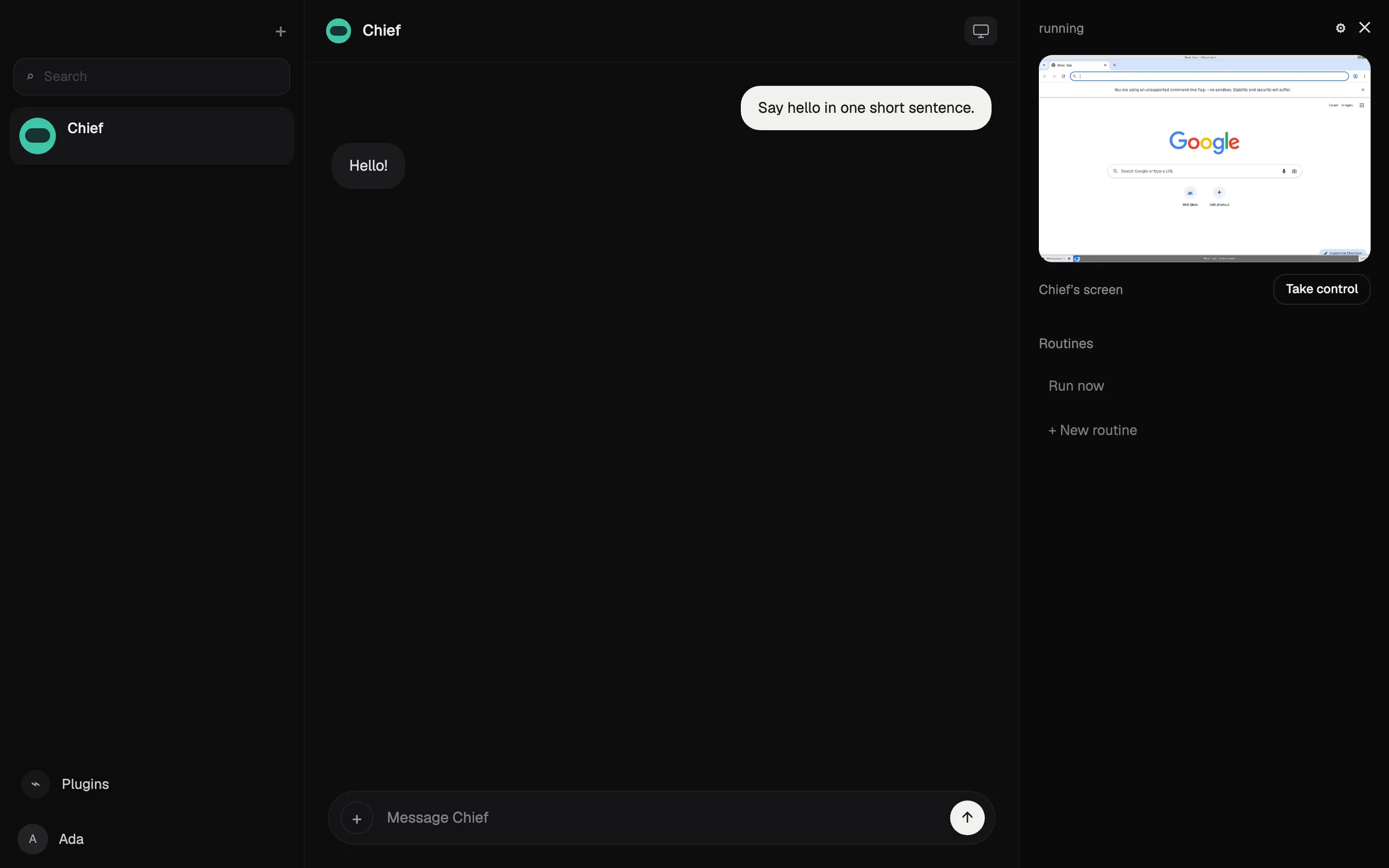
1. Rakazo:同じ発想で、自分のモデル、ボットごとのコンピューター
RakazoはGrok Botと同じように動きます。ボットを作ってそれぞれに仕事を与えると、各ボットがメモリ、ルーティン、そしてブラウザ、ターミナル、デスクトップを備えたコンピューターを持ちます。ボットはスケジュール、Webhook、GitHubのイベントで動き、互いに作業を引き継ぎ、あなたが選んだ操作については承認を求めます。Grok Botと同じく、当サイトのチェックリストのすべてをこなします。
違いは不満点とそのまま対応しています。モデルはボットごとに選べます。ClaudeやChatGPTのサブスクリプションでサインインする、APIキー(Grokのものを含む)を使う、あるいはローカルモデルを動かすこともできます。各ボットは1台を共有するのではなく、独自のサンドボックス環境のコンピューターを持ちます。コードはApache-2.0でセルフホストは無料、ホスト型プランは25時間のコンピューター利用時間付きで月$15からなので、上限が目に見える数字になっています。1位なのは、すべてのボットにコンピューターを与えるホスト型プランがあるのが、ここではRakazoだけだからです。
諦めるもの: 完成度。Rakazoは頻繁にリリースされるベータ版で、ホスト型プランではRakazoのクレジットを購入しない限りモデルの提供元に別途料金を払います。Telegram、WhatsApp、iMessageはセルフホスト時にしか使えません。Grok Botのアプリよりもセットアップに手間がかかると考えてください。

2. Hermes Agent:無料、セルフホスト、使うほど学習
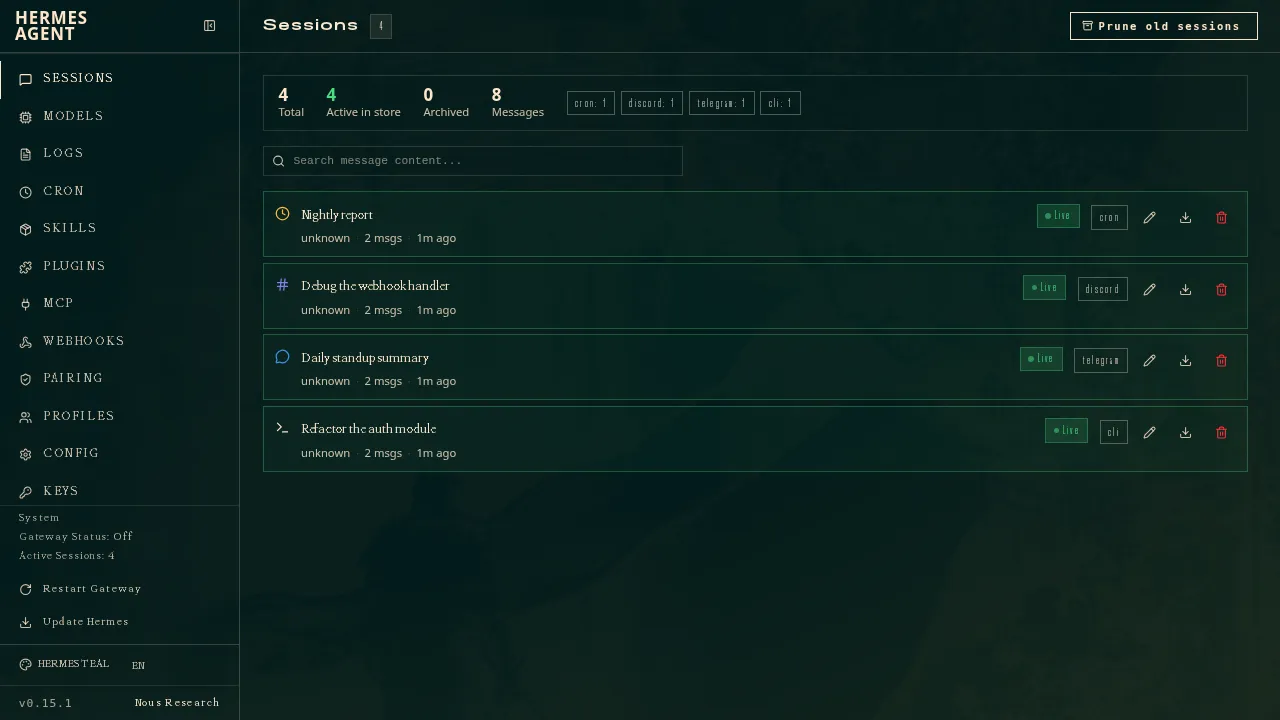
Nous ResearchのHermes AgentはMITライセンスのエージェントで、複雑なタスクの後に自分でスキルを書いて改良し、セッションをまたいであなたのことを記憶します。複数のエージェントを別々のプロファイルとして動かせ、それぞれが独自のモデル、メモリ、スキルを持ちます。これはGrok Botの名前付きBotsのチームに最も近いオープンソースの選択肢です。Telegram、Discord、Slack、WhatsAppなど20以上のプラットフォームでやり取りできます。
好きなモデルを使うか、月$20のNous Portalを契約します。Nous Portalにはモデル、Web検索などのホスト型ツール、クラウドエージェント1つがセットになっているため、月額コストは固定です。
諦めるもの: 手軽さ。セットアップにはコマンドラインと自前のサーバーが前提で、ネイティブのモバイルアプリはなく、Portalプランに付くクラウドエージェントは1つだけなので、エージェントのチームを動かすにはやはり自分のマシンが必要です。
3. OpenClaw:最大のオープンソースエコシステム
OpenClawは、Grok Botのユーザーのほとんどが聞いたことのあるオープンソースのエージェントです。無料で有料プランはなく、あなた自身のコンピューターで動き、29のチャットチャネルから指示を受け、64のモデル・メディアプロバイダーやローカルモデルで動作します。状態、メモリ、認証情報はあなたのマシンに残ります。
諦めるもの: デフォルトの安全性とホスティング。サンドボックスはデフォルトでオフなので、エージェントはあなたのマシン上で直接行動できます。サードパーティのスキルには悪意のあるものも含まれていました。ホスト版はないため、不在中も動かし続けるにはマシンをつけっぱなしにする必要があります。モデルの料金は自己負担で、高価なモデルでは1日$100の請求が発生した例もあります。

4. Perplexity Teammates:ホスト型で最も近い選択肢
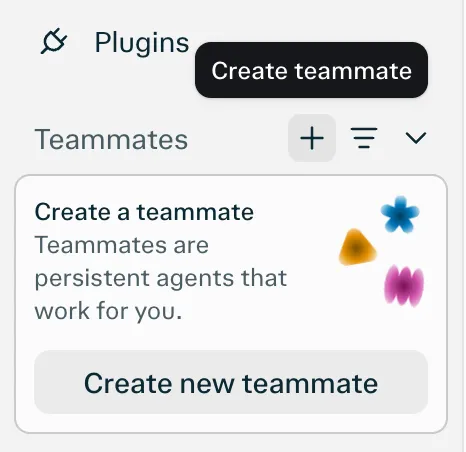
11月4日に発表されたPerplexity Teammatesは、ホスト型製品の中で最もGrok Botに近いものです。名前、役割、モデルを設定した複数のteammateを作れ、各teammateは独自の分離されたコンピューターとブラウザで動き、Slack、GitHub、Linear、Gmailを監視し、あなたの意見が必要なときにメッセージを送ってきます。Grok Botとは違い、teammateやタスクごとにモデルを選べ、各teammateは互いに分離されています。
諦めるもの: お金と成熟度。月$200のPerplexity Max向けのリサーチプレビューで、現時点ではWebのみ、利用量はタスクあたりのコストが公開されていないクレジットから消費されるため、予測できないメーターの問題は解決しません。唯一のチャネルがWebなので、当サイトのチェックリストのチャットアプリの項目を満たしていません。Slack、GitHub、Linearではteammateをアプリとしてタグ付けします。
5. Manus:無料プランあり、成果物を中心に設計
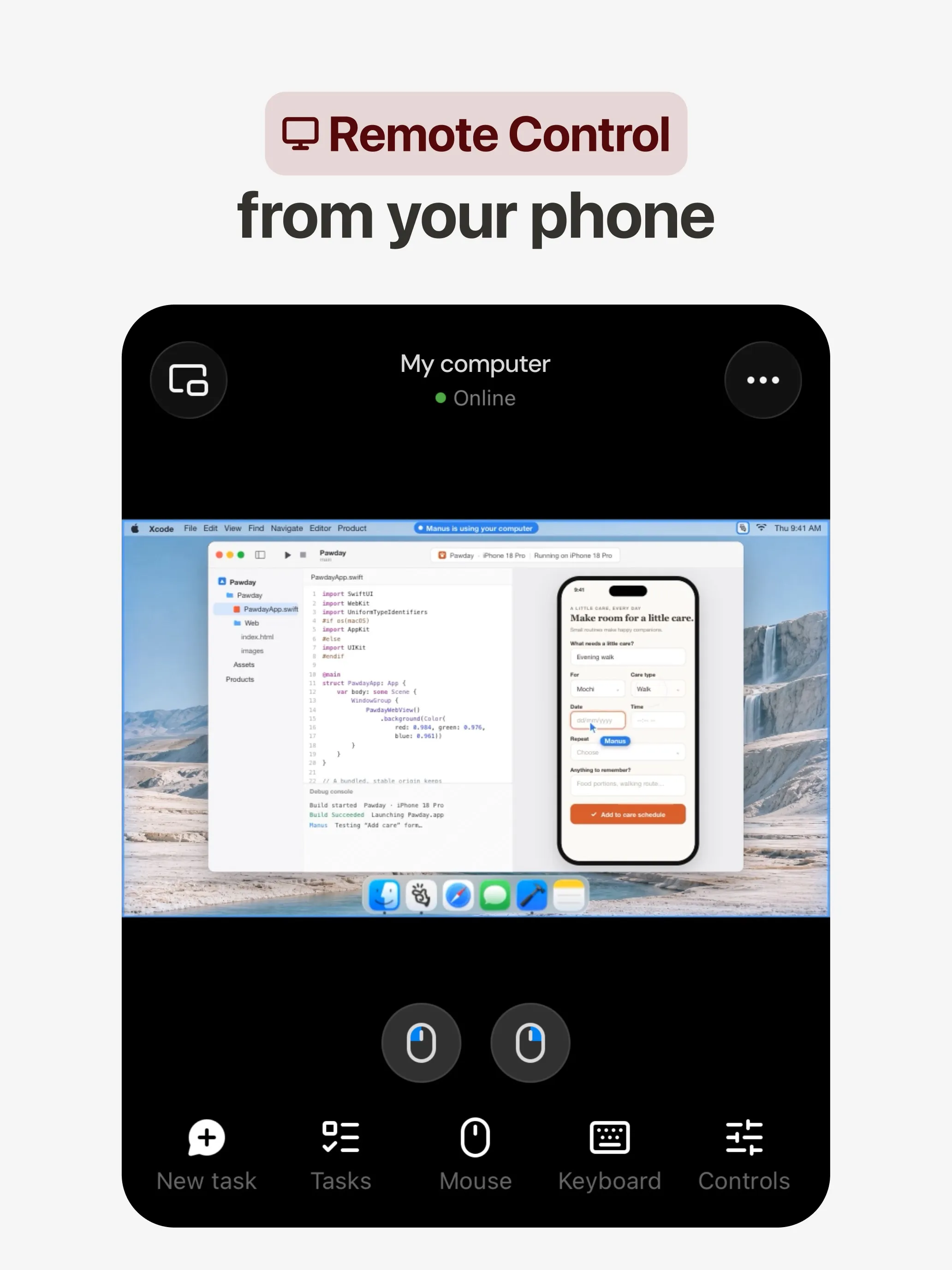
Manusは独自の環境でタスクを計画して完了させ、リサーチレポート、Webサイト、スライド、動画といった成果を渡してくれます。自動化はスケジュールや、Gmail、Slack、Notionのイベントで起動し、SlackやTelegramでチャットもできます。Grok Botにはない無料プランがあります。
諦めるもの: Manusは、継続的な役割を持つ名前付きのBotsではなく、プロジェクトを中心に作られています。クレジットはタスクの複雑さに応じて消費され、失敗した実行でも消費されるため、Grok Botの利用枠とよく似た予算管理の悩みがあります。
6. Lindy:モデルを選べる仕事用アシスタント
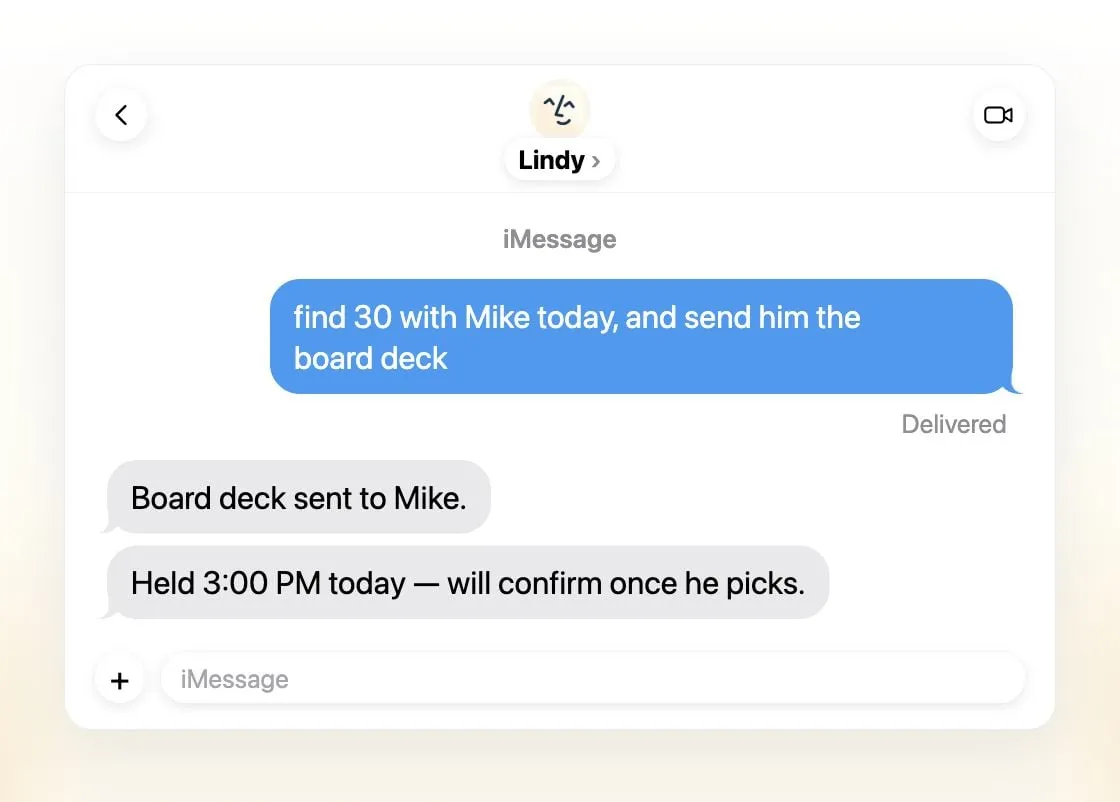
Lindyは小規模チーム向けのエグゼクティブアシスタントです。メールを仕分けし、会議を設定し、通話の準備をし、毎日のブリーフィングを送ってくれます。iMessage、SMS、Slack、専用の電話番号、Webから利用できます。タスクごとにモデルを選べ、Lindyはあなたのデータで学習することは一切ないとしています。
諦めるもの: Botsのチーム。Lindyはチームで1つの共有アシスタントで、有料シートは1ユーザーあたり月$49.99から、クレジットは簡単な依頼の2から大規模な作成の2,500まで幅があるため、コストの予測はやはり難しいです。
どれを選ぶべきか
- Grok Botと同じ構成を、自分のモデルとボットごとのコンピューターで: Rakazo。
- 学習し、チームとしても動かせる無料のセルフホスト型エージェント: Hermes Agent。
- 最大のオープンソースエコシステムが欲しく、コマンドラインも苦にならない: OpenClaw。
- モデルを選べるホスト型エージェントが欲しく、すでにPerplexity Maxを契約している: Perplexity Teammates。
- 仕事のゴールが成果物で、無料プランが欲しい: Manus。
- 主に受信トレイ、カレンダー、会議の手助けが必要: Lindy。
Grok Botの仕組みについて詳しくは、Grok Botとはをご覧ください。
代替サービス
月額$10
Open-source, self-hostable platform for persistent AI bots that each get a job, a computer, memory and routines, using the model you choose.
Rakazoを開く長所
- Open source (Apache-2.0) and fully self-hostable, including with local models
- Choice of model per bot, including existing Claude or ChatGPT subscriptions
- Bots keep working on schedules and triggers with their own cloud computer
- Approval controls over which actions a bot may take on its own
短所
- Still in beta, with frequent releases
- You supply and pay for the model on the hosted plans, unless you buy Rakazo credits
- Telegram, WhatsApp and iMessage/SMS are only available when self-hosted
- More setup than a single chat app
月額$20
Free, MIT-licensed AI agent from Nous Research that runs on your own machine or server, learns reusable skills, and chats with you on Telegram, Slack and more.
Hermes Agentを開く長所
- Free and MIT licensed, and runs on hardware you control
- Writes and refines its own skills from experience, on top of persistent memory and cross-session search
- One gateway for 20+ chat platforms, including Telegram, Discord, Slack, WhatsApp, Signal and email
- Run several separate agents as profiles, each with its own model, memory and skills, and let them talk in group chats
- Model-agnostic, with a one-command import from OpenClaw
短所
- Setup expects comfort with the command line and with running your own server
- Model costs are on you unless you use free models, and hosted web search, images and speech need a paid Nous Portal plan or your own keys
- iMessage needs a separate BlueBubbles server on a Mac
- No native mobile app; Android support is a command-line install through Termux
Free, MIT-licensed personal AI agent that runs on your own computer and takes orders from WhatsApp, Telegram, iMessage, Slack and 20+ other chat apps.
OpenClawを開く長所
- Free and MIT licensed, with no paid tier
- Runs on your own hardware; state, memory and credentials stay local, and it sends nothing home except an optional daily version check
- Works in 29 chat channels, including WhatsApp, Telegram, iMessage, Slack, Discord and Microsoft Teams
- Model-agnostic: 64 model and media providers, plus local models
- Large ecosystem of skills and 142 official plugins, and very active development
短所
- Model costs are on you and can run high: testers and users have reported spending over $100 in a day with expensive models
- Sandboxing is off by default and the agent can run commands on the host unless you turn on approvals
- Setup and upkeep expect comfort with the command line; maintainers warn it is risky for non-technical users
- Broad access to email, messages and the system makes prompt injection and malicious third-party skills a real risk
月額$200
Persistent Perplexity agents, each with its own computer, browser and memory, that own ongoing work and watch Slack, GitHub and Linear. Max-only web preview.
Perplexity Teammatesを開く長所
- Run several teammates, each on its own isolated computer and browser with separate sessions
- Watches Slack, GitHub, Linear and other connected tools, acts on changes and reaches out when it needs you
- Pick the model per teammate or task, with Claude Opus 5.5 as the default
- Splits a goal into parallel agent tasks, and teammates in a Project share context and hand work to each other
- You can take over a teammate's desktop and steer it, and it can't view your saved credentials
短所
- Only on Perplexity Max at $200 a month; Pro and Enterprise plans are excluded by default
- Research preview whose behavior may change
- Web only for now; the iOS app is only promised soon
- Usage draws on credits, and parallel agents, large files and frequent automations use more
- No published cap on teammates and no published credit cost per task
月額$20
General-purpose AI agent that researches, builds websites, slides, videos and games, and runs automations on its own cloud computer.
Manusを開く長所
- Turns one prompt into finished output: research reports, websites, slides, videos and playable games
- Automations can start from a schedule or an event in a connected service such as Gmail, Slack or Notion
- Video Editor and Game Dev let you edit what the agent made instead of regenerating it
- Free plan to try it, with apps for web, iOS, Android, macOS and Windows
短所
- Credit-based pricing makes costs hard to predict, and long or failed runs can use up credits
- Free daily credits are capped at 1,500 a month and only work in the Lite mode
- A built-in training opt-out is listed only for Team plans
- Several plans share the Pro name and differ only by credit amount
月額$49.99
An AI assistant for work that runs your inbox, calendar and meetings, takes requests by iMessage, Slack, phone or browser, and sends you daily briefs.
Lindyを開く長所
- Texts you first: a personalized first message, alerts on time-sensitive email, and daily briefs
- Reachable almost anywhere: iMessage or SMS, Slack, its own phone number, Gmail via a Chrome extension, and the web
- 1,500+ integrations plus any hosted MCP server, and a browser for tools without one
- Asks for approval before anything with outside impact
- Says it never uses your data to train models, with SOC 2 Type II, GDPR and PIPEDA compliance
短所
- Expensive for individuals: paid seats start at $49.99 per user a month, and free credits last only 7 days
- Credit-based usage is hard to predict, from 2 credits for a simple ask to 2,500 for a big build
- One shared Lindy per team rather than separate assistants for different jobs
- No mobile app; on phones you use iMessage, SMS or calls
- Plan names differ between its pricing page and its docs, so it is hard to tell what each tier includes
機能
| Grok Bot | Rakazo | Hermes Agent | OpenClaw | Perplexity Teammates | Manus | Lindy | |
|---|---|---|---|---|---|---|---|
| ウェブ検索 | あり | あり | あり | あり | あり | あり | あり |
| 画像生成 | あり | あり | あり | あり | あり | あり | あり |
| 音声モード | あり | あり | あり | あり | 不明 | あり | あり |
| ファイルのアップロード | あり | あり | あり | あり | あり | あり | あり |
| メモリー | あり | あり | あり | あり | あり | あり | あり |
| 代わりに操作を実行 | あり | あり | あり | あり | あり | あり | あり |
| アプリ連携 | あり | あり | あり | あり | あり | あり | あり |
| 自律的に動作 | あり | あり | あり | あり | あり | あり | あり |
| 自分から連絡してくる | あり | あり | あり | あり | あり | あり | あり |
| 複数のボット | あり | あり | あり | あり | あり | 不明 | なし |
出典
Grok Bot
- Grok Bot product page and FAQ2026/11/08確認
- SpaceXSI pricing: The X Subscription plans2026/11/08確認
- Introducing Grok Bot (launch post, Aug 11, 2026)2026/11/08確認
- Grok Bot FAQ: plans, platforms, memory, privacy and limits2026/11/08確認
- Grok Bot docs: Create and manage Bots2026/11/08確認
- Grok Bot changelog (v0.78.1, Oct 27, 2026)2026/11/08確認
- Cursor help: Grok Bot plans and usage2026/11/08確認
- Teslarati: Grok Bot can now call US businesses (Nov 2026)2026/11/08確認
- Teslarati: Amazon shuts out Grok Bot (Oct 15, 2026)2026/11/08確認
- Grok Bot docs: Overview (proactive teammate, morning briefing)2026/11/08確認
- Grok Bot docs: Chat and collaboration (Slack DMs, X Chat rolling out)2026/11/08確認
- Grok Bot docs: Get started (desktop and mobile apps)2026/11/08確認
- Grok Bot docs: Skills, routines and automations2026/11/08確認
- SpaceXSI: Team Bots in public beta (Sep 28, 2026)2026/11/08確認
- Wikipedia: SpaceXAI (xAI renamed SpaceXAI, then SpaceXSI)2026/11/08確認
- Cursor: Data Use & Privacy Overview (Privacy Mode and training)2026/11/08確認
Rakazo
- Rakazo homepage2026/11/08確認
- Rakazo pricing2026/11/08確認
- Rakazo privacy policy2026/11/08確認
- Rakazo on GitHub (README and license)2026/11/08確認
- Rakazo changelog2026/11/08確認
- Rakazo releases2026/11/08確認
- Rakazo docs: Image and video generation2026/11/08確認
- Rakazo docs: Memory2026/11/08確認
- Rakazo docs: Connect apps2026/11/08確認
- Rakazo docs: Routines2026/11/08確認
- Rakazo docs: Chat apps2026/11/08確認
- Rakazo docs: Messaging apps (self-hosting)2026/11/08確認
- Rakazo docs: Bots and chats (add another bot, bot templates)2026/11/08確認
- Rakazo docs: Groups (several bots in one chat)2026/11/08確認
- Rakazo docs: Mobile app (notifications)2026/11/08確認
- Rakazo privacy policy (updated Sep 14, 2026)2026/11/08確認
- Rakazo privacy policy source on GitHub2026/11/08確認
Hermes Agent
- NousResearch/hermes-agent on GitHub (MIT, v0.23.0)2026/11/08確認
- Hermes Agent homepage and Nous Portal pricing2026/11/08確認
- Hermes Agent documentation2026/11/08確認
- Hermes Agent docs: Profiles, running multiple agents2026/11/08確認
- Hermes Agent docs: Bot Mode2026/11/08確認
- Hermes Agent docs: Voice mode2026/11/08確認
- Hermes Agent docs: Vision and image paste2026/11/08確認
- Hermes Agent docs: iMessage via BlueBubbles2026/11/08確認
- Nous Research on X: Meet Hermes Agent (February 25, 2026)2026/11/08確認
- Hermes Agent docs: Session heartbeats and cron watchdogs2026/11/08確認
- Hermes Agent docs: FAQ (Is my data sent anywhere?)2026/11/08確認
OpenClaw
- OpenClaw homepage and Foundation section2026/11/08確認
- OpenClaw integrations: channels, providers and plugins2026/11/08確認
- openclaw/openclaw on GitHub (MIT, v2026.11.1)2026/11/08確認
- OpenClaw docs: Sandboxing (off by default)2026/11/08確認
- Wikipedia: OpenClaw2026/11/08確認
- Notebookcheck: OpenClaw can burn through hundreds of dollars per day2026/11/08確認
- OpenClaw docs: Memory overview2026/11/08確認
- OpenClaw docs: Automations2026/11/08確認
- OpenClaw docs: Chat channels2026/11/08確認
- OpenClaw docs: iMessage2026/11/08確認
- OpenClaw docs: Heartbeat, now a default Proactive check job2026/11/08確認
- OpenClaw docs: Multi-agent routing2026/11/08確認
- OpenClaw docs: Platforms (macOS, Windows, Linux, iOS and Android apps)2026/11/08確認
- OpenClaw docs: Tools (exec, browser, web search)2026/11/08確認
- OpenClaw docs: Audio and voice notes (inbound transcription)2026/11/08確認
- OpenClaw docs: Image and media support (inbound media)2026/11/08確認
Perplexity Teammates
- Perplexity blog: Teammates are agents for complex, ongoing work (November 4, 2026)2026/11/08確認
- Perplexity Help Center: Perplexity Teammates2026/11/08確認
- Perplexity Help Center: Perplexity Max ($200 a month)2026/11/08確認
- Perplexity Help Center: Data Collection at Perplexity2026/11/08確認
- Perplexity Help Center: Generating Images with Perplexity2026/11/08確認
Manus
- Manus Plans & Pricing2026/11/08確認
- Manus Help Center: What is the current membership pricing for Manus?2026/11/08確認
- Manus Help Center: rules for credit consumption2026/11/08確認
- Introducing Manus 2.0 (Sep 28, 2026)2026/11/08確認
- Download Manus: macOS, Windows, iOS and Android2026/11/08確認
- Tech Xplore/AFP: Manus raises $500 million after Meta acquisition blocked by China2026/11/08確認
- Wikipedia: Manus (AI agent)2026/11/08確認
- Manus for Slack: Turn Your Workspace into an Autonomous Engine2026/11/08確認
- Manus docs: Automations2026/11/08確認
- Is my data safe when using Manus Agents in Telegram?2026/11/08確認
- Chatting with Manus Agent on Slack: Channels, DMs, and File Delivery2026/11/08確認
- Manus Agents in Telegram (available to all users)2026/11/08確認
- Manus Help Center: What's new in Manus 2.0 (Cue requires an invitation code)2026/11/08確認
- Manus API docs: Agents (default agent plus agents you create)2026/11/08確認
- Manus privacy policy (updated Sep 28, 2026)2026/11/08確認
Lindy
- Lindy homepage2026/11/08確認
- Lindy pricing2026/11/08確認
- Lindy docs: What is Lindy?2026/11/08確認
- Lindy docs: iMessage & SMS2026/11/08確認
- Lindy docs: Phone Calls2026/11/08確認
- Lindy docs: Ad Hoc Tasks (research)2026/11/08確認
- Lindy docs: Pricing and credits2026/11/08確認
- Lindy Assistant: The AI that runs your work life2026/11/08確認
- Lindy docs: Set up Lindy (web search, image generation)2026/11/08確認
- Lindy docs: Files (drop files and folders in for Lindy to use)2026/11/08確認
- Lindy changelog (Creatives: on-brand images, Sep 16, 2026)2026/11/08確認