2026 年最佳 AI 智能体:真正替你干活的助手
八款在自己的电脑上工作、你离开后仍能继续运行的 AI 智能体,从 Grok Bot、Manus 到 OpenAI 的 dots,按覆盖范围、安全控制和可用性排名。
概览
| 助手 | 免费套餐 | 开源 | 可自托管 | 默认使用你的对话训练 | ||
|---|---|---|---|---|---|---|
| Grok Bot | 否 | US$30/月 | 否 | 否 | 否 | |
| Manus | 是 | US$20/月 | 否 | 否 | 未知 | |
| Rakazo | 是 | US$10/月 | 是 | 是 | 否 | |
| dots | 否 | US$100/月 | 否 | 否 | 是 | |
| Perplexity Teammates | 否 | US$200/月 | 否 | 否 | 是 | |
| Muse | 是 | US$20/月 | 否 | 否 | 是 | |
| OpenClaw | 是 | – | 是 | 是 | 否 | |
| Hermes Agent | 是 | US$20/月 | 是 | 是 | 否 |








Grok Bot 是目前可以注册使用的最强 AI 智能体:它的 Bot 在云端电脑上工作,按计划或事件运行例行任务,并在执行敏感操作前征求你的同意。Manus 最适合免费试用,尤其是当你想要一份成品报告、网站或演示文稿时。Rakazo 为每个 bot 提供独立的沙箱电脑,并允许你自选模型。如果你已经订阅了 ChatGPT Pro,dots 已包含在内。
声明:Rakazo 由运营本站的公司开发。它与其他产品采用相同的标准排名,其缺点也列在下文。
这里所说的 AI 智能体,是指能独立完成工作的软件:它使用浏览器或完整的电脑,登录你的应用,按计划或在某件事发生时开始工作,并在你关闭窗口后继续运行。如果你想看按日常覆盖范围(例如短信和晨间简报)排名的助手,请参阅最佳 AI 助手。
我们如何排名
我们依据各产品公开的套餐、文档和媒体报道进行排名,这些信息都连同来源记录在我们的目录中。我们没有自行测试。评判标准按权重排序如下:
- 拥有自己的电脑。 智能体工作所用的浏览器、文件或终端,让它无需集成即可使用网站,并在你的设备关机后继续运行。
- 触发方式。 工作能否按计划或由事件启动,而不仅仅是在你输入时才开始。
- 安全控制。 执行敏感操作前是否需要批准,以及一个智能体的错误能否被隔离。
- 今天能用吗? 是否开放注册、有无免费套餐或试用、支持的国家和平台。
- 费用是否可预测。 公开的额度,还是不透明的共享池或积分。
智能体会动用你的账户和资金,因此在这份榜单上,安全比在聊天应用榜单上更重要。
这个排名只针对智能体工作,因此与本页表格中的综合评级不同;综合评级还会考虑聊天应用覆盖、运行多个 bot、设置难度、价格和可用性。
1. Grok Bot:可注册使用的最强智能体
Grok Bot 的 Bot 在一台持久的云端电脑上工作,配有浏览器、文件和终端,能登录你的工具,并按计划或在事件发生后运行例行任务(Grok Bot)。Bot 可以通过最长 10 分钟的录制演示学会一项任务,多个 Bot 可以并行运行并互相发消息,并且会在执行敏感操作前请求批准。它还能替你给美国的商家打电话(Teslarati)。
它的弱点在于隔离和费用。同一账户下的所有 Bot 共用一台电脑、同一套文件和登录信息,文档明确表示不要把不同的 Bot 当作安全边界。它没有免费套餐,需要 X 每月 $30 的 Premium 及以上套餐,用量从每周额度池中扣除,而额度大小并未公开。目前处于测试阶段。
适合你,如果你想把重复性的浏览器和邮箱工作交出去。参阅 Grok Bot 是什么和 Grok Bot 替代品。

2. Manus:最适合免费试用的智能体
Manus 会在自己的环境中规划并执行任务,然后交回成品。Manus 2.0 新增了 Cloud Computers 和 Automations,可以按计划启动,也可以由 Gmail、Slack 或 Notion 中的事件触发(Manus)。它提供网页版、iOS、Android、macOS 和 Windows 应用,你也可以在 Slack 和 Telegram 里给它发消息。
免费套餐每天提供 300 积分,每月上限 1,500,且只能使用 Lite 模式(Manus 帮助)。积分按任务复杂度扣除,所以你无法提前知道一项工作要花多少,失败的运行同样会消耗积分。我们无法确认 Manus 会在哪些操作前请求批准,因此它在安全方面排在 Grok Bot 之后。
适合你,如果你想用一句提示换来一份成品,并且想先免费开始。参阅 Manus 替代品。
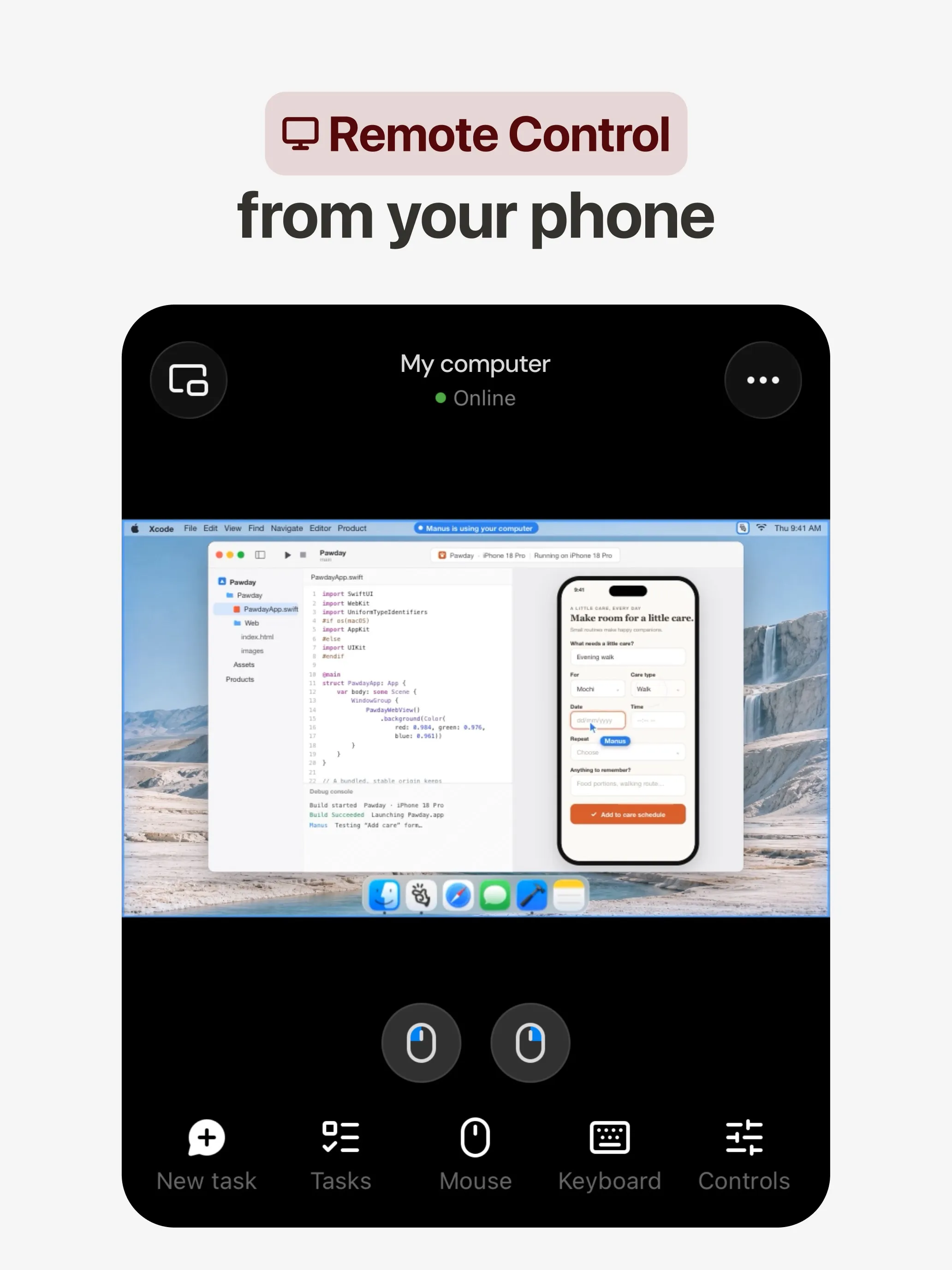
3. Rakazo:最适合多个相互隔离的 bot
每个 Rakazo bot 都有自己的沙箱电脑,配有浏览器、终端和桌面,有自己的记忆和例行任务,可以按计划、通过 webhook 或 GitHub 事件开始工作(Rakazo)。Bot 之间可以互相交接工作,你可以选择哪些操作需要你的批准。每个 bot 拥有独立电脑,正是 Grok Bot 文档中说明它不提供的那种隔离。
你可以自带模型(Claude 或 ChatGPT 订阅、API 密钥或本地模型),也可以购买 Rakazo 积分。它基于 Apache-2.0 协议可免费自托管,托管套餐每月 $15 起,含 25 小时电脑使用时长(价格)。它排第三,是因为它较新、仍处于测试阶段,而且模型需要单独付费,总费用不如单一订阅那样好预估。
适合你,如果你想要多个拥有独立电脑的智能体,并自选模型。
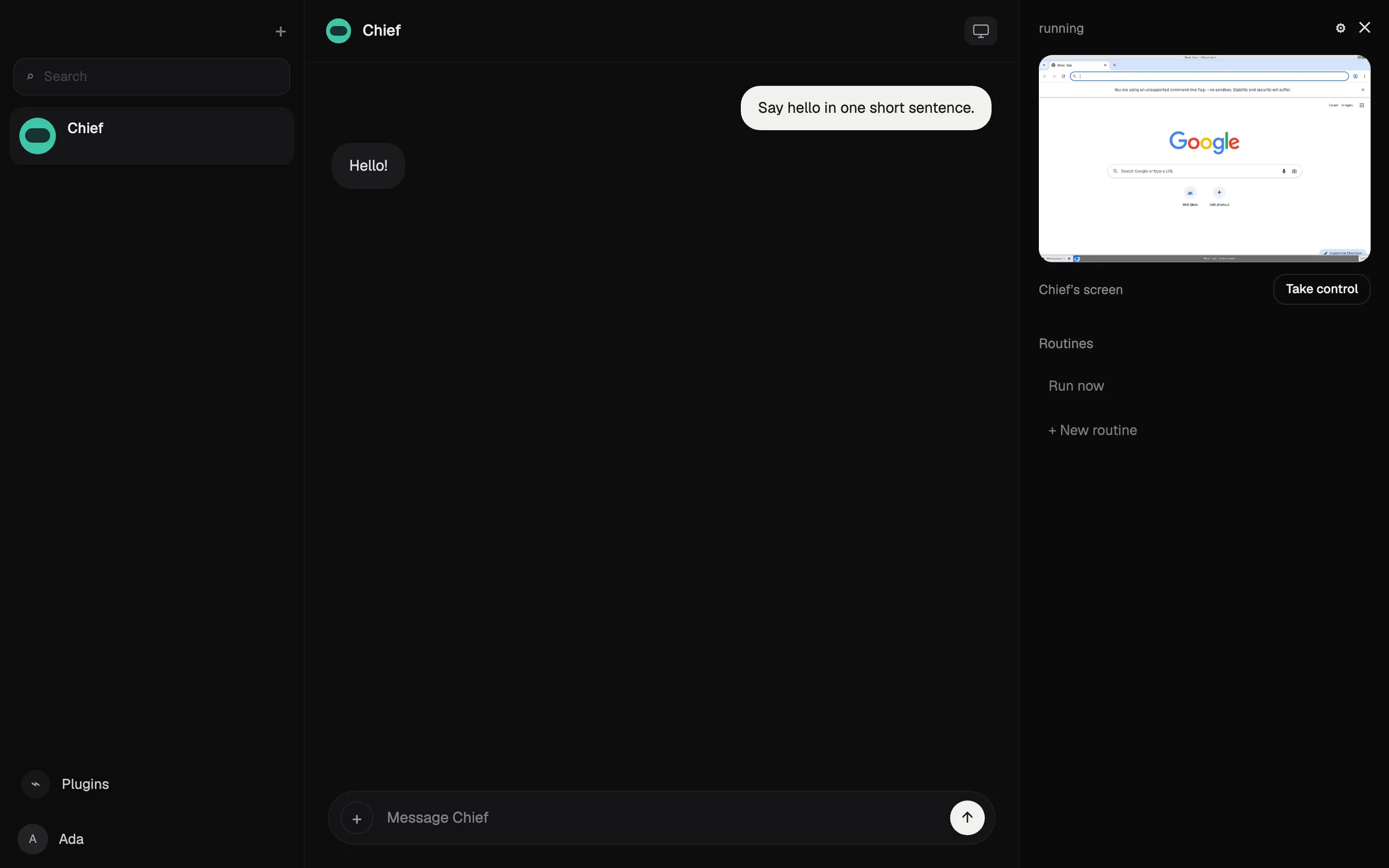

4. dots:最适合 ChatGPT Pro 用户
每个 dot 在自己的云端电脑和浏览器上工作,通过 ChatGPT 插件连接 4,000 多个应用,并能把工作交给 Codex 和 ChatGPT Work(OpenAI)。空闲时,它会以只读方式研究你已连接的应用,并带回需要你查看的事项。Custom Rules 和 Auto-review 会把关敏感操作,OpenAI 表示有些步骤始终由你亲自处理。
它因可用性排在第四:需要每月 $100 起的 ChatGPT Pro 或 Business Premium,Pro 访问不包括欧洲经济区、英国和瑞士,而且你只能拥有一个 dot。停止任务并不会撤销它已经执行的操作(文档)。参阅 dots 是什么。
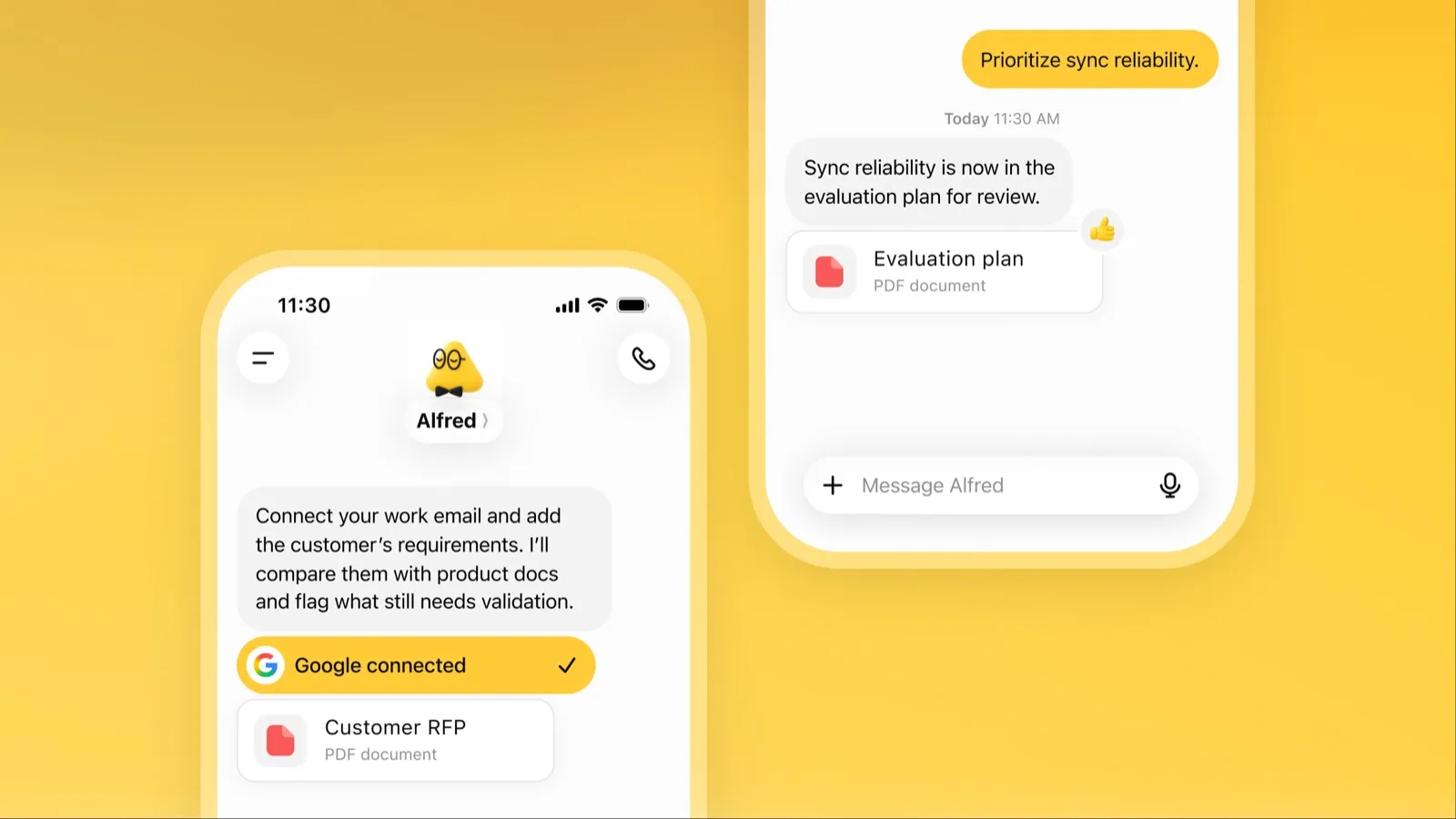
5. Perplexity Teammates:最适合持续进行的团队项目
每个 teammate 都运行在自己独立的电脑和浏览器上,把目标拆分成并行执行的任务,监视 Slack、GitHub、Linear 和 Gmail,并在有变化时采取行动(Perplexity)。你可以接管 teammate 的桌面,它无法查看你保存的凭据,你还可以为每个 teammate 单独选择模型。
单看能力,它的排名会更高。它排第五,是因为它只是面向 Perplexity Max(每月 $200)用户的网页版研究预览,用量从积分中扣除,且没有公布每项任务的费用。
6. Muse:最适合非技术用户的智能体
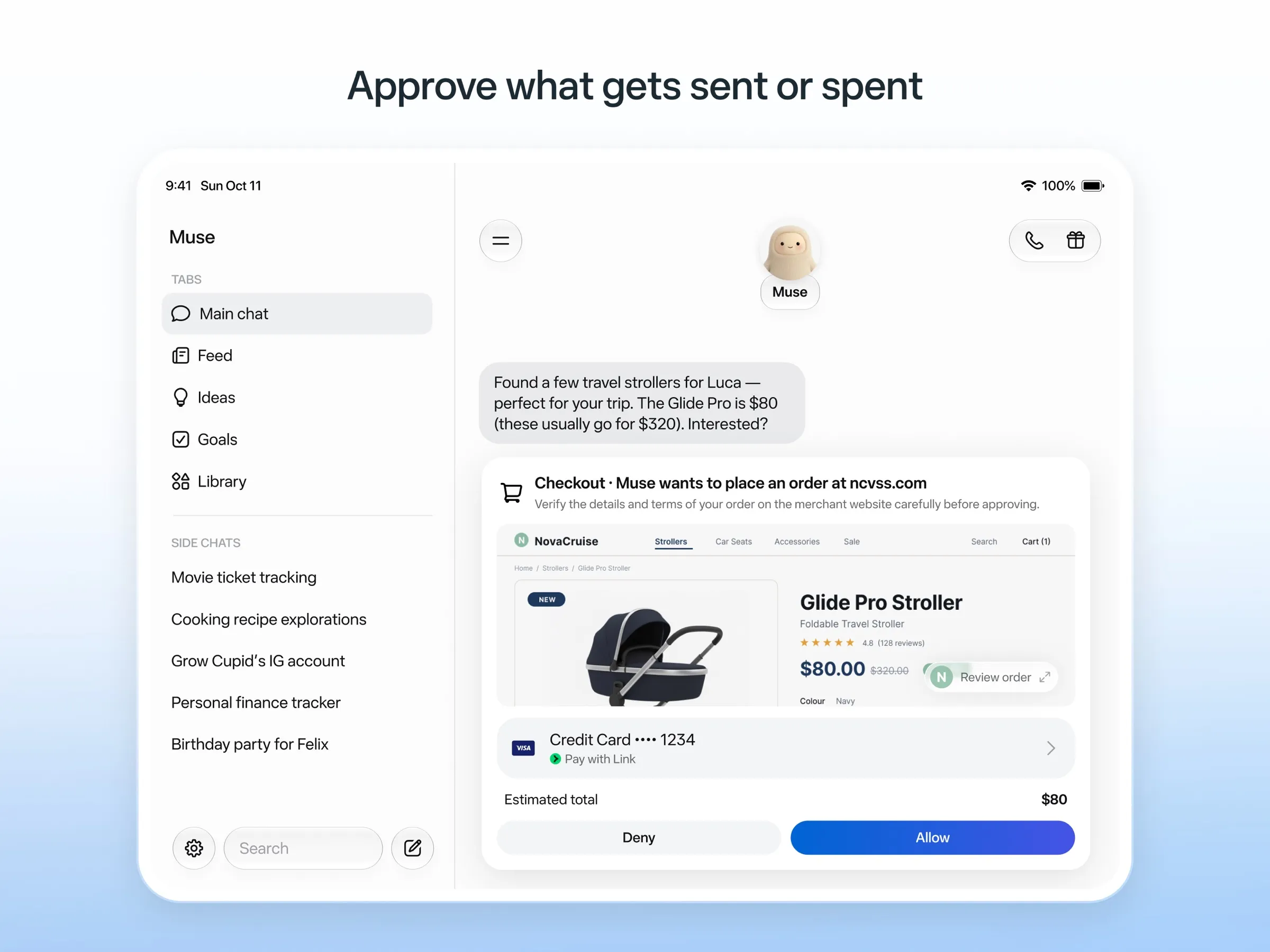
Muse 在一台专用云端电脑上工作,由一个独立的 Sentinel 智能体审批它发往互联网的任何内容。它在发送邮件或购物前会先询问你,保留审计记录,并使用一次性卡号付款(Meta)。它还能处理提醒和计划任务(Meta 帮助)。在未公开的额度内免费。
它的安全设计是这里最详尽的,但早期用户和媒体报道称它越权行事,包括读取了不该读取的消息(The Guardian)。它只在五个国家提供,即使免费版也需要绑定支付卡,而且除非你选择退出,否则会用你的聊天内容进行训练。参阅 Muse 是什么。
7. OpenClaw:最佳开源智能体
OpenClaw 运行在你自己的电脑上,能浏览网页、执行命令、管理邮件和日历,并运行计划自动化任务(文档)。它基于 MIT 协议免费,支持任何模型,包括本地模型。
它在这份榜单上排第七,因为它在你真实的机器上工作,而不是一台独立的电脑,而且沙箱默认关闭,所以除非你开启审批,智能体可以在你的电脑上执行命令。维护者警告说,它对非技术用户有风险。在我们的私密助手榜单上它排名更高,因为那里最看重把数据留在你自己的硬件上。
适合你,如果你懂技术并且愿意配置沙箱。参阅 OpenClaw 替代品。

8. Hermes Agent:最适合部署在服务器上的自托管智能体
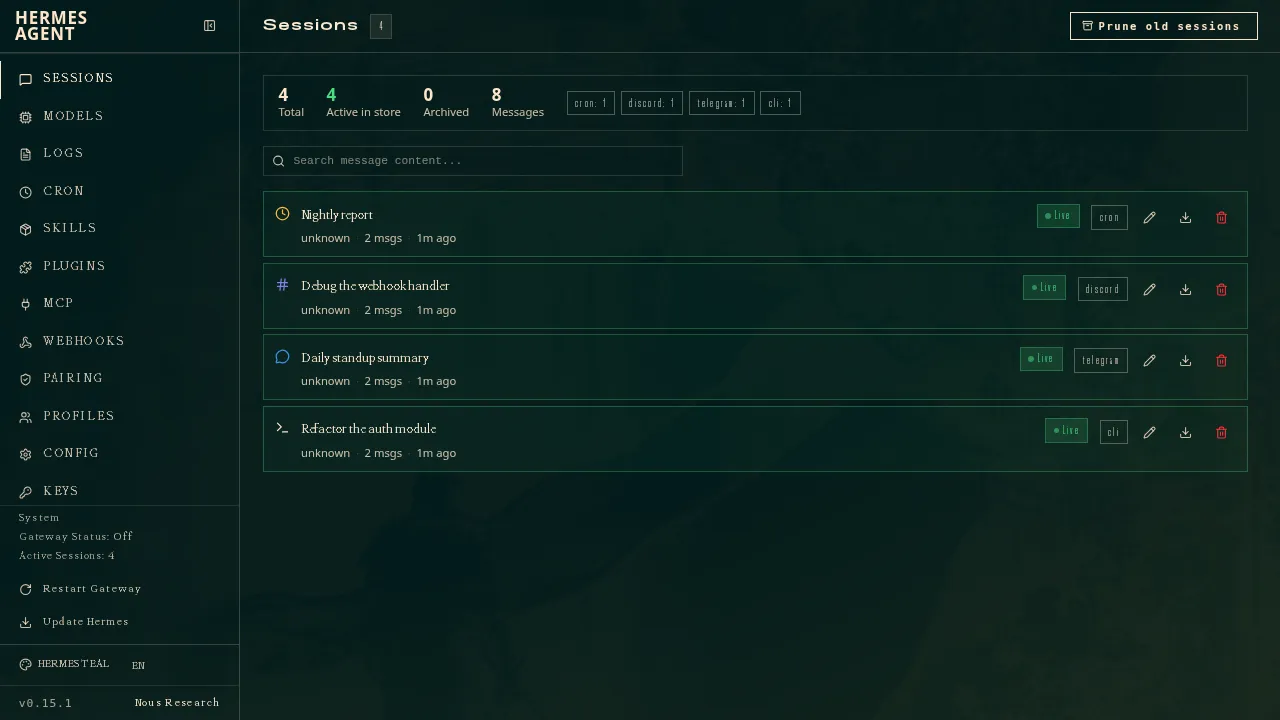
Hermes Agent 可以运行在你的电脑、一台便宜的服务器或无服务器基础设施上,会根据自己做过的事编写可复用的技能,并运行会话心跳和计划任务(文档)。你可以以配置文件的形式运行多个智能体,每个都有自己的模型、记忆和技能。可选的 Nous Portal 套餐会增加一个托管的云端智能体(Hermes Agent)。
它排在最后,因为设置需要使用命令行和你自己的服务器,而且我们无法从查阅的文档中确认它的默认安全控制。
适合你,如果你已经在运行服务器,并且想要一个不断学习的智能体。
该选哪一个
- 能力最强、无需设置: Grok Bot。
- 免费试用并拿到成品: Manus。
- 多个相互隔离的智能体、自选模型: Rakazo。
- 已经订阅 ChatGPT Pro: dots。
- 有团队项目的 Perplexity Max 订阅者: Perplexity Teammates。
- 日常杂事、不懂技术: Muse。
- 在自己的硬件上掌控智能体: OpenClaw 或 Hermes Agent。
先从出错代价低的任务开始,对邮件和购物保持开启审批,并在让智能体无人值守运行之前,检查它做过的事。
精选推荐
US$30/月
Always-on AI agents from SpaceXSI that run on a shared cloud computer, sign in to your apps and finish multi-step work while you're away.
访问 Grok Bot优点
- Bots work on their own cloud computer, so tasks keep running when your laptop or phone is closed
- Can operate websites and apps that have no API, using saved logins it never sees in plain text
- Several Bots can run in parallel, message each other and share one workspace
- Routines can run on a schedule or after an event, and a Bot can learn a task from a recorded demonstration of up to 10 minutes
- Can place phone calls to US businesses for you and send a summary afterwards
- Native apps for macOS, Windows, Linux, iOS and Android, plus Slack
缺点
- No free plan and no standalone price: the cheapest way in is the $30/month Premium plan
- Usage comes from a weekly pool shared with Grok and Cursor, and SpaceXSI does not publish how much work that pool covers
- No model picker: Grok Bot chooses the model for each task and does not show which one it used
- All Bots on an account share one computer, files and logins; the docs say not to use separate Bots as a security boundary
- Users report Amazon blocks it from shopping as an unauthorized AI agent; Amazon hasn't commented
- Still labelled beta, with no browser version
US$20/月
General-purpose AI agent that researches, builds websites, slides, videos and games, and runs automations on its own cloud computer.
访问 Manus优点
- Turns one prompt into finished output: research reports, websites, slides, videos and playable games
- Automations can start from a schedule or an event in a connected service such as Gmail, Slack or Notion
- Video Editor and Game Dev let you edit what the agent made instead of regenerating it
- Free plan to try it, with apps for web, iOS, Android, macOS and Windows
缺点
- Credit-based pricing makes costs hard to predict, and long or failed runs can use up credits
- Free daily credits are capped at 1,500 a month and only work in the Lite mode
- A built-in training opt-out is listed only for Team plans
- Several plans share the Pro name and differ only by credit amount
US$10/月
Open-source, self-hostable platform for persistent AI bots that each get a job, a computer, memory and routines, using the model you choose.
访问 Rakazo优点
- Open source (Apache-2.0) and fully self-hostable, including with local models
- Choice of model per bot, including existing Claude or ChatGPT subscriptions
- Bots keep working on schedules and triggers with their own cloud computer
- Approval controls over which actions a bot may take on its own
缺点
- Still in beta, with frequent releases
- You supply and pay for the model on the hosted plans, unless you buy Rakazo credits
- Telegram, WhatsApp and iMessage/SMS are only available when self-hosted
- More setup than a single chat app
US$100/月
OpenAI's always-on agent inside ChatGPT, with its own cloud computer, that works on your goals between chats and reaches you in ChatGPT, Slack or Teams.
访问 dots优点
- Runs on its own cloud computer and browser and keeps working when your devices are off
- Connects to over 4,000 apps through ChatGPT plugins and can hand work to Codex and ChatGPT Work
- Reachable in ChatGPT, Slack and Microsoft Teams, and you can call it, with one memory across channels
- Researches your connected apps on its own and brings you finished work or decisions to review
- Custom Rules and Auto-review gate sensitive actions, and some steps always stay with you
缺点
- No free, Go or Plus access: it needs ChatGPT Pro from $100 a month or Business Premium
- Pro access excludes the EEA, the UK and Switzerland
- One dot per user for now; teams of dots are only planned
- Texting over iMessage or RCS is a US-only beta, and your dot cannot call you yet
- Stopping a task does not undo actions it already took, and tasks it starts in Codex or ChatGPT Work count toward those limits
US$200/月
Persistent Perplexity agents, each with its own computer, browser and memory, that own ongoing work and watch Slack, GitHub and Linear. Max-only web preview.
访问 Perplexity Teammates优点
- Run several teammates, each on its own isolated computer and browser with separate sessions
- Watches Slack, GitHub, Linear and other connected tools, acts on changes and reaches out when it needs you
- Pick the model per teammate or task, with Claude Opus 5.5 as the default
- Splits a goal into parallel agent tasks, and teammates in a Project share context and hand work to each other
- You can take over a teammate's desktop and steer it, and it can't view your saved credentials
缺点
- Only on Perplexity Max at $200 a month; Pro and Enterprise plans are excluded by default
- Research preview whose behavior may change
- Web only for now; the iOS app is only promised soon
- Usage draws on credits, and parallel agents, large files and frequent automations use more
- No published cap on teammates and no published credit cost per task
US$20/月
Meta's personal AI agent that sends email, books travel and shops for you from its own cloud computer, in the Muse app or on the web.
访问 Muse优点
- Free tier, and no technical setup: you message it like a person in the app or on the web
- Runs on its own cloud computer and keeps working after you close the app
- Asks before sending email or buying, and shows an audit trail of what it did and plans to do
- Purchases go through a one-time card number with Link's purchase protections, so the agent never sees your real card
- Connects to email, calendar and Instagram, and can use a browser for sites without an API
缺点
- Only in the US, Canada, Japan, Singapore and Mexico so far, and Meta says Muse is still in limited testing
- Requires a payment card even for the free tier, and the stronger Muse Wonder model is for paid plans only
- Your interactions train Meta's AI models unless you opt out
- Free usage limit is not published, so it is hard to know when you will hit it
- Early users and press reported it overstepping permissions, such as reading messages it was not meant to
- Requires a Meta account and asks for broad access to email, calendars and payments
Free, MIT-licensed personal AI agent that runs on your own computer and takes orders from WhatsApp, Telegram, iMessage, Slack and 20+ other chat apps.
访问 OpenClaw优点
- Free and MIT licensed, with no paid tier
- Runs on your own hardware; state, memory and credentials stay local, and it sends nothing home except an optional daily version check
- Works in 29 chat channels, including WhatsApp, Telegram, iMessage, Slack, Discord and Microsoft Teams
- Model-agnostic: 64 model and media providers, plus local models
- Large ecosystem of skills and 142 official plugins, and very active development
缺点
- Model costs are on you and can run high: testers and users have reported spending over $100 in a day with expensive models
- Sandboxing is off by default and the agent can run commands on the host unless you turn on approvals
- Setup and upkeep expect comfort with the command line; maintainers warn it is risky for non-technical users
- Broad access to email, messages and the system makes prompt injection and malicious third-party skills a real risk
US$20/月
Free, MIT-licensed AI agent from Nous Research that runs on your own machine or server, learns reusable skills, and chats with you on Telegram, Slack and more.
访问 Hermes Agent优点
- Free and MIT licensed, and runs on hardware you control
- Writes and refines its own skills from experience, on top of persistent memory and cross-session search
- One gateway for 20+ chat platforms, including Telegram, Discord, Slack, WhatsApp, Signal and email
- Run several separate agents as profiles, each with its own model, memory and skills, and let them talk in group chats
- Model-agnostic, with a one-command import from OpenClaw
缺点
- Setup expects comfort with the command line and with running your own server
- Model costs are on you unless you use free models, and hosted web search, images and speech need a paid Nous Portal plan or your own keys
- iMessage needs a separate BlueBubbles server on a Mac
- No native mobile app; Android support is a command-line install through Termux
功能
| Grok Bot | Manus | Rakazo | dots | Perplexity Teammates | Muse | OpenClaw | Hermes Agent | |
|---|---|---|---|---|---|---|---|---|
| 联网搜索 | 是 | 是 | 是 | 是 | 是 | 是 | 是 | 是 |
| 图像生成 | 是 | 是 | 是 | 是 | 是 | 是 | 是 | 是 |
| 语音模式 | 是 | 是 | 是 | 是 | 未知 | 是 | 是 | 是 |
| 文件上传 | 是 | 是 | 是 | 是 | 是 | 是 | 是 | 是 |
| 记忆 | 是 | 是 | 是 | 是 | 是 | 是 | 是 | 是 |
| 代你执行操作 | 是 | 是 | 是 | 是 | 是 | 是 | 是 | 是 |
| 应用集成 | 是 | 是 | 是 | 是 | 是 | 是 | 是 | 是 |
| 自主运行 | 是 | 是 | 是 | 是 | 是 | 是 | 是 | 是 |
| 主动给你发消息 | 是 | 是 | 是 | 是 | 是 | 是 | 是 | 是 |
| 可运行多个机器人 | 是 | 未知 | 是 | 否 | 是 | 未知 | 是 | 是 |
来源
Grok Bot
- Grok Bot product page and FAQ2026年11月8日 核实
- SpaceXSI pricing: The X Subscription plans2026年11月8日 核实
- Introducing Grok Bot (launch post, Aug 11, 2026)2026年11月8日 核实
- Grok Bot FAQ: plans, platforms, memory, privacy and limits2026年11月8日 核实
- Grok Bot docs: Create and manage Bots2026年11月8日 核实
- Grok Bot changelog (v0.78.1, Oct 27, 2026)2026年11月8日 核实
- Cursor help: Grok Bot plans and usage2026年11月8日 核实
- Teslarati: Grok Bot can now call US businesses (Nov 2026)2026年11月8日 核实
- Teslarati: Amazon shuts out Grok Bot (Oct 15, 2026)2026年11月8日 核实
- Grok Bot docs: Overview (proactive teammate, morning briefing)2026年11月8日 核实
- Grok Bot docs: Chat and collaboration (Slack DMs, X Chat rolling out)2026年11月8日 核实
- Grok Bot docs: Get started (desktop and mobile apps)2026年11月8日 核实
- Grok Bot docs: Skills, routines and automations2026年11月8日 核实
- SpaceXSI: Team Bots in public beta (Sep 28, 2026)2026年11月8日 核实
- Wikipedia: SpaceXAI (xAI renamed SpaceXAI, then SpaceXSI)2026年11月8日 核实
- Cursor: Data Use & Privacy Overview (Privacy Mode and training)2026年11月8日 核实
Manus
- Manus Plans & Pricing2026年11月8日 核实
- Manus Help Center: What is the current membership pricing for Manus?2026年11月8日 核实
- Manus Help Center: rules for credit consumption2026年11月8日 核实
- Introducing Manus 2.0 (Sep 28, 2026)2026年11月8日 核实
- Download Manus: macOS, Windows, iOS and Android2026年11月8日 核实
- Tech Xplore/AFP: Manus raises $500 million after Meta acquisition blocked by China2026年11月8日 核实
- Wikipedia: Manus (AI agent)2026年11月8日 核实
- Manus for Slack: Turn Your Workspace into an Autonomous Engine2026年11月8日 核实
- Manus docs: Automations2026年11月8日 核实
- Is my data safe when using Manus Agents in Telegram?2026年11月8日 核实
- Chatting with Manus Agent on Slack: Channels, DMs, and File Delivery2026年11月8日 核实
- Manus Agents in Telegram (available to all users)2026年11月8日 核实
- Manus Help Center: What's new in Manus 2.0 (Cue requires an invitation code)2026年11月8日 核实
- Manus API docs: Agents (default agent plus agents you create)2026年11月8日 核实
- Manus privacy policy (updated Sep 28, 2026)2026年11月8日 核实
Rakazo
- Rakazo homepage2026年11月8日 核实
- Rakazo pricing2026年11月8日 核实
- Rakazo privacy policy2026年11月8日 核实
- Rakazo on GitHub (README and license)2026年11月8日 核实
- Rakazo changelog2026年11月8日 核实
- Rakazo releases2026年11月8日 核实
- Rakazo docs: Image and video generation2026年11月8日 核实
- Rakazo docs: Memory2026年11月8日 核实
- Rakazo docs: Connect apps2026年11月8日 核实
- Rakazo docs: Routines2026年11月8日 核实
- Rakazo docs: Chat apps2026年11月8日 核实
- Rakazo docs: Messaging apps (self-hosting)2026年11月8日 核实
- Rakazo docs: Bots and chats (add another bot, bot templates)2026年11月8日 核实
- Rakazo docs: Groups (several bots in one chat)2026年11月8日 核实
- Rakazo docs: Mobile app (notifications)2026年11月8日 核实
- Rakazo privacy policy (updated Sep 14, 2026)2026年11月8日 核实
- Rakazo privacy policy source on GitHub2026年11月8日 核实
dots
- ChatGPT: Dots feature page2026年11月8日 核实
- ChatGPT docs: Meet dots2026年11月8日 核实
- ChatGPT docs: Dot channels (Slack, Teams, calls, texting beta)2026年11月8日 核实
- ChatGPT pricing: Dots on Pro only; training opt-out2026年11月8日 核实
- TechCrunch: OpenAI launches dots, its bubbly agentic avatar2026年11月8日 核实
- DataCamp: OpenAI Dots, always-on agents in ChatGPT, explained2026年11月8日 核实
- eesel: OpenAI Dots pricing by Pro tier and limits2026年11月8日 核实
- ChatGPT docs: Dot computers and apps (cloud browser for research)2026年11月8日 核实
- OpenAI Help Center: Images in ChatGPT (image generation on all tiers)2026年11月8日 核实
Perplexity Teammates
- Perplexity blog: Teammates are agents for complex, ongoing work (November 4, 2026)2026年11月8日 核实
- Perplexity Help Center: Perplexity Teammates2026年11月8日 核实
- Perplexity Help Center: Perplexity Max ($200 a month)2026年11月8日 核实
- Perplexity Help Center: Data Collection at Perplexity2026年11月8日 核实
- Perplexity Help Center: Generating Images with Perplexity2026年11月8日 核实
Muse
- Meta: Introducing Muse, the world's first personal AI agent built for everyone2026年11月8日 核实
- Muse homepage2026年11月8日 核实
- Meta Help Center: About Muse subscriptions2026年11月8日 核实
- Meta Help Center: Meta AI, Muse and Vibes are separate apps2026年11月8日 核实
- TechCrunch: Meta debuts its Muse AI agent. Will consumers trust it?2026年11月8日 核实
- 9to5Mac: Muse personal agent gets apps for iPhone and Mac2026年11月8日 核实
- The Guardian TechScape: early Muse users report the agent overstepping permissions2026年11月8日 核实
- iPhone in Canada: Meta's Muse AI agent is now available in Canada2026年11月8日 核实
- Superpower Daily: Meta launches Muse in Japan (Oct 23, 2026)2026年11月8日 核实
- Meta: Muse is now available in Singapore (Oct 27, 2026)2026年11月8日 核实
- Mexico News Daily: Meta launches its Muse AI agent in Mexico (Nov 6, 2026)2026年11月8日 核实
- Meta Q3 2026 earnings call transcript: Muse Wonder in the paid tier, free tier on Muse Spark2026年11月8日 核实
- How to manage reminders and scheduled tasks with Muse2026年11月8日 核实
- WhatsApp Help Center: About chatting with your Muse agent through WhatsApp2026年11月8日 核实
- TechCrunch: Meta's Muse hits Mac2026年11月8日 核实
- Meta AI: Muse features and FAQ (browses the web, generates images)2026年11月8日 核实
- Meta Help Center: How your Muse agent browses the web2026年11月8日 核实
- Meta Help Center: How to use Muse with artifacts (uploads, image generation)2026年11月8日 核实
- Meta Help Center: How to get started with Muse2026年11月8日 核实
OpenClaw
- OpenClaw homepage and Foundation section2026年11月8日 核实
- OpenClaw integrations: channels, providers and plugins2026年11月8日 核实
- openclaw/openclaw on GitHub (MIT, v2026.11.1)2026年11月8日 核实
- OpenClaw docs: Sandboxing (off by default)2026年11月8日 核实
- Wikipedia: OpenClaw2026年11月8日 核实
- Notebookcheck: OpenClaw can burn through hundreds of dollars per day2026年11月8日 核实
- OpenClaw docs: Memory overview2026年11月8日 核实
- OpenClaw docs: Automations2026年11月8日 核实
- OpenClaw docs: Chat channels2026年11月8日 核实
- OpenClaw docs: iMessage2026年11月8日 核实
- OpenClaw docs: Heartbeat, now a default Proactive check job2026年11月8日 核实
- OpenClaw docs: Multi-agent routing2026年11月8日 核实
- OpenClaw docs: Platforms (macOS, Windows, Linux, iOS and Android apps)2026年11月8日 核实
- OpenClaw docs: Tools (exec, browser, web search)2026年11月8日 核实
- OpenClaw docs: Audio and voice notes (inbound transcription)2026年11月8日 核实
- OpenClaw docs: Image and media support (inbound media)2026年11月8日 核实
Hermes Agent
- NousResearch/hermes-agent on GitHub (MIT, v0.23.0)2026年11月8日 核实
- Hermes Agent homepage and Nous Portal pricing2026年11月8日 核实
- Hermes Agent documentation2026年11月8日 核实
- Hermes Agent docs: Profiles, running multiple agents2026年11月8日 核实
- Hermes Agent docs: Bot Mode2026年11月8日 核实
- Hermes Agent docs: Voice mode2026年11月8日 核实
- Hermes Agent docs: Vision and image paste2026年11月8日 核实
- Hermes Agent docs: iMessage via BlueBubbles2026年11月8日 核实
- Nous Research on X: Meet Hermes Agent (February 25, 2026)2026年11月8日 核实
- Hermes Agent docs: Session heartbeats and cron watchdogs2026年11月8日 核实
- Hermes Agent docs: FAQ (Is my data sent anywhere?)2026年11月8日 核实