OpenClawの代替:より安全、より簡単、ホスト型の選択肢
セキュリティ、APIの請求、セットアップが理由でOpenClawから離れたい人へ。RakazoとHermes Agentはオープンソースのまま、Grok BotとPokeはセットアップ不要のホスト型です。
早わかり
| アシスタント | 無料プラン | オープンソース | セルフホスト可能 | 初期設定でチャットを学習に使用 | ||
|---|---|---|---|---|---|---|
| OpenClaw | あり | – | あり | あり | なし | |
| Rakazo | あり | 月額$10 | あり | あり | なし | |
| Hermes Agent | あり | 月額$20 | あり | あり | なし | |
| Grok Bot | なし | 月額$30 | なし | なし | なし | |
| Poke | あり | 月額$19 | なし | なし | あり | |
| Manus | あり | 月額$20 | なし | なし | 不明 | |
| Perplexity Teammates | なし | 月額$200 | なし | なし | あり |







OpenClawの良さ(オープンソース、自分のモデル、自分のハードウェア)はそのままに、各ボットをサンドボックス環境のコンピューターで動かしたいなら、Rakazoを検討しましょう。最も簡単に移行したいなら、Hermes Agentは1つのコマンドでOpenClawの設定、記憶、スキルをインポートできます。エージェントを自分で運用するのはもうやめたいなら、最も高機能なホスト型の代替はGrok Bot、無料で最も簡単に始められるのはPokeです。
開示:Rakazoは当サイトの運営会社が開発しています。他のすべてと同じ基準で順位付けしており、足りない点も以下に明記しています。
OpenClawの代替が探される理由
OpenClawは最も人気のあるオープンソースのパーソナルエージェントで、2026年11月までにGitHubのスターは40万近くに達しています。無料でMITライセンス、29のチャットチャネルから使え、好きなモデルで動き、当サイトのアシスタント基準の5項目すべてを満たしています。不満はできることについてではありません。安全に運用するためのコストについてです。
- セキュリティのデフォルト設定。 OpenClaw自身のドキュメントにサンドボックスはデフォルトでオフとあり、承認を有効にしない限り、エージェントはあなたのマシン上で直接コマンドを実行できます。8月にバージョン2.0が出た際、The Registerのレビューは「その使いやすさと一緒に、デフォルトでのセキュリティはもたらしていない」と評しました。
- 悪意のあるスキルとプロンプトインジェクション。 スキルのエコシステムは強みであると同時にリスクでもあります。研究者は、サードパーティのスキルがひそかにデータを外部に送信しているのを発見しました(Wikipediaによる事例のまとめ)。メールやメッセージにアクセスできるエージェントは、プロンプトインジェクション攻撃にとってまさに格好の標的です。
- モデルの請求。 ソフトウェアは無料でも、モデルは無料ではありません。Notebookcheckは、高価なモデルを使って1日で$100以上を使ったユーザーの事例を記録しています。
- セットアップと維持管理。 メンテナーは、コマンドラインに慣れていない人にはリスクがあると警告しており、頼れるホスト版もありません。
順位付けの方法
ここで紹介するツールはどれも、これらの不満の少なくとも1つを解消します。より安全なデフォルト設定、固定の月額料金、セットアップ不要のいずれかです。ほとんどの人がOpenClawを選んだ理由であるオープンソースで自分のモデルを使えるツールを先にし、その中でも最も多く挙げられるセキュリティの不満を解消するものから始めました。ホスト型ツールはその後に、評価の高い順、次に料金順で続きます。当サイトの評価は上の表にあり、チェックリスト(アカウントで行動する、不在中も作業する、自分から連絡してくる、チャットアプリで使える、複数のボットを動かせる)に加えて、セットアップの手間、料金、提供状況を考慮しています。
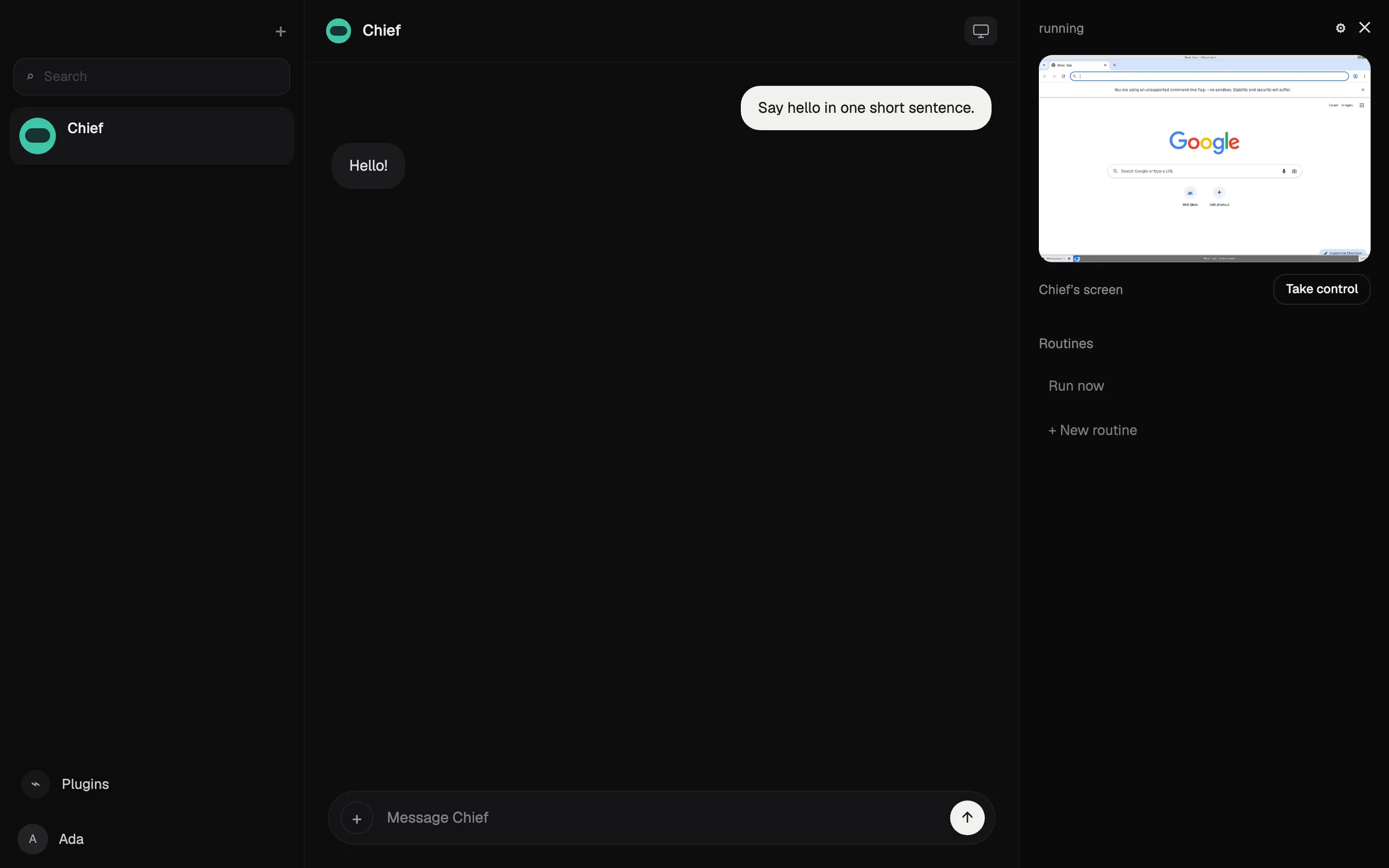
1. Rakazo:オープンソースで、ボットごとにサンドボックス環境のコンピューター
Rakazoは、デフォルト設定の異なるOpenClawに最も近い存在です。オープンソース(Apache-2.0)で、無料でセルフホストでき、ボットごとにモデルを選べます。既存のClaudeやChatGPTのサブスクリプションでサインインすることも、OllamaやLM Studioでローカルモデルを動かすこともできます。違いは構造にあります。各ボットはあなた自身のマシン上で行動するのではなく、独自のコンピューター(セルフホスト時はDockerかサンドボックス)を持ち、どの操作に承認が必要かはあなたが選べます。ボットはスケジュール、Webhook、GitHubのイベントで動き、互いに作業を引き継げます。
サーバーを運用せずにソフトウェアを使いたい場合は、25時間のコンピューター利用時間付きで月$15からのホスト型プランもあります。Rakazoのクレジットを購入しない限りモデルは引き続き自分で用意して料金を払うため、セットアップの問題は解決しますが、トークンの請求の問題が解決するとは限りません。
諦めるもの: 利用範囲と成熟度。OpenClawは29のチャットチャネルで動きますが、Rakazoのホスト版が対応するのはSlackと自社アプリで、Telegram、WhatsApp、iMessageはセルフホスト時にしか使えません。Rakazoはベータ版でずっと新しく、OpenClawのようなスキルのエコシステムはまったくありません。

2. Hermes Agent:最も簡単な移行先
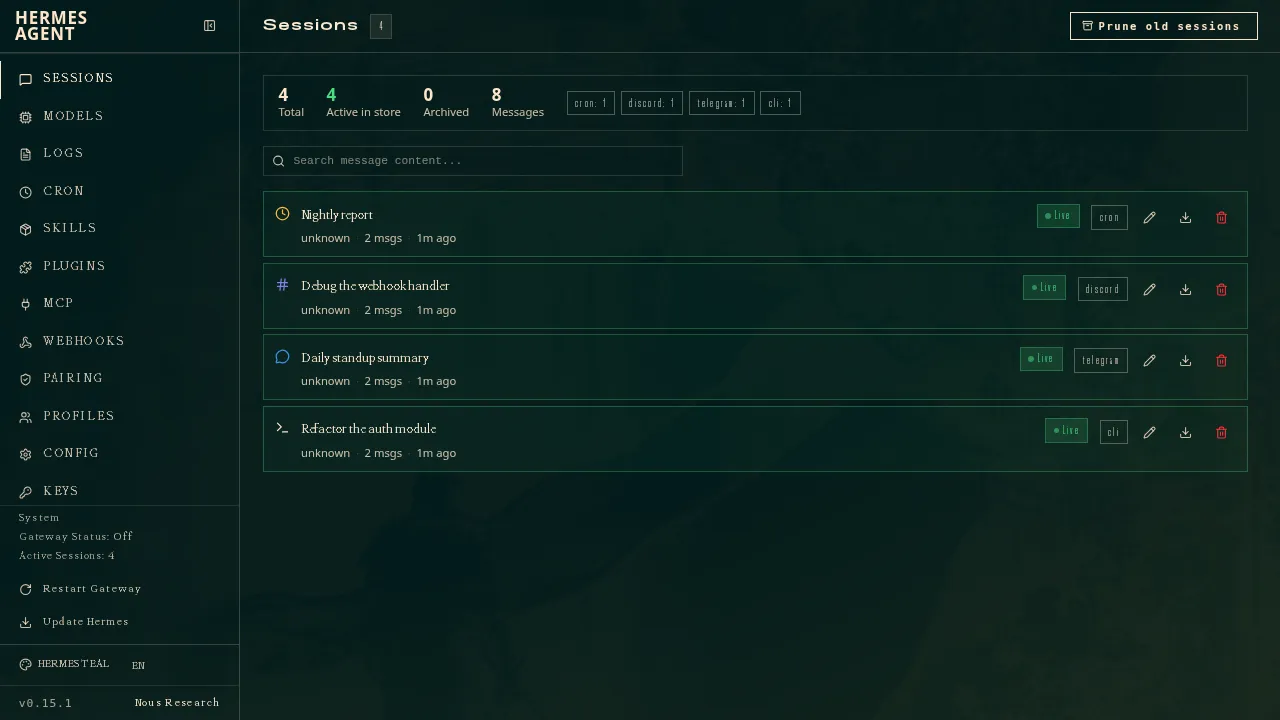
Nous ResearchのHermes Agentはもう1つの大きなオープンソースのエージェントで、OpenClawのユーザーを念頭に作られています。1つのコマンドで設定、記憶、スキルをインポートできます。MITライセンスでモデルを問わず、1つのゲートウェイでTelegram、Discord、Slack、WhatsApp、Signalを含む20以上のチャットプラットフォームにつながります。経験から自分でスキルを書いて改良し、複数のエージェントをプロファイルとして動かせ、それぞれが独自のモデルとメモリを持ちます。
2位なのは、請求とセットアップの不満を解消できるのが有料の場合に限られるためです。$20のNous Portalプランには、モデル、ホスト型ツール、クラウドエージェント1つが固定の月額料金でセットになっています。確認したドキュメントにはサンドボックスについての記載がなかったため、セキュリティの不満を解消するとは言えません。
諦めるもの: OpenClawと比べればほとんどありません。それがポイントです。Portalプランなしでは、セットアップにはやはりコマンドラインと自前のサーバーが前提で、iMessageにはMac上の別のBlueBubblesサーバーが必要で、ネイティブのモバイルアプリはありません。
3. Grok Bot:最も高機能なホスト型エージェント
SpaceXSIのGrok Botは、OpenClawを誰かが代わりに運用してくれたらこうなる、という存在です。名前付きのBotsが、ブラウザ、ファイル、ターミナルを備えた常設のクラウドPC上で作業し、Botが平文では見ることのない保存済みのログイン情報であなたのツールにサインインし、予約やトリガーによるルーティンを実行し、重要な操作の前には確認を求めます。アプリ以外にインストールするものはなく、ノートPCを閉じていても動き続けます。
諦めるもの: 管理とオープンさ。これがオープンソースの2つより下位の理由です。無料プランはなく、最も安い入り口は月$30です。モデルは選べず、Grok Botはどれを使ったかも教えてくれません。利用量はGrokやCursorと共有される週ごとの利用枠から消費され、ハロウィーンの週末にはリセットの数日前に使い切ったユーザーもいました。1つのアカウントのBotsはすべて同じコンピューター、ファイル、ログイン情報を共有しており、ドキュメントは別々のBotsをセキュリティ境界として扱わないよう警告しています。

4. Poke:ターミナルなしで「テキストを送るだけ」
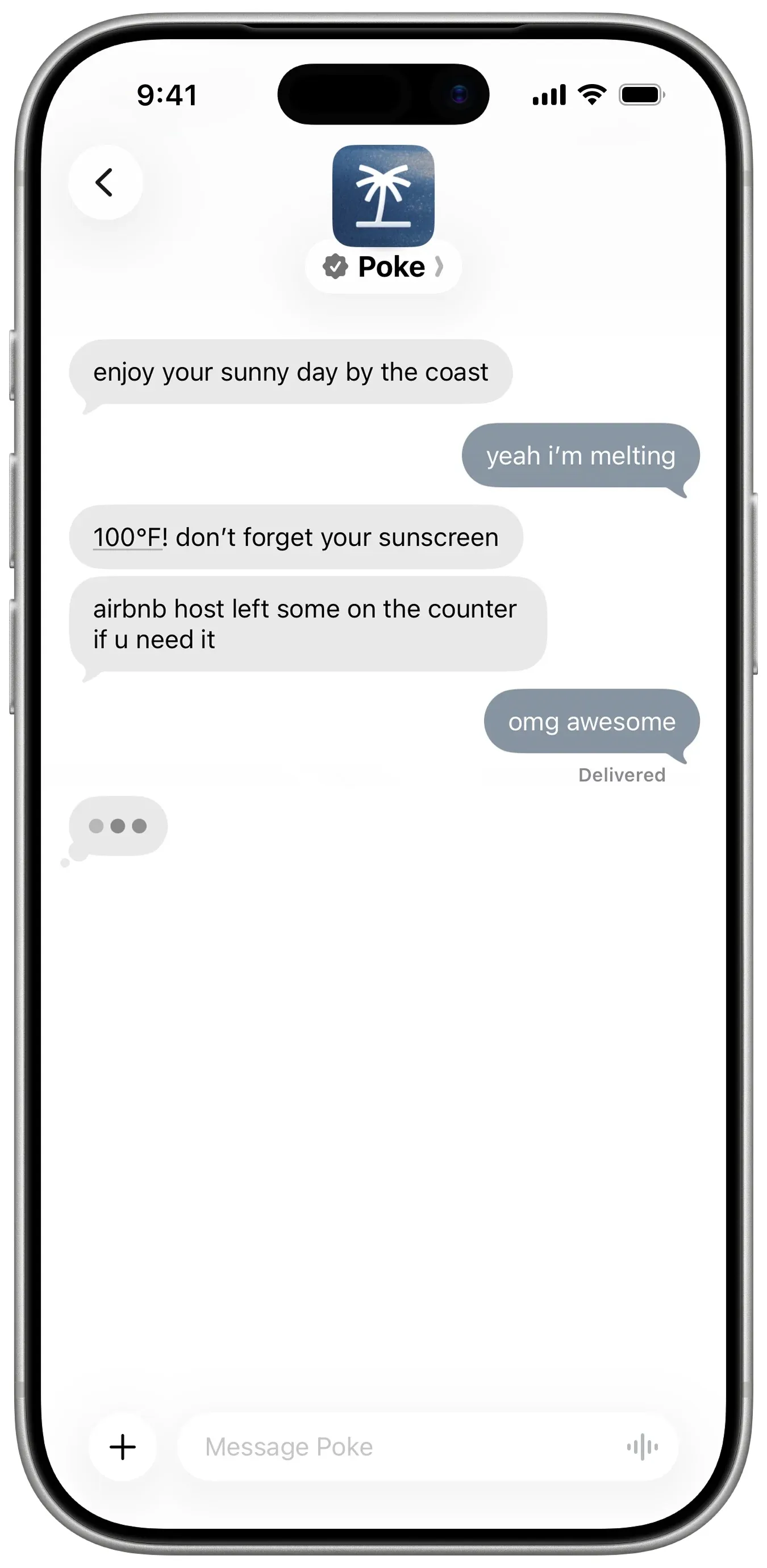
Pokeは、OpenClawの「スマートフォンからメッセージを送る」という発想は好きでも、サーバーには一切触れたくない人向けです。電話番号で登録し、iMessage、SMS、Telegramでテキストを送ります。Gmail、Outlook、Googleカレンダーなど多くのアプリに接続し、MCPを通じて独自のアプリにも接続でき、対応が必要なことがあれば自分から連絡してきます。無料プランはカード不要で、Proは月$19です。
諦めるもの: 管理。モデルを選ぶことも見ることもできず、Maximum Privacyを選ばない限りあなたのデータで学習し、現在はCognitionの傘下にあるため方向性が変わる可能性もあります。アシスタントは1つで、複数ではありません。
5. Manus:1回限りのプロジェクトに最適
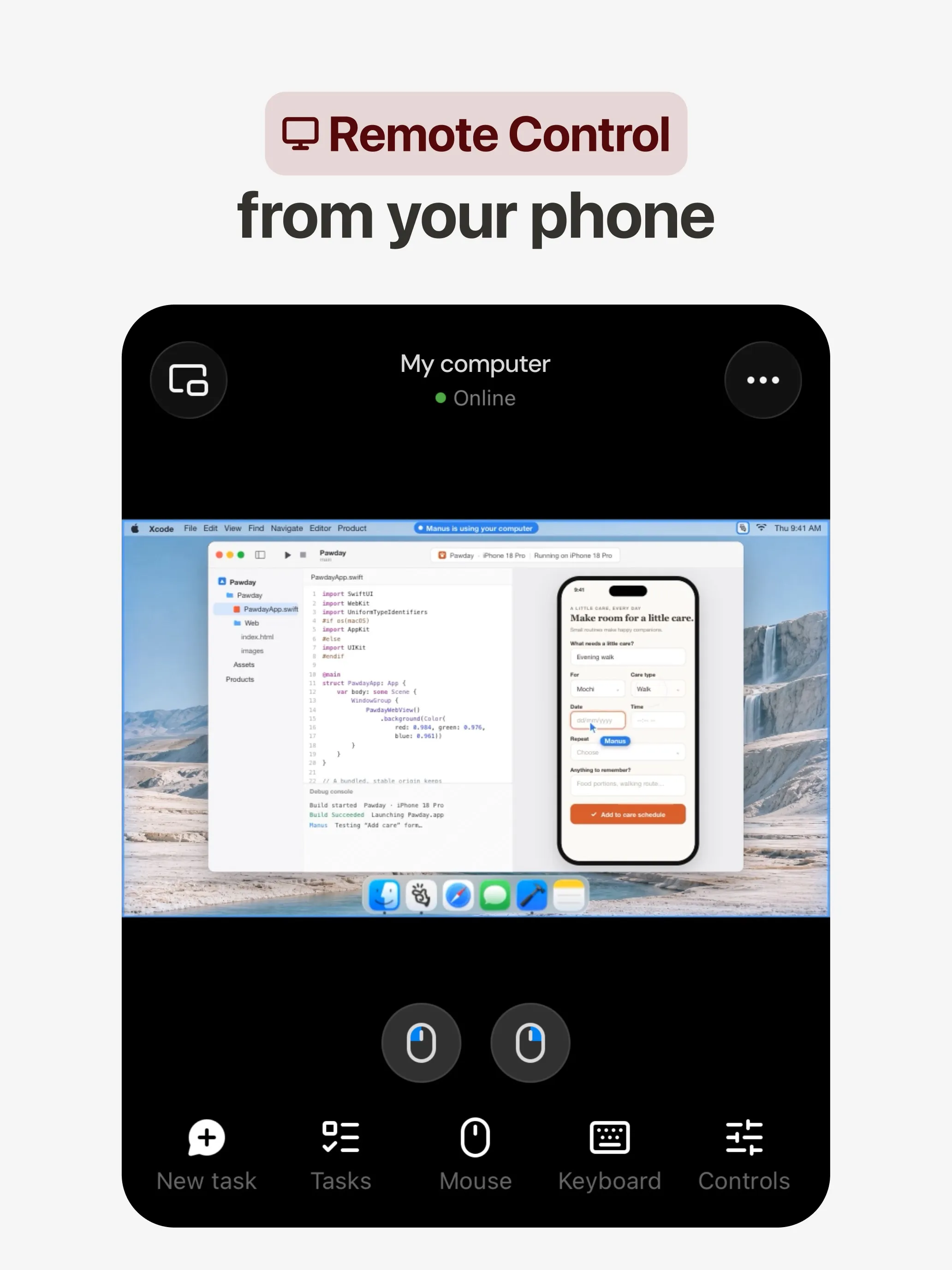
市場調査、サイトの構築、スライドの作成など、大きくて終わりのある仕事にOpenClawを使っていたなら、Manusが選択肢です。独自の環境でタスクを計画・実行し、AutomationsはGmail、Slack、Notionのイベントで起動し、SlackやTelegramでチャットもできます。無料プランがあります。
諦めるもの: Manusは成果物を目的としており、日々あなたのアカウントの中で暮らすためのものではありません。料金はタスクの複雑さに応じたクレジット制のため、作業のコストは事前にわからず、失敗した実行でもクレジットが消費されます。組み込みの学習オプトアウトはTeamプランにしか記載されていません。
6. Perplexity Teammates:モデルを選べる複数のホスト型エージェント
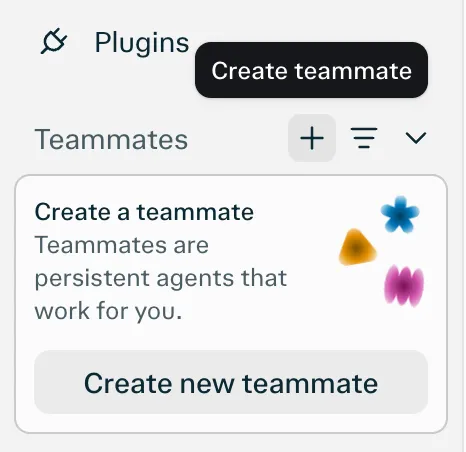
Perplexity Teammatesは常駐するエージェントで、それぞれが独自の分離されたコンピューターとブラウザを持ち、Slack、GitHub、Linear、Gmailを監視し、あなたが必要なときに連絡してきます。teammateごとにモデルを選べ、これはここで紹介するホスト型製品の中で最もOpenClawのモデル選択に近いものです。teammateはあなたの保存済み認証情報を見られません。
諦めるもの: 料金とチャットアプリでの操作。月$200のPerplexity Max向けのWeb限定リサーチプレビューで、利用量はタスクあたりのコストが公開されていないクレジットから消費されます。
どれを選ぶべきか
- オープンソースで自分のモデルを使い、ボットごとにサンドボックスが欲しい: Rakazo。
- OpenClawの構成を最小限の手間で移したい: Hermes Agent。
- 強力なエージェントを、料金を払って誰かに運用してもらいたい: Grok Bot。
- 何もインストールせず、無料でアシスタントにテキストを送りたい: Poke。
- ときどき大きなプロジェクトを進める: Manus。
- モデルを選べるホスト型エージェントが欲しく、Perplexity Maxを契約している: Perplexity Teammates。
OpenClawを使い続けるなら、最も安上がりな対策は不満そのものから導けます。サンドボックスと承認をオンにし、サードパーティのスキルはインストール前に確認し、モデルの提供元で支出上限を設定しましょう。仕組みの背景については、OpenClawとはをご覧ください。
代替サービス
月額$10
Open-source, self-hostable platform for persistent AI bots that each get a job, a computer, memory and routines, using the model you choose.
Rakazoを開く長所
- Open source (Apache-2.0) and fully self-hostable, including with local models
- Choice of model per bot, including existing Claude or ChatGPT subscriptions
- Bots keep working on schedules and triggers with their own cloud computer
- Approval controls over which actions a bot may take on its own
短所
- Still in beta, with frequent releases
- You supply and pay for the model on the hosted plans, unless you buy Rakazo credits
- Telegram, WhatsApp and iMessage/SMS are only available when self-hosted
- More setup than a single chat app
月額$20
Free, MIT-licensed AI agent from Nous Research that runs on your own machine or server, learns reusable skills, and chats with you on Telegram, Slack and more.
Hermes Agentを開く長所
- Free and MIT licensed, and runs on hardware you control
- Writes and refines its own skills from experience, on top of persistent memory and cross-session search
- One gateway for 20+ chat platforms, including Telegram, Discord, Slack, WhatsApp, Signal and email
- Run several separate agents as profiles, each with its own model, memory and skills, and let them talk in group chats
- Model-agnostic, with a one-command import from OpenClaw
短所
- Setup expects comfort with the command line and with running your own server
- Model costs are on you unless you use free models, and hosted web search, images and speech need a paid Nous Portal plan or your own keys
- iMessage needs a separate BlueBubbles server on a Mac
- No native mobile app; Android support is a command-line install through Termux
月額$30
Always-on AI agents from SpaceXSI that run on a shared cloud computer, sign in to your apps and finish multi-step work while you're away.
Grok Botを開く長所
- Bots work on their own cloud computer, so tasks keep running when your laptop or phone is closed
- Can operate websites and apps that have no API, using saved logins it never sees in plain text
- Several Bots can run in parallel, message each other and share one workspace
- Routines can run on a schedule or after an event, and a Bot can learn a task from a recorded demonstration of up to 10 minutes
- Can place phone calls to US businesses for you and send a summary afterwards
- Native apps for macOS, Windows, Linux, iOS and Android, plus Slack
短所
- No free plan and no standalone price: the cheapest way in is the $30/month Premium plan
- Usage comes from a weekly pool shared with Grok and Cursor, and SpaceXSI does not publish how much work that pool covers
- No model picker: Grok Bot chooses the model for each task and does not show which one it used
- All Bots on an account share one computer, files and logins; the docs say not to use separate Bots as a security boundary
- Users report Amazon blocks it from shopping as an unauthorized AI agent; Amazon hasn't commented
- Still labelled beta, with no browser version
月額$19
A personal AI assistant you text in iMessage or Telegram that connects to your email, calendar and apps and messages you first when something needs attention.
Pokeを開く長所
- Nothing to install: you sign up with a phone number and text it like a contact
- Messages you first, using your connected services and memory
- Free plan with no credit card, and email and calendar included
- Connects to Gmail, Outlook, Google Calendar, Notion, GitHub, Linear and many more apps, plus custom integrations through MCP
- Shareable automation recipes, and developers can build their own
短所
- Uses your data to train its AI models unless you choose Maximum Privacy
- WhatsApp support is limited to some markets
- Only one phone number per account
- Does not say which AI models it uses, and does not publish how many credits each plan includes
- Now owned by Cognition, so the product's direction may change
月額$20
General-purpose AI agent that researches, builds websites, slides, videos and games, and runs automations on its own cloud computer.
Manusを開く長所
- Turns one prompt into finished output: research reports, websites, slides, videos and playable games
- Automations can start from a schedule or an event in a connected service such as Gmail, Slack or Notion
- Video Editor and Game Dev let you edit what the agent made instead of regenerating it
- Free plan to try it, with apps for web, iOS, Android, macOS and Windows
短所
- Credit-based pricing makes costs hard to predict, and long or failed runs can use up credits
- Free daily credits are capped at 1,500 a month and only work in the Lite mode
- A built-in training opt-out is listed only for Team plans
- Several plans share the Pro name and differ only by credit amount
月額$200
Persistent Perplexity agents, each with its own computer, browser and memory, that own ongoing work and watch Slack, GitHub and Linear. Max-only web preview.
Perplexity Teammatesを開く長所
- Run several teammates, each on its own isolated computer and browser with separate sessions
- Watches Slack, GitHub, Linear and other connected tools, acts on changes and reaches out when it needs you
- Pick the model per teammate or task, with Claude Opus 5.5 as the default
- Splits a goal into parallel agent tasks, and teammates in a Project share context and hand work to each other
- You can take over a teammate's desktop and steer it, and it can't view your saved credentials
短所
- Only on Perplexity Max at $200 a month; Pro and Enterprise plans are excluded by default
- Research preview whose behavior may change
- Web only for now; the iOS app is only promised soon
- Usage draws on credits, and parallel agents, large files and frequent automations use more
- No published cap on teammates and no published credit cost per task
機能
| OpenClaw | Rakazo | Hermes Agent | Grok Bot | Poke | Manus | Perplexity Teammates | |
|---|---|---|---|---|---|---|---|
| ウェブ検索 | あり | あり | あり | あり | あり | あり | あり |
| 画像生成 | あり | あり | あり | あり | 不明 | あり | あり |
| 音声モード | あり | あり | あり | あり | あり | あり | 不明 |
| ファイルのアップロード | あり | あり | あり | あり | あり | あり | あり |
| メモリー | あり | あり | あり | あり | あり | あり | あり |
| 代わりに操作を実行 | あり | あり | あり | あり | あり | あり | あり |
| アプリ連携 | あり | あり | あり | あり | あり | あり | あり |
| 自律的に動作 | あり | あり | あり | あり | あり | あり | あり |
| 自分から連絡してくる | あり | あり | あり | あり | あり | あり | あり |
| 複数のボット | あり | あり | あり | あり | 不明 | 不明 | あり |
出典
OpenClaw
- OpenClaw homepage and Foundation section2026/11/08確認
- OpenClaw integrations: channels, providers and plugins2026/11/08確認
- openclaw/openclaw on GitHub (MIT, v2026.11.1)2026/11/08確認
- OpenClaw docs: Sandboxing (off by default)2026/11/08確認
- Wikipedia: OpenClaw2026/11/08確認
- Notebookcheck: OpenClaw can burn through hundreds of dollars per day2026/11/08確認
- OpenClaw docs: Memory overview2026/11/08確認
- OpenClaw docs: Automations2026/11/08確認
- OpenClaw docs: Chat channels2026/11/08確認
- OpenClaw docs: iMessage2026/11/08確認
- OpenClaw docs: Heartbeat, now a default Proactive check job2026/11/08確認
- OpenClaw docs: Multi-agent routing2026/11/08確認
- OpenClaw docs: Platforms (macOS, Windows, Linux, iOS and Android apps)2026/11/08確認
- OpenClaw docs: Tools (exec, browser, web search)2026/11/08確認
- OpenClaw docs: Audio and voice notes (inbound transcription)2026/11/08確認
- OpenClaw docs: Image and media support (inbound media)2026/11/08確認
Rakazo
- Rakazo homepage2026/11/08確認
- Rakazo pricing2026/11/08確認
- Rakazo privacy policy2026/11/08確認
- Rakazo on GitHub (README and license)2026/11/08確認
- Rakazo changelog2026/11/08確認
- Rakazo releases2026/11/08確認
- Rakazo docs: Image and video generation2026/11/08確認
- Rakazo docs: Memory2026/11/08確認
- Rakazo docs: Connect apps2026/11/08確認
- Rakazo docs: Routines2026/11/08確認
- Rakazo docs: Chat apps2026/11/08確認
- Rakazo docs: Messaging apps (self-hosting)2026/11/08確認
- Rakazo docs: Bots and chats (add another bot, bot templates)2026/11/08確認
- Rakazo docs: Groups (several bots in one chat)2026/11/08確認
- Rakazo docs: Mobile app (notifications)2026/11/08確認
- Rakazo privacy policy (updated Sep 14, 2026)2026/11/08確認
- Rakazo privacy policy source on GitHub2026/11/08確認
Hermes Agent
- NousResearch/hermes-agent on GitHub (MIT, v0.23.0)2026/11/08確認
- Hermes Agent homepage and Nous Portal pricing2026/11/08確認
- Hermes Agent documentation2026/11/08確認
- Hermes Agent docs: Profiles, running multiple agents2026/11/08確認
- Hermes Agent docs: Bot Mode2026/11/08確認
- Hermes Agent docs: Voice mode2026/11/08確認
- Hermes Agent docs: Vision and image paste2026/11/08確認
- Hermes Agent docs: iMessage via BlueBubbles2026/11/08確認
- Nous Research on X: Meet Hermes Agent (February 25, 2026)2026/11/08確認
- Hermes Agent docs: Session heartbeats and cron watchdogs2026/11/08確認
- Hermes Agent docs: FAQ (Is my data sent anywhere?)2026/11/08確認
Grok Bot
- Grok Bot product page and FAQ2026/11/08確認
- SpaceXSI pricing: The X Subscription plans2026/11/08確認
- Introducing Grok Bot (launch post, Aug 11, 2026)2026/11/08確認
- Grok Bot FAQ: plans, platforms, memory, privacy and limits2026/11/08確認
- Grok Bot docs: Create and manage Bots2026/11/08確認
- Grok Bot changelog (v0.78.1, Oct 27, 2026)2026/11/08確認
- Cursor help: Grok Bot plans and usage2026/11/08確認
- Teslarati: Grok Bot can now call US businesses (Nov 2026)2026/11/08確認
- Teslarati: Amazon shuts out Grok Bot (Oct 15, 2026)2026/11/08確認
- Grok Bot docs: Overview (proactive teammate, morning briefing)2026/11/08確認
- Grok Bot docs: Chat and collaboration (Slack DMs, X Chat rolling out)2026/11/08確認
- Grok Bot docs: Get started (desktop and mobile apps)2026/11/08確認
- Grok Bot docs: Skills, routines and automations2026/11/08確認
- SpaceXSI: Team Bots in public beta (Sep 28, 2026)2026/11/08確認
- Wikipedia: SpaceXAI (xAI renamed SpaceXAI, then SpaceXSI)2026/11/08確認
- Cursor: Data Use & Privacy Overview (Privacy Mode and training)2026/11/08確認
Poke
- Poke homepage2026/11/08確認
- Poke pricing2026/11/08確認
- Poke FAQ2026/11/08確認
- Poke privacy notice (last updated September 11, 2026)2026/11/08確認
- Cognition: welcoming The Interaction Company to Cognition (July 23, 2026)2026/11/08確認
- TechCrunch: Poke makes using AI agents as easy as sending a text2026/11/08確認
- TechCrunch: Apple approves Poke as the first AI agent on its Messages for Business platform2026/11/08確認
- Introducing Poke.com (launch announcement, September 8, 2025)2026/11/08確認
- Poke docs: Welcome (built-in web search)2026/11/08確認
- Poke release notes (web search, sharing images, attachments)2026/11/08確認
Manus
- Manus Plans & Pricing2026/11/08確認
- Manus Help Center: What is the current membership pricing for Manus?2026/11/08確認
- Manus Help Center: rules for credit consumption2026/11/08確認
- Introducing Manus 2.0 (Sep 28, 2026)2026/11/08確認
- Download Manus: macOS, Windows, iOS and Android2026/11/08確認
- Tech Xplore/AFP: Manus raises $500 million after Meta acquisition blocked by China2026/11/08確認
- Wikipedia: Manus (AI agent)2026/11/08確認
- Manus for Slack: Turn Your Workspace into an Autonomous Engine2026/11/08確認
- Manus docs: Automations2026/11/08確認
- Is my data safe when using Manus Agents in Telegram?2026/11/08確認
- Chatting with Manus Agent on Slack: Channels, DMs, and File Delivery2026/11/08確認
- Manus Agents in Telegram (available to all users)2026/11/08確認
- Manus Help Center: What's new in Manus 2.0 (Cue requires an invitation code)2026/11/08確認
- Manus API docs: Agents (default agent plus agents you create)2026/11/08確認
- Manus privacy policy (updated Sep 28, 2026)2026/11/08確認
Perplexity Teammates
- Perplexity blog: Teammates are agents for complex, ongoing work (November 4, 2026)2026/11/08確認
- Perplexity Help Center: Perplexity Teammates2026/11/08確認
- Perplexity Help Center: Perplexity Max ($200 a month)2026/11/08確認
- Perplexity Help Center: Data Collection at Perplexity2026/11/08確認
- Perplexity Help Center: Generating Images with Perplexity2026/11/08確認