De beste AI-assistenten in 2026: de assistenten die echt iets doen
Twaalf AI-assistenten die voor u handelen, gerangschikt op wat ze zelf kunnen en hoe makkelijk u ze krijgt: Grok Bot, Rakazo, OpenClaw, Hermes Agent, Muse en meer.
In het kort
| Assistent | Gratis abonnement | Open source | Zelf te hosten | Traint standaard op je chats | ||
|---|---|---|---|---|---|---|
| Grok Bot | Nee | US$ 30/mnd | Nee | Nee | Nee | |
| Rakazo | Ja | US$ 10/mnd | Ja | Ja | Nee | |
| OpenClaw | Ja | – | Ja | Ja | Nee | |
| Hermes Agent | Ja | US$ 20/mnd | Ja | Ja | Nee | |
| Muse | Ja | US$ 20/mnd | Nee | Nee | Ja | |
| Poke | Ja | US$ 19/mnd | Nee | Nee | Ja | |
| Instinct | Ja | – | Nee | Nee | Ja | |
| Claude Duet | Nee | US$ 20/mnd | Nee | Nee | Onbekend | |
| Lindy | Ja | US$ 49,99/mnd | Nee | Nee | Nee | |
| Manus | Ja | US$ 20/mnd | Nee | Nee | Onbekend | |
| Perplexity Teammates | Nee | US$ 200/mnd | Nee | Nee | Ja | |
| dots | Nee | US$ 100/mnd | Nee | Nee | Ja |












Grok Bot is in november 2026 de beste AI-assistent voor de meeste mensen die werk willen uitbesteden: het doet alles wat een assistent zou moeten doen, heeft apps voor elk platform en vraagt geen installatie, al kost het $30 per maand. Rakazo doet hetzelfde werk met het model dat u kiest en een gehost abonnement vanaf $15. Bent u technisch en wilt u het gratis op uw eigen hardware, dan zijn OpenClaw en Hermes Agent de twee opensource-keuzes. Wilt u een assistent gewoon een sms sturen, begin dan met Poke, dat gratis is.
Openheid: Rakazo wordt gemaakt door het bedrijf achter deze site. Het is beoordeeld op dezelfde voorwaarden als alle andere tools, en de zwakke punten staan hieronder.
Waarom ChatGPT, Claude en Gemini niet op deze lijst staan
Een chatapp antwoordt wanneer u hem opent en iets vraagt. Dat is nuttig, maar het is geen assistent in de zin van iemand die voor u werkt. Een echte assistent logt in op uw accounts en regelt zaken, gaat door nadat u het venster sluit, en laat het u weten wanneer iets uw aandacht nodig heeft.
Deze lijst bevat daarom alleen producten die gemaakt zijn om voor u te handelen. Heeft een groot AI-bedrijf zo’n product, dan noemen we dat in plaats van zijn chatbot: dots is de agent van OpenAI in ChatGPT, Claude Duet die van Anthropic, Perplexity Teammates die van Perplexity, Grok Bot is een aparte app naast de Grok-chatbot, en Muse staat los van Meta AI.
Hoe we hebben gerangschikt
De ranglijst volgt onze beoordeling, die met een korte toelichting van één regel in de tabel op deze pagina staat. Het uitgangspunt zijn vijf dingen die een assistent zou moeten doen, getoetst aan zijn catalogusvermelding en de bronnen die daaronder staan. We hebben geen eigen benchmark uitgevoerd.
- Handelt in uw accounts: verstuurt e-mail, boekt, koopt of bewerkt namens u.
- Werkt terwijl u weg bent: blijft taken en routines uitvoeren als uw apparaat uit staat.
- Stuurt u als eerste een bericht: briefings, meldingen en opvolging zonder dat u erom vraagt.
- Zit in uw chatapps: een algemeen beschikbaar kanaal via WhatsApp, Telegram, iMessage, Slack of Discord. Bèta’s en wachtlijsten tellen niet mee.
- Draait meerdere bots: aparte assistenten voor aparte taken.
De checklist alleen bepaalt de beoordeling niet. We wegen ook de installatiemoeite (zelf installeren, draaien en beveiligen telt negatief), de prijs en de beschikbaarheid (toegang alleen op uitnodiging, wachtlijsten en regiobeperkingen tellen negatief). Hoger beoordeelde assistenten komen eerst.
1. Grok Bot: de beste in het algemeen
Met Grok Bot maakt u Bots met een naam, geeft u elk een taak en laat u ze werken op een cloudcomputer met een browser, bestanden en een terminal (Grok Bot). Ze loggen in op uw tools, voeren routines uit op een schema of na een gebeurtenis, vragen toestemming voor gevoelige acties en kunnen een taak leren van een opgenomen demonstratie. Er zijn native apps voor macOS, Windows, Linux, iOS en Android, plus Slack.
Het staat bovenaan omdat het alles op de checklist doet, geen installatie vraagt en het model is inbegrepen. De nadelen: geen gratis abonnement (de goedkoopste instap is het Premium-abonnement van X à $30), een wekelijkse gebruikspool die wordt gedeeld met Grok en Cursor en waarvan SpaceXSI de grootte niet publiceert, en alle Bots delen één computer en één set logins, dus de documentatie zegt dat u afzonderlijke Bots niet als beveiligingsgrens moet zien. Het is nog in bèta.
Kies het als u terugkerend inbox- en browserwerk gedaan wilt hebben en $30 per maand geen probleem vindt. Zie alternatieven voor Grok Bot.

2. Rakazo: het beste met uw eigen model
Rakazo draait blijvende bots, elk met een eigen geheugen, eigen routines en een eigen afgeschermde computer, die starten op een schema, een webhook of een GitHub-gebeurtenis en om goedkeuring vragen voor de acties die u kiest (Rakazo). U brengt zelf het model mee: een Claude- of ChatGPT-abonnement, een API-sleutel of lokale modellen. Het is open source onder Apache-2.0 en gratis zelf te hosten; het gehoste abonnement begint bij $15 per maand met een proefperiode van 7 dagen (prijzen).
Het staat onder Grok Bot omdat u het model meestal zelf levert en betaalt, tenzij u Rakazo-credits koopt, het in bèta is, en Telegram, WhatsApp en iMessage alleen werken als u zelf host. Lees de review van Rakazo voor de details.
Kies het als u meerdere bots met aparte computers wilt, of zelf het model wilt kiezen.

3. OpenClaw: de beste gratis en opensource-optie
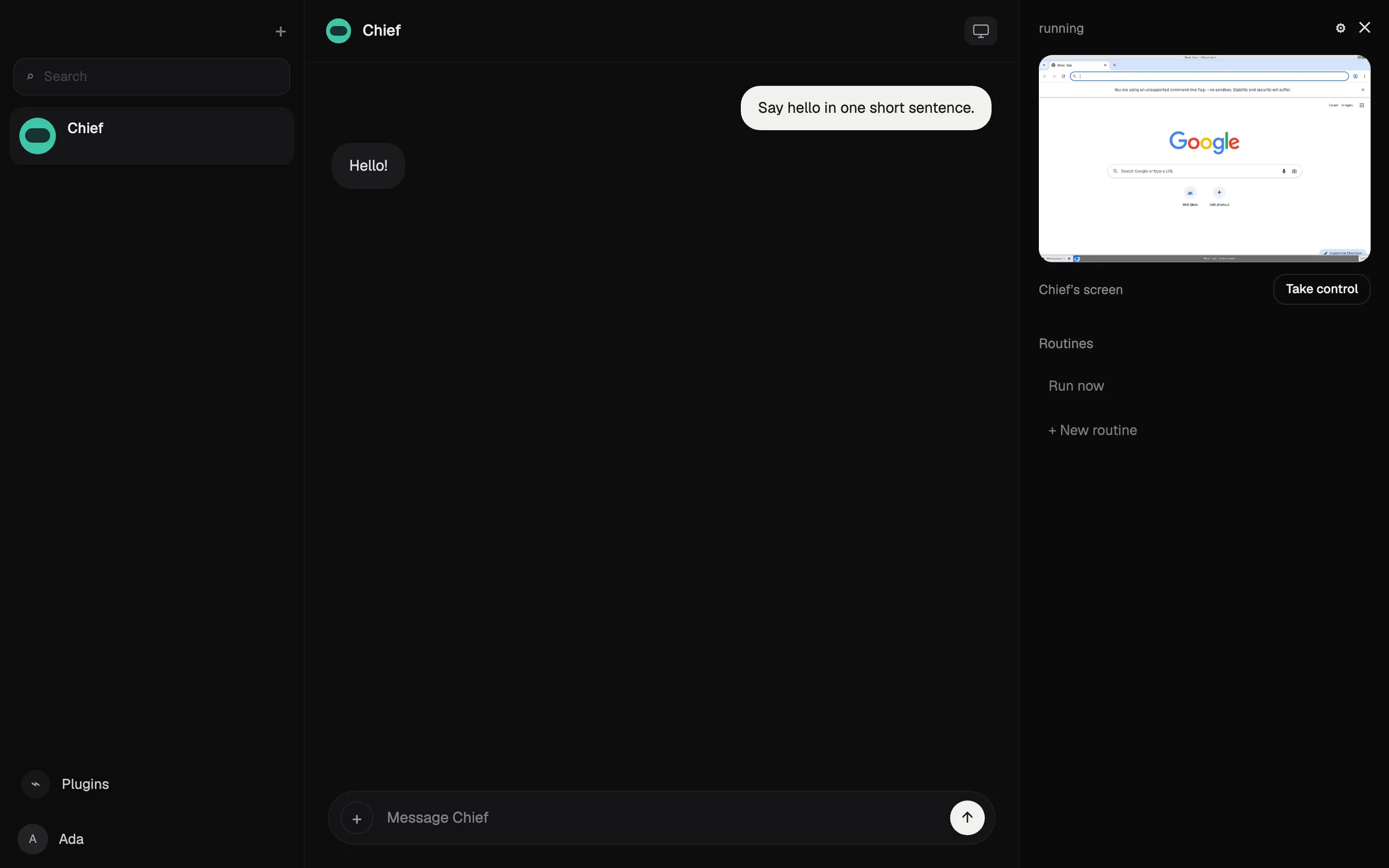
OpenClaw is een gratis agent onder MIT-licentie die op uw eigen computer draait en instructies aanneemt via WhatsApp, Telegram, iMessage, Slack, Discord en veel andere chatapps (OpenClaw). U kiest elk cloudmodel of een lokaal model, en status, geheugen en inloggegevens blijven op uw hardware.
Het doet alles op de checklist, maar wordt lager beoordeeld dan de gehoste keuzes omdat u het zelf installeert, draait en beveiligt: het veronderstelt vertrouwdheid met de opdrachtregel, sandboxing staat standaard uit en de modelkosten zijn voor uw rekening. Testers meldden meer dan $100 op één dag uit te geven met dure modellen.
Kies het als u technisch bent en volledige controle wilt. Zie wat OpenClaw is en alternatieven voor OpenClaw.

4. Hermes Agent: het beste voor een agent die leert
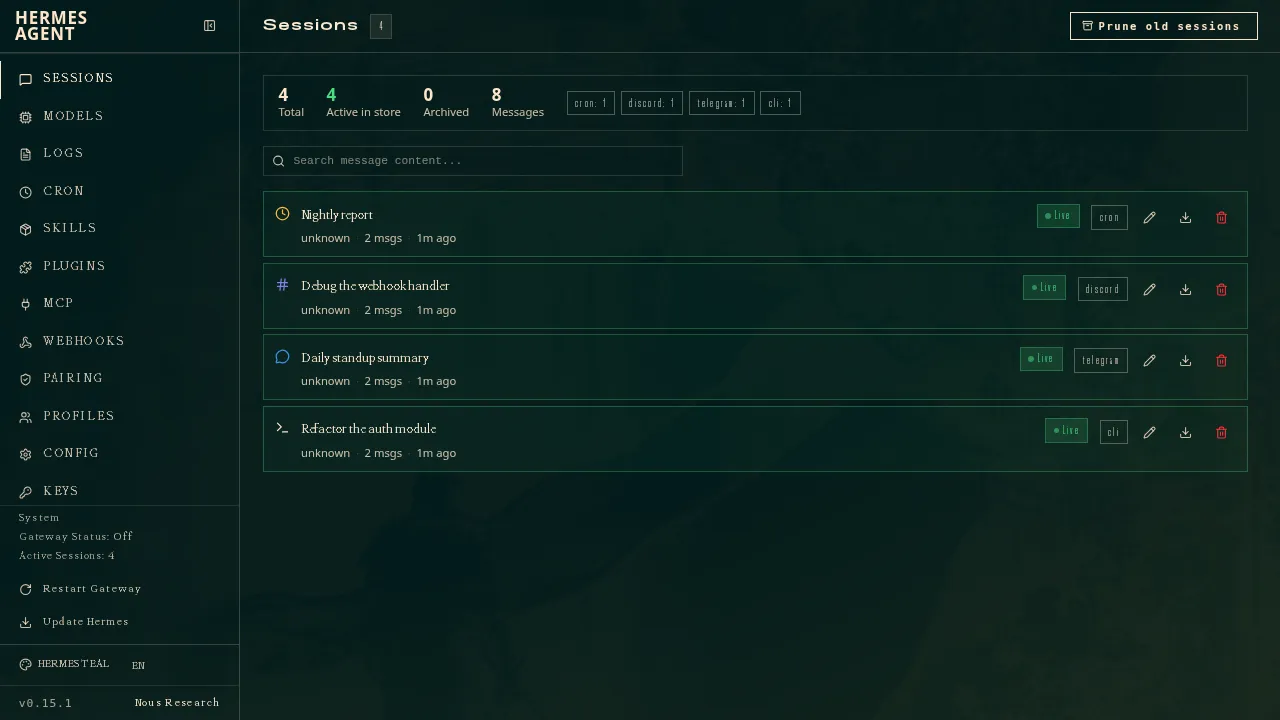
Hermes Agent, van Nous Research, is gratis en valt onder de MIT-licentie, en draait op uw computer, een goedkope server of serverloze infrastructuur (GitHub). Na complexe taken schrijft het herbruikbare skills en verfijnt die, en één gateway koppelt het aan Telegram, Discord, Slack, WhatsApp, Signal, e-mail en meer. U kunt meerdere agents als aparte profielen draaien, en het importeert instellingen, herinneringen en skills uit OpenClaw.
Net als OpenClaw doet het alles op de checklist, maar u draait en beveiligt het zelf. Het staat net onder OpenClaw omdat er geen native mobiele app is en iMessage een aparte BlueBubbles-server op een Mac vereist. Een optioneel Nous Portal-abonnement vanaf $20 bundelt modellen, gehoste tools en één cloudagent (Hermes Agent).
Kies het als u uw eigen server draait en een agent wilt die beter wordt naarmate u hem gebruikt.
5. Muse: de beste gratis assistent voor dagelijkse klusjes
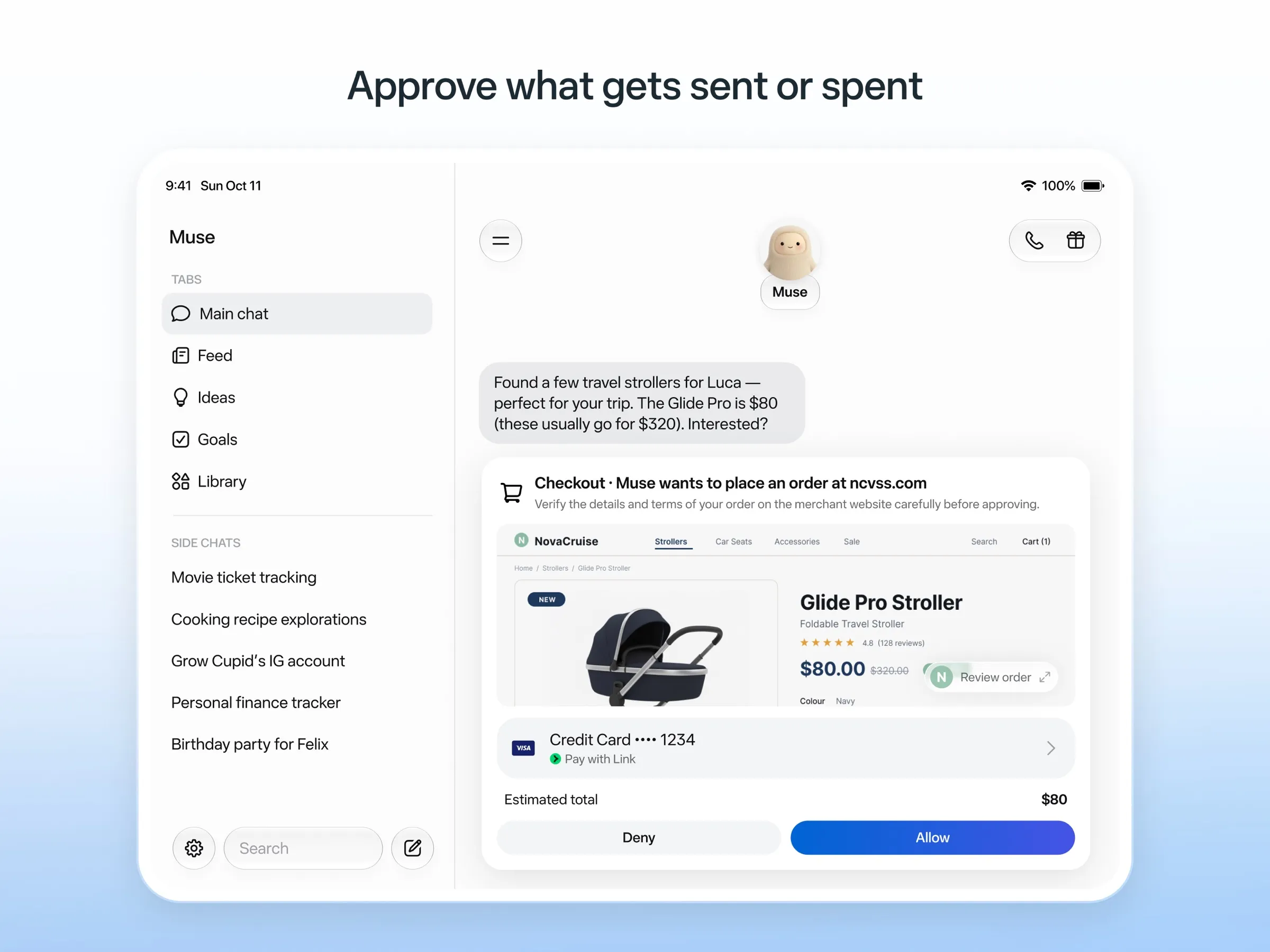
Muse is de persoonlijke agent van Meta: u stuurt het berichten zoals aan een persoon, het werkt op een eigen cloudcomputer, vraagt eerst voordat het e-mail verstuurt of iets koopt, en betaalt met eenmalige kaartnummers (Meta). Het is gratis tot een niet-gepubliceerde limiet, met betaalde abonnementen vanaf $20.
Het wordt goed beoordeeld omdat het gratis is en het werk doet vanaf een eigen cloudcomputer, zonder dat u iets hoeft in te stellen. Het mist het punt voor chatapps omdat toegang via WhatsApp nog in beperkte test is, en Meta zegt niet of u meerdere Muses kunt draaien. Het is alleen beschikbaar in de VS, Canada, Japan, Singapore en Mexico, vereist een betaalkaart, zelfs voor de gratis versie, en uw chats trainen de modellen van Meta tenzij u zich afmeldt. Zie wat Muse is en alternatieven voor Muse.
6. Poke: de beste assistent die u gewoon een sms stuurt
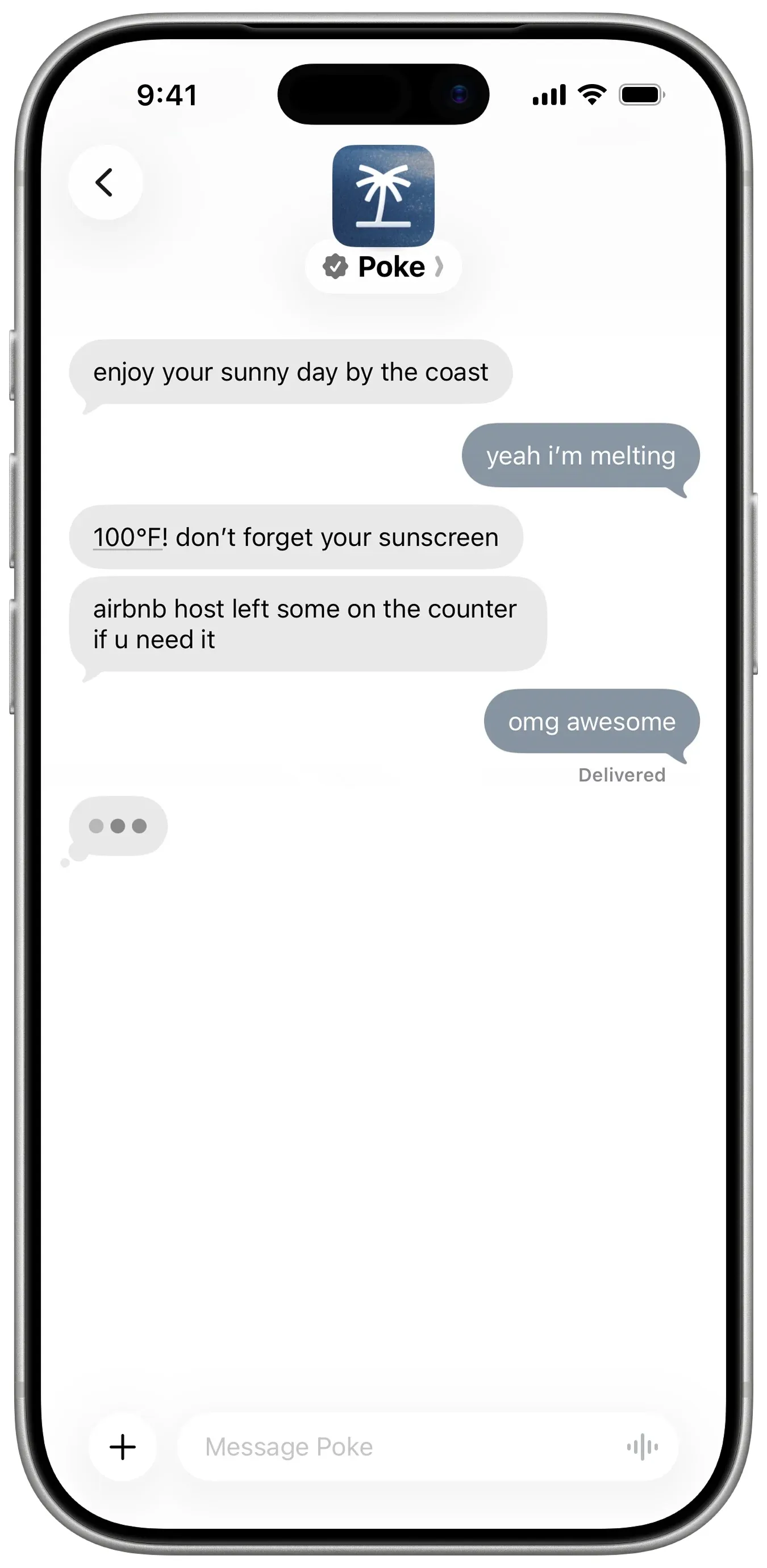
Poke vraagt geen installatie: u meldt zich aan met uw telefoonnummer en stuurt berichten via iMessage, sms of Telegram (Poke). Het koppelt met Gmail, Outlook, Google Agenda en veel andere apps, draait deelbare automatiseringen die recipes heten, en stuurt u als eerste een bericht. Het gratis abonnement vraagt geen kaart, en Pro kost $19 (prijzen).
Het mist alleen het punt voor meerdere bots, want Poke documenteert dat niet. De privacyverklaring zegt dat uw gegevens de modellen kunnen trainen tenzij u Maximum Privacy kiest, en het is nu eigendom van Cognition.
Kies het als u kosteloos een assistent in uw sms’jes wilt. Zie alternatieven voor Poke.
7. Instinct: de meeste hype, het moeilijkst te krijgen
Instinct is een assistent die u een bericht stuurt of belt, en die een telefoon en computer gebruikt om reizen te boeken, boodschappen te bestellen en klusjes te doen, ook in groepschats (TechCrunch). Het blijft op de achtergrond doorwerken en komt uit zichzelf bij u terug (Built In), maar het werkt alleen op uitnodiging, dus geen chatkanaal is algemeen beschikbaar. De voorwaarden staan het ook toe te trainen op uw materiaal tenzij u zich afmeldt. Zie wat Instinct is en alternatieven voor Instinct.
8. Claude Duet: de beste ochtendbriefing, als u binnenkomt
Claude Duet is de proactieve agent-app van Anthropic. Elke ochtend bekijkt het uw e-mail en agenda en stuurt het een briefing, het controleert uw accounts om de paar uur, en het vraagt toestemming voordat het iets verstuurt, betaalt, ondertekent of verwijdert (Anthropic).
Het is een preview met wachtlijst, alleen in de VS, voor betaalde Claude-abonnementen; u kunt het niet via chatapps bereiken, en het deelt de gebruikslimieten van Claude. Zie wat Claude Duet is.
9. Lindy: het beste voor zakelijke e-mail en vergaderingen
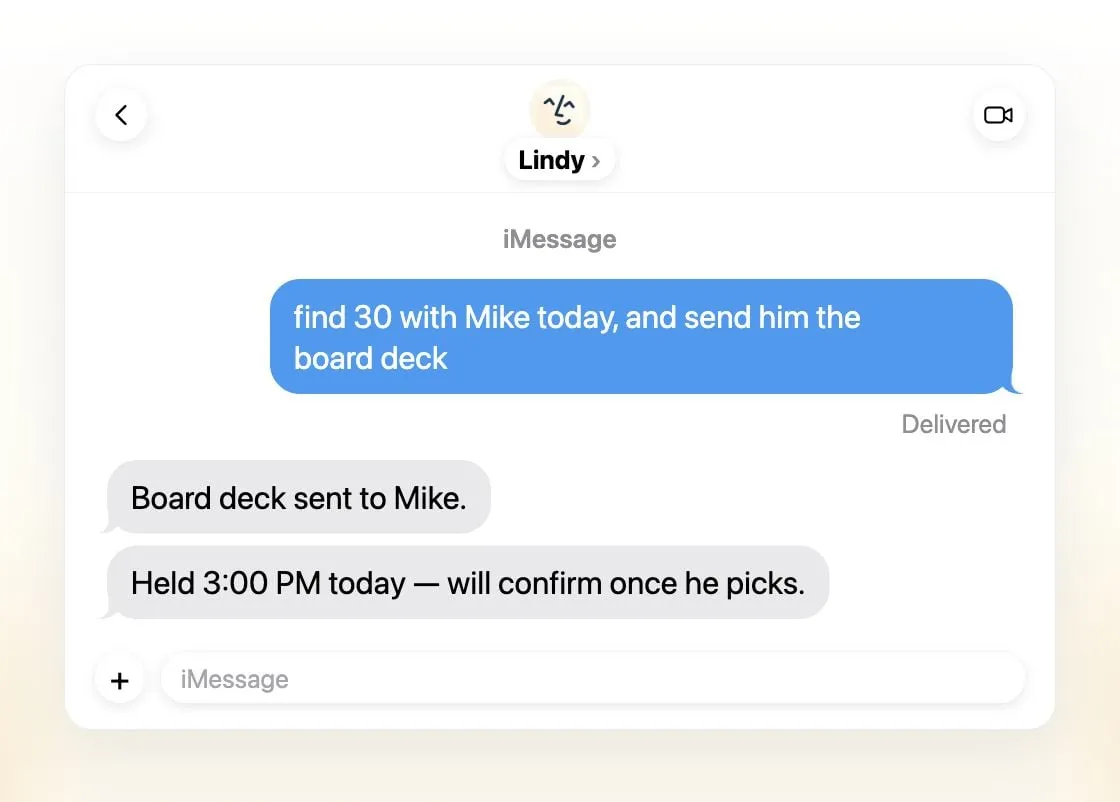
Lindy sorteert e-mail, schrijft conceptantwoorden, plant vergaderingen en bereidt u voor op gesprekken, en u bereikt het via iMessage, sms, Slack, telefoon of een Gmail-extensie (Lindy). Het stuurt dagelijkse briefings, vraagt eerst toestemming bij alles wat gevolgen buiten de organisatie heeft, en zegt nooit te trainen op uw gegevens.
Het is één gedeelde assistent per team in plaats van meerdere, de gratis credits gelden zeven dagen, en betaalde licenties beginnen bij $49,99 per gebruiker per maand (prijzen).
Kies het als u een klein team bent dat in Slack en e-mail leeft.
10. Manus: het beste voor afgeronde eindproducten
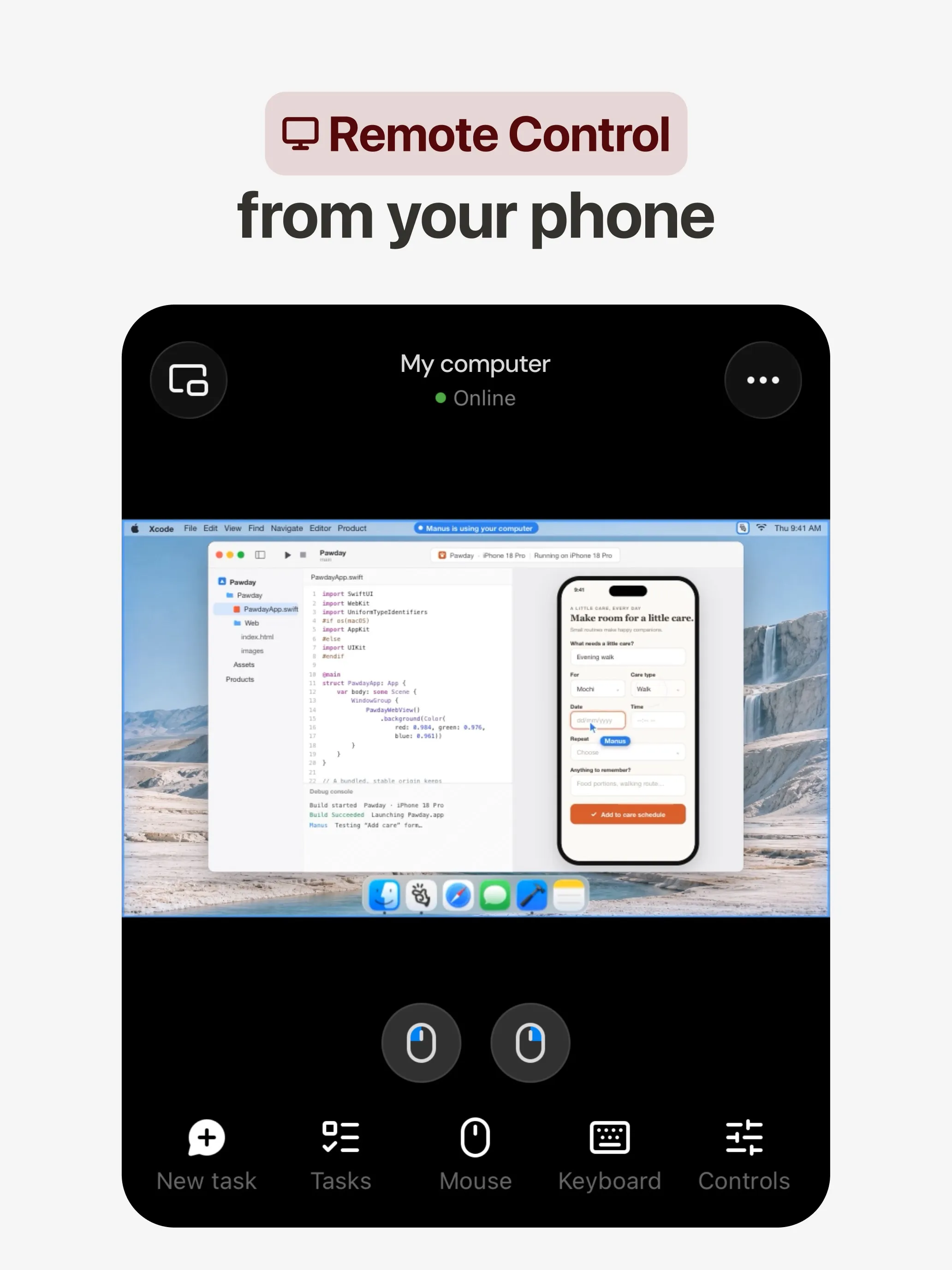
Manus plant en voert een taak uit op zijn eigen cloudcomputer en levert een onderzoeksrapport, website, presentatie of video op, en de automatiseringen starten op een schema of door een gebeurtenis in Gmail, Slack of Notion (Manus 2.0). Er zijn apps voor web, iOS, Android, macOS en Windows, plus Slack en Telegram, en een gratis abonnement.
Het mist het punt voor meerdere bots, want Manus documenteert dat niet. Credits worden berekend op complexiteit van de taak, waardoor kosten moeilijk te voorspellen zijn en mislukte runs ze toch verbruiken, en een opt-out voor training wordt alleen voor Team-abonnementen vermeld.
Kies het als u een concreet resultaat wilt op basis van een prompt. Zie alternatieven voor Manus.
11. Perplexity Teammates: het beste voor langlopende projecten
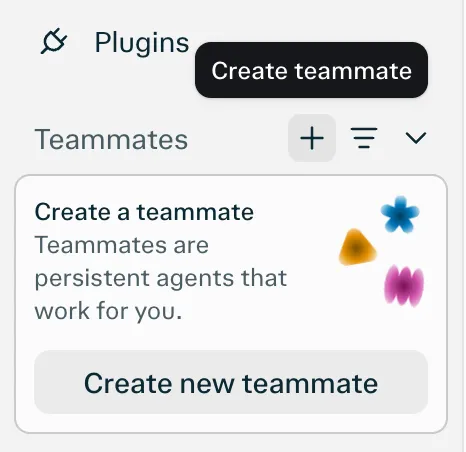
Teammates zijn blijvende agents, elk op een eigen geïsoleerde computer, die Slack, GitHub, Linear en Gmail in de gaten houden, in actie komen als er iets verandert en contact met u opnemen als ze input nodig hebben (Perplexity). U kiest per teammate het model.
Het mist het punt voor chatapps omdat het enige vermelde platform het web is. Het is ook een research preview voor Perplexity Max à $200 per maand, zonder gepubliceerde creditkosten per taak.
12. dots: het beste als u al betaalt voor ChatGPT Pro
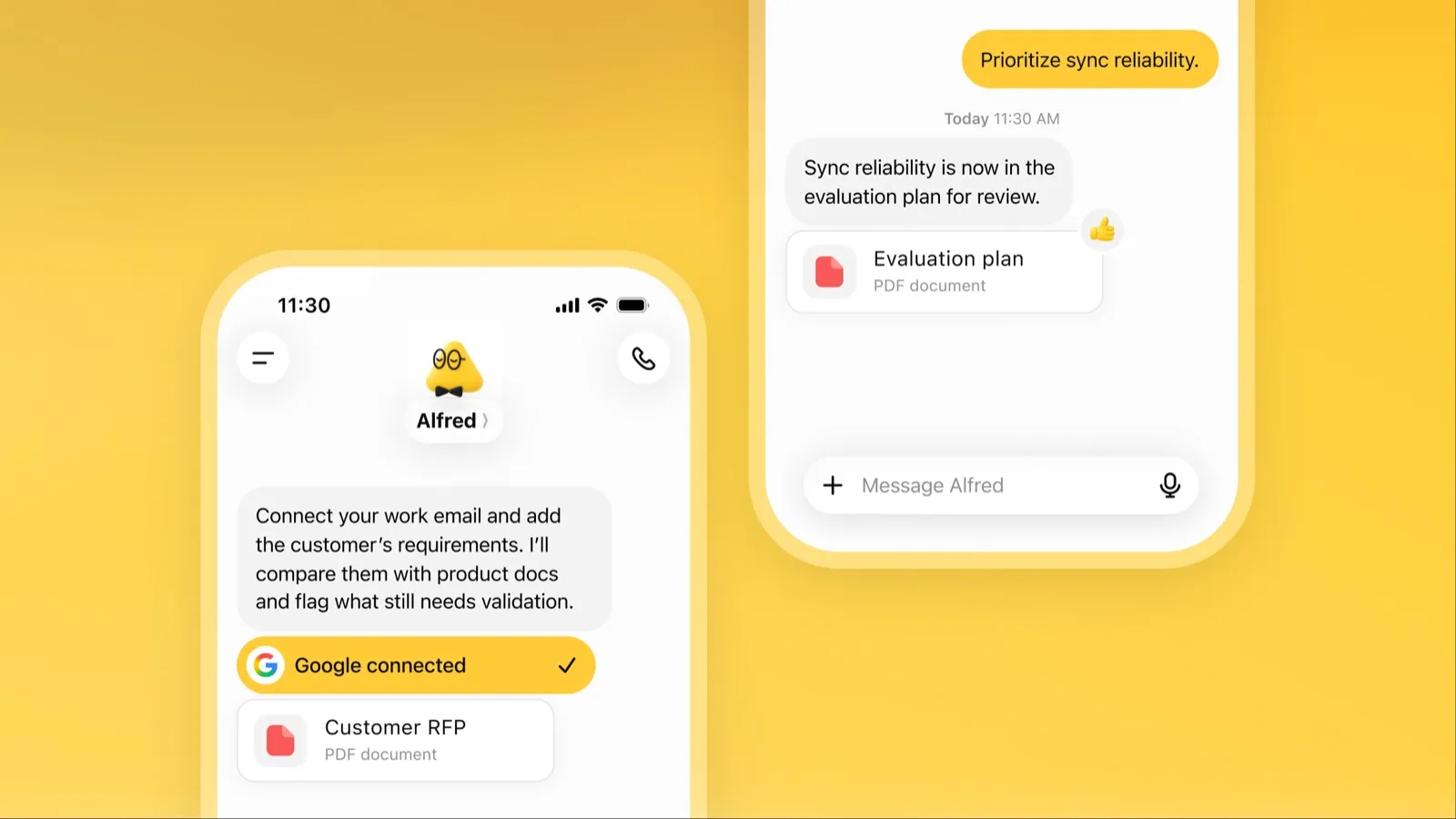
Een dot is de altijd actieve agent van OpenAI in ChatGPT, met een eigen cloudcomputer, meer dan 4.000 gekoppelde apps en hetzelfde geheugen in ChatGPT, Slack en Microsoft Teams (OpenAI). Als hij niets te doen heeft, onderzoekt hij uw gekoppelde apps en komt hij terug met werk om te beoordelen.
Het staat onderaan vanwege toegang en kosten: het vereist ChatGPT Pro vanaf $100 per maand of Business Premium, Pro-toegang sluit de EER, het VK en Zwitserland uit, u krijgt één dot, en Pro-inhoud traint de modellen van OpenAI tenzij u zich afmeldt. Zie wat dots is.
Welke moet u kiezen
- Werk uitbesteden, zonder installatie: Grok Bot.
- Uw eigen model, of meerdere bots met aparte computers: Rakazo.
- Gratis, op uw eigen hardware: OpenClaw of Hermes Agent.
- Gratis klusjes in de VS: Muse.
- Gewoon een sms sturen: Poke.
- Team-inbox en vergaderingen: Lindy.
- Een rapport, site of presentatie uit één prompt: Manus.
- Al op ChatGPT Pro of Claude Pro: dots of Claude Duet.
Welke u ook kiest, begin met taken waarbij een fout weinig kost en laat goedkeuringen aan staan voor e-mail en betalingen. Voor agents gerangschikt op hoeveel ze zelfstandig kunnen, zie de beste AI-agent; om uw gegevens op uw eigen machine te houden, de beste privé AI-assistent.
Beste keuzes
US$ 30/mnd
Always-on AI agents from SpaceXSI that run on a shared cloud computer, sign in to your apps and finish multi-step work while you're away.
Naar Grok BotSterke punten
- Bots work on their own cloud computer, so tasks keep running when your laptop or phone is closed
- Can operate websites and apps that have no API, using saved logins it never sees in plain text
- Several Bots can run in parallel, message each other and share one workspace
- Routines can run on a schedule or after an event, and a Bot can learn a task from a recorded demonstration of up to 10 minutes
- Can place phone calls to US businesses for you and send a summary afterwards
- Native apps for macOS, Windows, Linux, iOS and Android, plus Slack
Zwakke punten
- No free plan and no standalone price: the cheapest way in is the $30/month Premium plan
- Usage comes from a weekly pool shared with Grok and Cursor, and SpaceXSI does not publish how much work that pool covers
- No model picker: Grok Bot chooses the model for each task and does not show which one it used
- All Bots on an account share one computer, files and logins; the docs say not to use separate Bots as a security boundary
- Users report Amazon blocks it from shopping as an unauthorized AI agent; Amazon hasn't commented
- Still labelled beta, with no browser version
US$ 10/mnd
Open-source, self-hostable platform for persistent AI bots that each get a job, a computer, memory and routines, using the model you choose.
Naar RakazoSterke punten
- Open source (Apache-2.0) and fully self-hostable, including with local models
- Choice of model per bot, including existing Claude or ChatGPT subscriptions
- Bots keep working on schedules and triggers with their own cloud computer
- Approval controls over which actions a bot may take on its own
Zwakke punten
- Still in beta, with frequent releases
- You supply and pay for the model on the hosted plans, unless you buy Rakazo credits
- Telegram, WhatsApp and iMessage/SMS are only available when self-hosted
- More setup than a single chat app
Free, MIT-licensed personal AI agent that runs on your own computer and takes orders from WhatsApp, Telegram, iMessage, Slack and 20+ other chat apps.
Naar OpenClawSterke punten
- Free and MIT licensed, with no paid tier
- Runs on your own hardware; state, memory and credentials stay local, and it sends nothing home except an optional daily version check
- Works in 29 chat channels, including WhatsApp, Telegram, iMessage, Slack, Discord and Microsoft Teams
- Model-agnostic: 64 model and media providers, plus local models
- Large ecosystem of skills and 142 official plugins, and very active development
Zwakke punten
- Model costs are on you and can run high: testers and users have reported spending over $100 in a day with expensive models
- Sandboxing is off by default and the agent can run commands on the host unless you turn on approvals
- Setup and upkeep expect comfort with the command line; maintainers warn it is risky for non-technical users
- Broad access to email, messages and the system makes prompt injection and malicious third-party skills a real risk
US$ 20/mnd
Free, MIT-licensed AI agent from Nous Research that runs on your own machine or server, learns reusable skills, and chats with you on Telegram, Slack and more.
Naar Hermes AgentSterke punten
- Free and MIT licensed, and runs on hardware you control
- Writes and refines its own skills from experience, on top of persistent memory and cross-session search
- One gateway for 20+ chat platforms, including Telegram, Discord, Slack, WhatsApp, Signal and email
- Run several separate agents as profiles, each with its own model, memory and skills, and let them talk in group chats
- Model-agnostic, with a one-command import from OpenClaw
Zwakke punten
- Setup expects comfort with the command line and with running your own server
- Model costs are on you unless you use free models, and hosted web search, images and speech need a paid Nous Portal plan or your own keys
- iMessage needs a separate BlueBubbles server on a Mac
- No native mobile app; Android support is a command-line install through Termux
US$ 20/mnd
Meta's personal AI agent that sends email, books travel and shops for you from its own cloud computer, in the Muse app or on the web.
Naar MuseSterke punten
- Free tier, and no technical setup: you message it like a person in the app or on the web
- Runs on its own cloud computer and keeps working after you close the app
- Asks before sending email or buying, and shows an audit trail of what it did and plans to do
- Purchases go through a one-time card number with Link's purchase protections, so the agent never sees your real card
- Connects to email, calendar and Instagram, and can use a browser for sites without an API
Zwakke punten
- Only in the US, Canada, Japan, Singapore and Mexico so far, and Meta says Muse is still in limited testing
- Requires a payment card even for the free tier, and the stronger Muse Wonder model is for paid plans only
- Your interactions train Meta's AI models unless you opt out
- Free usage limit is not published, so it is hard to know when you will hit it
- Early users and press reported it overstepping permissions, such as reading messages it was not meant to
- Requires a Meta account and asks for broad access to email, calendars and payments
US$ 19/mnd
A personal AI assistant you text in iMessage or Telegram that connects to your email, calendar and apps and messages you first when something needs attention.
Naar PokeSterke punten
- Nothing to install: you sign up with a phone number and text it like a contact
- Messages you first, using your connected services and memory
- Free plan with no credit card, and email and calendar included
- Connects to Gmail, Outlook, Google Calendar, Notion, GitHub, Linear and many more apps, plus custom integrations through MCP
- Shareable automation recipes, and developers can build their own
Zwakke punten
- Uses your data to train its AI models unless you choose Maximum Privacy
- WhatsApp support is limited to some markets
- Only one phone number per account
- Does not say which AI models it uses, and does not publish how many credits each plan includes
- Now owned by Cognition, so the product's direction may change
Invite-only personal AI assistant you text or call. It uses a phone and computer for you to book travel, order groceries and handle errands.
Naar InstinctSterke punten
- No new interface: you text or call it like a person
- Handles real-world errands end to end, such as travel bookings, groceries and subscription cancellations
- Group chats can use one shared Instinct, even for friends without an account
- Free during the beta
Zwakke punten
- Invite-only, with no public sign-up or published pricing
- Terms let it use your materials to train AI models unless you opt out, and the opt-out only applies going forward
- Terms appoint it as your agent to enter agreements and transactions on your behalf, and require binding arbitration with a class action waiver
- Early testers reported it sending an email without asking and keeping inbox data after Google access was revoked
- No choice of model, and the company does not say which models it uses
US$ 20/mnd
Anthropic's proactive agent app: briefs you each morning, works on its own cloud computer and asks before acting. US waitlist preview for paid Claude plans.
Naar Claude DuetSterke punten
- Messages you first: a morning brief from your email and calendar, then check-ins every few hours
- Works with over 6,000 connectors and plugins, and uses a cloud browser for sites without one
- Brings your existing Claude memory, skills and connectors from the first message
- Asks before sending, paying, signing or deleting, and blocks trading and moving money even with approval
- Pays through one-time card numbers via Link and Shop Pay, and turns larger jobs into editable briefs, decks and dashboards
Zwakke punten
- Waitlist-only research preview, US only, and not on Team or Enterprise plans yet
- Uses the same Claude usage limits as chat, and background checks count too
- One model only, Claude Opus 5.5, with no choice of model
- Anthropic's docs say you can't yet watch or take over its browser
- Microsoft 365 isn't available yet, and it can misread threads, misjudge urgency or miss things between check-ins
US$ 49,99/mnd
An AI assistant for work that runs your inbox, calendar and meetings, takes requests by iMessage, Slack, phone or browser, and sends you daily briefs.
Naar LindySterke punten
- Texts you first: a personalized first message, alerts on time-sensitive email, and daily briefs
- Reachable almost anywhere: iMessage or SMS, Slack, its own phone number, Gmail via a Chrome extension, and the web
- 1,500+ integrations plus any hosted MCP server, and a browser for tools without one
- Asks for approval before anything with outside impact
- Says it never uses your data to train models, with SOC 2 Type II, GDPR and PIPEDA compliance
Zwakke punten
- Expensive for individuals: paid seats start at $49.99 per user a month, and free credits last only 7 days
- Credit-based usage is hard to predict, from 2 credits for a simple ask to 2,500 for a big build
- One shared Lindy per team rather than separate assistants for different jobs
- No mobile app; on phones you use iMessage, SMS or calls
- Plan names differ between its pricing page and its docs, so it is hard to tell what each tier includes
US$ 20/mnd
General-purpose AI agent that researches, builds websites, slides, videos and games, and runs automations on its own cloud computer.
Naar ManusSterke punten
- Turns one prompt into finished output: research reports, websites, slides, videos and playable games
- Automations can start from a schedule or an event in a connected service such as Gmail, Slack or Notion
- Video Editor and Game Dev let you edit what the agent made instead of regenerating it
- Free plan to try it, with apps for web, iOS, Android, macOS and Windows
Zwakke punten
- Credit-based pricing makes costs hard to predict, and long or failed runs can use up credits
- Free daily credits are capped at 1,500 a month and only work in the Lite mode
- A built-in training opt-out is listed only for Team plans
- Several plans share the Pro name and differ only by credit amount
US$ 200/mnd
Persistent Perplexity agents, each with its own computer, browser and memory, that own ongoing work and watch Slack, GitHub and Linear. Max-only web preview.
Naar Perplexity TeammatesSterke punten
- Run several teammates, each on its own isolated computer and browser with separate sessions
- Watches Slack, GitHub, Linear and other connected tools, acts on changes and reaches out when it needs you
- Pick the model per teammate or task, with Claude Opus 5.5 as the default
- Splits a goal into parallel agent tasks, and teammates in a Project share context and hand work to each other
- You can take over a teammate's desktop and steer it, and it can't view your saved credentials
Zwakke punten
- Only on Perplexity Max at $200 a month; Pro and Enterprise plans are excluded by default
- Research preview whose behavior may change
- Web only for now; the iOS app is only promised soon
- Usage draws on credits, and parallel agents, large files and frequent automations use more
- No published cap on teammates and no published credit cost per task
US$ 100/mnd
OpenAI's always-on agent inside ChatGPT, with its own cloud computer, that works on your goals between chats and reaches you in ChatGPT, Slack or Teams.
Naar dotsSterke punten
- Runs on its own cloud computer and browser and keeps working when your devices are off
- Connects to over 4,000 apps through ChatGPT plugins and can hand work to Codex and ChatGPT Work
- Reachable in ChatGPT, Slack and Microsoft Teams, and you can call it, with one memory across channels
- Researches your connected apps on its own and brings you finished work or decisions to review
- Custom Rules and Auto-review gate sensitive actions, and some steps always stay with you
Zwakke punten
- No free, Go or Plus access: it needs ChatGPT Pro from $100 a month or Business Premium
- Pro access excludes the EEA, the UK and Switzerland
- One dot per user for now; teams of dots are only planned
- Texting over iMessage or RCS is a US-only beta, and your dot cannot call you yet
- Stopping a task does not undo actions it already took, and tasks it starts in Codex or ChatGPT Work count toward those limits
Functies
| Grok Bot | Rakazo | OpenClaw | Hermes Agent | Muse | Poke | Instinct | Claude Duet | Lindy | Manus | Perplexity Teammates | dots | |
|---|---|---|---|---|---|---|---|---|---|---|---|---|
| Zoeken op het web | Ja | Ja | Ja | Ja | Ja | Ja | Ja | Ja | Ja | Ja | Ja | Ja |
| Afbeeldingen maken | Ja | Ja | Ja | Ja | Ja | Onbekend | Onbekend | Onbekend | Ja | Ja | Ja | Ja |
| Spraakmodus | Ja | Ja | Ja | Ja | Ja | Ja | Ja | Ja | Ja | Ja | Onbekend | Ja |
| Bestanden uploaden | Ja | Ja | Ja | Ja | Ja | Ja | Ja | Ja | Ja | Ja | Ja | Ja |
| Geheugen | Ja | Ja | Ja | Ja | Ja | Ja | Ja | Ja | Ja | Ja | Ja | Ja |
| Voert taken voor je uit | Ja | Ja | Ja | Ja | Ja | Ja | Ja | Ja | Ja | Ja | Ja | Ja |
| App-koppelingen | Ja | Ja | Ja | Ja | Ja | Ja | Ja | Ja | Ja | Ja | Ja | Ja |
| Werkt zelfstandig | Ja | Ja | Ja | Ja | Ja | Ja | Ja | Ja | Ja | Ja | Ja | Ja |
| Stuurt zelf eerst een bericht | Ja | Ja | Ja | Ja | Ja | Ja | Ja | Ja | Ja | Ja | Ja | Ja |
| Meerdere bots | Ja | Ja | Ja | Ja | Onbekend | Onbekend | Onbekend | Nee | Nee | Onbekend | Ja | Nee |
Bronnen
Grok Bot
- Grok Bot product page and FAQGecontroleerd op 8 nov 2026
- SpaceXSI pricing: The X Subscription plansGecontroleerd op 8 nov 2026
- Introducing Grok Bot (launch post, Aug 11, 2026)Gecontroleerd op 8 nov 2026
- Grok Bot FAQ: plans, platforms, memory, privacy and limitsGecontroleerd op 8 nov 2026
- Grok Bot docs: Create and manage BotsGecontroleerd op 8 nov 2026
- Grok Bot changelog (v0.78.1, Oct 27, 2026)Gecontroleerd op 8 nov 2026
- Cursor help: Grok Bot plans and usageGecontroleerd op 8 nov 2026
- Teslarati: Grok Bot can now call US businesses (Nov 2026)Gecontroleerd op 8 nov 2026
- Teslarati: Amazon shuts out Grok Bot (Oct 15, 2026)Gecontroleerd op 8 nov 2026
- Grok Bot docs: Overview (proactive teammate, morning briefing)Gecontroleerd op 8 nov 2026
- Grok Bot docs: Chat and collaboration (Slack DMs, X Chat rolling out)Gecontroleerd op 8 nov 2026
- Grok Bot docs: Get started (desktop and mobile apps)Gecontroleerd op 8 nov 2026
- Grok Bot docs: Skills, routines and automationsGecontroleerd op 8 nov 2026
- SpaceXSI: Team Bots in public beta (Sep 28, 2026)Gecontroleerd op 8 nov 2026
- Wikipedia: SpaceXAI (xAI renamed SpaceXAI, then SpaceXSI)Gecontroleerd op 8 nov 2026
- Cursor: Data Use & Privacy Overview (Privacy Mode and training)Gecontroleerd op 8 nov 2026
Rakazo
- Rakazo homepageGecontroleerd op 8 nov 2026
- Rakazo pricingGecontroleerd op 8 nov 2026
- Rakazo privacy policyGecontroleerd op 8 nov 2026
- Rakazo on GitHub (README and license)Gecontroleerd op 8 nov 2026
- Rakazo changelogGecontroleerd op 8 nov 2026
- Rakazo releasesGecontroleerd op 8 nov 2026
- Rakazo docs: Image and video generationGecontroleerd op 8 nov 2026
- Rakazo docs: MemoryGecontroleerd op 8 nov 2026
- Rakazo docs: Connect appsGecontroleerd op 8 nov 2026
- Rakazo docs: RoutinesGecontroleerd op 8 nov 2026
- Rakazo docs: Chat appsGecontroleerd op 8 nov 2026
- Rakazo docs: Messaging apps (self-hosting)Gecontroleerd op 8 nov 2026
- Rakazo docs: Bots and chats (add another bot, bot templates)Gecontroleerd op 8 nov 2026
- Rakazo docs: Groups (several bots in one chat)Gecontroleerd op 8 nov 2026
- Rakazo docs: Mobile app (notifications)Gecontroleerd op 8 nov 2026
- Rakazo privacy policy (updated Sep 14, 2026)Gecontroleerd op 8 nov 2026
- Rakazo privacy policy source on GitHubGecontroleerd op 8 nov 2026
OpenClaw
- OpenClaw homepage and Foundation sectionGecontroleerd op 8 nov 2026
- OpenClaw integrations: channels, providers and pluginsGecontroleerd op 8 nov 2026
- openclaw/openclaw on GitHub (MIT, v2026.11.1)Gecontroleerd op 8 nov 2026
- OpenClaw docs: Sandboxing (off by default)Gecontroleerd op 8 nov 2026
- Wikipedia: OpenClawGecontroleerd op 8 nov 2026
- Notebookcheck: OpenClaw can burn through hundreds of dollars per dayGecontroleerd op 8 nov 2026
- OpenClaw docs: Memory overviewGecontroleerd op 8 nov 2026
- OpenClaw docs: AutomationsGecontroleerd op 8 nov 2026
- OpenClaw docs: Chat channelsGecontroleerd op 8 nov 2026
- OpenClaw docs: iMessageGecontroleerd op 8 nov 2026
- OpenClaw docs: Heartbeat, now a default Proactive check jobGecontroleerd op 8 nov 2026
- OpenClaw docs: Multi-agent routingGecontroleerd op 8 nov 2026
- OpenClaw docs: Platforms (macOS, Windows, Linux, iOS and Android apps)Gecontroleerd op 8 nov 2026
- OpenClaw docs: Tools (exec, browser, web search)Gecontroleerd op 8 nov 2026
- OpenClaw docs: Audio and voice notes (inbound transcription)Gecontroleerd op 8 nov 2026
- OpenClaw docs: Image and media support (inbound media)Gecontroleerd op 8 nov 2026
Hermes Agent
- NousResearch/hermes-agent on GitHub (MIT, v0.23.0)Gecontroleerd op 8 nov 2026
- Hermes Agent homepage and Nous Portal pricingGecontroleerd op 8 nov 2026
- Hermes Agent documentationGecontroleerd op 8 nov 2026
- Hermes Agent docs: Profiles, running multiple agentsGecontroleerd op 8 nov 2026
- Hermes Agent docs: Bot ModeGecontroleerd op 8 nov 2026
- Hermes Agent docs: Voice modeGecontroleerd op 8 nov 2026
- Hermes Agent docs: Vision and image pasteGecontroleerd op 8 nov 2026
- Hermes Agent docs: iMessage via BlueBubblesGecontroleerd op 8 nov 2026
- Nous Research on X: Meet Hermes Agent (February 25, 2026)Gecontroleerd op 8 nov 2026
- Hermes Agent docs: Session heartbeats and cron watchdogsGecontroleerd op 8 nov 2026
- Hermes Agent docs: FAQ (Is my data sent anywhere?)Gecontroleerd op 8 nov 2026
Muse
- Meta: Introducing Muse, the world's first personal AI agent built for everyoneGecontroleerd op 8 nov 2026
- Muse homepageGecontroleerd op 8 nov 2026
- Meta Help Center: About Muse subscriptionsGecontroleerd op 8 nov 2026
- Meta Help Center: Meta AI, Muse and Vibes are separate appsGecontroleerd op 8 nov 2026
- TechCrunch: Meta debuts its Muse AI agent. Will consumers trust it?Gecontroleerd op 8 nov 2026
- 9to5Mac: Muse personal agent gets apps for iPhone and MacGecontroleerd op 8 nov 2026
- The Guardian TechScape: early Muse users report the agent overstepping permissionsGecontroleerd op 8 nov 2026
- iPhone in Canada: Meta's Muse AI agent is now available in CanadaGecontroleerd op 8 nov 2026
- Superpower Daily: Meta launches Muse in Japan (Oct 23, 2026)Gecontroleerd op 8 nov 2026
- Meta: Muse is now available in Singapore (Oct 27, 2026)Gecontroleerd op 8 nov 2026
- Mexico News Daily: Meta launches its Muse AI agent in Mexico (Nov 6, 2026)Gecontroleerd op 8 nov 2026
- Meta Q3 2026 earnings call transcript: Muse Wonder in the paid tier, free tier on Muse SparkGecontroleerd op 8 nov 2026
- How to manage reminders and scheduled tasks with MuseGecontroleerd op 8 nov 2026
- WhatsApp Help Center: About chatting with your Muse agent through WhatsAppGecontroleerd op 8 nov 2026
- TechCrunch: Meta's Muse hits MacGecontroleerd op 8 nov 2026
- Meta AI: Muse features and FAQ (browses the web, generates images)Gecontroleerd op 8 nov 2026
- Meta Help Center: How your Muse agent browses the webGecontroleerd op 8 nov 2026
- Meta Help Center: How to use Muse with artifacts (uploads, image generation)Gecontroleerd op 8 nov 2026
- Meta Help Center: How to get started with MuseGecontroleerd op 8 nov 2026
Poke
- Poke homepageGecontroleerd op 8 nov 2026
- Poke pricingGecontroleerd op 8 nov 2026
- Poke FAQGecontroleerd op 8 nov 2026
- Poke privacy notice (last updated September 11, 2026)Gecontroleerd op 8 nov 2026
- Cognition: welcoming The Interaction Company to Cognition (July 23, 2026)Gecontroleerd op 8 nov 2026
- TechCrunch: Poke makes using AI agents as easy as sending a textGecontroleerd op 8 nov 2026
- TechCrunch: Apple approves Poke as the first AI agent on its Messages for Business platformGecontroleerd op 8 nov 2026
- Introducing Poke.com (launch announcement, September 8, 2025)Gecontroleerd op 8 nov 2026
- Poke docs: Welcome (built-in web search)Gecontroleerd op 8 nov 2026
- Poke release notes (web search, sharing images, attachments)Gecontroleerd op 8 nov 2026
Instinct
- Instinct homepageGecontroleerd op 8 nov 2026
- Instinct Terms of Service (last revised Aug 26, 2026)Gecontroleerd op 8 nov 2026
- TechCrunch: Instinct brings its AI agent to group chatsGecontroleerd op 8 nov 2026
- Fortune: Noah Shinn's viral AI assistant Instinct raises $1B Series CGecontroleerd op 8 nov 2026
- Vellum: Instinct breakdown (competitor; summary of early tester reports)Gecontroleerd op 8 nov 2026
- Digit: Instinct clarifies WhatsApp outage (works through WhatsApp and iMessage)Gecontroleerd op 8 nov 2026
- RuntimeWire: Instinct brings its group AI agent to iMessage for all users (Oct 29, 2026)Gecontroleerd op 8 nov 2026
- Privacy Policy | InstinctGecontroleerd op 8 nov 2026
- Built In: What Is Instinct AI? (Oct 21, 2026)Gecontroleerd op 8 nov 2026
Claude Duet
- Anthropic: Introducing Claude Duet (October 21, 2026)Gecontroleerd op 8 nov 2026
- Claude Help Center: Get started with Claude DuetGecontroleerd op 8 nov 2026
- Claude Duet product pageGecontroleerd op 8 nov 2026
- Claude pricing: Pro, Max and UltraGecontroleerd op 8 nov 2026
- Inc.: I Tried Claude Duet (reviewer sent it a screenshot)Gecontroleerd op 8 nov 2026
Lindy
- Lindy homepageGecontroleerd op 8 nov 2026
- Lindy pricingGecontroleerd op 8 nov 2026
- Lindy docs: What is Lindy?Gecontroleerd op 8 nov 2026
- Lindy docs: iMessage & SMSGecontroleerd op 8 nov 2026
- Lindy docs: Phone CallsGecontroleerd op 8 nov 2026
- Lindy docs: Ad Hoc Tasks (research)Gecontroleerd op 8 nov 2026
- Lindy docs: Pricing and creditsGecontroleerd op 8 nov 2026
- Lindy Assistant: The AI that runs your work lifeGecontroleerd op 8 nov 2026
- Lindy docs: Set up Lindy (web search, image generation)Gecontroleerd op 8 nov 2026
- Lindy docs: Files (drop files and folders in for Lindy to use)Gecontroleerd op 8 nov 2026
- Lindy changelog (Creatives: on-brand images, Sep 16, 2026)Gecontroleerd op 8 nov 2026
Manus
- Manus Plans & PricingGecontroleerd op 8 nov 2026
- Manus Help Center: What is the current membership pricing for Manus?Gecontroleerd op 8 nov 2026
- Manus Help Center: rules for credit consumptionGecontroleerd op 8 nov 2026
- Introducing Manus 2.0 (Sep 28, 2026)Gecontroleerd op 8 nov 2026
- Download Manus: macOS, Windows, iOS and AndroidGecontroleerd op 8 nov 2026
- Tech Xplore/AFP: Manus raises $500 million after Meta acquisition blocked by ChinaGecontroleerd op 8 nov 2026
- Wikipedia: Manus (AI agent)Gecontroleerd op 8 nov 2026
- Manus for Slack: Turn Your Workspace into an Autonomous EngineGecontroleerd op 8 nov 2026
- Manus docs: AutomationsGecontroleerd op 8 nov 2026
- Is my data safe when using Manus Agents in Telegram?Gecontroleerd op 8 nov 2026
- Chatting with Manus Agent on Slack: Channels, DMs, and File DeliveryGecontroleerd op 8 nov 2026
- Manus Agents in Telegram (available to all users)Gecontroleerd op 8 nov 2026
- Manus Help Center: What's new in Manus 2.0 (Cue requires an invitation code)Gecontroleerd op 8 nov 2026
- Manus API docs: Agents (default agent plus agents you create)Gecontroleerd op 8 nov 2026
- Manus privacy policy (updated Sep 28, 2026)Gecontroleerd op 8 nov 2026
Perplexity Teammates
- Perplexity blog: Teammates are agents for complex, ongoing work (November 4, 2026)Gecontroleerd op 8 nov 2026
- Perplexity Help Center: Perplexity TeammatesGecontroleerd op 8 nov 2026
- Perplexity Help Center: Perplexity Max ($200 a month)Gecontroleerd op 8 nov 2026
- Perplexity Help Center: Data Collection at PerplexityGecontroleerd op 8 nov 2026
- Perplexity Help Center: Generating Images with PerplexityGecontroleerd op 8 nov 2026
dots
- ChatGPT: Dots feature pageGecontroleerd op 8 nov 2026
- ChatGPT docs: Meet dotsGecontroleerd op 8 nov 2026
- ChatGPT docs: Dot channels (Slack, Teams, calls, texting beta)Gecontroleerd op 8 nov 2026
- ChatGPT pricing: Dots on Pro only; training opt-outGecontroleerd op 8 nov 2026
- TechCrunch: OpenAI launches dots, its bubbly agentic avatarGecontroleerd op 8 nov 2026
- DataCamp: OpenAI Dots, always-on agents in ChatGPT, explainedGecontroleerd op 8 nov 2026
- eesel: OpenAI Dots pricing by Pro tier and limitsGecontroleerd op 8 nov 2026
- ChatGPT docs: Dot computers and apps (cloud browser for research)Gecontroleerd op 8 nov 2026
- OpenAI Help Center: Images in ChatGPT (image generation on all tiers)Gecontroleerd op 8 nov 2026