Najlepsi asystenci AI w 2026 roku: ci, którzy naprawdę coś robią
Dwunastu asystentów AI, którzy działają za Ciebie, według tego, co potrafią sami i jak łatwo ich zdobyć: Grok Bot, Rakazo, OpenClaw, Hermes Agent, Muse i inni.
W skrócie
| Asystent | Darmowy plan | Open source | Możliwy własny hosting | Domyślnie trenuje na twoich czatach | ||
|---|---|---|---|---|---|---|
| Grok Bot | Nie | 30 USD/mies. | Nie | Nie | Nie | |
| Rakazo | Tak | 10 USD/mies. | Tak | Tak | Nie | |
| OpenClaw | Tak | – | Tak | Tak | Nie | |
| Hermes Agent | Tak | 20 USD/mies. | Tak | Tak | Nie | |
| Muse | Tak | 20 USD/mies. | Nie | Nie | Tak | |
| Poke | Tak | 19 USD/mies. | Nie | Nie | Tak | |
| Instinct | Tak | – | Nie | Nie | Tak | |
| Claude Duet | Nie | 20 USD/mies. | Nie | Nie | Nieznane | |
| Lindy | Tak | 49,99 USD/mies. | Nie | Nie | Nie | |
| Manus | Tak | 20 USD/mies. | Nie | Nie | Nieznane | |
| Perplexity Teammates | Nie | 200 USD/mies. | Nie | Nie | Tak | |
| dots | Nie | 100 USD/mies. | Nie | Nie | Tak |












Grok Bot to w listopadzie 2026 roku najlepszy asystent AI dla większości osób, które chcą komuś przekazać pracę: robi wszystko, co powinien robić asystent, ma aplikacje na każdą platformę i nie wymaga konfiguracji, choć kosztuje $30 miesięcznie. Rakazo wykonuje te same zadania z wybranym przez Ciebie modelem, a plan hostowany kosztuje od $15. Jeśli masz wiedzę techniczną i chcesz mieć to za darmo na własnym sprzęcie, OpenClaw i Hermes Agent to dwie propozycje open source. Jeśli chcesz po prostu pisać do asystenta SMS-y, zacznij od Poke, który jest darmowy.
Informacja: Rakazo tworzy firma, która prowadzi tę stronę. Jest oceniane na tych samych zasadach co wszystko inne, a jego słabe strony opisujemy poniżej.
Dlaczego na tej liście nie ma ChatGPT, Claude i Gemini
Aplikacja czatowa odpowiada, gdy ją otworzysz i o coś zapytasz. To przydatne, ale to nie jest asystent w sensie kogoś, kto dla Ciebie pracuje. Prawdziwy asystent loguje się do Twoich kont i załatwia sprawy, działa dalej po zamknięciu okna i daje znać, gdy coś wymaga Twojej uwagi.
Dlatego ta lista obejmuje tylko produkty stworzone, by działać w Twoim imieniu. Jeśli duża firma AI ma taki produkt, wymieniamy go zamiast jej chatbota: dots to agent OpenAI w ChatGPT, Claude Duet to agent Anthropic, Perplexity Teammates to agent Perplexity, Grok Bot to aplikacja osobna od chatbota Grok, a Muse jest niezależny od Meta AI.
Jak ocenialiśmy
Ranking odpowiada naszej ocenie, którą w tabeli na tej stronie pokazujemy razem z jednozdaniowym uzasadnieniem. Punktem wyjścia jest pięć rzeczy, które asystent powinien robić, sprawdzonych na podstawie wpisu w katalogu i podanych tam źródeł. Nie przeprowadzaliśmy własnego benchmarku.
- Działa na Twoich kontach: wysyła e-maile, rezerwuje, kupuje lub edytuje w Twoim imieniu.
- Pracuje pod Twoją nieobecność: wykonuje zadania i rutyny, gdy Twoje urządzenie jest wyłączone.
- Pisze pierwszy: podsumowania, alerty i przypomnienia bez proszenia.
- Jest w Twoich komunikatorach: ogólnodostępny kanał w WhatsAppie, Telegramie, iMessage, Slacku lub Discordzie. Wersje beta i listy oczekujących się nie liczą.
- Obsługuje kilka botów: osobni asystenci do osobnych zadań.
Sama lista kontrolna nie przesądza o ocenie. Bierzemy pod uwagę także nakład pracy przy konfiguracji (samodzielna instalacja, utrzymanie i zabezpieczenie działają na minus), cenę i dostępność (dostęp tylko na zaproszenie, listy oczekujących i ograniczenia regionalne działają na minus). Wyżej oceniani asystenci są wyżej na liście.
1. Grok Bot: najlepszy ogólnie
Grok Bot pozwala tworzyć nazwane Boty, dawać każdemu zadanie i pozwalać im pracować na komputerze w chmurze z przeglądarką, plikami i terminalem (Grok Bot). Logują się do Twoich narzędzi, uruchamiają rutyny według harmonogramu lub po zdarzeniu, pytają przed wrażliwymi działaniami i mogą nauczyć się zadania z nagranej demonstracji. Są natywne aplikacje na macOS, Windows, Linuxa, iOS i Androida, a także Slack.
Jest pierwszy, bo spełnia wszystkie punkty listy kontrolnej, nie wymaga konfiguracji, a model jest w cenie. Haczyki: brak darmowego planu (najtańszy sposób to plan Premium serwisu X za $30), tygodniowa pula użycia współdzielona z Grokiem i Cursorem, której wielkości SpaceXSI nie publikuje, a wszystkie Boty współdzielą jeden komputer i jeden zestaw danych logowania, więc dokumentacja zaleca, by nie traktować oddzielnych Botów jako granicy bezpieczeństwa. Wciąż jest w wersji beta.
Wybierz go, jeśli chcesz, by ktoś wykonywał powtarzalną pracę w skrzynce i przeglądarce, i nie przeszkadza Ci $30 miesięcznie. Zobacz alternatywy dla Grok Bot.

2. Rakazo: najlepsze z własnym modelem
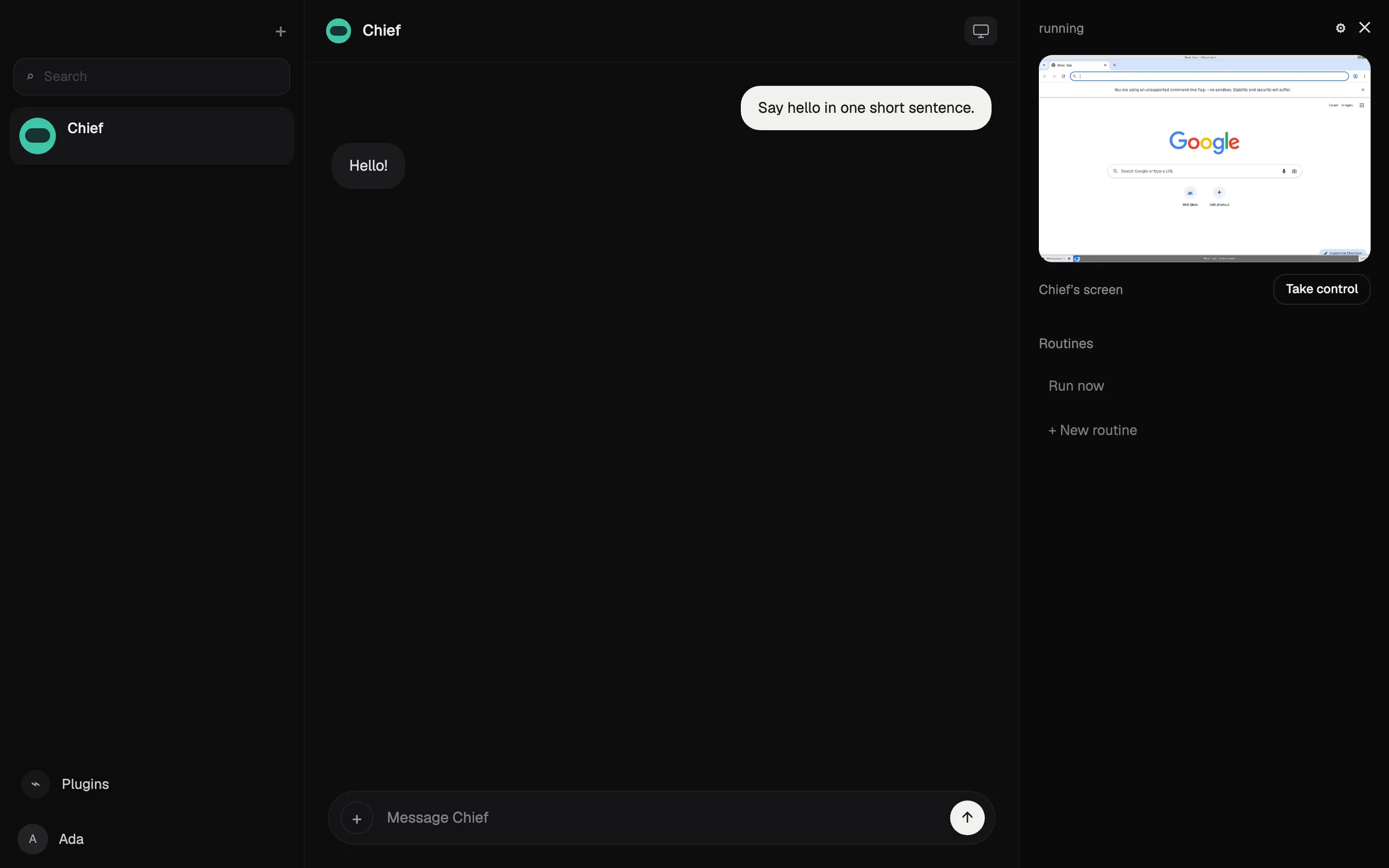
Rakazo uruchamia stałe boty, każdy z własną pamięcią, rutynami i odizolowanym komputerem, które działają według harmonogramu, po webhooku lub zdarzeniu w GitHubie i proszą o zgodę na wybrane przez Ciebie działania (Rakazo). Model zapewniasz sam: subskrypcja Claude lub ChatGPT, klucz API albo modele lokalne. Jest open source na licencji Apache-2.0 i można go hostować samodzielnie za darmo; plan hostowany zaczyna się od $15 miesięcznie z 7-dniowym okresem próbnym (cennik).
Jest niżej niż Grok Bot, bo zwykle sam dostarczasz model i za niego płacisz, chyba że kupisz kredyty Rakazo, jest w wersji beta, a Telegram, WhatsApp i iMessage działają tylko przy samodzielnym hostingu. Szczegóły znajdziesz w recenzji Rakazo.
Wybierz go, jeśli chcesz kilku botów z osobnymi komputerami lub chcesz sam wybrać model.

3. OpenClaw: najlepszy darmowy i open source
OpenClaw to darmowy agent na licencji MIT, który działa na Twoim własnym komputerze i przyjmuje polecenia przez WhatsAppa, Telegram, iMessage, Slacka, Discorda i wiele innych komunikatorów (OpenClaw). Podłączasz dowolny model w chmurze lub lokalny, a stan, pamięć i dane logowania zostają na Twoim sprzęcie.
Spełnia wszystkie punkty listy kontrolnej, ale ma niższą ocenę niż opcje hostowane, bo sam go instalujesz, utrzymujesz i zabezpieczasz: zakłada swobodę w wierszu poleceń, sandboxing jest domyślnie wyłączony, a rachunki za model płacisz Ty. Testerzy zgłaszali wydanie ponad $100 w jeden dzień na drogich modelach.
Wybierz go, jeśli masz wiedzę techniczną i chcesz pełnej kontroli. Zobacz, czym jest OpenClaw, oraz alternatywy dla OpenClaw.

4. Hermes Agent: najlepszy agent, który się uczy
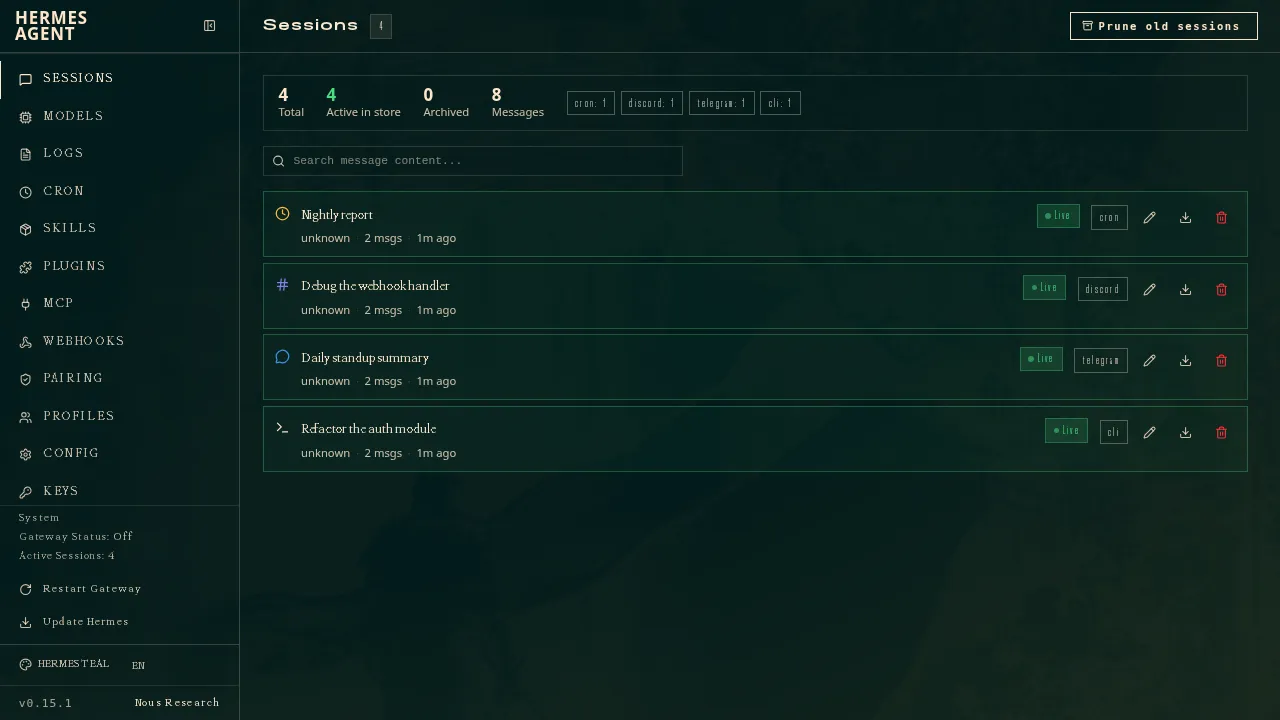
Hermes Agent od Nous Research jest darmowy, na licencji MIT, i działa na Twoim komputerze, tanim serwerze lub infrastrukturze serverless (GitHub). Po złożonych zadaniach pisze wielokrotnego użytku skille i je dopracowuje, a jedna brama łączy go z Telegramem, Discordem, Slackiem, WhatsAppem, Signalem, pocztą e-mail i innymi. Możesz uruchomić kilku agentów jako osobne profile, a ustawienia, wspomnienia i skille importuje z OpenClaw.
Tak jak OpenClaw spełnia wszystkie punkty listy kontrolnej, ale sam go utrzymujesz i zabezpieczasz. Jest tuż za OpenClaw, bo nie ma natywnej aplikacji mobilnej, a iMessage wymaga osobnego serwera BlueBubbles na Macu. Opcjonalna subskrypcja Nous Portal od $20 obejmuje modele, hostowane narzędzia i jednego agenta w chmurze (Hermes Agent).
Wybierz go, jeśli masz własny serwer i chcesz agenta, który z czasem staje się lepszy.
5. Muse: najlepszy darmowy asystent do codziennych spraw
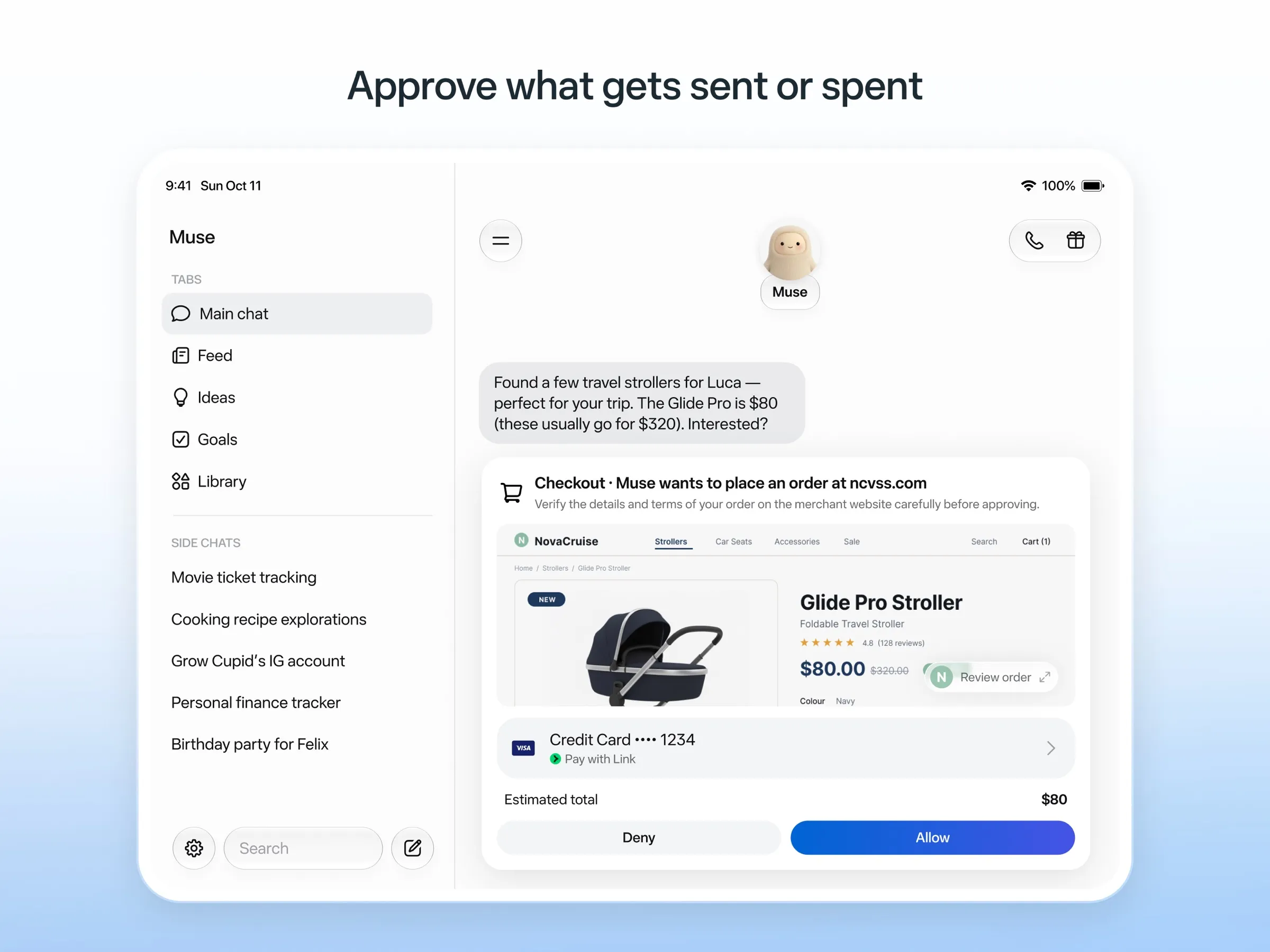
Muse to osobisty agent Meta: piszesz do niego jak do człowieka, pracuje na własnym komputerze w chmurze, pyta przed wysłaniem e-maila lub zakupem i płaci jednorazowymi numerami kart (Meta). Jest darmowy do nieopublikowanego limitu, a płatne plany zaczynają się od $20.
Ma dobrą ocenę, bo jest darmowy i wykonuje pracę na własnym komputerze w chmurze, bez żadnej konfiguracji. Nie dostaje punktu za komunikatory, bo dostęp przez WhatsAppa jest wciąż w ograniczonych testach, a Meta nie podaje, czy można uruchomić kilka Muse. Jest dostępny tylko w USA, Kanadzie, Japonii, Singapurze i Meksyku, wymaga karty płatniczej nawet w darmowej wersji, a Twoje czaty trenują modele Meta, chyba że się wypiszesz. Zobacz, czym jest Muse, oraz alternatywy dla Muse.
6. Poke: najlepszy asystent, do którego po prostu piszesz
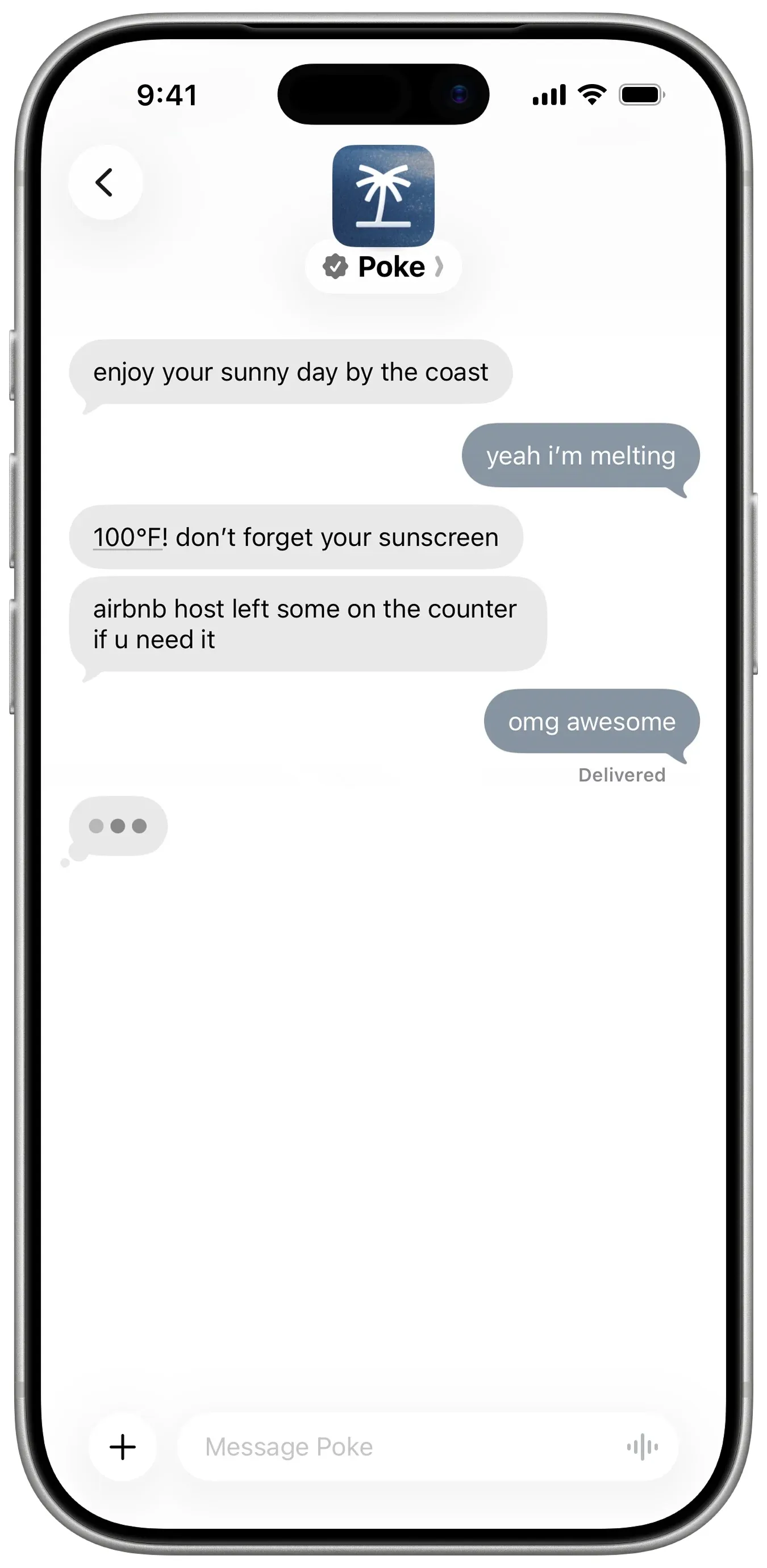
Poke nie wymaga instalacji: rejestrujesz się numerem telefonu i piszesz do niego przez iMessage, SMS lub Telegram (Poke). Łączy się z Gmailem, Outlookiem, Kalendarzem Google i wieloma innymi aplikacjami, uruchamia automatyzacje do udostępniania zwane recipes i pisze do Ciebie pierwszy. Darmowy plan nie wymaga karty, a Pro kosztuje $19 (cennik).
Brakuje mu tylko punktu za obsługę kilku botów, bo Poke tego nie dokumentuje. Jego informacja o prywatności mówi, że Twoje dane mogą trenować modele, chyba że wybierzesz Maximum Privacy, a obecnie należy do Cognition.
Wybierz go, jeśli chcesz bezpłatnego asystenta w swoich SMS-ach. Zobacz alternatywy dla Poke.
7. Instinct: najgłośniejszy, najtrudniej dostępny
Instinct to asystent, do którego piszesz lub dzwonisz, a który korzysta z telefonu i komputera, by rezerwować podróże, zamawiać zakupy spożywcze i załatwiać sprawy, także w czatach grupowych (TechCrunch). Pracuje dalej w tle i sam odzywa się do Ciebie z dalszymi krokami (Built In), ale działa tylko na zaproszenie, więc żaden kanał czatu nie jest ogólnodostępny. Jego regulamin pozwala mu też trenować na Twoich materiałach, chyba że się wypiszesz. Zobacz, czym jest Instinct, oraz alternatywy dla Instinct.
8. Claude Duet: najlepsze poranne podsumowanie, jeśli dostaniesz dostęp
Claude Duet to proaktywna aplikacja agenta od Anthropic. Każdego ranka przegląda Twoją pocztę i kalendarz i wysyła podsumowanie, co kilka godzin sprawdza Twoje konta i pyta przed wysłaniem, zapłaceniem, podpisaniem lub usunięciem czegokolwiek (Anthropic).
To wersja preview z listą oczekujących, tylko w USA, dla płatnych planów Claude; nie da się z nim kontaktować przez komunikatory, a limity użycia dzieli z Claude. Zobacz, czym jest Claude Duet.
9. Lindy: najlepsze do służbowej poczty i spotkań
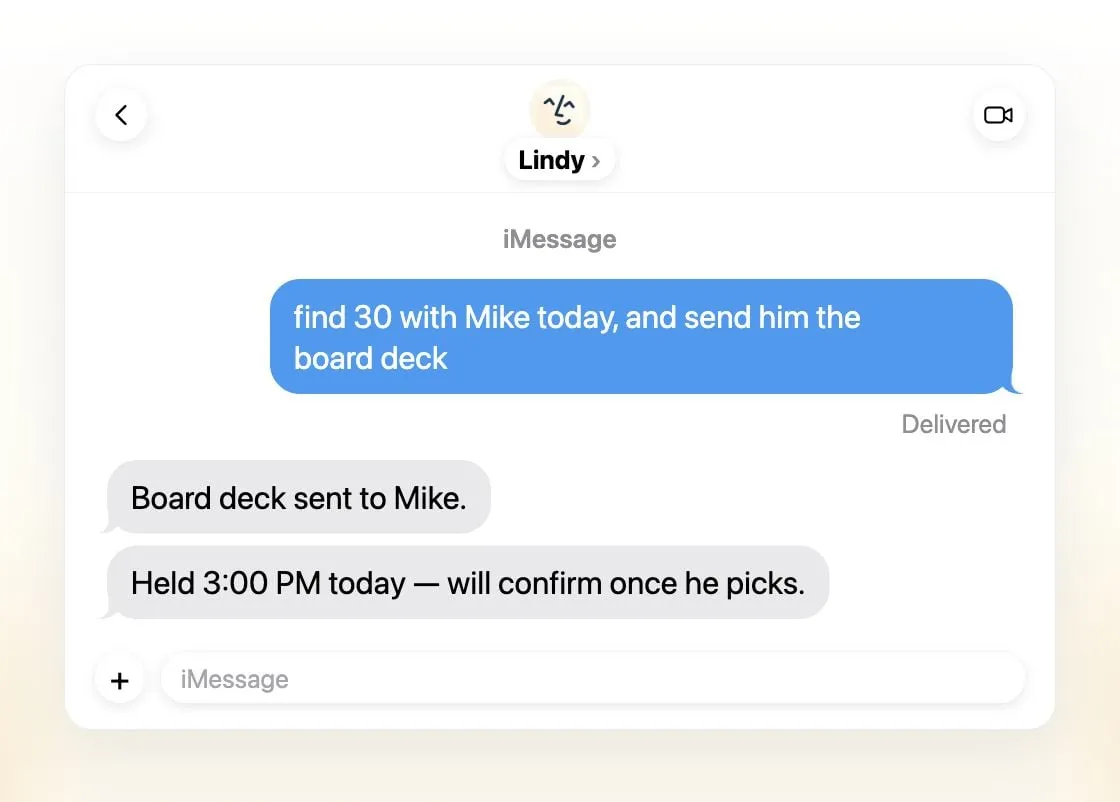
Lindy segreguje e-maile, przygotowuje szkice odpowiedzi, planuje spotkania i przygotowuje Cię do rozmów, a kontaktujesz się z nim przez iMessage, SMS, Slacka, telefon lub rozszerzenie Gmaila (Lindy). Wysyła codzienne podsumowania, pyta przed wszystkim, co ma skutki na zewnątrz, i deklaruje, że nigdy nie trenuje na Twoich danych.
To jeden wspólny asystent na zespół, a nie kilku, darmowe kredyty wystarczają na siedem dni, a płatne stanowiska zaczynają się od $49,99 za użytkownika miesięcznie (cennik).
Wybierz go, jeśli jesteś małym zespołem, który żyje w Slacku i poczcie.
10. Manus: najlepszy do gotowych rezultatów
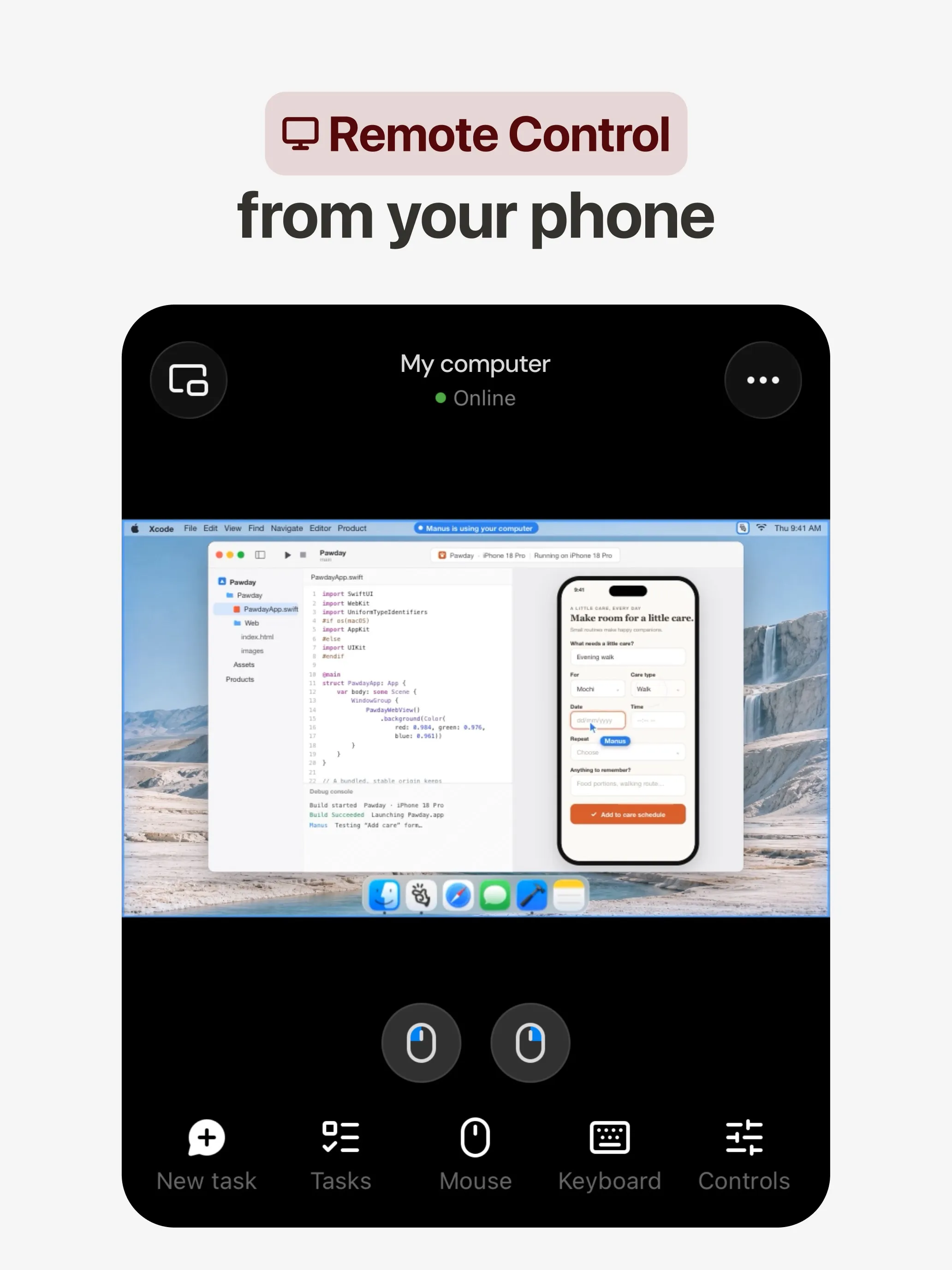
Manus planuje i wykonuje zadanie na własnym komputerze w chmurze, a potem oddaje raport z badań, stronę internetową, prezentację lub wideo, a jego automatyzacje startują według harmonogramu lub po zdarzeniu w Gmailu, Slacku lub Notion (Manus 2.0). Ma aplikacje na web, iOS, Androida, macOS i Windows, a także Slacka i Telegram oraz darmowy plan.
Nie dostaje punktu za kilka botów, bo Manus tego nie dokumentuje. Kredyty są naliczane według złożoności zadania, więc koszty trudno przewidzieć, nieudane uruchomienia też je zużywają, a rezygnacja z trenowania jest wymieniona tylko dla planów Team.
Wybierz go, jeśli chcesz konkretnego wyniku z jednego promptu. Zobacz alternatywy dla Manus.
11. Perplexity Teammates: najlepsze do długotrwałych projektów
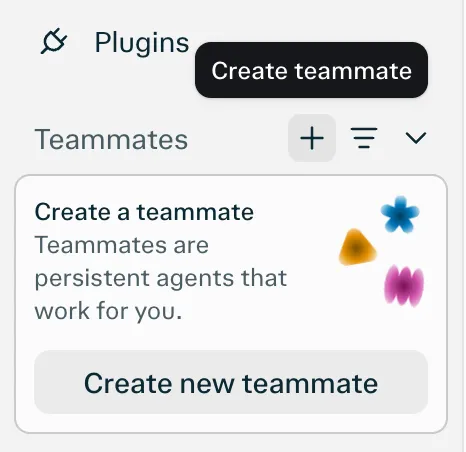
Teammates to stali agenci, każdy na własnym, odizolowanym komputerze, którzy obserwują Slacka, GitHuba, Linear i Gmaila, działają, gdy coś się zmieni, i kontaktują się z Tobą, gdy potrzebują decyzji (Perplexity). Model wybierasz osobno dla każdego teammate’a.
Nie dostaje punktu za komunikatory, bo jedyną wymienioną platformą jest przeglądarka. To też wersja research preview dla Perplexity Max za $200 miesięcznie, bez opublikowanego kosztu kredytów za zadanie.
12. dots: najlepszy, jeśli już płacisz za ChatGPT Pro
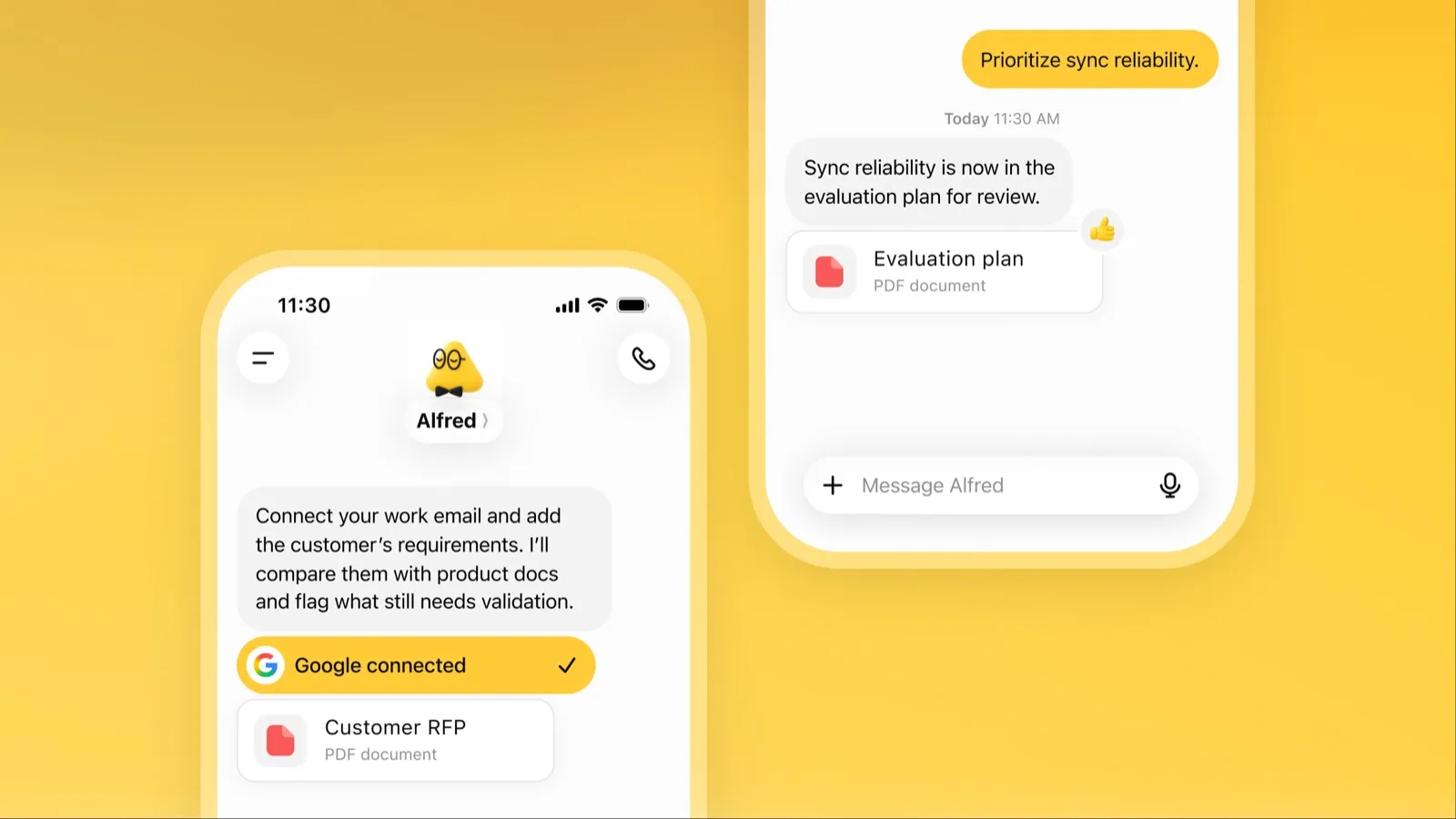
Dot to zawsze aktywny agent OpenAI w ChatGPT, z własnym komputerem w chmurze, ponad 4000 połączonych aplikacji i tą samą pamięcią w ChatGPT, Slacku i Microsoft Teams (OpenAI). Gdy nie ma zadań, przegląda Twoje połączone aplikacje i wraca z pracą do przejrzenia.
Jest ostatni ze względu na dostęp i koszt: wymaga ChatGPT Pro od $100 miesięcznie lub Business Premium, dostęp w Pro wyklucza EOG, Wielką Brytanię i Szwajcarię, dostajesz jednego dota, a treści z Pro trenują modele OpenAI, chyba że się wypiszesz. Zobacz, czym jest dots.
Który wybrać
- Przekazanie pracy bez konfiguracji: Grok Bot.
- Własny model lub kilka botów z osobnymi komputerami: Rakazo.
- Za darmo, na własnym sprzęcie: OpenClaw lub Hermes Agent.
- Darmowe sprawy w USA: Muse.
- Po prostu pisz SMS-y: Poke.
- Zespołowa skrzynka i spotkania: Lindy.
- Raport, strona lub prezentacja z jednego promptu: Manus.
- Masz już ChatGPT Pro lub Claude Pro: dots lub Claude Duet.
Niezależnie od wyboru zacznij od zadań, w których błąd niewiele kosztuje, i zostaw włączone zatwierdzanie e-maili i płatności. Agentów ocenianych według tego, ile potrafią zrobić samodzielnie, znajdziesz w zestawieniu najlepszy agent AI; jeśli chcesz trzymać dane na własnej maszynie, zobacz najlepszy prywatny asystent AI.
Najlepsze wybory
30 USD/mies.
Always-on AI agents from SpaceXSI that run on a shared cloud computer, sign in to your apps and finish multi-step work while you're away.
Przejdź do Grok BotMocne strony
- Bots work on their own cloud computer, so tasks keep running when your laptop or phone is closed
- Can operate websites and apps that have no API, using saved logins it never sees in plain text
- Several Bots can run in parallel, message each other and share one workspace
- Routines can run on a schedule or after an event, and a Bot can learn a task from a recorded demonstration of up to 10 minutes
- Can place phone calls to US businesses for you and send a summary afterwards
- Native apps for macOS, Windows, Linux, iOS and Android, plus Slack
Słabe strony
- No free plan and no standalone price: the cheapest way in is the $30/month Premium plan
- Usage comes from a weekly pool shared with Grok and Cursor, and SpaceXSI does not publish how much work that pool covers
- No model picker: Grok Bot chooses the model for each task and does not show which one it used
- All Bots on an account share one computer, files and logins; the docs say not to use separate Bots as a security boundary
- Users report Amazon blocks it from shopping as an unauthorized AI agent; Amazon hasn't commented
- Still labelled beta, with no browser version
10 USD/mies.
Open-source, self-hostable platform for persistent AI bots that each get a job, a computer, memory and routines, using the model you choose.
Przejdź do RakazoMocne strony
- Open source (Apache-2.0) and fully self-hostable, including with local models
- Choice of model per bot, including existing Claude or ChatGPT subscriptions
- Bots keep working on schedules and triggers with their own cloud computer
- Approval controls over which actions a bot may take on its own
Słabe strony
- Still in beta, with frequent releases
- You supply and pay for the model on the hosted plans, unless you buy Rakazo credits
- Telegram, WhatsApp and iMessage/SMS are only available when self-hosted
- More setup than a single chat app
Free, MIT-licensed personal AI agent that runs on your own computer and takes orders from WhatsApp, Telegram, iMessage, Slack and 20+ other chat apps.
Przejdź do OpenClawMocne strony
- Free and MIT licensed, with no paid tier
- Runs on your own hardware; state, memory and credentials stay local, and it sends nothing home except an optional daily version check
- Works in 29 chat channels, including WhatsApp, Telegram, iMessage, Slack, Discord and Microsoft Teams
- Model-agnostic: 64 model and media providers, plus local models
- Large ecosystem of skills and 142 official plugins, and very active development
Słabe strony
- Model costs are on you and can run high: testers and users have reported spending over $100 in a day with expensive models
- Sandboxing is off by default and the agent can run commands on the host unless you turn on approvals
- Setup and upkeep expect comfort with the command line; maintainers warn it is risky for non-technical users
- Broad access to email, messages and the system makes prompt injection and malicious third-party skills a real risk
20 USD/mies.
Free, MIT-licensed AI agent from Nous Research that runs on your own machine or server, learns reusable skills, and chats with you on Telegram, Slack and more.
Przejdź do Hermes AgentMocne strony
- Free and MIT licensed, and runs on hardware you control
- Writes and refines its own skills from experience, on top of persistent memory and cross-session search
- One gateway for 20+ chat platforms, including Telegram, Discord, Slack, WhatsApp, Signal and email
- Run several separate agents as profiles, each with its own model, memory and skills, and let them talk in group chats
- Model-agnostic, with a one-command import from OpenClaw
Słabe strony
- Setup expects comfort with the command line and with running your own server
- Model costs are on you unless you use free models, and hosted web search, images and speech need a paid Nous Portal plan or your own keys
- iMessage needs a separate BlueBubbles server on a Mac
- No native mobile app; Android support is a command-line install through Termux
20 USD/mies.
Meta's personal AI agent that sends email, books travel and shops for you from its own cloud computer, in the Muse app or on the web.
Przejdź do MuseMocne strony
- Free tier, and no technical setup: you message it like a person in the app or on the web
- Runs on its own cloud computer and keeps working after you close the app
- Asks before sending email or buying, and shows an audit trail of what it did and plans to do
- Purchases go through a one-time card number with Link's purchase protections, so the agent never sees your real card
- Connects to email, calendar and Instagram, and can use a browser for sites without an API
Słabe strony
- Only in the US, Canada, Japan, Singapore and Mexico so far, and Meta says Muse is still in limited testing
- Requires a payment card even for the free tier, and the stronger Muse Wonder model is for paid plans only
- Your interactions train Meta's AI models unless you opt out
- Free usage limit is not published, so it is hard to know when you will hit it
- Early users and press reported it overstepping permissions, such as reading messages it was not meant to
- Requires a Meta account and asks for broad access to email, calendars and payments
19 USD/mies.
A personal AI assistant you text in iMessage or Telegram that connects to your email, calendar and apps and messages you first when something needs attention.
Przejdź do PokeMocne strony
- Nothing to install: you sign up with a phone number and text it like a contact
- Messages you first, using your connected services and memory
- Free plan with no credit card, and email and calendar included
- Connects to Gmail, Outlook, Google Calendar, Notion, GitHub, Linear and many more apps, plus custom integrations through MCP
- Shareable automation recipes, and developers can build their own
Słabe strony
- Uses your data to train its AI models unless you choose Maximum Privacy
- WhatsApp support is limited to some markets
- Only one phone number per account
- Does not say which AI models it uses, and does not publish how many credits each plan includes
- Now owned by Cognition, so the product's direction may change
Invite-only personal AI assistant you text or call. It uses a phone and computer for you to book travel, order groceries and handle errands.
Przejdź do InstinctMocne strony
- No new interface: you text or call it like a person
- Handles real-world errands end to end, such as travel bookings, groceries and subscription cancellations
- Group chats can use one shared Instinct, even for friends without an account
- Free during the beta
Słabe strony
- Invite-only, with no public sign-up or published pricing
- Terms let it use your materials to train AI models unless you opt out, and the opt-out only applies going forward
- Terms appoint it as your agent to enter agreements and transactions on your behalf, and require binding arbitration with a class action waiver
- Early testers reported it sending an email without asking and keeping inbox data after Google access was revoked
- No choice of model, and the company does not say which models it uses
20 USD/mies.
Anthropic's proactive agent app: briefs you each morning, works on its own cloud computer and asks before acting. US waitlist preview for paid Claude plans.
Przejdź do Claude DuetMocne strony
- Messages you first: a morning brief from your email and calendar, then check-ins every few hours
- Works with over 6,000 connectors and plugins, and uses a cloud browser for sites without one
- Brings your existing Claude memory, skills and connectors from the first message
- Asks before sending, paying, signing or deleting, and blocks trading and moving money even with approval
- Pays through one-time card numbers via Link and Shop Pay, and turns larger jobs into editable briefs, decks and dashboards
Słabe strony
- Waitlist-only research preview, US only, and not on Team or Enterprise plans yet
- Uses the same Claude usage limits as chat, and background checks count too
- One model only, Claude Opus 5.5, with no choice of model
- Anthropic's docs say you can't yet watch or take over its browser
- Microsoft 365 isn't available yet, and it can misread threads, misjudge urgency or miss things between check-ins
49,99 USD/mies.
An AI assistant for work that runs your inbox, calendar and meetings, takes requests by iMessage, Slack, phone or browser, and sends you daily briefs.
Przejdź do LindyMocne strony
- Texts you first: a personalized first message, alerts on time-sensitive email, and daily briefs
- Reachable almost anywhere: iMessage or SMS, Slack, its own phone number, Gmail via a Chrome extension, and the web
- 1,500+ integrations plus any hosted MCP server, and a browser for tools without one
- Asks for approval before anything with outside impact
- Says it never uses your data to train models, with SOC 2 Type II, GDPR and PIPEDA compliance
Słabe strony
- Expensive for individuals: paid seats start at $49.99 per user a month, and free credits last only 7 days
- Credit-based usage is hard to predict, from 2 credits for a simple ask to 2,500 for a big build
- One shared Lindy per team rather than separate assistants for different jobs
- No mobile app; on phones you use iMessage, SMS or calls
- Plan names differ between its pricing page and its docs, so it is hard to tell what each tier includes
20 USD/mies.
General-purpose AI agent that researches, builds websites, slides, videos and games, and runs automations on its own cloud computer.
Przejdź do ManusMocne strony
- Turns one prompt into finished output: research reports, websites, slides, videos and playable games
- Automations can start from a schedule or an event in a connected service such as Gmail, Slack or Notion
- Video Editor and Game Dev let you edit what the agent made instead of regenerating it
- Free plan to try it, with apps for web, iOS, Android, macOS and Windows
Słabe strony
- Credit-based pricing makes costs hard to predict, and long or failed runs can use up credits
- Free daily credits are capped at 1,500 a month and only work in the Lite mode
- A built-in training opt-out is listed only for Team plans
- Several plans share the Pro name and differ only by credit amount
200 USD/mies.
Persistent Perplexity agents, each with its own computer, browser and memory, that own ongoing work and watch Slack, GitHub and Linear. Max-only web preview.
Przejdź do Perplexity TeammatesMocne strony
- Run several teammates, each on its own isolated computer and browser with separate sessions
- Watches Slack, GitHub, Linear and other connected tools, acts on changes and reaches out when it needs you
- Pick the model per teammate or task, with Claude Opus 5.5 as the default
- Splits a goal into parallel agent tasks, and teammates in a Project share context and hand work to each other
- You can take over a teammate's desktop and steer it, and it can't view your saved credentials
Słabe strony
- Only on Perplexity Max at $200 a month; Pro and Enterprise plans are excluded by default
- Research preview whose behavior may change
- Web only for now; the iOS app is only promised soon
- Usage draws on credits, and parallel agents, large files and frequent automations use more
- No published cap on teammates and no published credit cost per task
100 USD/mies.
OpenAI's always-on agent inside ChatGPT, with its own cloud computer, that works on your goals between chats and reaches you in ChatGPT, Slack or Teams.
Przejdź do dotsMocne strony
- Runs on its own cloud computer and browser and keeps working when your devices are off
- Connects to over 4,000 apps through ChatGPT plugins and can hand work to Codex and ChatGPT Work
- Reachable in ChatGPT, Slack and Microsoft Teams, and you can call it, with one memory across channels
- Researches your connected apps on its own and brings you finished work or decisions to review
- Custom Rules and Auto-review gate sensitive actions, and some steps always stay with you
Słabe strony
- No free, Go or Plus access: it needs ChatGPT Pro from $100 a month or Business Premium
- Pro access excludes the EEA, the UK and Switzerland
- One dot per user for now; teams of dots are only planned
- Texting over iMessage or RCS is a US-only beta, and your dot cannot call you yet
- Stopping a task does not undo actions it already took, and tasks it starts in Codex or ChatGPT Work count toward those limits
Funkcje
| Grok Bot | Rakazo | OpenClaw | Hermes Agent | Muse | Poke | Instinct | Claude Duet | Lindy | Manus | Perplexity Teammates | dots | |
|---|---|---|---|---|---|---|---|---|---|---|---|---|
| Wyszukiwanie w sieci | Tak | Tak | Tak | Tak | Tak | Tak | Tak | Tak | Tak | Tak | Tak | Tak |
| Generowanie obrazów | Tak | Tak | Tak | Tak | Tak | Nieznane | Nieznane | Nieznane | Tak | Tak | Tak | Tak |
| Tryb głosowy | Tak | Tak | Tak | Tak | Tak | Tak | Tak | Tak | Tak | Tak | Nieznane | Tak |
| Przesyłanie plików | Tak | Tak | Tak | Tak | Tak | Tak | Tak | Tak | Tak | Tak | Tak | Tak |
| Pamięć | Tak | Tak | Tak | Tak | Tak | Tak | Tak | Tak | Tak | Tak | Tak | Tak |
| Wykonuje zadania za ciebie | Tak | Tak | Tak | Tak | Tak | Tak | Tak | Tak | Tak | Tak | Tak | Tak |
| Integracje z aplikacjami | Tak | Tak | Tak | Tak | Tak | Tak | Tak | Tak | Tak | Tak | Tak | Tak |
| Działa samodzielnie | Tak | Tak | Tak | Tak | Tak | Tak | Tak | Tak | Tak | Tak | Tak | Tak |
| Pisze pierwszy | Tak | Tak | Tak | Tak | Tak | Tak | Tak | Tak | Tak | Tak | Tak | Tak |
| Wiele botów | Tak | Tak | Tak | Tak | Nieznane | Nieznane | Nieznane | Nie | Nie | Nieznane | Tak | Nie |
Źródła
Grok Bot
- Grok Bot product page and FAQSprawdzono 8 lis 2026
- SpaceXSI pricing: The X Subscription plansSprawdzono 8 lis 2026
- Introducing Grok Bot (launch post, Aug 11, 2026)Sprawdzono 8 lis 2026
- Grok Bot FAQ: plans, platforms, memory, privacy and limitsSprawdzono 8 lis 2026
- Grok Bot docs: Create and manage BotsSprawdzono 8 lis 2026
- Grok Bot changelog (v0.78.1, Oct 27, 2026)Sprawdzono 8 lis 2026
- Cursor help: Grok Bot plans and usageSprawdzono 8 lis 2026
- Teslarati: Grok Bot can now call US businesses (Nov 2026)Sprawdzono 8 lis 2026
- Teslarati: Amazon shuts out Grok Bot (Oct 15, 2026)Sprawdzono 8 lis 2026
- Grok Bot docs: Overview (proactive teammate, morning briefing)Sprawdzono 8 lis 2026
- Grok Bot docs: Chat and collaboration (Slack DMs, X Chat rolling out)Sprawdzono 8 lis 2026
- Grok Bot docs: Get started (desktop and mobile apps)Sprawdzono 8 lis 2026
- Grok Bot docs: Skills, routines and automationsSprawdzono 8 lis 2026
- SpaceXSI: Team Bots in public beta (Sep 28, 2026)Sprawdzono 8 lis 2026
- Wikipedia: SpaceXAI (xAI renamed SpaceXAI, then SpaceXSI)Sprawdzono 8 lis 2026
- Cursor: Data Use & Privacy Overview (Privacy Mode and training)Sprawdzono 8 lis 2026
Rakazo
- Rakazo homepageSprawdzono 8 lis 2026
- Rakazo pricingSprawdzono 8 lis 2026
- Rakazo privacy policySprawdzono 8 lis 2026
- Rakazo on GitHub (README and license)Sprawdzono 8 lis 2026
- Rakazo changelogSprawdzono 8 lis 2026
- Rakazo releasesSprawdzono 8 lis 2026
- Rakazo docs: Image and video generationSprawdzono 8 lis 2026
- Rakazo docs: MemorySprawdzono 8 lis 2026
- Rakazo docs: Connect appsSprawdzono 8 lis 2026
- Rakazo docs: RoutinesSprawdzono 8 lis 2026
- Rakazo docs: Chat appsSprawdzono 8 lis 2026
- Rakazo docs: Messaging apps (self-hosting)Sprawdzono 8 lis 2026
- Rakazo docs: Bots and chats (add another bot, bot templates)Sprawdzono 8 lis 2026
- Rakazo docs: Groups (several bots in one chat)Sprawdzono 8 lis 2026
- Rakazo docs: Mobile app (notifications)Sprawdzono 8 lis 2026
- Rakazo privacy policy (updated Sep 14, 2026)Sprawdzono 8 lis 2026
- Rakazo privacy policy source on GitHubSprawdzono 8 lis 2026
OpenClaw
- OpenClaw homepage and Foundation sectionSprawdzono 8 lis 2026
- OpenClaw integrations: channels, providers and pluginsSprawdzono 8 lis 2026
- openclaw/openclaw on GitHub (MIT, v2026.11.1)Sprawdzono 8 lis 2026
- OpenClaw docs: Sandboxing (off by default)Sprawdzono 8 lis 2026
- Wikipedia: OpenClawSprawdzono 8 lis 2026
- Notebookcheck: OpenClaw can burn through hundreds of dollars per daySprawdzono 8 lis 2026
- OpenClaw docs: Memory overviewSprawdzono 8 lis 2026
- OpenClaw docs: AutomationsSprawdzono 8 lis 2026
- OpenClaw docs: Chat channelsSprawdzono 8 lis 2026
- OpenClaw docs: iMessageSprawdzono 8 lis 2026
- OpenClaw docs: Heartbeat, now a default Proactive check jobSprawdzono 8 lis 2026
- OpenClaw docs: Multi-agent routingSprawdzono 8 lis 2026
- OpenClaw docs: Platforms (macOS, Windows, Linux, iOS and Android apps)Sprawdzono 8 lis 2026
- OpenClaw docs: Tools (exec, browser, web search)Sprawdzono 8 lis 2026
- OpenClaw docs: Audio and voice notes (inbound transcription)Sprawdzono 8 lis 2026
- OpenClaw docs: Image and media support (inbound media)Sprawdzono 8 lis 2026
Hermes Agent
- NousResearch/hermes-agent on GitHub (MIT, v0.23.0)Sprawdzono 8 lis 2026
- Hermes Agent homepage and Nous Portal pricingSprawdzono 8 lis 2026
- Hermes Agent documentationSprawdzono 8 lis 2026
- Hermes Agent docs: Profiles, running multiple agentsSprawdzono 8 lis 2026
- Hermes Agent docs: Bot ModeSprawdzono 8 lis 2026
- Hermes Agent docs: Voice modeSprawdzono 8 lis 2026
- Hermes Agent docs: Vision and image pasteSprawdzono 8 lis 2026
- Hermes Agent docs: iMessage via BlueBubblesSprawdzono 8 lis 2026
- Nous Research on X: Meet Hermes Agent (February 25, 2026)Sprawdzono 8 lis 2026
- Hermes Agent docs: Session heartbeats and cron watchdogsSprawdzono 8 lis 2026
- Hermes Agent docs: FAQ (Is my data sent anywhere?)Sprawdzono 8 lis 2026
Muse
- Meta: Introducing Muse, the world's first personal AI agent built for everyoneSprawdzono 8 lis 2026
- Muse homepageSprawdzono 8 lis 2026
- Meta Help Center: About Muse subscriptionsSprawdzono 8 lis 2026
- Meta Help Center: Meta AI, Muse and Vibes are separate appsSprawdzono 8 lis 2026
- TechCrunch: Meta debuts its Muse AI agent. Will consumers trust it?Sprawdzono 8 lis 2026
- 9to5Mac: Muse personal agent gets apps for iPhone and MacSprawdzono 8 lis 2026
- The Guardian TechScape: early Muse users report the agent overstepping permissionsSprawdzono 8 lis 2026
- iPhone in Canada: Meta's Muse AI agent is now available in CanadaSprawdzono 8 lis 2026
- Superpower Daily: Meta launches Muse in Japan (Oct 23, 2026)Sprawdzono 8 lis 2026
- Meta: Muse is now available in Singapore (Oct 27, 2026)Sprawdzono 8 lis 2026
- Mexico News Daily: Meta launches its Muse AI agent in Mexico (Nov 6, 2026)Sprawdzono 8 lis 2026
- Meta Q3 2026 earnings call transcript: Muse Wonder in the paid tier, free tier on Muse SparkSprawdzono 8 lis 2026
- How to manage reminders and scheduled tasks with MuseSprawdzono 8 lis 2026
- WhatsApp Help Center: About chatting with your Muse agent through WhatsAppSprawdzono 8 lis 2026
- TechCrunch: Meta's Muse hits MacSprawdzono 8 lis 2026
- Meta AI: Muse features and FAQ (browses the web, generates images)Sprawdzono 8 lis 2026
- Meta Help Center: How your Muse agent browses the webSprawdzono 8 lis 2026
- Meta Help Center: How to use Muse with artifacts (uploads, image generation)Sprawdzono 8 lis 2026
- Meta Help Center: How to get started with MuseSprawdzono 8 lis 2026
Poke
- Poke homepageSprawdzono 8 lis 2026
- Poke pricingSprawdzono 8 lis 2026
- Poke FAQSprawdzono 8 lis 2026
- Poke privacy notice (last updated September 11, 2026)Sprawdzono 8 lis 2026
- Cognition: welcoming The Interaction Company to Cognition (July 23, 2026)Sprawdzono 8 lis 2026
- TechCrunch: Poke makes using AI agents as easy as sending a textSprawdzono 8 lis 2026
- TechCrunch: Apple approves Poke as the first AI agent on its Messages for Business platformSprawdzono 8 lis 2026
- Introducing Poke.com (launch announcement, September 8, 2025)Sprawdzono 8 lis 2026
- Poke docs: Welcome (built-in web search)Sprawdzono 8 lis 2026
- Poke release notes (web search, sharing images, attachments)Sprawdzono 8 lis 2026
Instinct
- Instinct homepageSprawdzono 8 lis 2026
- Instinct Terms of Service (last revised Aug 26, 2026)Sprawdzono 8 lis 2026
- TechCrunch: Instinct brings its AI agent to group chatsSprawdzono 8 lis 2026
- Fortune: Noah Shinn's viral AI assistant Instinct raises $1B Series CSprawdzono 8 lis 2026
- Vellum: Instinct breakdown (competitor; summary of early tester reports)Sprawdzono 8 lis 2026
- Digit: Instinct clarifies WhatsApp outage (works through WhatsApp and iMessage)Sprawdzono 8 lis 2026
- RuntimeWire: Instinct brings its group AI agent to iMessage for all users (Oct 29, 2026)Sprawdzono 8 lis 2026
- Privacy Policy | InstinctSprawdzono 8 lis 2026
- Built In: What Is Instinct AI? (Oct 21, 2026)Sprawdzono 8 lis 2026
Claude Duet
- Anthropic: Introducing Claude Duet (October 21, 2026)Sprawdzono 8 lis 2026
- Claude Help Center: Get started with Claude DuetSprawdzono 8 lis 2026
- Claude Duet product pageSprawdzono 8 lis 2026
- Claude pricing: Pro, Max and UltraSprawdzono 8 lis 2026
- Inc.: I Tried Claude Duet (reviewer sent it a screenshot)Sprawdzono 8 lis 2026
Lindy
- Lindy homepageSprawdzono 8 lis 2026
- Lindy pricingSprawdzono 8 lis 2026
- Lindy docs: What is Lindy?Sprawdzono 8 lis 2026
- Lindy docs: iMessage & SMSSprawdzono 8 lis 2026
- Lindy docs: Phone CallsSprawdzono 8 lis 2026
- Lindy docs: Ad Hoc Tasks (research)Sprawdzono 8 lis 2026
- Lindy docs: Pricing and creditsSprawdzono 8 lis 2026
- Lindy Assistant: The AI that runs your work lifeSprawdzono 8 lis 2026
- Lindy docs: Set up Lindy (web search, image generation)Sprawdzono 8 lis 2026
- Lindy docs: Files (drop files and folders in for Lindy to use)Sprawdzono 8 lis 2026
- Lindy changelog (Creatives: on-brand images, Sep 16, 2026)Sprawdzono 8 lis 2026
Manus
- Manus Plans & PricingSprawdzono 8 lis 2026
- Manus Help Center: What is the current membership pricing for Manus?Sprawdzono 8 lis 2026
- Manus Help Center: rules for credit consumptionSprawdzono 8 lis 2026
- Introducing Manus 2.0 (Sep 28, 2026)Sprawdzono 8 lis 2026
- Download Manus: macOS, Windows, iOS and AndroidSprawdzono 8 lis 2026
- Tech Xplore/AFP: Manus raises $500 million after Meta acquisition blocked by ChinaSprawdzono 8 lis 2026
- Wikipedia: Manus (AI agent)Sprawdzono 8 lis 2026
- Manus for Slack: Turn Your Workspace into an Autonomous EngineSprawdzono 8 lis 2026
- Manus docs: AutomationsSprawdzono 8 lis 2026
- Is my data safe when using Manus Agents in Telegram?Sprawdzono 8 lis 2026
- Chatting with Manus Agent on Slack: Channels, DMs, and File DeliverySprawdzono 8 lis 2026
- Manus Agents in Telegram (available to all users)Sprawdzono 8 lis 2026
- Manus Help Center: What's new in Manus 2.0 (Cue requires an invitation code)Sprawdzono 8 lis 2026
- Manus API docs: Agents (default agent plus agents you create)Sprawdzono 8 lis 2026
- Manus privacy policy (updated Sep 28, 2026)Sprawdzono 8 lis 2026
Perplexity Teammates
- Perplexity blog: Teammates are agents for complex, ongoing work (November 4, 2026)Sprawdzono 8 lis 2026
- Perplexity Help Center: Perplexity TeammatesSprawdzono 8 lis 2026
- Perplexity Help Center: Perplexity Max ($200 a month)Sprawdzono 8 lis 2026
- Perplexity Help Center: Data Collection at PerplexitySprawdzono 8 lis 2026
- Perplexity Help Center: Generating Images with PerplexitySprawdzono 8 lis 2026
dots
- ChatGPT: Dots feature pageSprawdzono 8 lis 2026
- ChatGPT docs: Meet dotsSprawdzono 8 lis 2026
- ChatGPT docs: Dot channels (Slack, Teams, calls, texting beta)Sprawdzono 8 lis 2026
- ChatGPT pricing: Dots on Pro only; training opt-outSprawdzono 8 lis 2026
- TechCrunch: OpenAI launches dots, its bubbly agentic avatarSprawdzono 8 lis 2026
- DataCamp: OpenAI Dots, always-on agents in ChatGPT, explainedSprawdzono 8 lis 2026
- eesel: OpenAI Dots pricing by Pro tier and limitsSprawdzono 8 lis 2026
- ChatGPT docs: Dot computers and apps (cloud browser for research)Sprawdzono 8 lis 2026
- OpenAI Help Center: Images in ChatGPT (image generation on all tiers)Sprawdzono 8 lis 2026