招待なしで使えるInstinctの代替
Instinctの招待がない、または規約が気になる人へ。テキストで使うアシスタントならPokeが最も近く、仕事ならLindyが最も強く、用事ならMuseが最も近い選択肢です。
早わかり






今日登録できる中でInstinctに最も近い代替はPokeです。アプリは不要で、iMessageやTelegramでテキストを送るだけ、カード不要の無料プランもあります。仕事用にテキストでやり取りでき、あなたのデータで学習しないアシスタントが欲しいならLindyを使いましょう。Instinctに求めていたのが予約や買い物といった用事なら、Museを使いましょう。
Instinctの代替が探される理由
Instinctの発想はシンプルで魅力的です。新しいアプリは不要で、テキストを送るか電話をかけるだけで、スマートフォンとコンピューターを使って電車の予約、食料品の注文、花の配達をしてくれます。評価額100億ドルで10億ドルを調達しました。それでも、提供しているものは何も一般公開されていません。代替を探す人の多くは、次のいずれかに当てはまります。
- 利用できない。 Instinctは招待制で、一般公開の登録も公開された料金もありません。転売された招待にお金を払うのはやめましょう。
- 規約を読んだ。 利用規約では、オプトアウトしない限りInstinctがあなたの素材で学習でき(オプトアウトはそれ以降にのみ適用)、契約や取引を行う代理人としてInstinctを指定し、集団訴訟の放棄を伴う拘束力のある仲裁を求めています。
- 確認なしに行動した。 テスターからは、確認なしにメールを送信した、Googleのアクセスを取り消した後も受信トレイのデータを保持していた、という報告があります。
- モデルを選べない。 どのモデルを使っているか、会社は明らかにしていません。
順位付けの方法
Instinctの特徴は、すでに使っているメッセージアプリから、何も設定せずに使えることです。そこでまずその点で順位付けしました。今日から一般公開で登録でき、iMessage、WhatsApp、Telegram、Slackから使え、運用するサーバーが不要であること。次に当サイトの評価(上の表)と料金です。Claude Duetのような順番待ちの製品は、「利用できない」という問題を解決しないため除外しています。
1. Poke:「テキストを送るだけ」に最も近いアシスタント
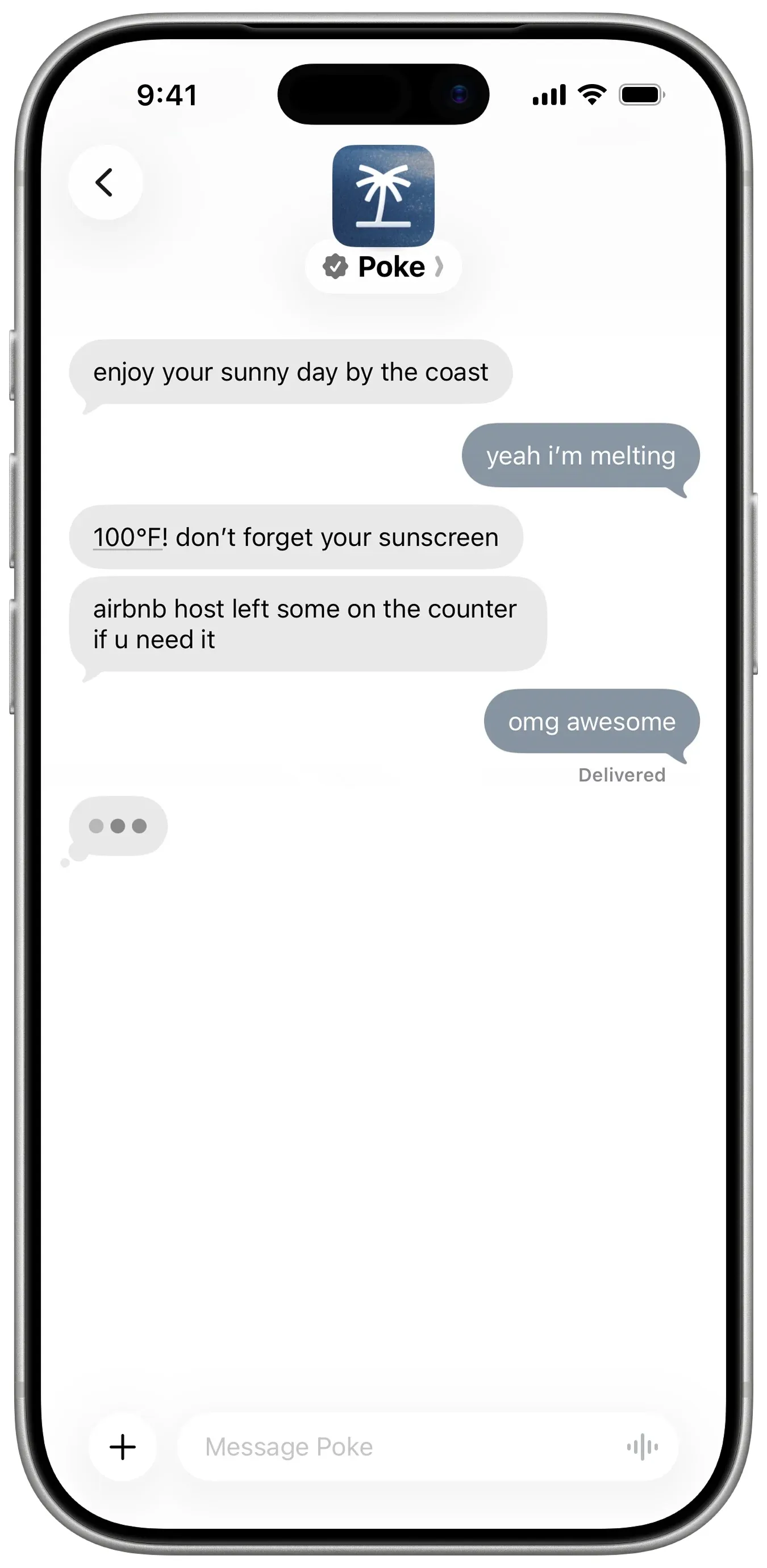
Pokeは、招待なしで同じ体験ができます。電話番号で登録し、iMessage、SMS、Telegramでテキストを送ります。Gmail、Outlook、Googleカレンダーなど多くのアプリに接続し、レシピと呼ばれる自動化を実行し、対応が必要なことがあれば自分から連絡してきます。無料プランはカード不要で、Proは月$19です。
諦めるもの: 現実世界の用事とプライバシー。Pokeが対象とするのは受信トレイ、カレンダー、アプリです。電話や予約は、$199のUltraプランで人がタスクを処理するPoke Humanが担当します。Instinctと同様、Maximum Privacyを選ばない限りあなたのデータで学習し、どのモデルを使っているかは明らかにしておらず、現在はCognitionの傘下にあるため、方向性が変わる可能性もあります。
2. Lindy:仕事用のテキストアシスタント、学習なし
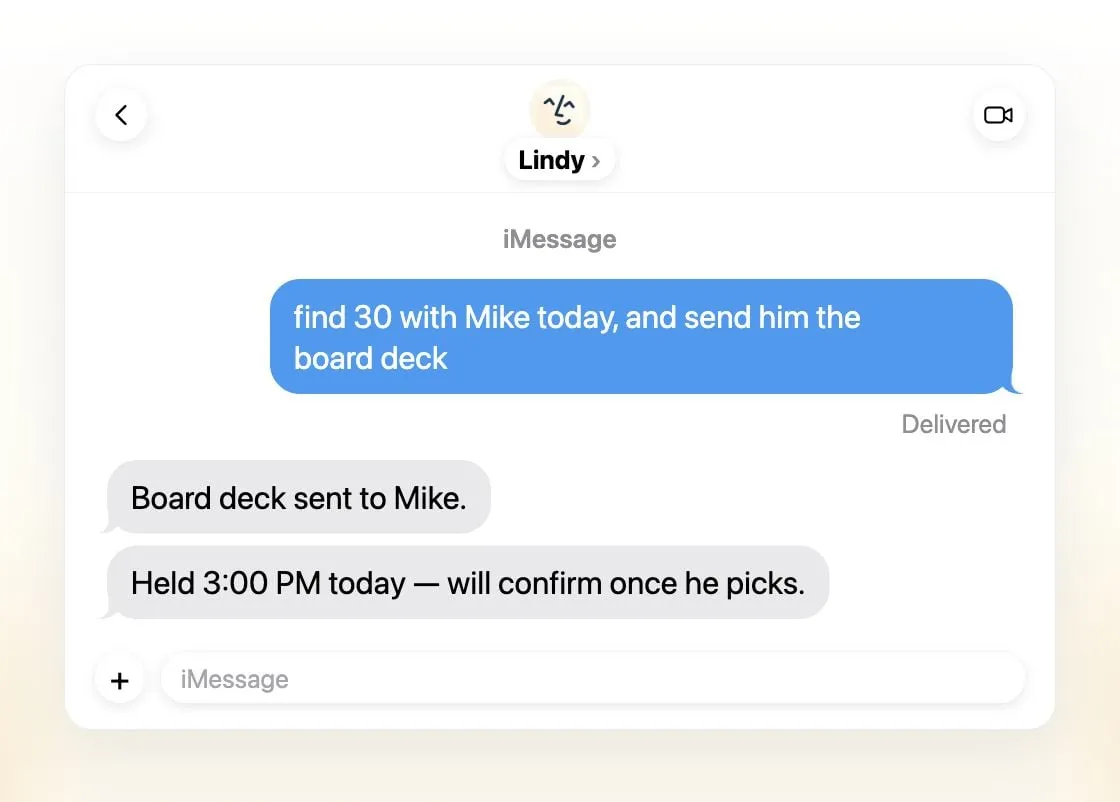
Lindyは、Instinctが使える場所のほぼすべてと、それ以上の場所で使えます。iMessageやSMS、Slack、専用の電話番号、メール、Gmail拡張機能、Webです。メールを仕分けし、返信の下書きを作り、会議を設定し、通話を録音・準備し、毎日のブリーフィングを送り、外部に影響することの前には承認を求めます。これはまさにInstinctのテスターが求めていた安全策です。Lindyはあなたのデータをモデルの学習に使うことは一切ないとしており、タスクごとにモデルを選べます。
諦めるもの: 料金と個人的な用事。有料シートは1ユーザーあたり月$49.99から、無料クレジットは7日で失効し、Lindyは食料品の買い物ではなく仕事のために作られています。
3. Muse:用事をこなすエージェントとして最も近い
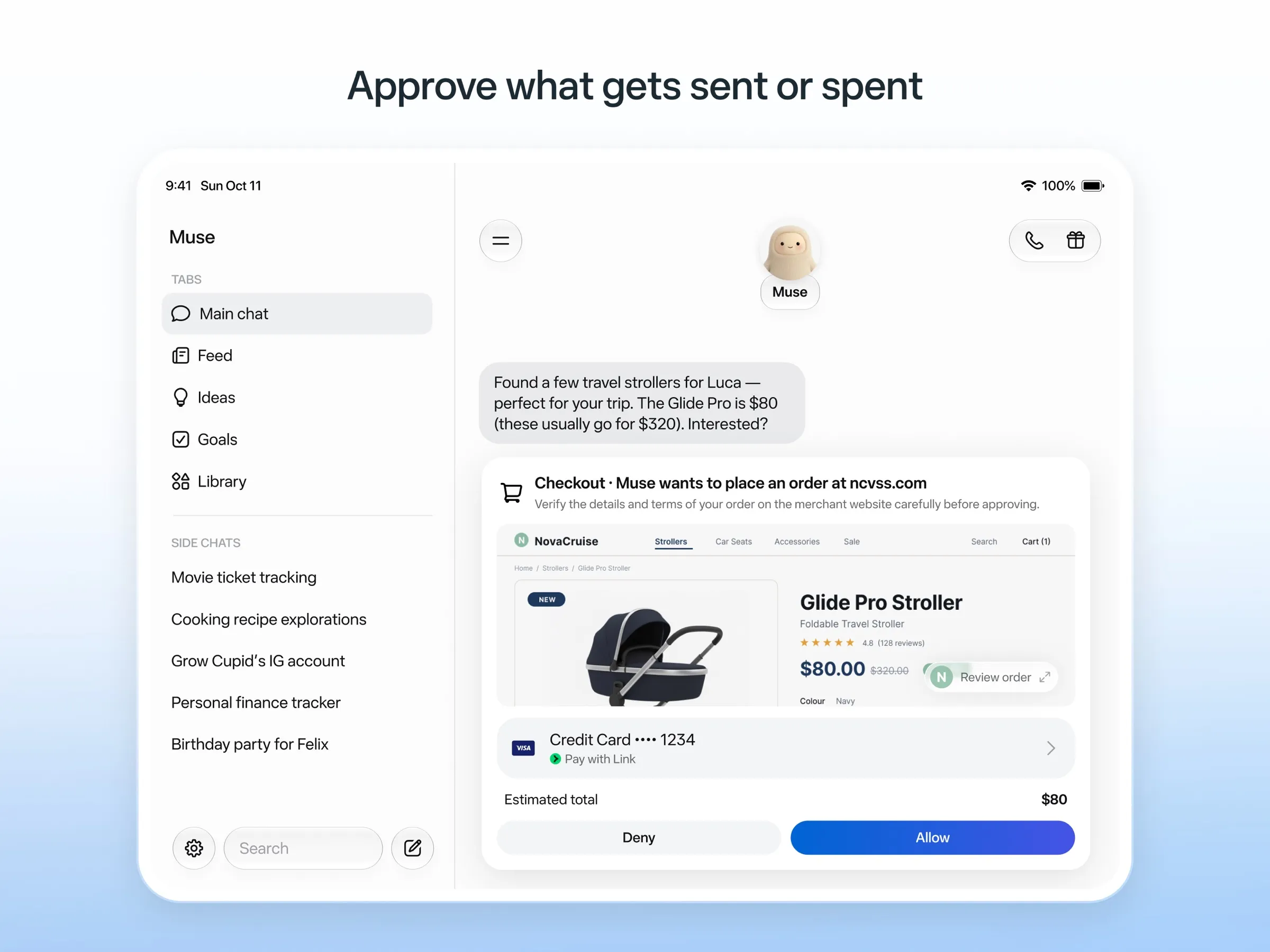
MetaのパーソナルエージェントであるMuseは、用事の面でInstinctの最も直接的なライバルです。独自のクラウドPCで作業してメールの送信、旅行の予約、買い物を行い、メールの送信や購入の前には確認を求め、何をしたかの監査ログを残し、使い捨てのカード番号で支払うため、あなたの実際のカードを見ることはありません。無料枠があり、iOS、Android、Mac、Web向けのアプリがあります。
諦めるもの: テキストでのやり取り。Museが3位なのは、専用アプリで使うためです。WhatsAppでのチャットは一部の国で限定テスト中に過ぎません。利用できるのは米国、カナダ、日本、シンガポール、メキシコのみで、無料枠でも支払いカードが必要で、オプトアウトしない限りあなたとのやり取りがMetaのモデルの学習に使われます。Museにも、ユーザーの自宅住所をMarketplaceの購入者に共有した件など、権限に関するミスがありました。
4. Grok Bot:最も高機能で、電話もかけられる
Grok Botは、常設のクラウドPC上で名前付きのBotsを動かします。Botsはあなたのアプリにサインインし、予約したルーティンを実行し、重要な操作の前には承認を求めます。録画した操作からタスクを覚えられ、あなたに代わって米国の企業に電話をかけることもでき、これがここで紹介する中で最もInstinctの電話機能に近いものです。当サイトのチェックリストのすべてをこなします。
諦めるもの: シンプルさ。他より下位なのは、テキストのスレッドではなくアプリを通じて使うこと(チャットアプリのチャネルはSlack)、無料プランがなく月$30からであること、ハロウィーンの週末に週ごとの利用上限に早々に達したユーザーがいたこと、そしてモデルを選べないためです。

5. OpenClaw:プライベートな自作ルート
OpenClawでは、Instinctの「メッセージを送るだけ」の体験を、自分の条件で実現できます。無料のオープンソースで、あなたのコンピューターで動き、iMessage、WhatsApp、Telegramをはじめとする計29のチャットチャネルから指示を受けます。ローカルモデルを含めてモデルを選べ、メモリと認証情報はあなたのハードウェアに残ります。OpenClaw自体はモデルの学習を一切行いません。
諦めるもの: 手軽さとデフォルトの安全性。最下位なのは、自分のマシンとコマンドラインが必要で、サンドボックスがデフォルトでオフであり、高価なモデルではモデルの料金が膨らむ可能性があるためです。メンテナーは技術に詳しくないユーザーにはリスクがあると警告しています。

どれを選ぶべきか
- Instinctのテキストで使う体験を、今日、無料で: Poke。
- あなたのデータで学習しない、仕事用のテキストアシスタント: Lindy。
- 予約や買い物などの用事: Muse。
- 電話も含めて最も高機能なエージェントが欲しく、料金も払える: Grok Bot。
- データを自分で管理したく、セットアップもこなせる: OpenClaw。
Instinctの招待を受けた場合は、メールを接続する前にapp.instinct.com/settingsで学習をオフにしましょう。Instinctとはもご覧ください。
代替サービス
月額$19
A personal AI assistant you text in iMessage or Telegram that connects to your email, calendar and apps and messages you first when something needs attention.
Pokeを開く長所
- Nothing to install: you sign up with a phone number and text it like a contact
- Messages you first, using your connected services and memory
- Free plan with no credit card, and email and calendar included
- Connects to Gmail, Outlook, Google Calendar, Notion, GitHub, Linear and many more apps, plus custom integrations through MCP
- Shareable automation recipes, and developers can build their own
短所
- Uses your data to train its AI models unless you choose Maximum Privacy
- WhatsApp support is limited to some markets
- Only one phone number per account
- Does not say which AI models it uses, and does not publish how many credits each plan includes
- Now owned by Cognition, so the product's direction may change
月額$49.99
An AI assistant for work that runs your inbox, calendar and meetings, takes requests by iMessage, Slack, phone or browser, and sends you daily briefs.
Lindyを開く長所
- Texts you first: a personalized first message, alerts on time-sensitive email, and daily briefs
- Reachable almost anywhere: iMessage or SMS, Slack, its own phone number, Gmail via a Chrome extension, and the web
- 1,500+ integrations plus any hosted MCP server, and a browser for tools without one
- Asks for approval before anything with outside impact
- Says it never uses your data to train models, with SOC 2 Type II, GDPR and PIPEDA compliance
短所
- Expensive for individuals: paid seats start at $49.99 per user a month, and free credits last only 7 days
- Credit-based usage is hard to predict, from 2 credits for a simple ask to 2,500 for a big build
- One shared Lindy per team rather than separate assistants for different jobs
- No mobile app; on phones you use iMessage, SMS or calls
- Plan names differ between its pricing page and its docs, so it is hard to tell what each tier includes
月額$20
Meta's personal AI agent that sends email, books travel and shops for you from its own cloud computer, in the Muse app or on the web.
Museを開く長所
- Free tier, and no technical setup: you message it like a person in the app or on the web
- Runs on its own cloud computer and keeps working after you close the app
- Asks before sending email or buying, and shows an audit trail of what it did and plans to do
- Purchases go through a one-time card number with Link's purchase protections, so the agent never sees your real card
- Connects to email, calendar and Instagram, and can use a browser for sites without an API
短所
- Only in the US, Canada, Japan, Singapore and Mexico so far, and Meta says Muse is still in limited testing
- Requires a payment card even for the free tier, and the stronger Muse Wonder model is for paid plans only
- Your interactions train Meta's AI models unless you opt out
- Free usage limit is not published, so it is hard to know when you will hit it
- Early users and press reported it overstepping permissions, such as reading messages it was not meant to
- Requires a Meta account and asks for broad access to email, calendars and payments
月額$30
Always-on AI agents from SpaceXSI that run on a shared cloud computer, sign in to your apps and finish multi-step work while you're away.
Grok Botを開く長所
- Bots work on their own cloud computer, so tasks keep running when your laptop or phone is closed
- Can operate websites and apps that have no API, using saved logins it never sees in plain text
- Several Bots can run in parallel, message each other and share one workspace
- Routines can run on a schedule or after an event, and a Bot can learn a task from a recorded demonstration of up to 10 minutes
- Can place phone calls to US businesses for you and send a summary afterwards
- Native apps for macOS, Windows, Linux, iOS and Android, plus Slack
短所
- No free plan and no standalone price: the cheapest way in is the $30/month Premium plan
- Usage comes from a weekly pool shared with Grok and Cursor, and SpaceXSI does not publish how much work that pool covers
- No model picker: Grok Bot chooses the model for each task and does not show which one it used
- All Bots on an account share one computer, files and logins; the docs say not to use separate Bots as a security boundary
- Users report Amazon blocks it from shopping as an unauthorized AI agent; Amazon hasn't commented
- Still labelled beta, with no browser version
Free, MIT-licensed personal AI agent that runs on your own computer and takes orders from WhatsApp, Telegram, iMessage, Slack and 20+ other chat apps.
OpenClawを開く長所
- Free and MIT licensed, with no paid tier
- Runs on your own hardware; state, memory and credentials stay local, and it sends nothing home except an optional daily version check
- Works in 29 chat channels, including WhatsApp, Telegram, iMessage, Slack, Discord and Microsoft Teams
- Model-agnostic: 64 model and media providers, plus local models
- Large ecosystem of skills and 142 official plugins, and very active development
短所
- Model costs are on you and can run high: testers and users have reported spending over $100 in a day with expensive models
- Sandboxing is off by default and the agent can run commands on the host unless you turn on approvals
- Setup and upkeep expect comfort with the command line; maintainers warn it is risky for non-technical users
- Broad access to email, messages and the system makes prompt injection and malicious third-party skills a real risk
機能
| Instinct | Poke | Lindy | Muse | Grok Bot | OpenClaw | |
|---|---|---|---|---|---|---|
| ウェブ検索 | あり | あり | あり | あり | あり | あり |
| 画像生成 | 不明 | 不明 | あり | あり | あり | あり |
| 音声モード | あり | あり | あり | あり | あり | あり |
| ファイルのアップロード | あり | あり | あり | あり | あり | あり |
| メモリー | あり | あり | あり | あり | あり | あり |
| 代わりに操作を実行 | あり | あり | あり | あり | あり | あり |
| アプリ連携 | あり | あり | あり | あり | あり | あり |
| 自律的に動作 | あり | あり | あり | あり | あり | あり |
| 自分から連絡してくる | あり | あり | あり | あり | あり | あり |
| 複数のボット | 不明 | 不明 | なし | 不明 | あり | あり |
出典
Instinct
- Instinct homepage2026/11/08確認
- Instinct Terms of Service (last revised Aug 26, 2026)2026/11/08確認
- TechCrunch: Instinct brings its AI agent to group chats2026/11/08確認
- Fortune: Noah Shinn's viral AI assistant Instinct raises $1B Series C2026/11/08確認
- Vellum: Instinct breakdown (competitor; summary of early tester reports)2026/11/08確認
- Digit: Instinct clarifies WhatsApp outage (works through WhatsApp and iMessage)2026/11/08確認
- RuntimeWire: Instinct brings its group AI agent to iMessage for all users (Oct 29, 2026)2026/11/08確認
- Privacy Policy | Instinct2026/11/08確認
- Built In: What Is Instinct AI? (Oct 21, 2026)2026/11/08確認
Poke
- Poke homepage2026/11/08確認
- Poke pricing2026/11/08確認
- Poke FAQ2026/11/08確認
- Poke privacy notice (last updated September 11, 2026)2026/11/08確認
- Cognition: welcoming The Interaction Company to Cognition (July 23, 2026)2026/11/08確認
- TechCrunch: Poke makes using AI agents as easy as sending a text2026/11/08確認
- TechCrunch: Apple approves Poke as the first AI agent on its Messages for Business platform2026/11/08確認
- Introducing Poke.com (launch announcement, September 8, 2025)2026/11/08確認
- Poke docs: Welcome (built-in web search)2026/11/08確認
- Poke release notes (web search, sharing images, attachments)2026/11/08確認
Lindy
- Lindy homepage2026/11/08確認
- Lindy pricing2026/11/08確認
- Lindy docs: What is Lindy?2026/11/08確認
- Lindy docs: iMessage & SMS2026/11/08確認
- Lindy docs: Phone Calls2026/11/08確認
- Lindy docs: Ad Hoc Tasks (research)2026/11/08確認
- Lindy docs: Pricing and credits2026/11/08確認
- Lindy Assistant: The AI that runs your work life2026/11/08確認
- Lindy docs: Set up Lindy (web search, image generation)2026/11/08確認
- Lindy docs: Files (drop files and folders in for Lindy to use)2026/11/08確認
- Lindy changelog (Creatives: on-brand images, Sep 16, 2026)2026/11/08確認
Muse
- Meta: Introducing Muse, the world's first personal AI agent built for everyone2026/11/08確認
- Muse homepage2026/11/08確認
- Meta Help Center: About Muse subscriptions2026/11/08確認
- Meta Help Center: Meta AI, Muse and Vibes are separate apps2026/11/08確認
- TechCrunch: Meta debuts its Muse AI agent. Will consumers trust it?2026/11/08確認
- 9to5Mac: Muse personal agent gets apps for iPhone and Mac2026/11/08確認
- The Guardian TechScape: early Muse users report the agent overstepping permissions2026/11/08確認
- iPhone in Canada: Meta's Muse AI agent is now available in Canada2026/11/08確認
- Superpower Daily: Meta launches Muse in Japan (Oct 23, 2026)2026/11/08確認
- Meta: Muse is now available in Singapore (Oct 27, 2026)2026/11/08確認
- Mexico News Daily: Meta launches its Muse AI agent in Mexico (Nov 6, 2026)2026/11/08確認
- Meta Q3 2026 earnings call transcript: Muse Wonder in the paid tier, free tier on Muse Spark2026/11/08確認
- How to manage reminders and scheduled tasks with Muse2026/11/08確認
- WhatsApp Help Center: About chatting with your Muse agent through WhatsApp2026/11/08確認
- TechCrunch: Meta's Muse hits Mac2026/11/08確認
- Meta AI: Muse features and FAQ (browses the web, generates images)2026/11/08確認
- Meta Help Center: How your Muse agent browses the web2026/11/08確認
- Meta Help Center: How to use Muse with artifacts (uploads, image generation)2026/11/08確認
- Meta Help Center: How to get started with Muse2026/11/08確認
Grok Bot
- Grok Bot product page and FAQ2026/11/08確認
- SpaceXSI pricing: The X Subscription plans2026/11/08確認
- Introducing Grok Bot (launch post, Aug 11, 2026)2026/11/08確認
- Grok Bot FAQ: plans, platforms, memory, privacy and limits2026/11/08確認
- Grok Bot docs: Create and manage Bots2026/11/08確認
- Grok Bot changelog (v0.78.1, Oct 27, 2026)2026/11/08確認
- Cursor help: Grok Bot plans and usage2026/11/08確認
- Teslarati: Grok Bot can now call US businesses (Nov 2026)2026/11/08確認
- Teslarati: Amazon shuts out Grok Bot (Oct 15, 2026)2026/11/08確認
- Grok Bot docs: Overview (proactive teammate, morning briefing)2026/11/08確認
- Grok Bot docs: Chat and collaboration (Slack DMs, X Chat rolling out)2026/11/08確認
- Grok Bot docs: Get started (desktop and mobile apps)2026/11/08確認
- Grok Bot docs: Skills, routines and automations2026/11/08確認
- SpaceXSI: Team Bots in public beta (Sep 28, 2026)2026/11/08確認
- Wikipedia: SpaceXAI (xAI renamed SpaceXAI, then SpaceXSI)2026/11/08確認
- Cursor: Data Use & Privacy Overview (Privacy Mode and training)2026/11/08確認
OpenClaw
- OpenClaw homepage and Foundation section2026/11/08確認
- OpenClaw integrations: channels, providers and plugins2026/11/08確認
- openclaw/openclaw on GitHub (MIT, v2026.11.1)2026/11/08確認
- OpenClaw docs: Sandboxing (off by default)2026/11/08確認
- Wikipedia: OpenClaw2026/11/08確認
- Notebookcheck: OpenClaw can burn through hundreds of dollars per day2026/11/08確認
- OpenClaw docs: Memory overview2026/11/08確認
- OpenClaw docs: Automations2026/11/08確認
- OpenClaw docs: Chat channels2026/11/08確認
- OpenClaw docs: iMessage2026/11/08確認
- OpenClaw docs: Heartbeat, now a default Proactive check job2026/11/08確認
- OpenClaw docs: Multi-agent routing2026/11/08確認
- OpenClaw docs: Platforms (macOS, Windows, Linux, iOS and Android apps)2026/11/08確認
- OpenClaw docs: Tools (exec, browser, web search)2026/11/08確認
- OpenClaw docs: Audio and voice notes (inbound transcription)2026/11/08確認
- OpenClaw docs: Image and media support (inbound media)2026/11/08確認