2026 年最佳隱私 AI 助理
最重視隱私、能代你行動的 AI 助理:自行架設的 OpenClaw、Rakazo 和 Hermes Agent,以及代管之選 Lindy。依資料存放位置和訓練政策排名。
概覽
| 助理 | 免費方案 | 開源 | 可自行架設 | 預設使用你的對話訓練 | ||
|---|---|---|---|---|---|---|
| OpenClaw | 是 | – | 是 | 是 | 否 | |
| Rakazo | 是 | US$10/月 | 是 | 是 | 否 | |
| Hermes Agent | 是 | US$20/月 | 是 | 是 | 否 | |
| Lindy | 是 | US$49.99/月 | 否 | 否 | 否 |




最重隱私的 AI 助理,是在你掌控的硬體上執行、搭配本機模型的那種,這樣你的電子郵件、訊息和記憶就永遠不會存放在廠商的伺服器上。OpenClaw 是實現這一點最知名的方式,它還清楚記錄了自己會回傳哪些資料。如果你希望每個 bot 都在沙箱中執行,就選 Rakazo;Hermes Agent 適合已經在經營自己伺服器的人。如果你不想自行架設,Lindy 是不做訓練承諾最明確的代管助理。
聲明:Rakazo 由經營本站的公司開發。它與其他產品採用相同的標準排名。
對助理來說,隱私比對聊天應用程式更重要。一個助理要發揮作用,就需要你的信箱、行事曆、帳號,有時還需要付款資訊,而且它會保留關於你的記憶。幾款大型代管助理預設會用你提供的內容進行訓練,文末會具體介紹。
我們如何排名
我們依據每個工具的文件、隱私權政策和原始碼授權進行排名,這些資訊都連同來源記錄在我們的目錄中。我們沒有自己稽核任何程式碼或流量。評分標準依序為:
- 你的資料存放在哪裡。 可自行架設、由你自己執行的開源軟體,勝過廠商的伺服器。
- 廠商聲稱蒐集什麼、用什麼訓練。 明確聲明預設不訓練、無遙測,勝過不作說明;不作說明勝過預設訓練。
- 本機模型。 提示能否留在你的電腦上,而不是送到雲端模型。
- 隔離。 沙箱和核准機制,因為一個透過提示注入洩漏你資料的代理也談不上隱私。
- 成熟度。 專案的規模,以及它接受檢視的時間長短。
這個排名只針對隱私,因此與本頁表格中的綜合評等不同;綜合評等考量的是每個助理能做什麼、設定難度、價格和可用性。
1. OpenClaw:如果你能執行它,它最重隱私
OpenClaw 是一款免費、採 MIT 授權的代理,在你自己的電腦上執行,並透過你已經在用的聊天應用程式與你交談。它的狀態、記憶和憑證都保存在你的硬體上,預設情況下除了一個可以關閉的每日版本檢查之外不回傳任何資料;匿名功能統計需要主動開啟(OpenClaw)。它本身不訓練任何模型。
你的提示會送到你的模型所在之處。使用雲端模型時,適用該供應商的政策。透過 Ollama、LM Studio 或 vLLM 使用本機模型時,任何資料都不必離開你的電腦(整合)。你透過聊天應用程式傳送的訊息也適用該應用程式自己的政策。
代價是隔離。沙箱預設關閉,而把電子郵件和訊息交給代理,會讓提示注入和惡意第三方技能成為真實的風險;某個第三方技能悄悄竊取資料就是一起有紀錄的事件(Wikipedia)。它排第一,是因為它是三者中最成熟的,而且對預設值的說明最完整,而不是因為它開箱即用最安全。
適合你,如果你熟悉命令列,並且會開啟沙箱。請參閱 OpenClaw 是什麼和 OpenClaw 替代方案。

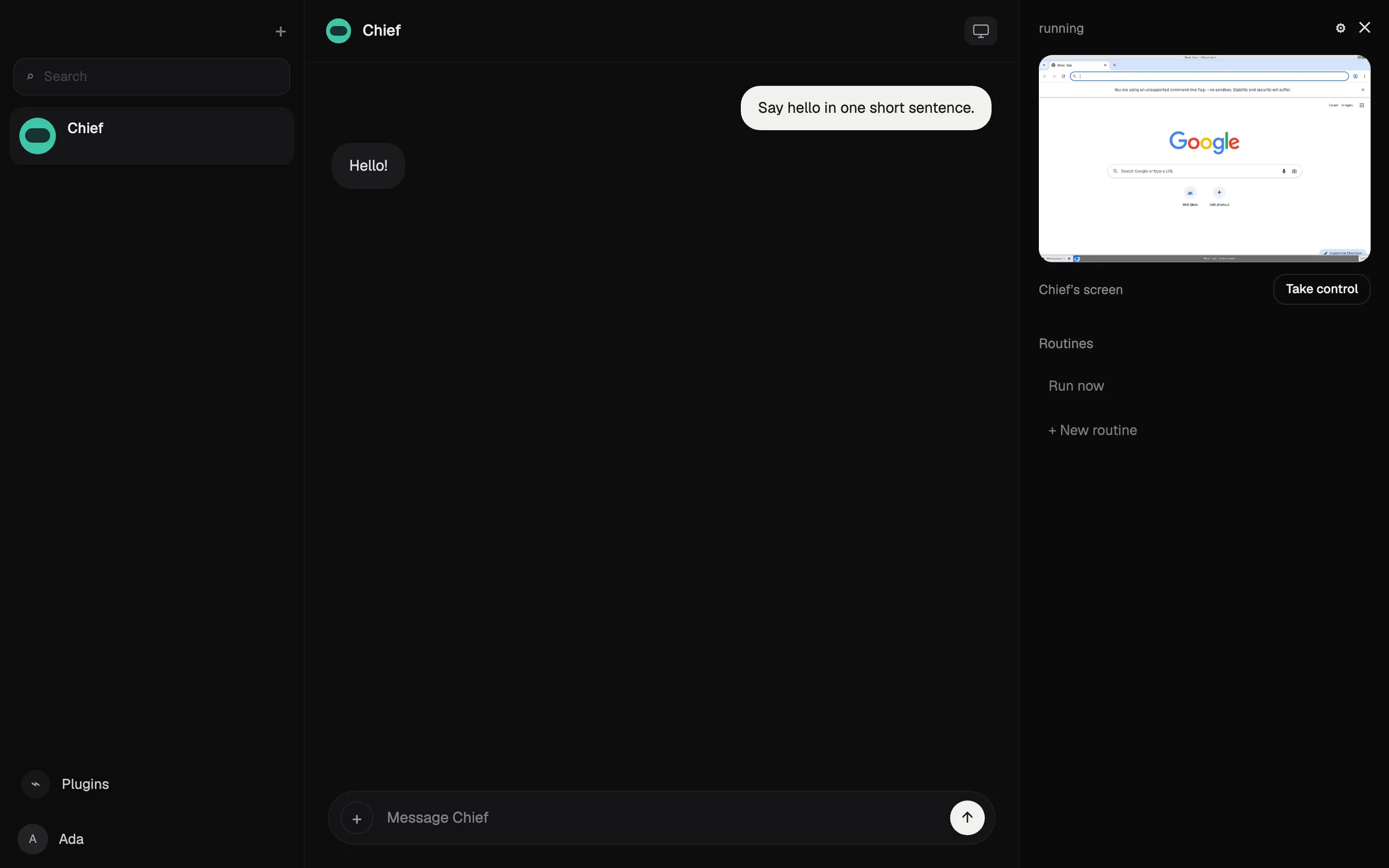
2. Rakazo:自行架設,每個 bot 都有沙箱
Rakazo 是一個採 Apache-2.0 授權的持續運作 AI bot 平台,你可以免費自行架設(GitHub)。和 OpenClaw 一樣,模型由你提供,包括透過 Ollama 或 LM Studio 執行的本機模型,所以自行架設加本機模型的配置能讓資料留在你的電腦上。每個 bot 的電腦都在 Docker 或沙箱中執行,你可以選擇哪些操作需要核准。它的自行架設文件說明,除非你自行設定,產品分析和錯誤回報都是關閉的(文件)。
Rakazo 不訓練自己的模型,其隱私權政策表示它不出售個人資訊。在代管方案上,你的內容會送到你接上的模型供應商,資料保留由其條款決定,所以代管方案不如自行架設那樣重隱私。
它排第二,因為它較新、仍在測試階段,社群也比 OpenClaw 小得多,所以它的程式碼受到的外部檢視較少。
適合你,如果你想要一個附沙箱和核准機制的自架代理,並保留日後改用代管方案的選擇。請參閱 Rakazo 評測。

3. Hermes Agent:自行架設,適合你自己的伺服器
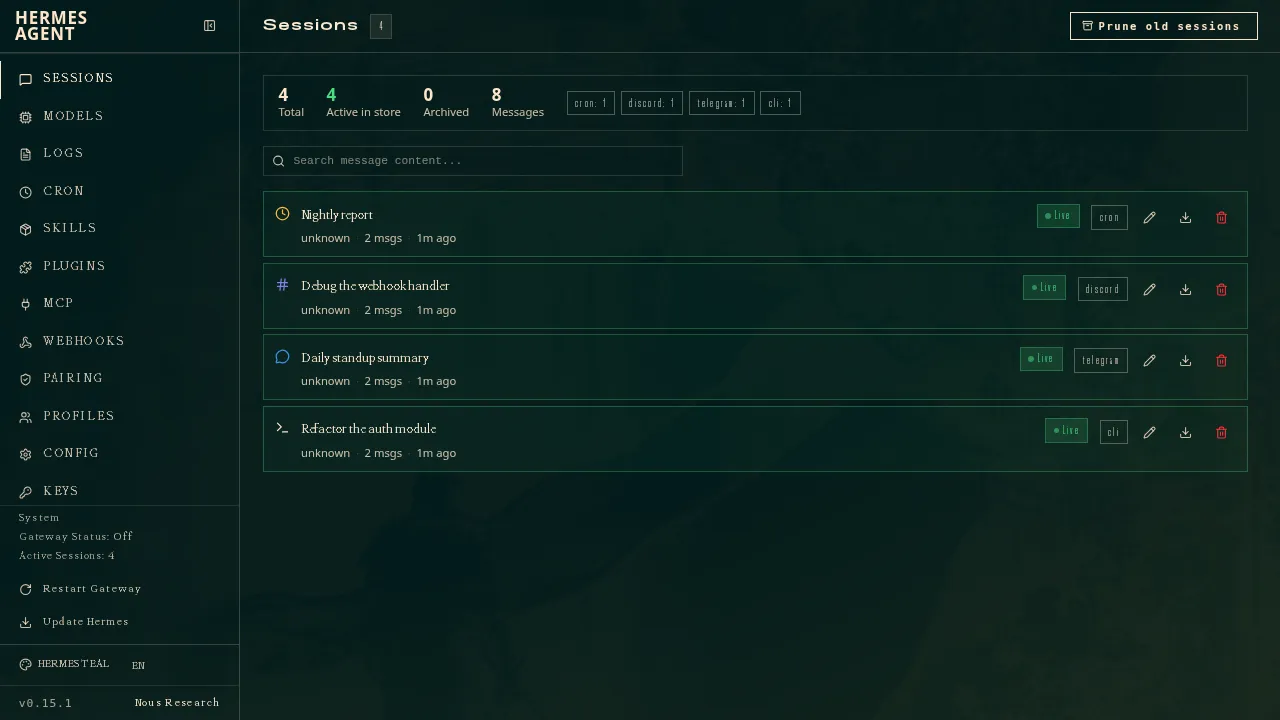
Hermes Agent 來自 Nous Research,採 MIT 授權,可以在你的電腦、一台便宜的伺服器或無伺服器基礎架構上執行(GitHub)。自行架設時,它的設定、記憶、技能和聊天紀錄都保存在你的電腦上,提示會送到你設定的模型供應商,從 OpenRouter、OpenAI 到任何相容的端點(文件)。
它的 FAQ 表示它不收集任何遙測,API 呼叫只會送到你設定的模型供應商。它排第三是因為隔離方面:GitHub Advisory Database 列出了該套件在 2026 年 5 月和 6 月的十則安全公告(GitHub 安全公告),而且我們無法確認它的預設沙箱設定。選用的 Nous Portal 訂閱會讓你的提示以及網頁搜尋等代管工具經過 Nous 的伺服器,所以如果你重視隱私,請使用你自己的端點。
適合你,如果你經營自己的伺服器,並且想要一個會學習可重複使用技能的代理。它可以從 OpenClaw 匯入設定、記憶和技能。
4. Lindy:最重隱私的代管助理
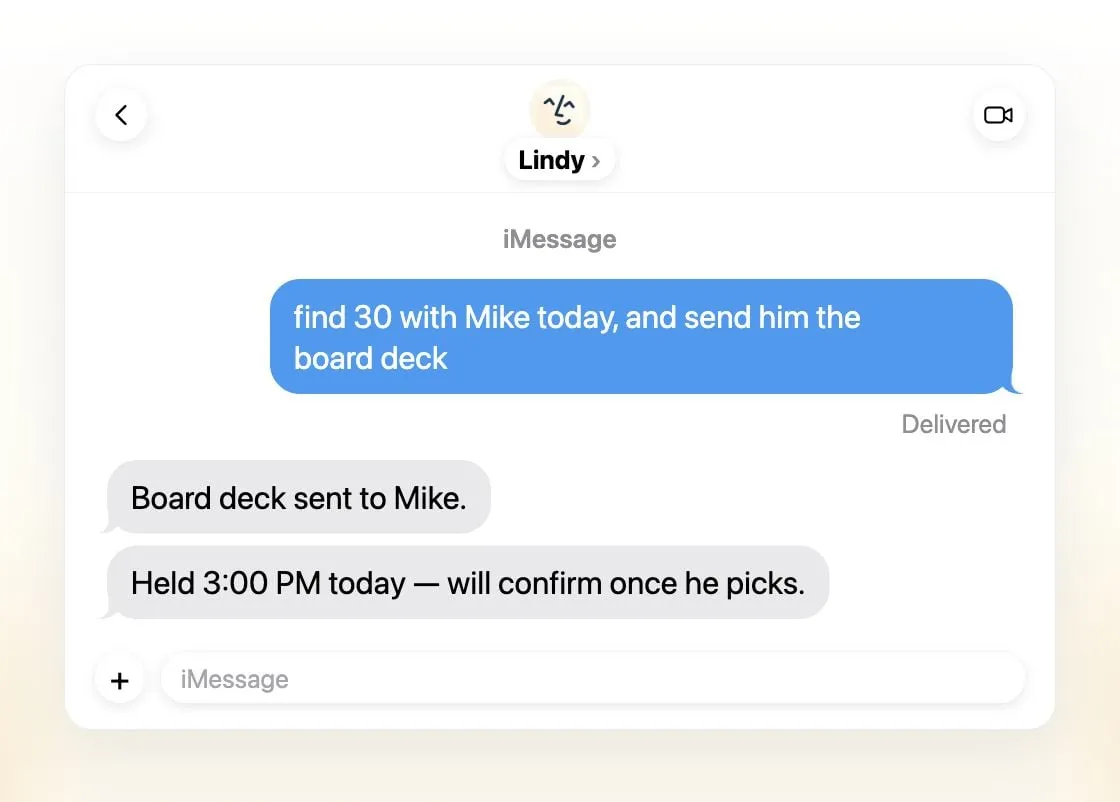
Lindy 無法自行架設,所以你的資料存放在它的伺服器上。它與其他代管助理的不同之處在於一個明確的承諾:它表示資料在傳輸和儲存時都經過加密,從不出售、分享或用於訓練模型,並聲稱符合 SOC 2 Type II、GDPR 和 PIPEDA,在 Enterprise 上還支援 HIPAA 和簽署 BAA(Lindy)。它也會在任何對外有影響的操作前請求核准。
它比其他產品更貴,付費席位每位使用者每月 $49.99 起(價格),而且它是為工作電子郵件、行事曆和會議而不是個人生活打造的。
適合你,如果你需要一個代管的工作助理,又無法自己執行軟體。
預設用你的資料訓練的助理
這些助理很受歡迎,但它們自己的條款表明,除非你變更設定,否則你的資料會用於訓練:
- Muse: Meta 表示你可以選擇不讓你的互動用來訓練其模型,所以訓練預設開啟。Meta 表示 Muse 不會把對話分享給其廣告系統(Meta)。
- dots: OpenAI 的價格頁面說 Pro 的內容會用來訓練其模型,並提供退出選項(價格)。
- Poke: 它的隱私權聲明說,除非你選擇 Maximum Privacy,否則使用者資料可能被用來訓練其模型。
- Instinct: 它的條款允許它用你的資料進行訓練,除非你選擇退出,而且退出只對之後生效。
- Perplexity Teammates: Teammates 需要 Max 方案,而 Perplexity 預設為 Free、Pro 和 Max 帳號開啟 AI 資料保留,所以除非你在設定中關閉,你的資料可能會被用於訓練它的模型(Perplexity)。
Grok Bot 會詢問是否允許訓練,在你開啟之前會一直保持關閉(常見問題)。其他產品,包括 Manus 和 Claude Duet,在我們查閱的頁面中都沒有說明針對個人使用者的預設訓練設定。在它們說明之前,不要做任何假設。
該選哪一個
- 任何資料都不離開你的電腦: 自行架設的 OpenClaw 或 Rakazo,搭配本機模型。
- 每個 bot 都有沙箱: Rakazo。
- 你已經在經營伺服器: Hermes Agent。
- 代管、用於工作、承諾不做訓練: Lindy。
無論你用哪一個,都要檢查每個連接到你帳號的助理的訓練設定,並且只給代理完成工作所需的存取權限。如果想看依能力而非隱私排名的助理,請參閱最佳 AI 助理和最佳 AI 代理。
精選推薦
Free, MIT-licensed personal AI agent that runs on your own computer and takes orders from WhatsApp, Telegram, iMessage, Slack and 20+ other chat apps.
前往 OpenClaw優點
- Free and MIT licensed, with no paid tier
- Runs on your own hardware; state, memory and credentials stay local, and it sends nothing home except an optional daily version check
- Works in 29 chat channels, including WhatsApp, Telegram, iMessage, Slack, Discord and Microsoft Teams
- Model-agnostic: 64 model and media providers, plus local models
- Large ecosystem of skills and 142 official plugins, and very active development
缺點
- Model costs are on you and can run high: testers and users have reported spending over $100 in a day with expensive models
- Sandboxing is off by default and the agent can run commands on the host unless you turn on approvals
- Setup and upkeep expect comfort with the command line; maintainers warn it is risky for non-technical users
- Broad access to email, messages and the system makes prompt injection and malicious third-party skills a real risk
US$10/月
Open-source, self-hostable platform for persistent AI bots that each get a job, a computer, memory and routines, using the model you choose.
前往 Rakazo優點
- Open source (Apache-2.0) and fully self-hostable, including with local models
- Choice of model per bot, including existing Claude or ChatGPT subscriptions
- Bots keep working on schedules and triggers with their own cloud computer
- Approval controls over which actions a bot may take on its own
缺點
- Still in beta, with frequent releases
- You supply and pay for the model on the hosted plans, unless you buy Rakazo credits
- Telegram, WhatsApp and iMessage/SMS are only available when self-hosted
- More setup than a single chat app
US$20/月
Free, MIT-licensed AI agent from Nous Research that runs on your own machine or server, learns reusable skills, and chats with you on Telegram, Slack and more.
前往 Hermes Agent優點
- Free and MIT licensed, and runs on hardware you control
- Writes and refines its own skills from experience, on top of persistent memory and cross-session search
- One gateway for 20+ chat platforms, including Telegram, Discord, Slack, WhatsApp, Signal and email
- Run several separate agents as profiles, each with its own model, memory and skills, and let them talk in group chats
- Model-agnostic, with a one-command import from OpenClaw
缺點
- Setup expects comfort with the command line and with running your own server
- Model costs are on you unless you use free models, and hosted web search, images and speech need a paid Nous Portal plan or your own keys
- iMessage needs a separate BlueBubbles server on a Mac
- No native mobile app; Android support is a command-line install through Termux
US$49.99/月
An AI assistant for work that runs your inbox, calendar and meetings, takes requests by iMessage, Slack, phone or browser, and sends you daily briefs.
前往 Lindy優點
- Texts you first: a personalized first message, alerts on time-sensitive email, and daily briefs
- Reachable almost anywhere: iMessage or SMS, Slack, its own phone number, Gmail via a Chrome extension, and the web
- 1,500+ integrations plus any hosted MCP server, and a browser for tools without one
- Asks for approval before anything with outside impact
- Says it never uses your data to train models, with SOC 2 Type II, GDPR and PIPEDA compliance
缺點
- Expensive for individuals: paid seats start at $49.99 per user a month, and free credits last only 7 days
- Credit-based usage is hard to predict, from 2 credits for a simple ask to 2,500 for a big build
- One shared Lindy per team rather than separate assistants for different jobs
- No mobile app; on phones you use iMessage, SMS or calls
- Plan names differ between its pricing page and its docs, so it is hard to tell what each tier includes
功能
| OpenClaw | Rakazo | Hermes Agent | Lindy | |
|---|---|---|---|---|
| 網路搜尋 | 是 | 是 | 是 | 是 |
| 圖像生成 | 是 | 是 | 是 | 是 |
| 語音模式 | 是 | 是 | 是 | 是 |
| 檔案上傳 | 是 | 是 | 是 | 是 |
| 記憶 | 是 | 是 | 是 | 是 |
| 代你執行操作 | 是 | 是 | 是 | 是 |
| 應用程式整合 | 是 | 是 | 是 | 是 |
| 自主運作 | 是 | 是 | 是 | 是 |
| 主動傳訊息給你 | 是 | 是 | 是 | 是 |
| 可執行多個機器人 | 是 | 是 | 是 | 否 |
來源
OpenClaw
- OpenClaw homepage and Foundation section2026年11月8日 查核
- OpenClaw integrations: channels, providers and plugins2026年11月8日 查核
- openclaw/openclaw on GitHub (MIT, v2026.11.1)2026年11月8日 查核
- OpenClaw docs: Sandboxing (off by default)2026年11月8日 查核
- Wikipedia: OpenClaw2026年11月8日 查核
- Notebookcheck: OpenClaw can burn through hundreds of dollars per day2026年11月8日 查核
- OpenClaw docs: Memory overview2026年11月8日 查核
- OpenClaw docs: Automations2026年11月8日 查核
- OpenClaw docs: Chat channels2026年11月8日 查核
- OpenClaw docs: iMessage2026年11月8日 查核
- OpenClaw docs: Heartbeat, now a default Proactive check job2026年11月8日 查核
- OpenClaw docs: Multi-agent routing2026年11月8日 查核
- OpenClaw docs: Platforms (macOS, Windows, Linux, iOS and Android apps)2026年11月8日 查核
- OpenClaw docs: Tools (exec, browser, web search)2026年11月8日 查核
- OpenClaw docs: Audio and voice notes (inbound transcription)2026年11月8日 查核
- OpenClaw docs: Image and media support (inbound media)2026年11月8日 查核
Rakazo
- Rakazo homepage2026年11月8日 查核
- Rakazo pricing2026年11月8日 查核
- Rakazo privacy policy2026年11月8日 查核
- Rakazo on GitHub (README and license)2026年11月8日 查核
- Rakazo changelog2026年11月8日 查核
- Rakazo releases2026年11月8日 查核
- Rakazo docs: Image and video generation2026年11月8日 查核
- Rakazo docs: Memory2026年11月8日 查核
- Rakazo docs: Connect apps2026年11月8日 查核
- Rakazo docs: Routines2026年11月8日 查核
- Rakazo docs: Chat apps2026年11月8日 查核
- Rakazo docs: Messaging apps (self-hosting)2026年11月8日 查核
- Rakazo docs: Bots and chats (add another bot, bot templates)2026年11月8日 查核
- Rakazo docs: Groups (several bots in one chat)2026年11月8日 查核
- Rakazo docs: Mobile app (notifications)2026年11月8日 查核
- Rakazo privacy policy (updated Sep 14, 2026)2026年11月8日 查核
- Rakazo privacy policy source on GitHub2026年11月8日 查核
Hermes Agent
- NousResearch/hermes-agent on GitHub (MIT, v0.23.0)2026年11月8日 查核
- Hermes Agent homepage and Nous Portal pricing2026年11月8日 查核
- Hermes Agent documentation2026年11月8日 查核
- Hermes Agent docs: Profiles, running multiple agents2026年11月8日 查核
- Hermes Agent docs: Bot Mode2026年11月8日 查核
- Hermes Agent docs: Voice mode2026年11月8日 查核
- Hermes Agent docs: Vision and image paste2026年11月8日 查核
- Hermes Agent docs: iMessage via BlueBubbles2026年11月8日 查核
- Nous Research on X: Meet Hermes Agent (February 25, 2026)2026年11月8日 查核
- Hermes Agent docs: Session heartbeats and cron watchdogs2026年11月8日 查核
- Hermes Agent docs: FAQ (Is my data sent anywhere?)2026年11月8日 查核
Lindy
- Lindy homepage2026年11月8日 查核
- Lindy pricing2026年11月8日 查核
- Lindy docs: What is Lindy?2026年11月8日 查核
- Lindy docs: iMessage & SMS2026年11月8日 查核
- Lindy docs: Phone Calls2026年11月8日 查核
- Lindy docs: Ad Hoc Tasks (research)2026年11月8日 查核
- Lindy docs: Pricing and credits2026年11月8日 查核
- Lindy Assistant: The AI that runs your work life2026年11月8日 查核
- Lindy docs: Set up Lindy (web search, image generation)2026年11月8日 查核
- Lindy docs: Files (drop files and folders in for Lindy to use)2026年11月8日 查核
- Lindy changelog (Creatives: on-brand images, Sep 16, 2026)2026年11月8日 查核